Content Calendar for Founders: How to Plan and Publish Consistently With Zero Spare Time

A content calendar is just a written plan of what you'll publish, when, and where. Nothing fancy. And the founders who actually pull this off week after week? They're not the ones who magically found extra time. They're the ones who killed the little time-vampires that hide inside content work: the blank-page paralysis, the frantic Monday-morning "what do I even write about," the ten manual steps it takes to get something live.
This is a hands-on walkthrough for founders, solo marketers, and tiny teams who need a working system without hiring a content department or torching their weekends. Templates, a batching setup, some automation shortcuts, and a weekly time budget you can actually stick to. Let's get into it.
Table of Contents
- Why Most Founders Fail at Content Calendars
- How to Plan a Content Calendar in Under 60 Minutes
- The Minimum Viable Content Calendar Template
- Batching: The Single Biggest Time-Saver
- Automation Shortcuts That Replace Manual Work
- Content Calendar for Founders: Tools Compared
- Maintaining Consistency When Everything Else Is on Fire
- Frequently Asked Questions
Why Most Founders Fail at Content Calendars
Most founders quit their content calendar within a month because they build a plan sized for a five-person marketing team, then try to run it solo. That's the whole tragedy in one sentence. Your calendar has to match what you can actually do, not what you wish you could do, or it falls apart the first time a customer emergency or a product launch swallows your week whole.
I've watched this happen enough times to spot the same three mistakes over and over.
The first is over-scoping. A founder decides "three posts a week!", builds a gorgeous color-coded spreadsheet, feels great about it for a day, and then hits that target exactly zero times. Because each of those posts needs original research, design, and editing they were never going to have bandwidth for.
The second is having no repeatable format. Every single piece starts from a blank page with a brand-new structure, which means every single piece takes as long as the very first one did. That's exhausting, and it's completely avoidable. Templates exist for precisely this reason.
And the third, honestly the sneakiest one, is having no system for coming up with topics. Founders tend to run out of ideas way faster than they run out of time. Without a running list of pre-approved things to write about, "what do I write about" quietly becomes its own weekly time sink. You lose twenty minutes just deciding before you've typed a word.
None of this gets fixed with willpower. It gets fixed by designing a calendar that assumes you'll get interrupted, batches the repetitive stuff, and hands off anything that doesn't need your specific brain. That's the whole model, and the rest of this article is just how to build it.
How to Plan a Content Calendar in Under 60 Minutes
You can build a working month-long content calendar in one sitting of roughly 45 to 60 minutes, as long as you follow a fixed order instead of opening a blank doc and hoping inspiration shows up. The trick under real time pressure is to answer five questions in sequence. Don't jump straight to the spreadsheet. That's where people freeze.
Step 1: Pick One Cadence and Commit to It
Choose a single publishing frequency you can keep for three straight months without heroics. Once a week is a sane default for a solo founder. Twice a month if you're also running sales, support, and product yourself (which, let's be real, you probably are). A slower cadence you actually keep beats an ambitious one you abandon in three weeks. Every time.
Step 2: Choose Three to Five Recurring Content "Buckets"
Instead of reinventing the wheel every week, set up a handful of recurring categories you rotate through. Something like: customer questions, product updates, industry takes, how-to guides, case studies. Now you're never staring at a blank slate. You're picking from a short menu, and picking is a thousand times easier than inventing.
Step 3: Batch-Generate Topics, Not Drafts
Spend 20 minutes cranking out 8 to 12 topic titles across your buckets. Pull them from support tickets, questions that keep coming up on sales calls, gaps in your competitors' content, and search terms you already almost rank for. This is the highest-leverage 20 minutes in the entire process, because it yanks topic-hunting out of every future week. Do it once, coast for a month.
Step 4: Assign Dates and Owners
Drop each topic into a calendar grid with a publish date and, if you've got any help at all (a part-time freelancer, an AI tool, whatever), an owner. Even if the owner is just... you, written down as a named task. Assigning ownership is what turns a fuzzy "I should write something" into an actual commitment on a specific day.
Step 5: Build in a Buffer
Leave one "flex" slot per month with nothing assigned to it. Save it for whatever's most relevant when you get there: a trending question, a timely announcement, or, more likely, the week you fall behind and just need some slack. A calendar with no buffer snaps the first time real life shows up. And real life always shows up.
The Minimum Viable Content Calendar Template
A minimum viable content calendar is a single-page plan that tracks only the essentials: topic, format, date, status, and where it goes out. That's it. Anything past those five fields is usually decoration that costs you time and adds nothing to what actually gets published.
Here's a structure you can paste straight into a spreadsheet, or into Notion, Airtable, Trello, whatever you already live in:
| Field | Purpose | Example |
|---|---|---|
| Topic/Title | What the piece is about | "5 Onboarding Emails That Reduce Churn" |
| Bucket | Which recurring category it belongs to | Customer questions |
| Format | Blog post, social thread, email, video | Blog post |
| Publish Date | Locks in the commitment | March 12 |
| Status | Where it is in the pipeline | Idea / Drafting / Editing / Scheduled / Published |
| Channel(s) | Where it goes out | Blog + newsletter + LinkedIn |
| Owner | Who's responsible | You / freelancer / AI tool |
Keep the whole thing on one screen. Seriously. If you have to scroll through ten columns just to figure out what's due this week, congratulations, you've built a project-management chore instead of a publishing tool. What you want is glance-and-go: open it, see what's due, know your next move, close it. No re-planning required.
Batching: The Single Biggest Time-Saver
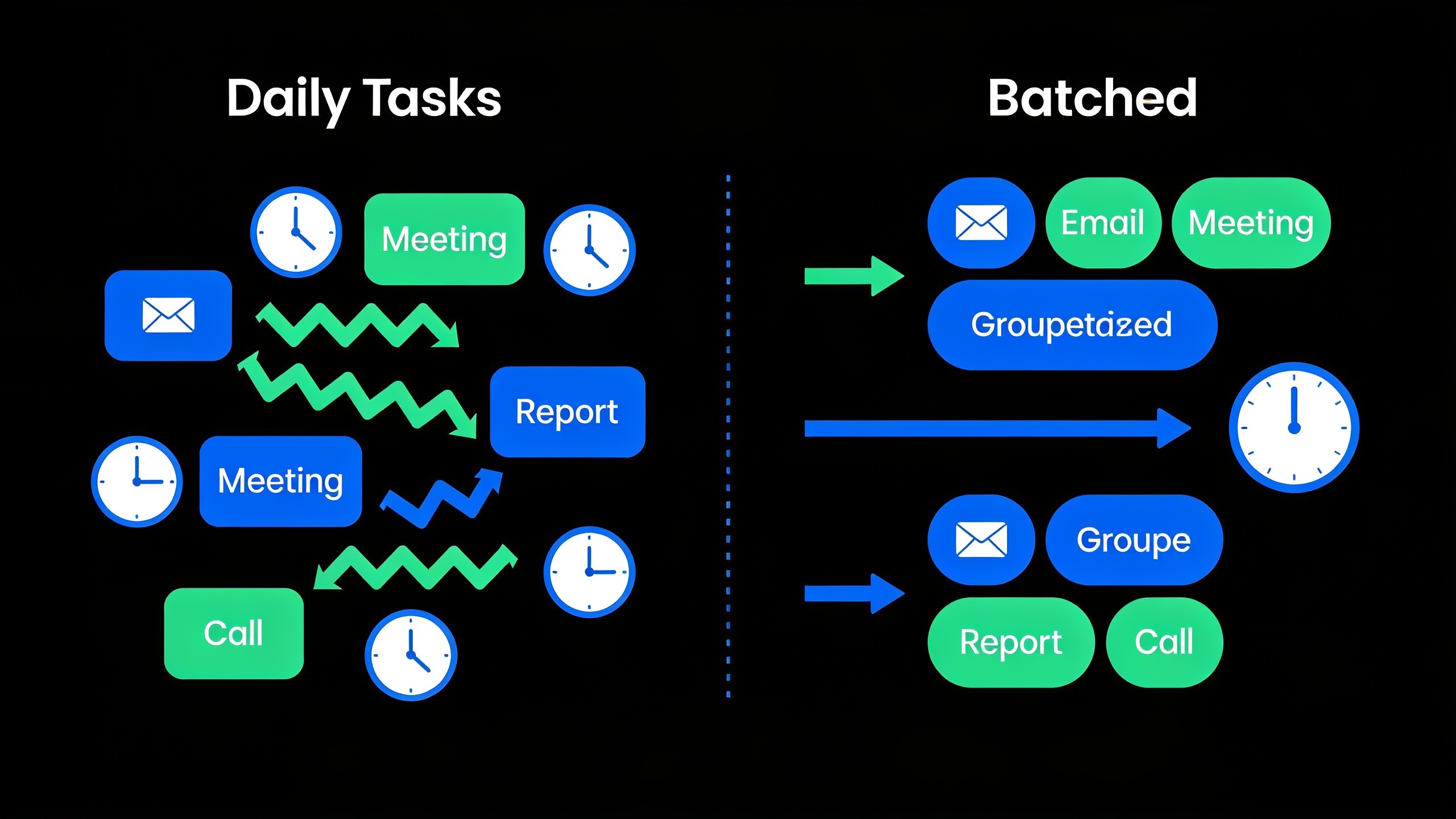
Batching just means grouping similar tasks and doing them all in one sitting instead of dribbling them across the week. For a solo founder, this is the one change most likely to keep your content calendar alive long-term. Writing four topic ideas in a row, or knocking out three outlines back-to-back, takes noticeably less total time than doing one a day. Why? Because you skip the mental re-entry cost of switching gears every single time. Context-switching is a tax, and it's a heavy one.
Here's roughly how I'd split it.
Once a month, block off 90 minutes to look at last month's numbers, generate fresh topics for whichever buckets are running dry, and pre-write titles plus a one-line brief for the next four to six pieces. That one session quietly replaces what would otherwise be four to six scattered, ad-hoc "ugh, I need to plan something" moments.
Then, every week, reserve a recurring 60 to 90 minute slot. Same day, same time, treated like a client meeting you're not allowed to skip. This is where you move that week's piece from "brief" to "published." And I mean literally put it on your calendar as an event. That single act of protecting the block is often the whole difference between a system that runs itself and one that quietly dies around week three.
Distribution deserves a spot here too. Publishing a post and having that post do any work for you are two very different things. The founders who batch their promotion, so they're scheduling the social posts, the internal Slack share, the newsletter mention all in the same sitting as the writing, get way more mileage out of each piece. And they don't have to bolt on a separate weekly chore to do it.
Want content like this running on autopilot for your own site? Try RobinRank free — AI-written, SEO-optimized articles generated and published automatically, no credit card required.
Automation Shortcuts That Replace Manual Work
Automation, in this context, means letting software handle the repeatable, low-judgment stuff (topic drafting, formatting, scheduling, publishing) so your scarce time goes only to the things that genuinely need your brain: strategy, brand voice, final approval. This is where the whole "zero spare time" problem actually gets solved, because it's usually the manual overhead around content, not the writing itself, that kills consistency.
A few shortcuts worth wiring into your setup:
AI-assisted drafting is the big one. Tools that spin up a first draft from a topic and a brief basically delete the blank-page problem. Your job flips from "write this from nothing" to "edit and approve," which is a much smaller ask. RobinRank is built specifically for this. It's an AI-powered SEO platform that writes, optimizes, and publishes articles automatically, and that kind of automation layer is exactly what lets a founder hold a weekly cadence without personally hammering out every post.
Scheduled publishing is the boring hero. Queue things up in advance through your CMS or scheduler so "publish day" needs literally zero action from you.
Recycled distribution matters more than people think. Set up something dead simple, even just a recurring calendar reminder, to re-share your older evergreen posts on social on a rotation. Now distribution isn't demanding brand-new content out of you every week.
And then there's backlink outreach, which is where most founders' eyes glaze over, and fair enough. Content only compounds in SEO value if it earns links, but manual link-building is one of the most time-eating parts of the whole game. RobinRank's Discover feature lets you browse manually reviewed sites by niche and Domain Rating, request a placement, and offer a reciprocal link back, so you skip the cold-email grind entirely. Every placement gets verified by crawling the live page and confirming the link is actually there, and the platform rechecks it weekly. So you're not stuck manually auditing months later whether some link quietly vanished.
One more thing worth flagging. A growing chunk of searches now get answered right there on the results page with no click-through at all, so it's smart to build distribution habits that don't lean entirely on organic clicks. There's a deeper breakdown in this look at how zero-click searches are reshaping content strategy, and honestly it's worth a read if your calendar is 100% blog posts right now.
Content Calendar for Founders: Tools Compared
Picking the right tool depends less on the feature list and more on one question: how much manual work does it actually take off your plate each week? Here's a practical rundown of the categories founders usually pick between.
| Approach | Time Cost Per Week | Best For | Main Limitation |
|---|---|---|---|
| Spreadsheet (Google Sheets/Excel) | Low setup, ongoing manual updates | Solo founders just starting out | No automation; you do all writing/publishing manually |
| Project tool (Trello, Notion, Asana) | Moderate — good for tracking status | Small teams with 2+ contributors | Still requires manual drafting and publishing |
| Social scheduler (Buffer, Later) | Low once scheduled | Distribution only | Doesn't help with writing or SEO strategy |
| AI writing/publishing platform (e.g., RobinRank) | Lowest — drafting and publishing automated | Founders who need consistent blog output without a writer | Requires editorial review to keep brand voice consistent |
| Manual link outreach | High — cold email lists, follow-ups | Teams with dedicated link-building resources | Time-intensive and slow to yield verified placements |
| Verified backlink exchange (RobinRank Discover) | Low — request, verify, done | Founders who want link-building without cold outreach | Requires having a site worth exchanging links with |
The pattern's pretty obvious once it's laid out like this. The more repetitive work a tool takes off your hands, the longer your calendar survives. A spreadsheet costs nothing to set up, sure, but it charges you in manual grind every single week. An automation-first approach costs a little more time up front and then pays it back almost immediately. Pick your poison, but pick it knowingly.
Maintaining Consistency When Everything Else Is on Fire
Consistency means publishing on a predictable rhythm even during the weeks your business is on fire. And the way founders actually pull that off isn't by grinding harder in the moment. It's by building slack into the system ahead of time. Willpower is not a maintenance strategy. Structure is.
Start with a content bank, not just a calendar. A content bank is a little stockpile of finished or nearly-finished pieces sitting ready to go, separate from whatever's scheduled this specific week. Even three to five banked pieces buy you a cushion for the weeks a launch, a new hire, or a customer meltdown eats every free hour. You just pull from the bank instead of blowing the publish date. It's the difference between a rough week and a broken streak.
Next, set a "good enough" bar and actually stick to it. Founders with no spare time usually lose consistency to perfectionism, not laziness. They'll burn three extra hours polishing a post that was already fine at 90%. Decide in advance what "done" means (accurate, on-brand, no typos, answers the question it set out to answer) and then stop. Walk away. It's ready.
Review the calendar monthly, not daily. Checking it every day just breeds decision fatigue and tempts you to keep reshuffling things for no reason. Once a month, during your batching session, is plenty to catch drift, kill dead topics, and refill the pipeline. The rest of the month, you just execute what's already there. No re-deciding.
And track one metric, not ten. Pick a single number tied to your real goal (organic sessions, email signups from posts, qualified leads) and check it monthly instead of white-knuckling daily traffic swings. A calendar built around one clear signal is a lot easier to keep honest than one buried under a dashboard nobody has time to open.
Frequently Asked Questions
How often should a solo founder actually publish?
There's no magic number, but the reliable move is to pick the lowest frequency you can hold for at least three months straight, often once every one to two weeks for a solo founder, and only bump it up once that pace feels genuinely easy. Not aspirational. Easy.
Is a content calendar different from an editorial calendar?
For most founders and marketers, the terms are used interchangeably. Both just mean a scheduled plan of what gets published, when, and where. Some bigger teams reserve "editorial calendar" for a beefier version with assignment workflows baked in, but if you're working alone, one simple calendar doing both jobs is completely fine.
Can I run a content calendar if I can't really write?
Yep. Plenty of founders lean on AI drafting tools, like RobinRank's automated writing and publishing platform, specifically to knock out the writing bottleneck, then spend their limited time reviewing and approving instead of drafting from scratch. Just treat the AI output as a first draft that still needs a quick brand-voice pass before it goes live. Don't skip that part.
How do I find topics when I'm too slammed to brainstorm?
Stop brainstorming from thin air and start mining what you already have. Recurring support questions, objections from sales calls, gaps in competitor content, search queries where you're sitting on page two. One batching session pulling from those sources can hand you a month or more of topics in under 30 minutes.
Does link-building really need to be in a founder's calendar?
It's worth having some link-building rhythm, since content generally needs backlinks to gain organic visibility, but it doesn't have to mean traditional cold-email outreach (which, frankly, most founders will never keep up with). Platforms like RobinRank's Discover network let you request and offer verified placements directly with other site owners, and that slots into a tight time budget way more comfortably than a cold outreach campaign ever will.
A content calendar for founders doesn't need to be elaborate. It needs to survive contact with a genuinely bad week. Pick one sustainable cadence, batch the planning and writing into single sessions, automate anything that doesn't need your personal judgment, and build in enough buffer that one chaotic week doesn't take down the whole thing. The founders who stay consistent aren't the ones with more time on their hands. They're the ones who ripped out as many manual steps as possible before they ever needed those extra hours.
Ready to stop writing content by hand? Start your free RobinRank trial and get a full month of SEO-optimized articles published on autopilot.