Content Repurposing: How to Turn One Blog Post Into 10 Pieces of Content

This guide walks through a system I actually use. How to break a blog post into ten distinct assets, which tools and formats fit each one, and how to make it a repeatable thing instead of reinventing the wheel every single time you hit publish.
Table of Contents
- What Is Content Repurposing and Why Does It Matter?
- How Do You Prepare a Blog Post for Repurposing?
- 10 Ways to Repurpose One Blog Post
- Content Repurposing Format Comparison
- Building a Repeatable Content Repurposing Workflow
- How Does Content Repurposing Help SEO and Link Building?
- Common Content Repurposing Mistakes to Avoid
- FAQ: Content Repurposing
What Is Content Repurposing and Why Does It Matter?
Content repurposing means adapting content you already have, the text, the structure, the data, the ideas, into new formats for different platforms and audiences instead of starting from a blank page every time. And to be clear, the goal is not to copy-paste the same words across ten channels. It's to translate the core message into the native language of each platform. A LinkedIn carousel speaks differently than a 60-second video script, which speaks differently than a subject line for your email list.
The real reason this matters comes down to time. Most marketing teams, especially at startups and scrappy little agencies, simply can't crank out ten original pieces of content a week. Nobody can. Repurposing takes one research-and-writing session and stretches it into a week or more of stuff to actually post. It also makes your SEO work pay off harder. A blog post you spent hours planning and writing shouldn't just sit at one lonely URL. It should turn up in inboxes, in feeds, in search snippets, in as many useful forms as you can manage.
And then there's the audience thing. People just don't consume content the same way. Some folks skim a carousel and bounce. Others want to listen to a podcast clip on their commute. A surprising number only ever read email and ignore everything else. So when you spread the same idea across formats, you stop being at the mercy of one audience's preferences. RobinRank's piece on multi-author blog brand voice makes a point I keep coming back to: consistency gets harder as content scales across contributors and formats. Same discipline applies here. One article becoming ten assets is its own kind of scaling problem.
How Do You Prepare a Blog Post for Repurposing?
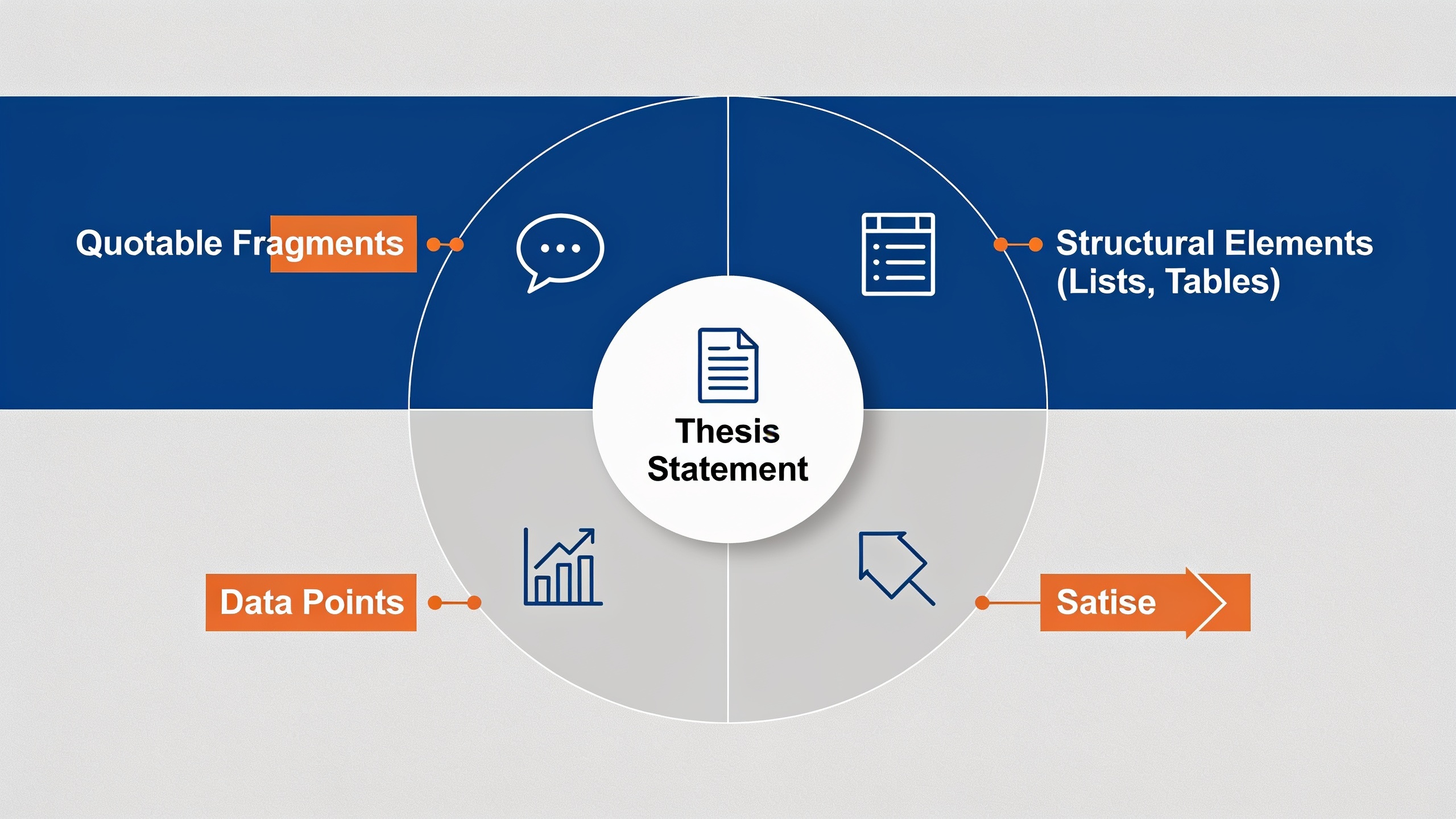
Before you repurpose anything, you break the post down into modular chunks: the core thesis, the supporting arguments, the data points, the quotes, any step-by-step lists. I call it a content teardown, and it's the whole reason repurposing goes fast. You're not rereading the entire article every time you need something new. You've already got a parts bin.
Step 1: Identify the Single Big Idea
Every decent blog post has one central claim underneath everything else, even when it wanders across a few subtopics. Find it. Write it in one sentence. This becomes the anchor for every repurposed piece you make. The social captions, the email subject line, the video hook, they should all trace back to this one thing.
Step 2: Extract Quotable Fragments
Go through the post and grab the standalone sentences and stats, the ones that still make sense with zero context. Those are your captions, your pull quotes, your email teaser lines. A sentence punchy enough to be an H2 or H3 in the article usually works great as a caption too. That's not a coincidence.
Step 3: List the Structural Elements
Jot down every numbered list, bullet section, comparison table, and FAQ in the original. This stuff is basically pre-packaged. A numbered list wants to be a carousel. A table wants to be an infographic. An FAQ section is secretly a stack of short-form video scripts waiting to happen.
Step 4: Flag Data and Sources
If the post cites stats or named studies, throw them all in one spot. Data points are the single easiest thing to turn into standalone graphics, and they tend to do really well on LinkedIn and Pinterest because they're skimmable and people love sharing a good number.
Do this teardown once, usually 15 to 20 minutes for a 2,000-word post, and you've got a raw materials list ready to shape into all ten formats below.
10 Ways to Repurpose One Blog Post
Ten concrete formats you can build from one long-form article, roughly ordered from least effort to most. Start at the top if you're overwhelmed.
1. LinkedIn or X (Twitter) Text Post
Take your thesis sentence, expand it into three to five sentences written for the platform, and drop a link to the full article at the end. Lowest-effort thing on this list. This one should usually go out the same day the post publishes.
2. Carousel or Slide Deck
Take a numbered list or a step-by-step section and turn it into a 6 to 10 slide carousel for LinkedIn or Instagram. One idea per slide, one short headline each. Last slide is your call-to-action pointing back to the article. Don't cram.
3. Twitter/X Thread
Break the article's H2 sections into individual tweets, one idea per tweet, same order as the original. Threads work beautifully for how-to and listicle posts because the structure already reads like a thread. You're basically just reformatting.
4. Email Newsletter Segment
Boil the key takeaway down to 100 to 150 words for your newsletter, with a "Read the full guide" link. If you send a weekly digest, this can be one section among several. It doesn't have to be a whole standalone email.
5. Short-Form Video Script (Reels/TikTok/Shorts)
Pick the single most surprising or genuinely useful point from the post and script a 30 to 60 second video around it. Hook, quick explanation, call-to-action to read more. FAQ sections are gold here, because each question is already a ready-made hook. You barely have to think.
6. Infographic
Turn a comparison table, a stat list, or a process flow into one visual graphic. Infographics get shared and linked to way more than plain text because they're easy to embed, which quietly makes them one of the better tools for earning backlinks.
7. Podcast Talking Points or Audio Clip
If you or your team record a podcast, use the blog outline as talking points for a segment. Or just read a strong excerpt aloud as a short audio clip for platforms that support it. Cheap and easy if you're already recording anyway.
8. Quote Graphics
Grab two or three of those "quotable fragments" from your teardown and set them as simple text-on-image graphics for Instagram or Pinterest. Zero new writing. Just formatting. This is the one I reach for when I'm tired.
9. SlideShare or Document Post (LinkedIn Documents)
Reformat the whole post as a multi-page PDF-style document that LinkedIn displays as a swipeable native carousel. Works best for posts with a clean header and subheader structure. These tend to have a surprisingly long shelf life.
10. FAQ or Q&A Follow-Up Post
If your post has an FAQ section, pull each question and answer out as its own little post or story. Bonus: this reinforces the same long-tail search queries the article already targets, which keeps your SEO story consistent across channels.
Content Repurposing Format Comparison
Not every format costs the same amount of time or gives you the same kind of payoff. Use the table below to figure out where to start based on what you've actually got, time-wise and goal-wise.
| Format | Effort Level | Best Platform | Primary Benefit |
|---|---|---|---|
| Text post | Low | LinkedIn, X | Fast distribution, drives traffic |
| Carousel/slide deck | Medium | LinkedIn, Instagram | High engagement, visual skimming |
| Thread | Low-Medium | X (Twitter) | Mirrors article structure directly |
| Newsletter segment | Low | Reaches owned audience directly | |
| Short-form video | Medium-High | TikTok, Reels, Shorts | Reaches new/younger audiences |
| Infographic | Medium-High | Pinterest, blog embeds | Shareable, link-earning potential |
| Podcast clip | Medium | Spotify, YouTube | Reaches audio-first audiences |
| Quote graphic | Low | Instagram, Pinterest | Fast, no new writing needed |
| Document post | Medium | Long shelf life, high dwell time | |
| FAQ follow-up | Low | Any social platform | Reinforces long-tail search intent |
Want content like this running on autopilot for your own site? Try RobinRank free — AI-written, SEO-optimized articles generated and published automatically, no credit card required.
Building a Repeatable Content Repurposing Workflow
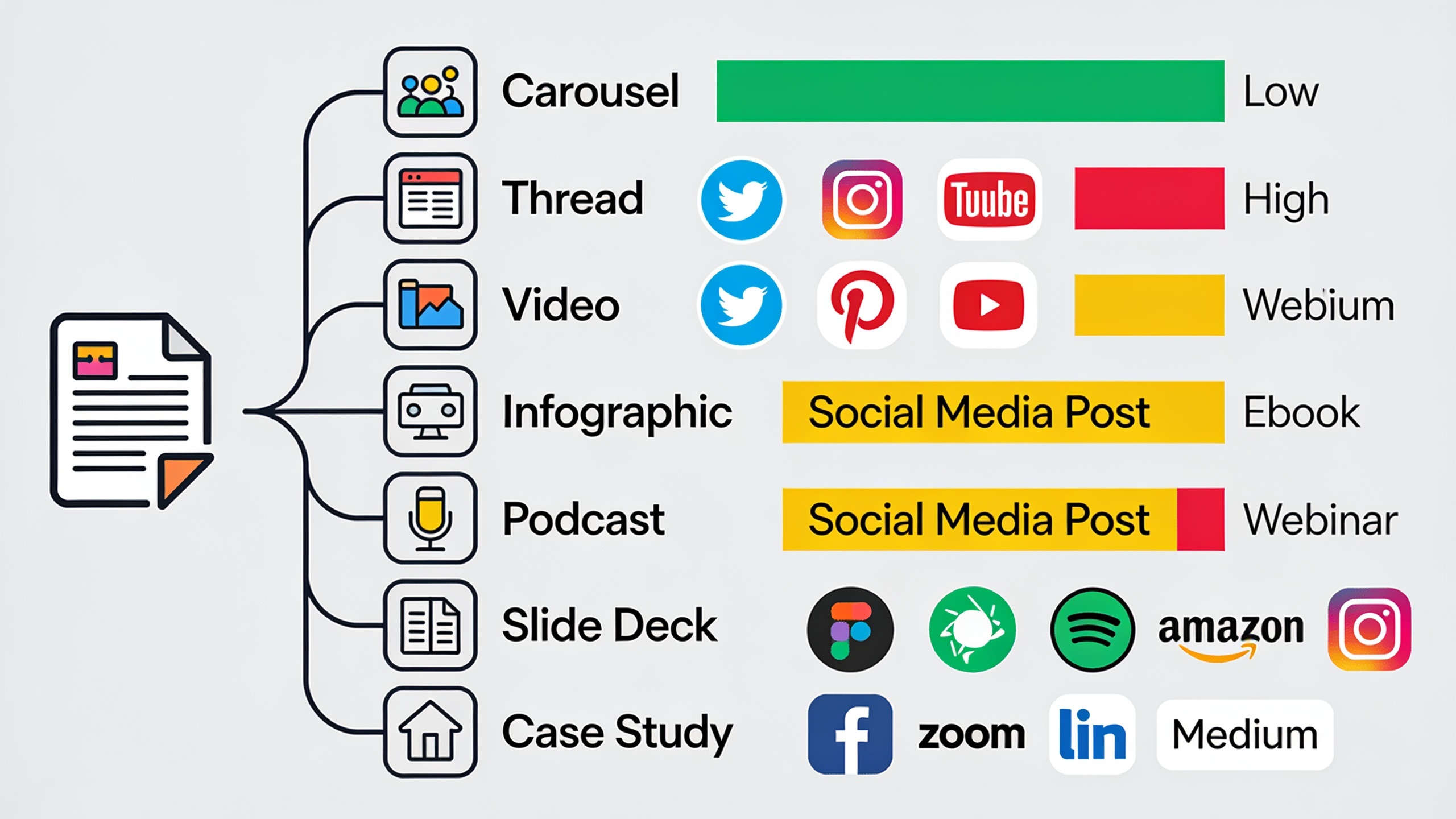
A content repurposing workflow is just a documented, repeatable process for turning every new blog post into a fixed number of secondary assets, without relying on your memory or a bunch of on-the-fly decisions. The whole point is to make repurposing a checklist item instead of a creative agony you re-enter from scratch each week.
Set a Standard Output Quota
Decide, for every post you publish, exactly how many and which formats you'll make. One thread, one carousel, one newsletter segment, three quote graphics. Whatever. A fixed quota kills the guesswork and turns repurposing into a production line instead of an open-ended "hmm, what should I make today" spiral.
Batch by Format, Not by Post
This one changed things for me. Don't repurpose one post into all ten formats before moving on. Batch by format instead. Write all your carousel captions for the week in one sitting, then all your quote graphics, then all your newsletter blurbs. Your brain stays in one mode. Way less context-switching, way faster.
Reuse Templates
Build a template for each format once. A carousel template with your brand colors, a thread-opening formula, a newsletter section layout. Then you're just filling in content instead of designing from zero every time, which is where most people's motivation quietly dies.
Stagger Publication
Please don't dump all ten pieces on the same day. Spread them across two to four weeks so the original post keeps pulling traffic and engagement long after it goes live, instead of front-loading everything into one hectic day and then... silence.
Keep Voice Consistent Across Formats
When one article becomes ten assets handled by different writers, designers, and social managers, the tone drifts. It just does. Suddenly you've got a carousel that sounds nothing like the newsletter and a video script that contradicts the blog's phrasing. It's the exact brand-voice problem covered in how to keep every post sounding like one brand, and it hits repurposed formats every bit as hard as it hits multi-author blogs.
How Does Content Repurposing Help SEO and Link Building?
Content repurposing helps SEO indirectly, mostly by adding more channels that funnel traffic back to your blog post's URL, and by creating shareable assets like infographics and data graphics that other sites are actually willing to link to or embed. Rankings get influenced by things like backlinks and engagement signals, and repurposed content is one of the more efficient ways to generate both without writing a whole second article.
Take an infographic built from a blog post's comparison table. You can pitch that to other publishers as an embeddable visual, and boom, that's a natural backlink. This is basically the logic behind backlink exchange networks. RobinRank runs a manually reviewed one where site owners request placements from each other and offer reciprocal links instead of blasting out cold outreach emails that nobody answers. Every site in the directory is reviewed by hand and has to clear a minimum Domain Rating of 5 or higher (via Ahrefs) before it gets listed, and every placement is verified by crawling the live page to confirm the link actually exists, with automatic weekly checks on the Pro plan to make sure it hasn't quietly disappeared. So if your repurposed infographic catches a publisher's eye, having an established, verified way to request and track that placement, rather than firing off cold emails into the void, makes the resulting link a lot easier to lock down and confirm.
Worth noting too: repurposed content, especially threads and FAQ posts, tends to reinforce the same keywords and long-tail phrases your blog post already goes after. That repetition across formats and platforms can strengthen your topical relevance on a subject, even though search engines rank pages, not social posts, directly. Small thing, but it adds up.
Common Content Repurposing Mistakes to Avoid
The most common mistake, by a mile, is copy-pasting the same text across every platform instead of adapting the tone and format to each one. A LinkedIn carousel needs short, punchy slide headlines. A Twitter/X thread needs conversational, sequential sentences. An email wants a more personal, direct voice. Content that reads as "obviously copy-pasted" gets less engagement because it just doesn't match how people expect to consume that platform. Readers can smell it.
Second mistake, and this one's sneaky: repurposing content that was stiff and overly formal to begin with. If the source article reads like a robotic template, every asset you spin out of it inherits that same stiffness. Which is exactly why the writing quality of the original post matters before you ever touch repurposing. The guide on how to write SEO content that doesn't sound robotic is a good place to start if your source material already feels generic, because repurposing amplifies both the strengths and the weaknesses of the original. Garbage in, garbage in ten different formats.
Third mistake is publishing everything the day the post goes live and then never touching that content again. Repurposed assets earn their keep when they're staggered over weeks, keeping the original article's traffic and backlink potential alive well past launch.
And finally, a lot of teams just skip measurement entirely. If you're not tracking which formats actually drive clicks back to the blog post, versus which ones only rack up likes, you'll keep pouring time into stuff that feels productive but doesn't move traffic or leads. Likes are nice. Clicks pay the bills.
FAQ: Content Repurposing
Honestly, how much extra writing does this involve?
Very little, assuming the original post is well-structured. Most of the ten formats above are reformatting jobs, not writing jobs. You're reshaping existing sentences, lists, and data. The only genuinely new writing is usually a short video script or a handful of social captions, each typically under 100 words.
How often should I repurpose a blog post?
There's no hard rule, but the practical move is to spread the assets over two to four weeks after publication rather than dumping them all on day one. That keeps the post pulling attention over a longer stretch instead of one quick spike that fades by Friday.
Do I need design skills for the infographics and carousels?
Not advanced ones, no. But you do need a consistent template. Most marketers build one branded template (colors, fonts, layout) up front and then reuse it forever, which keeps design time tiny after that initial setup. The first one's the hard one.
If I only have time for one format, which should it be?
A native text post or thread on LinkedIn or X. Fastest to produce, zero design work, and it's the best starting point if you're testing repurposing for the first time or you're genuinely strapped for time.
Can repurposed content really help me earn backlinks?
Yep, especially infographics and data-driven graphics, which publishers are far more likely to embed or reference than a long article. Pair that with a manually reviewed backlink exchange network, where site owners request and verify placements directly with each other, and you've got a much more direct path to turning that interest into a confirmed, live link.
---
Turning one blog post into ten pieces of content isn't about grinding harder. It's about wringing more value out of work you already did. Start with a quick teardown of your next published article, pick three or four formats from the list above, and build yourself a simple checklist so repurposing becomes a standard step in your publishing process instead of the thing you always mean to do and never quite get around to.
Ready to stop writing content by hand? Start your free RobinRank trial and get a full month of SEO-optimized articles published on autopilot.