How to Fix Keyword Cannibalization Before It Hurts Your Rankings
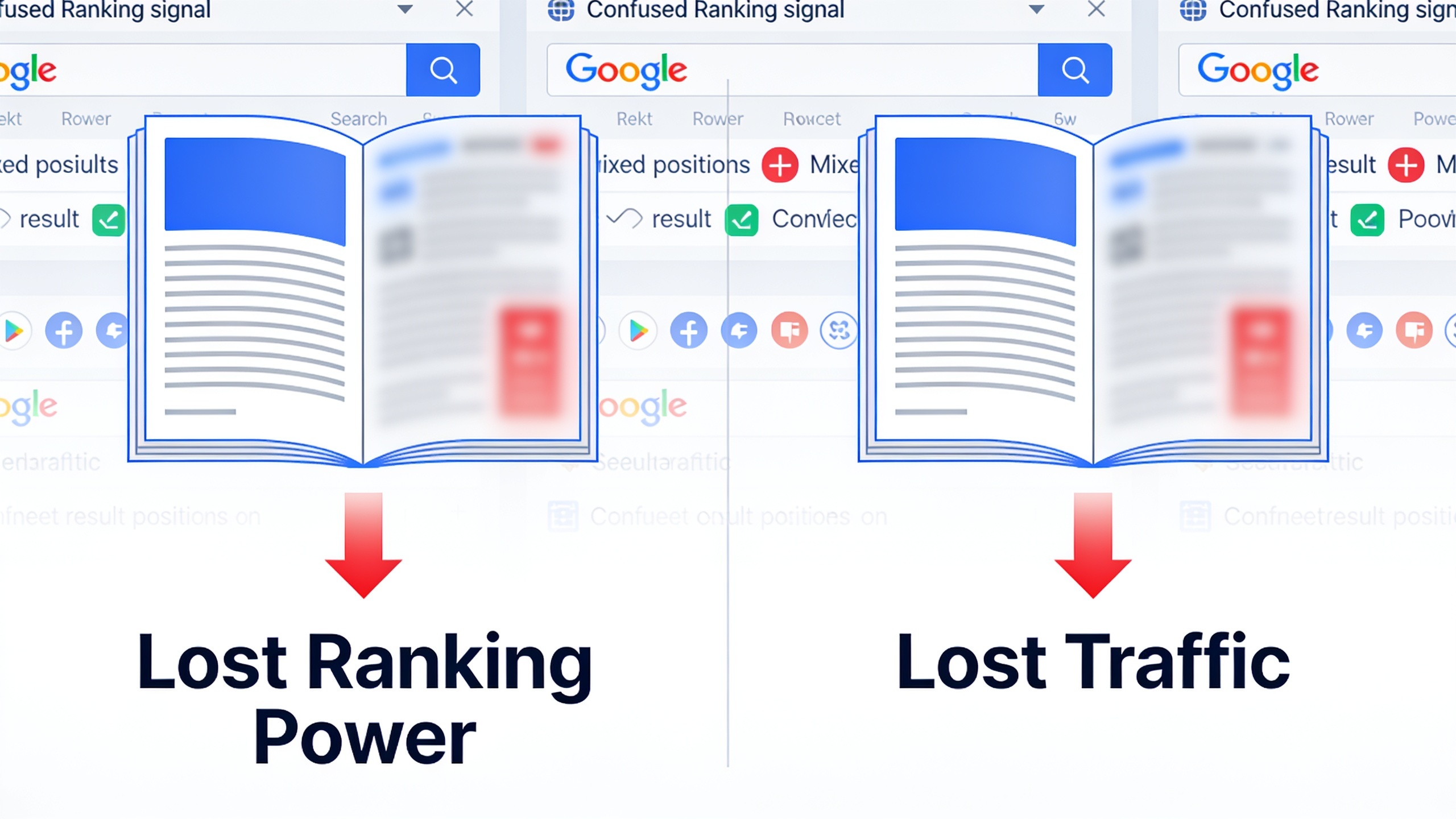
This guide walks through how to actually find those pages, why they crop up in the first place, and how to clean up the overlap through consolidation, redirects, or smart differentiation. Ideally before it quietly chews through traffic you sweated to earn.
Table of Contents
- What Is Keyword Cannibalization?
- Why Keyword Cannibalization Happens
- How Do You Know If You Have a Cannibalization Problem?
- Step-by-Step Process to Find Overlapping Pages
- How Do You Fix Keyword Cannibalization?
- Consolidation Strategies Compared
- Preventing Keyword Overlap Going Forward
- Frequently Asked Questions
What Is Keyword Cannibalization?
Keyword cannibalization is a technical SEO problem where multiple pages on the same domain are chasing the same search intent, so they compete against each other in the results instead of working together. When that happens, Google has to keep picking which page best answers the query, and that pick tends to wobble over time. The result is ranking volatility, watered-down authority, and generally worse visibility for the whole topic.
The name comes from the mental image of your pages "eating" each other's ranking power. Instead of one authoritative page slowly stacking up backlinks, internal links, and topical relevance for something like "best project management software," that signal gets smeared across three or four similar pages. Every one of them ends up weaker than a single well-built page would have been.
Now, here's a distinction that trips people up. Topical breadth is not cannibalization. Having a page on "project management software for startups" and another on "project management software for enterprises" is totally fine, because the intent and the audience genuinely differ. The trouble only starts when two pages go after the same query with the same intent. That's the overlap worth fixing. Everything else, leave it alone.
Why Keyword Cannibalization Happens
Cannibalization almost always comes down to content being created without a central strategy or any historical audit, which lets the same topic get written about more than once over the years. It's hardly ever on purpose. Usually it's just a side effect of growth, staff turnover, and scale.
A few patterns show up over and over, on sites big and small. The most common is content created in silos, where different team members, freelancers, or agencies write about the same stuff without ever checking what's already live. Then there's the blog that's been publishing steadily for three or four years. Give it enough time and it'll inevitably circle back to the same subtopics, especially around evergreen terms. E-commerce and SaaS sites have their own version of this, spinning up near-duplicate landing pages for slightly different product variations that all target the same core keyword.
Internal linking causes it too. When your links point at several different pages using the same anchor text for the same topic, you're basically telling Google "hey, any of these could rank." And don't forget migration leftovers, those old pages nobody redirected during a redesign that quietly resurface and start competing with your newer stuff. Programmatic pages, location pages, tag archives, auto-generated categories, all of that can multiply thin content that overlaps with your cornerstone pieces.
Figuring out the root cause actually matters, because it decides the fix. A one-off duplicate from a rushed content sprint might just need a redirect and you're done. But a structural mess, like tag pages getting indexed alongside your blog posts, needs an architectural fix, not a content tweak.
How Do You Know If You Have a Cannibalization Problem?
You probably have a cannibalization problem if Google Search Console shows two or more URLs from your domain ranking for the same query in the same date range, or if a page's rankings for a target keyword bounce around wildly with no external cause like an algorithm update or a competitor dropping fresh content.
The annoying part is that cannibalization rarely announces itself. It's more of a slow leak than a sudden crater, which is exactly why regular audits beat panicked reactive checks.
Here are the signs worth watching for:
- The ranking URL for a keyword keeps flipping in your rank tracker, alternating between two or more of your own pages.
- Two pages both show impressions for the same query in the Search Console Performance report, but neither one really ranks.
- Traffic for a topic is scattered across several pages, none pulling their weight given how strong your domain is overall.
- A newer page seems to "steal" rankings from an older, previously solid page not long after it goes live.
No single one of these confirms cannibalization on its own. Ranking volatility has plenty of other causes, from algorithm updates to seasonal demand. But when a few of these show up together for the same topic, it's worth digging in rather than crossing your fingers and hoping it sorts itself out. It won't.
Step-by-Step Process to Find Overlapping Pages
Finding cannibalized pages means cross-referencing your indexed content against real query data, not just eyeballing titles and guessing. The method I trust most pairs Google Search Console data with a manual content inventory.
Step 1: Export Query and Page Data from Google Search Console
Head into the Performance report and add both "Queries" and "Pages" as table dimensions. Set your date range to at least three to six months so short-term noise smooths out. Export the whole thing and hunt for any query where more than one URL from your domain shows up with real impressions or clicks. This is the most direct evidence you'll find, because it reflects how Google is actually treating your pages, not how you meant to organize them in your head.
Step 2: Run a Site: Search for Suspected Topics
Punch a `site:yourdomain.com "exact keyword phrase"` search into Google to see how many of your own pages surface for a term. If you already suspect two articles are stepping on each other, say "how to do keyword research" and "keyword research guide," this quick check tells you fast whether Google thinks both are relevant for similar phrasing.
Step 3: Build a Content Inventory Spreadsheet
List every published URL alongside its target keyword (or your best guess, if nobody ever formally assigned one), the publish date, current organic traffic, and word count. This becomes your master reference for spotting duplication, which matters most on bigger sites where dozens of posts might brush up against the same subject over the years.
Step 4: Group Pages by Topic and Intent
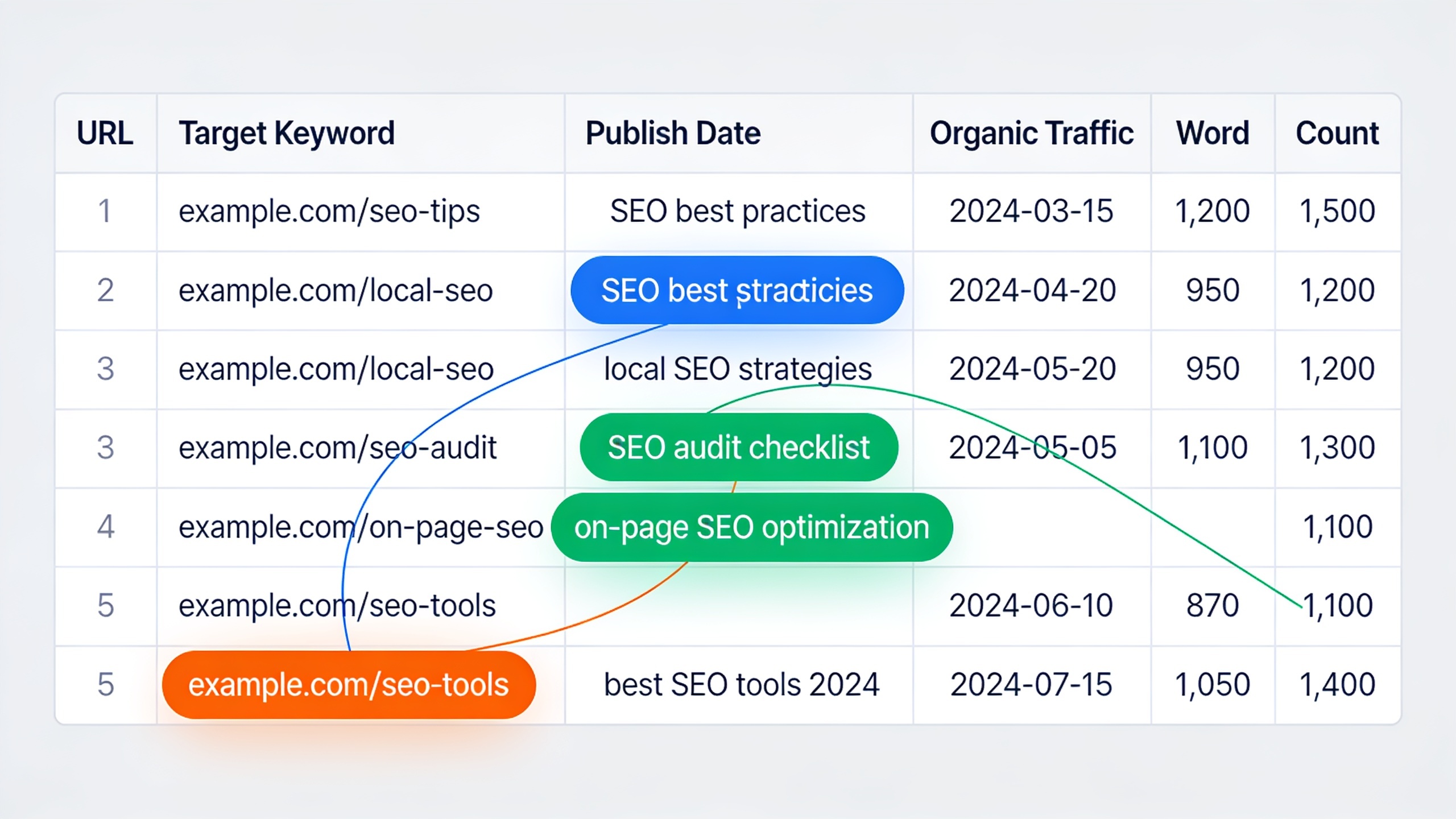
Sort your inventory by topic cluster instead of publish date. Do this and the overlaps practically jump off the screen. You'll usually find three or four posts crammed under what should've been one comprehensive page. This is also where a bit of structure pays off. Sites that organize around a topic cluster strategy tend to catch these overlaps way earlier, because each cluster is built around a single pillar page with clearly scoped subtopics, rather than a loose pile of related posts added on a whim.
Step 5: Check Search Intent, Not Just Keywords
Two pages can share a keyword phrase and still serve genuinely different intents. One might be a comparison post, the other a how-to. Before you merge a single thing, confirm both pages are actually trying to satisfy the same searcher. If they're not, the fix is differentiation, not consolidation, and merging them would be a mistake.
Step 6: Prioritize by Traffic and Business Impact
Not every overlap deserves your attention today. Deal with the cannibalization hitting high-value keywords first, the ones with strong commercial intent, decent volume, or a direct tie to your core product, before you burn hours untangling low-traffic overlaps that nobody's searching for anyway.
How Do You Fix Keyword Cannibalization?
You fix keyword cannibalization by picking one primary page to own the target keyword, then either merging the competing content into it, redirecting the weaker page, or clearly differentiating the pages so they chase distinct intents. There's no one-size-fits-all answer. The right move depends entirely on how much unique value each competing page actually holds.
Want content like this running on autopilot for your own site? Try RobinRank free — AI-written, SEO-optimized articles generated and published automatically, no credit card required.
Consolidate everything into one page. If two or more pages cover basically the same topic at similar depth, your strongest play is usually to merge the best bits of each into one comprehensive page, then 301 redirect the dead URLs to the survivor. That keeps whatever backlinks and link equity the removed pages built up, while killing the internal competition dead. When you do this, keep the URL with the strongest backlink profile, the most historical traffic, or the best existing ranking, not necessarily the newest or the one you happen to think reads best. And update your internal links sitewide to point at the survivor. Make sure the new version covers everything the old ones did well, plus whatever they missed.
Just redirect the weaker page. If one page is clearly winning (better rankings, more backlinks, more traffic) and the other brings basically nothing new, a plain 301 from weak to strong sorts it out fast without any content rewrite. This is often the quickest fix for two near-duplicate blog posts published a few months apart on the same narrow topic.
Differentiate the intent instead. If both pages genuinely have value but got accidentally optimized for the same keyword, rewrite the titles, headings, and angle so each clearly serves a different need. Turn one into a beginner's overview and the other into an advanced comparison, say. This only works when the intents are naturally distinct, though. Forcing artificial differences onto content that's genuinely duplicate usually flops, because Google's systems still sniff out the underlying overlap no matter how you dress it up.
No-index the low-value stuff. For thin, auto-generated, or outdated pages that add nothing and aren't worth consolidating, slapping on a noindex tag or pulling them from your XML sitemap stops the competition without the disruption of a full redirect. Standard move for tag archives, stale landing pages, or duplicate product variants that had no business being indexed in the first place.
Adjust internal links and canonicals. Sometimes the fastest partial fix is just changing which page your internal links and navigation point to for a keyword, backed up by a canonical tag nudging Google toward your preferred URL. This won't cure deep content overlap on its own, but it quickly signals which page you consider primary while you plan the real fix.
Consolidation Strategies Compared
Which fix you reach for comes down to how much unique content each page has, how much authority it's carrying, and how much time you've actually got. Here's how the main approaches stack up:
| Strategy | Best For | Effort Required | Preserves Link Equity | Risk Level |
|---|---|---|---|---|
| Full consolidation + 301 redirect | Two or more pages covering nearly identical topics with overlapping depth | High | Yes | Low |
| Simple 301 redirect | One clearly stronger page vs. a weak, low-value duplicate | Low | Yes | Low |
| Intent differentiation (rewrite) | Pages with genuinely different angles that were accidentally optimized alike | Medium | N/A (both pages kept) | Medium |
| Noindex / sitemap removal | Thin, outdated, or auto-generated pages with no unique value | Low | No | Low |
| Canonical tag adjustment | Near-duplicate pages you're not ready to merge yet | Low | Partial | Medium |
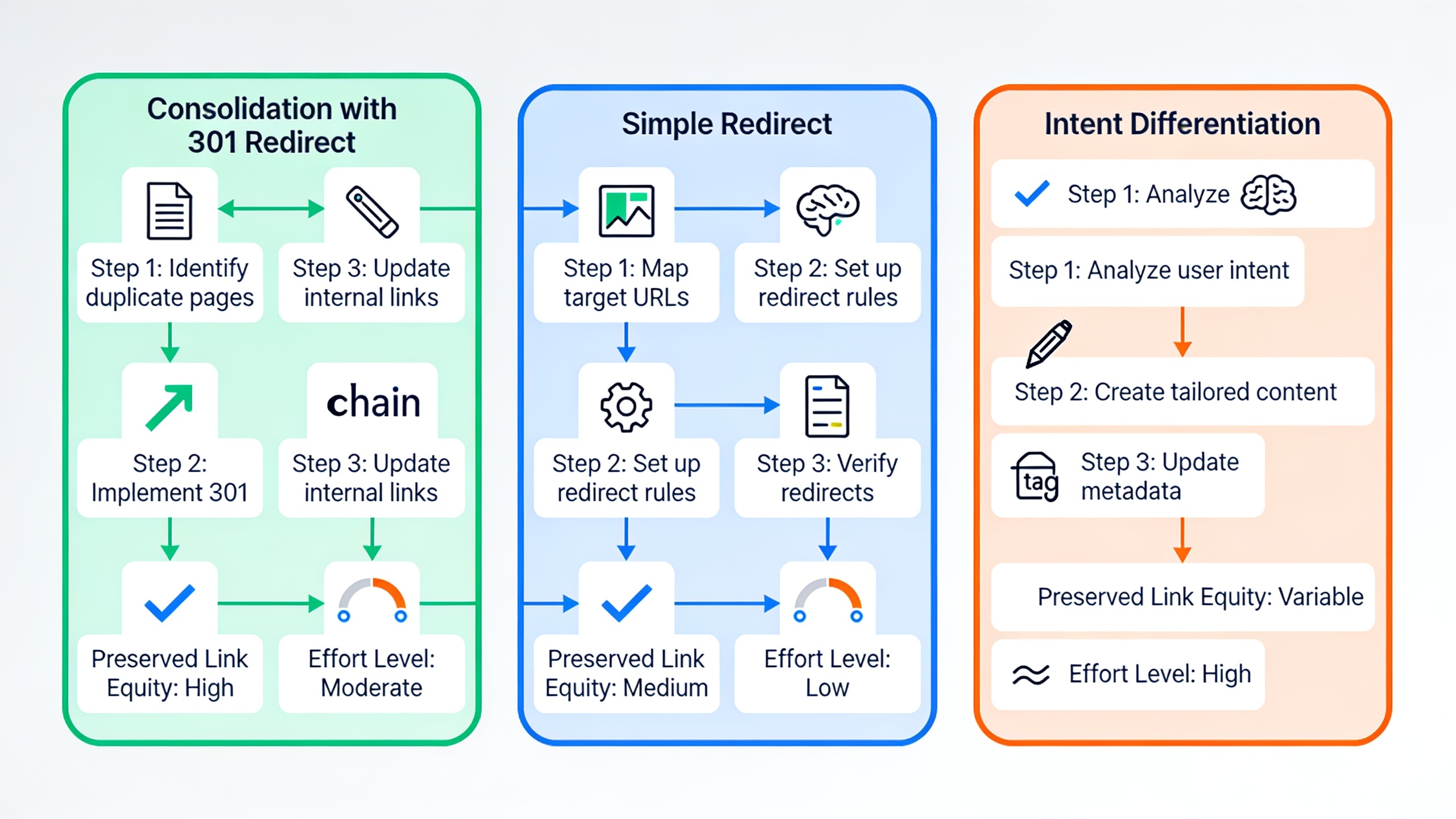
Like the table shows, full consolidation takes more work but carries the lowest long-term risk, since it kills the root cause instead of just papering over it. Quick fixes like canonical tags can buy you time, sure, but they rarely untangle deep overlap by themselves.
Preventing Keyword Overlap Going Forward
The most reliable way to prevent cannibalization is to plan content around a keyword map before you publish, so every new page has a clearly assigned target keyword and intent that isn't already spoken for. Prevention is dramatically cheaper than cleanup, because you skip both the traffic dips and the redirect housekeeping that come with fixing overlap after the fact.
So build a keyword ownership map. Keep a living spreadsheet or content calendar that ties one primary keyword to one URL, and check it before you publish anything. If a keyword already has an "owner" page, either update that existing page or pick a genuinely different angle and keyword variant. Don't just write a second one and hope.
Structuring your blog or resource hub around pillar and cluster pages, rather than firing off standalone posts whenever inspiration strikes, naturally cuts down overlap because every piece has a defined role in a bigger picture. Same logic behind building a topic cluster strategy that boosts rankings: the pillar owns the broad keyword, and each cluster page owns a distinct subtopic and links back to the pillar instead of duplicating it.
And please, audit quarterly, not annually. Waiting a full year gives cannibalization all the time it needs to compound, especially on a site pushing out multiple posts a week. A quarterly pass through your Search Console query-and-page data catches emerging overlap while it's still a tidy two-page problem, not a five-page disaster smeared across years of publishing.
One more thing, and it matters most for teams. When multiple writers, freelancers, or an agency are all contributing, a shared brief template that names the target keyword and flags which existing pages already touch that ground stops accidental duplication before it starts. This is huge for teams scaling content fast, where the same topic gets assigned twice and nobody notices until both pieces are live and competing. Workflows that centralize planning and publishing, instead of treating each article as its own little island, make that oversight far easier to keep up as your volume climbs, because every new piece gets checked against what's already out there.
Frequently Asked Questions
Does cannibalization actually hurt rankings, or does Google just pick the best page anyway?
Google does pick one page to rank for a query, but the losers still bleed off signals that could've been concentrated on a single strong page, backlinks, internal links, click data, all of it. So even though Google is technically "handling" the duplication by crowning a winner each time, the end result is usually that no single page performs as well as one consolidated page would have.
How many overlapping pages does it take to count as cannibalization? Does two pages count?
Yep, two pages going after the same keyword and intent is enough. You don't need a whole pile of duplicates. Even one extra page competing with your primary page for the same query can measurably split the signals and set off volatility in your Search Console data.
Will merging pages and adding a redirect cause a temporary traffic drop?
Some short-term wobble is possible while search engines process the redirect and re-evaluate the merged page, but a properly done 301 is built to pass along the link equity and relevance from the old URL. Most sites see things settle once the consolidated page re-indexes carrying the combined authority of both originals.
Can this happen between a blog post and a product or landing page?
Absolutely, and it happens all the time. An informational blog post accidentally outranks a commercial landing page for a keyword that really should be driving a purchase or sign-up. Here the fix usually isn't consolidation, it's adjusting the blog post's internal links, CTAs, and on-page optimization so it clearly feeds the landing page instead of competing with it for the money query.
Is it ever fine to just leave two pages on a similar keyword alone?
It can be, if they genuinely serve distinct intents, like a "definition" page versus a "how-to" for a related but not identical query. The test I use: would someone typing that query be equally happy landing on either page? If yes for both, that's cannibalization worth fixing. If the intents actually diverge, the overlap is just legitimate topical breadth, and you can leave it be.
---
Cannibalization is rarely a one-and-done cleanup. It's an ongoing side effect of publishing over time, and it gets worse as teams grow and content calendars fill. The sites that stay ahead of it treat audits as a habit, not a fire drill, mapping keywords to pages before publishing and consolidating overlap the moment it shows up in Search Console. Whether you go with consolidation, redirects, or a cleaner content structure, the goal never changes: make sure every page on your site is rowing in the same direction instead of fighting itself.
Ready to stop writing content by hand? Start your free RobinRank trial and get a full month of SEO-optimized articles published on autopilot.