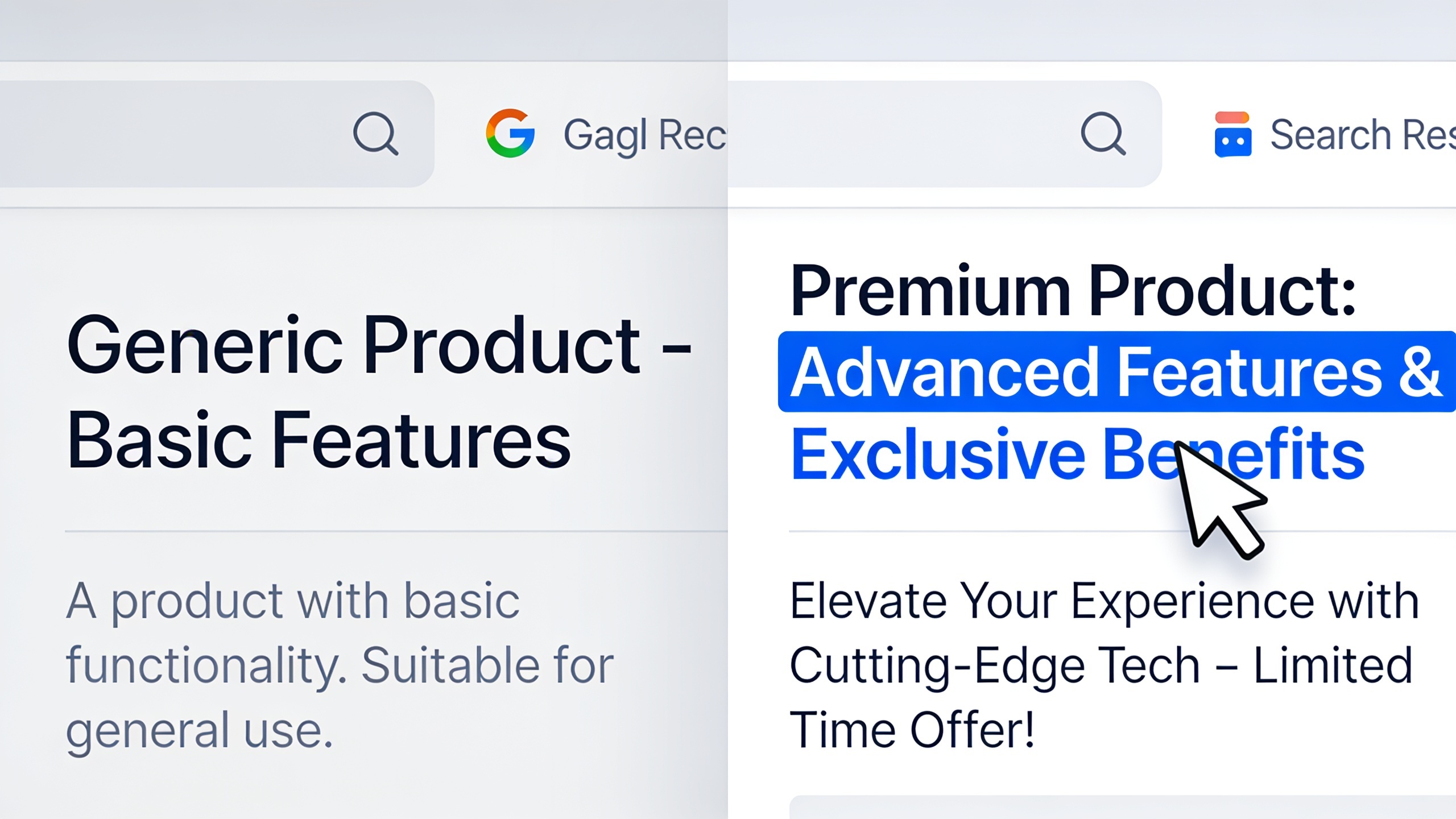
Ranking on page one of Google means nothing if nobody clicks. That's the awkward little secret buried inside most SEO reports. Teams pop champagne over hitting rank #3 while some duller, lower-ranked competitor quietly eats their traffic, and why? Because the competitor's snippet is just more tempting to click. That's it. That's the whole game sometimes.
And you can fix that without touching your rankings at all. Your title tag and meta description are basically the ad copy for your organic listing, and like any ad, some of it converts and some of it gets scrolled right past. I've watched a rewrite alone bump a page's clicks by a third. No new content, no backlinks, nothing.
So this is the guide where I hand you the formulas I actually reuse, some before-and-after examples, the length limits that matter (and why they're weirder than you'd expect), and where AI tools like RobinRank actually earn their keep once you're publishing dozens of pages a month instead of babysitting one landing page.
Table of Contents
- Why Meta Titles and Descriptions Still Matter for Click-Through Rate
- Meta Description Tips That Actually Move the Needle
- How Long Should a Title Tag and Meta Description Be?
- Title Tag Optimization Formulas You Can Reuse
- Meta Description Tips for Different Page Types
- Common Mistakes That Kill Your Click-Through Rate
- How AI Tools Fit Into Title and Description Writing
- Frequently Asked Questions
Meta titles and descriptions matter because they're the only two bits of copy you fully control in a Google result, and they decide whether someone clicks you or the guy below you. Quick definitions so we're on the same page: a title tag is that clickable blue headline in search results, set by a page's HTML `
` element. A <strong>meta description</strong> is the little summary underneath, pulled from the `<meta name="description">` tag. (Google rewrites it sometimes to better fit whatever the person searched. More on that later, it's a common source of frustration.)</p><p>Now, does Google use the meta description as a ranking factor? Nope. And it treats title tags as one signal in the pile, not some magic relevance switch. But click-through rate is the bridge between "I rank" and "I get traffic." If your page sits at #4 with a limp, truncated title like "Home | Acme Solutions Inc," it's going to bleed clicks to the #6 result that actually answers the question someone typed. Worse still, search engines fold engagement signals into their broader read on quality over time, so a better snippet can start a little flywheel: more clicks, more dwell time, maybe more visibility down the road.</p><p>Here's where it really adds up though. If you're publishing at volume, and I mean agencies juggling a dozen client blogs, startups scaling content, anyone running automated publishing, a single percentage point of CTR across 200 indexed pages is a completely different traffic story than a one-off tweak on your homepage. Small edges compound when you have a lot of pages. That's the whole pitch.</p><p><h2 id="meta-description-tips-that-actually-move-the-needle">Meta Description Tips That Actually Move the Needle</h2></p><p>The meta description tips that actually work all boil down to one idea: answer a real question, promise a specific benefit, and don't sound like every other blue link on the page. Think of it as a one-sentence pitch for why <em>this</em> page is the right click. Not a re-run of your title.</p><p>Lead with the payoff, not the topic. "Learn about email marketing best practices" is a snooze. Compare that to "See the 5-email welcome sequence that converts cold subscribers into buyers." The second one tells me what I'm getting. The first one tells me I'll be doing homework.</p><p>Match the intent, literally. If someone types "how to write a meta description," they want a how-to. If they type "meta description character limit," they want a number, and they want it fast. Mirror the phrasing of the intent, not just the raw keyword. And throw in something specific. A number, a date, a concrete detail. "2025 guide," "7 formulas," "under 155 characters" all beat mushy filler like "everything you need to know." Specificity signals that there's actual substance behind the click.</p><p>Use active verbs and a light touch of a call to action. Words like "discover," "compare," "see how" nudge the click without going full carnival barker. Skip "click here" entirely. Google's own guidance shrugs at descriptions that are just keyword dumps or filler anyway.</p><p>Two more that people forget. First, don't paste the same boilerplate description onto every post. If all fifty of your blog articles carry an identical description, you've thrown away the one thing that makes a single result stand out. Google's Search Console has flagged duplicate descriptions in one form or another for years, precisely because it's so common and so fixable. Second, write for humans but don't ghost the keyword completely, because Google bolds the query terms when they show up in your description, and that bolding literally draws the eye. So a description that naturally works in your target phrase (once, not three times, please) gets a free visual boost.</p><p>Oh, and front-load the good stuff. Mobile truncates descriptions way sooner than desktop, so your strongest hook needs to land inside the first 105 characters or so, before Google chops the sentence off mid-thought.</p><p><h2 id="how-long-should-a-title-tag-and-meta-description-be">How Long Should a Title Tag and Meta Description Be?</h2></p><p>The safe practical range is roughly 50–60 characters for a title tag and 120–155 characters for a meta description, because that's about where Google starts hacking your text off with an ellipsis on desktop. But here's the annoying wrinkle: these are pixel limits, not character counts. That's why two titles the exact same length can display differently. Wide capital letters eat more space than skinny lowercase ones. So "WWW ILLINOIS MMM" and "iii little items" might be the same character count and look nothing alike on screen.</p><p>Google measures both in pixels. Roughly 600px for titles and somewhere in the 920–960px neighborhood for descriptions on desktop, with mobile showing even less. This pixel thing is also why Google constantly rewrites your tags. When its systems decide your original doesn't represent the page well, or it's just too long to display cleanly, they'll swap in page content, a heading, sometimes even schema markup.</p><p><table><thead><tr><th>Element</th><th>Desktop Display Range</th><th>Mobile Display Range</th><th>What Happens If You Exceed It</th></tr></thead><tbody><tr><td>Title tag</td><td>~50–60 characters (~600px)</td><td>Often shorter, truncates sooner</td><td>Google cuts it with an ellipsis or rewrites it entirely</td></tr><tr><td>Meta description</td><td>~120–155 characters (~920–960px)</td><td>~120 characters or less</td><td>Truncated text or Google pulls an alternate snippet from page content</td></tr><tr><td>URL slug (displayed)</td><td>Full breadcrumb-style path shown</td><td>Same, but with less room</td><td>Long slugs get shortened visually in the SERP</td></tr></tbody></table></p><p>So the real takeaway for title tag optimization isn't "hit exactly 60 characters." It's get your most important words, brand, benefit, primary keyword, into the first 55 characters so they survive no matter what the pixel math does. Treat the count as a guardrail, not a quota you're obligated to fill.</p><p><h2 id="title-tag-optimization-formulas-you-can-reuse">Title Tag Optimization Formulas You Can Reuse</h2></p><p>Title tag optimization gets a whole lot easier the second you stop staring at a blank field and start working from formulas that match the type of content you're writing. Here are the ones I keep coming back to, because they reliably spit out clear, clickable titles across blog posts, product pages, comparison stuff, all of it.</p><p><strong>The Benefit + Specificity formula:</strong><br/>`[Specific Outcome] + [Timeframe or Number] + [Brand/Modifier]`<br/>Example: "Grow Organic Traffic in 90 Days: A Step-by-Step Playbook"</p><p><strong>The Question-Match formula:</strong><br/>`[Exact Phrase From the Search Query] + [Answer Signal]`<br/>Example: "How Long Should a Meta Description Be? (2025 Character Guide)"</p><p><strong>The Comparison formula:</strong><br/>`[Option A] vs [Option B]: [What the Reader Will Decide]`<br/>Example: "Title Tag vs H1: What's the Difference and Does It Matter?"</p><p><strong>The List-Number formula:</strong><br/>`[Number] + [Specific Noun] + [Qualifier That Signals Quality]`<br/>Example: "11 Meta Description Tips That Increased Our CTR by Double Digits"</p><p><strong>The Problem-Solution formula:</strong><br/>`[Common Problem] + [Fix]`<br/>Example: "Duplicate Title Tags Hurting Your Rankings? Here's the Fix"</p><p><img src="https://editcpcdsxikheddcmhl.supabase.co/storage/v1/object/public/article-images/187fcd31-2d8b-4763-9aac-73831ea9fe1c/d211c90d-9a87-42ea-83d4-46c15e022f29/5eca0613-fdfa-40ba-b1a4-487f0a70dfb1/1787969031039_image_1.png" alt="Visual guide showing five reusable title tag optimization formulas with examples and color-coded categories" loading="lazy" style="max-width: 100%; height: auto; border-radius: 8px;" /></p><p>A few rules cut across all of them. Put the primary keyword, or the phrase closest to what people actually type, near the front whenever it reads naturally. Front-loaded keywords are easier for scanning eyes and safer against mobile truncation, so it's a two-for-one. Keep brand names at the end unless the brand itself is the draw. Nike or HubSpot can lead with the name; your three-month-old startup probably shouldn't. And for the love of everything, don't write two nearly identical titles across different pages. Google has flat-out said duplicate or boilerplate titles make it harder for both the algorithm and your visitors to tell pages apart, which is exactly what tends to trigger an auto-rewrite.</p><p><strong>Want content like this running on autopilot for your own site?</strong> <a href="https://www.robinrank.ai/auth/signup?utm_source=blog&utm_medium=cta_mid&utm_campaign=internal_article" target="_blank" rel="noopener noreferrer">Try RobinRank free</a> — AI-written, SEO-optimized articles generated and published automatically, no credit card required.</p><p>If you're churning out content programmatically, think dozens of location pages or product variants, build the formula as a template with variables (`[City] Movers: Licensed & Insured Local Moving Company`) instead of writing each one by hand. Keeps them distinct while staying structurally consistent, which honestly matters way more once you're publishing at scale than when you're fussing over a single page.</p><p><h2 id="meta-description-tips-for-different-page-types">Meta Description Tips for Different Page Types</h2></p><p>Different page types need different meta descriptions because the searcher's intent changes, and intent is the entire reason someone clicks. A blog post, a product page, and a local service page are all fighting for the click in completely different ways, so treating them the same is leaving money on the table.</p><p><table><thead><tr><th>Page Type</th><th>Primary Searcher Intent</th><th>Meta Description Focus</th><th>Example Approach</th></tr></thead><tbody><tr><td>Blog/how-to post</td><td>Learn something specific</td><td>Promise a clear takeaway or format (list, steps, template)</td><td>"A 5-step framework for writing titles that get clicked, with real before/after examples."</td></tr><tr><td>Product page</td><td>Evaluate before buying</td><td>Highlight the standout feature, price signal, or differentiator</td><td>"Lightweight running shoes built for daily mileage. Free returns within 30 days."</td></tr><tr><td>Comparison/review page</td><td>Decide between options</td><td>Signal objectivity and the criteria compared</td><td>"We compared 6 project management tools on price, integrations, and ease of use."</td></tr><tr><td>Local service page</td><td>Find a nearby provider fast</td><td>Include location, service, and trust signal</td><td>"Licensed plumbers serving Austin, TX. Same-day appointments, transparent pricing."</td></tr><tr><td>Landing/pricing page</td><td>Confirm fit and cost</td><td>Lead with the core value proposition and pricing clarity</td><td>"Plans start free. See what's included before you commit."</td></tr></tbody></table></p><p><img src="https://editcpcdsxikheddcmhl.supabase.co/storage/v1/object/public/article-images/187fcd31-2d8b-4763-9aac-73831ea9fe1c/d211c90d-9a87-42ea-83d4-46c15e022f29/5eca0613-fdfa-40ba-b1a4-487f0a70dfb1/1787969058829_image_2.png" alt="Five Google search result examples showing optimized meta descriptions tailored for different page types and searcher intents" loading="lazy" style="max-width: 100%; height: auto; border-radius: 8px;" /></p><p>See the thread running through all of them? Every strong description answers the unspoken question the searcher's carrying at that exact stage, instead of just describing the page in vague terms. A comparison page that says "Compare project management tools" is wasting its shot. It just parrots the title and gives me zero new reason to click.</p><p>This is also the point where AI-assisted workflows raise a fair question. If an AI tool is drafting your titles, your descriptions, or your whole articles, who actually owns that output, and what's the legal picture when you slap your brand on it? It's messier than most people assume, and there's a solid rundown in <a href="https://www.robinrank.ai/blog/ai-content-copyright-who-actually-owns-what-you-publish" target="_blank" rel="noopener noreferrer">this breakdown of who actually owns AI-generated content</a> that's worth reading before you scale any AI publishing setup, meta tags included.</p><p><h2 id="common-mistakes-that-kill-your-click-through-rate">Common Mistakes That Kill Your Click-Through Rate</h2></p><p>The number one mistake is writing your titles and descriptions for search engines instead of the actual human squinting at a results page. That's how you end up with copy that's technically keyword-optimized and emotionally dead on arrival. Here are the specific ways people torch their own CTR.</p><p>Stuffing the keyword over and over. Something like "Meta Description Tips | Best Meta Description Tips | Meta Description Tips Guide" reads as spam to a person and does nothing for relevance once the keyword's already in there once. You gain nothing and look desperate.</p><p>Leaving the description blank. When there's nothing written, Google grabs whatever sentence from your page it feels like, and it's usually some out-of-context fragment that sells nobody on anything. A mediocre description you wrote beats a random one Google picked, nearly every time.</p><p>Then there's the same-title-format trap. If every article opens with "Ultimate Guide to..." it turns into visual wallpaper the moment a user sees your brand pop up two or three times in the SERP. And ignoring mobile truncation, which bites more people than you'd think. A title that reads clean in your desktop preview tool can still get chopped mid-word on a phone if the good part lands after character 50. Check on mobile. Not just desktop. Always.</p><p>Clickbait that doesn't cash the check is another killer. Promise "the one trick that doubles traffic," deliver a bland listicle, and you get a bounce. Which means you paid for a click you didn't deserve and slowly poisoned people's trust in your domain across repeat searches. Not a great trade.</p><p>A couple more, quickly. Cutting the brand name from every single title strips out a trust signal that, for branded searches or repeat visitors, can be the exact thing tipping someone toward you over a lookalike result. And letting titles go stale is a quiet slow bleed: a page that still screams "Best Tools in 2021" reads as outdated even if you refreshed the body copy last week, and that can suppress your CTR for months without you noticing.</p><p><h2 id="how-ai-tools-fit-into-title-and-description-writing">How AI Tools Fit Into Title and Description Writing</h2></p><p>AI tools are genuinely useful here when you use them to crank out first-draft options at scale and then run those drafts against the formulas and length rules above. They are not useful when you let them publish unreviewed straight to the site. The value isn't replacing your creativity. It's speed and consistency across dozens or hundreds of pages, which just so happens to be the exact bottleneck that grinds solo marketers and lean teams to a halt.</p><p>RobinRank is an AI platform built around this kind of workflow. It writes, optimizes, and publishes articles for businesses that don't have the bandwidth to staff a full in-house content team, and it pairs that with a backlink exchange network where site owners request and offer real placements with each other, with every link verified once it's actually live on the page. For someone wrangling title tags and descriptions across a content library that keeps growing, the practical win is consistency. Every new article follows the same tested title-and-description structure automatically, instead of each one getting hammered out from scratch at 11pm under deadline.</p><p>That said, automation is a starting line, not a finish line. Even the sharpest AI-generated title still needs a human eyeballing it against the real search intent for that specific query, and against how the thing will physically display once mobile hacks it down. So treat the output as a strong first draft you refine against the formulas in this guide, especially on your highest-traffic pages, where a single percentage point of CTR turns into real, countable visitors.</p><p><h2 id="frequently-asked-questions">Frequently Asked Questions</h2></p><p><strong>Does the meta description actually affect my Google rankings?</strong><br/>No. Google's said outright it's not a ranking factor. Its pull is indirect: a good description lifts your click-through rate, and click behavior can feed into the broader signals search engines use to judge result quality over time. But cramming keywords into it won't nudge your position, so don't bother.</p><p><strong>Why does Google keep showing a different description than the one I wrote?</strong><br/>Because Google generates its own snippet whenever it decides your written description doesn't fit the specific query, or it's too long, missing, or copy-pasted across a bunch of pages. Writing something clear, specific, and non-duplicated cuts down how often this happens. It won't stop it completely though. Google reserves the right to rewrite for any given query, and it uses that right liberally.</p><p><strong>Does every single page really need its own unique title tag?</strong><br/>Yes. Duplicate titles make it harder for both people and search engines to tell your pages apart, and Google has specifically called out duplicate or missing titles as a common, fixable problem. Honestly it's one of the easiest technical SEO wins sitting right in front of you.</p><p><strong>How often should I be updating old titles and descriptions?</strong><br/>There's no magic schedule. Revisit them whenever you refresh the content, whenever you spot a CTR dip for that page in Search Console, or whenever the copy references something dated (like a "2022 guide" still showing up in results this year). Most teams I know review their top-traffic pages quarterly and the lower-priority stuff once a year.</p><p><strong>What's the difference between a title tag and an H1, anyway?</strong><br/>The title tag is the HTML element controlling what shows in the browser tab and the search snippet. The H1 is the visible on-page headline you see after clicking through. They can be identical, but they don't have to be. The title tag's job is to earn the click; the H1's job is to reassure the reader they landed in the right place and to give the page some structure.</p><p>---</p><p>Squeezing more clicks out of rankings you already have is one of the cheapest, fastest wins in all of SEO. No new content. No new backlinks. Just better copy on the tags most sites treat like an afterthought. Go pull up your highest-impression, lowest-CTR pages in Search Console, slap one formula from this guide onto each of them, and give it a few weeks before you roll the same move across the rest of the site.</p><p><strong>Ready to stop writing content by hand?</strong> <a href="https://www.robinrank.ai/auth/signup?utm_source=blog&utm_medium=cta_end&utm_campaign=internal_article" target="_blank" rel="noopener noreferrer">Start your free RobinRank trial</a> and get a full month of SEO-optimized articles published on autopilot.</div><div class="mt-14 rounded-2xl border border-primary/20 bg-primary/5 p-8 text-center"><h3 class="text-xl font-semibold text-foreground mb-2">Ready to publish content like this on autopilot?</h3><p class="text-muted-foreground mb-5 max-w-lg mx-auto">RobinRank writes, optimizes, and publishes SEO-ready articles for your own site — no credit card required to start.</p><a href="/auth/signup?utm_source=blog&utm_medium=cta_banner&utm_campaign=internal_article"><button data-slot="button" data-variant="default" data-size="default" class="inline-flex items-center justify-center gap-2 whitespace-nowrap text-sm font-medium transition-all disabled:pointer-events-none disabled:opacity-50 [&_svg]:pointer-events-none [&_svg:not([class*='size-'])]:size-4 shrink-0 [&_svg]:shrink-0 outline-none focus-visible:border-ring focus-visible:ring-ring/50 focus-visible:ring-[3px] aria-invalid:ring-destructive/20 dark:aria-invalid:ring-destructive/40 aria-invalid:border-destructive text-primary-foreground h-9 py-2 has-[>svg]:px-3 bg-primary hover:bg-primary/90 rounded-full px-6">Start for Free<svg xmlns="http://www.w3.org/2000/svg" width="24" height="24" viewBox="0 0 24 24" fill="none" stroke="currentColor" stroke-width="2" stroke-linecap="round" stroke-linejoin="round" class="lucide lucide-arrow-right ml-2 h-4 w-4"><path d="M5 12h14"></path><path d="m12 5 7 7-7 7"></path></svg></button></a></div></article><!--$--><!--/$--></main><footer class="py-10 px-4 lg:px-8 border-t border-border"><div class="container mx-auto max-w-6xl flex flex-col md:flex-row items-center justify-between gap-4"><a class="flex items-center gap-2" href="/"><div class="w-7 h-7 rounded-lg bg-primary flex items-center justify-center"><svg viewBox="0 0 24 24" fill="none" xmlns="http://www.w3.org/2000/svg" class="w-4 h-4 text-white"><path d="M3 18L12 3L21 18H3Z" fill="currentColor" opacity="0.9"></path><path d="M1 18C1 18 4 20 12 20C20 20 23 18 23 18H1Z" fill="currentColor"></path><path d="M14 6C14 6 17 3 20 2C18 4 16.5 5.5 15.5 7" stroke="currentColor" stroke-width="1.5" stroke-linecap="round" fill="none"></path><path d="M5.5 16.5H18.5" stroke="rgba(0,0,0,0.3)" stroke-width="1" stroke-linecap="round"></path></svg></div><span class="text-sm font-semibold text-foreground">RobinRank</span></a><p class="text-sm text-muted-foreground">© 2026 RobinRank. All rights reserved.</p><div class="flex items-center gap-4 text-sm text-muted-foreground"><a class="hover:text-foreground transition-colors" href="/tools/domain-rating">DR Checker</a><a class="hover:text-foreground transition-colors" href="/privacy">Privacy</a><a class="hover:text-foreground transition-colors" href="/terms">Terms</a></div></div></footer></div><section aria-label="Notifications alt+T" tabindex="-1" aria-live="polite" aria-relevant="additions text" aria-atomic="false"></section><script src="/_next/static/chunks/66a8c16702b8a250.js?dpl=dpl_BtYeHTbZ7oGeCf7yBBQfeZkcxXWz" id="_R_" async=""></script><script>(self.__next_f=self.__next_f||[]).push([0])</script><script>self.__next_f.push([1,"1:\"$Sreact.fragment\"\n2:I[79520,[\"/_next/static/chunks/043a3903e1fc47b2.js?dpl=dpl_BtYeHTbZ7oGeCf7yBBQfeZkcxXWz\",\"/_next/static/chunks/090ea7cc7a58dfe4.js?dpl=dpl_BtYeHTbZ7oGeCf7yBBQfeZkcxXWz\",\"/_next/static/chunks/3f0d259e7ede6c78.js?dpl=dpl_BtYeHTbZ7oGeCf7yBBQfeZkcxXWz\"],\"\"]\n3:I[61668,[\"/_next/static/chunks/043a3903e1fc47b2.js?dpl=dpl_BtYeHTbZ7oGeCf7yBBQfeZkcxXWz\",\"/_next/static/chunks/090ea7cc7a58dfe4.js?dpl=dpl_BtYeHTbZ7oGeCf7yBBQfeZkcxXWz\",\"/_next/static/chunks/3f0d259e7ede6c78.js?dpl=dpl_BtYeHTbZ7oGeCf7yBBQfeZkcxXWz\"],\"AuthProvider\"]\n4:\"$Sreact.suspense\"\n5:I[30290,[\"/_next/static/chunks/043a3903e1fc47b2.js?dpl=dpl_BtYeHTbZ7oGeCf7yBBQfeZkcxXWz\",\"/_next/static/chunks/090ea7cc7a58dfe4.js?dpl=dpl_BtYeHTbZ7oGeCf7yBBQfeZkcxXWz\",\"/_next/static/chunks/3f0d259e7ede6c78.js?dpl=dpl_BtYeHTbZ7oGeCf7yBBQfeZkcxXWz\"],\"AuthRedirectHandler\"]\n6:I[22209,[\"/_next/static/chunks/043a3903e1fc47b2.js?dpl=dpl_BtYeHTbZ7oGeCf7yBBQfeZkcxXWz\",\"/_next/static/chunks/090ea7cc7a58dfe4.js?dpl=dpl_BtYeHTbZ7oGeCf7yBBQfeZkcxXWz\",\"/_next/static/chunks/3f0d259e7ede6c78.js?dpl=dpl_BtYeHTbZ7oGeCf7yBBQfeZkcxXWz\"],\"SignupCodeCapture\"]\n7:I[88667,[\"/_next/static/chunks/043a3903e1fc47b2.js?dpl=dpl_BtYeHTbZ7oGeCf7yBBQfeZkcxXWz\",\"/_next/static/chunks/090ea7cc7a58dfe4.js?dpl=dpl_BtYeHTbZ7oGeCf7yBBQfeZkcxXWz\",\"/_next/static/chunks/3f0d259e7ede6c78.js?dpl=dpl_BtYeHTbZ7oGeCf7yBBQfeZkcxXWz\"],\"AttributionCapture\"]\n8:I[39756,[\"/_next/static/chunks/ff1a16fafef87110.js?dpl=dpl_BtYeHTbZ7oGeCf7yBBQfeZkcxXWz\",\"/_next/static/chunks/d2be314c3ece3fbe.js?dpl=dpl_BtYeHTbZ7oGeCf7yBBQfeZkcxXWz\"],\"default\"]\n9:I[37457,[\"/_next/static/chunks/ff1a16fafef87110.js?dpl=dpl_BtYeHTbZ7oGeCf7yBBQfeZkcxXWz\",\"/_next/static/chunks/d2be314c3ece3fbe.js?dpl=dpl_BtYeHTbZ7oGeCf7yBBQfeZkcxXWz\"],\"default\"]\na:I[3484,[\"/_next/static/chunks/043a3903e1fc47b2.js?dpl=dpl_BtYeHTbZ7oGeCf7yBBQfeZkcxXWz\",\"/_next/static/chunks/090ea7cc7a58dfe4.js?dpl=dpl_BtYeHTbZ7oGeCf7yBBQfeZkcxXWz\",\"/_next/static/chunks/3f0d259e7ede6c78.js?dpl=dpl_BtYeHTbZ7oGeCf7yBBQfeZkcxXWz\"],\"Toaster\"]\nb:I[22016,[\"/_next/static/chunks/043a3903e1fc47b2.js?dpl=dpl_BtYeHTbZ7oGeCf7yBBQfeZkcxXWz\",\"/_next/static/chunks/090ea7cc7a58dfe4.js?dpl=dpl_BtYeHTbZ7oGeCf7yBBQfeZkcxXWz\",\"/_next/static/chunks/3f0d259e7ede6c78.js?dpl=dpl_BtYeHTbZ7oGeCf7yBBQfeZkcxXWz\",\"/_next/static/chunks/7c92e96509cd355e.js?dpl=dpl_BtYeHTbZ7oGeCf7yBBQfeZkcxXWz\"],\"\"]\n15:I[68027,[],\"default\"]\n17:I[97367,[\"/_next/static/chunks/ff1a16fafef87110.js?dpl=dpl_BtYeHTbZ7oGeCf7yBBQfeZkcxXWz\",\"/_next/static/chunks/d2be314c3ece3fbe.js?dpl=dpl_BtYeHTbZ7oGeCf7yBBQfeZkcxXWz\"],\"OutletBoundary\"]\n19:I[97367,[\"/_next/static/chunks/ff1a16fafef87110.js?dpl=dpl_BtYeHTbZ7oGeCf7yBBQfeZkcxXWz\",\"/_next/static/chunks/d2be314c3ece3fbe.js?dpl=dpl_BtYeHTbZ7oGeCf7yBBQfeZkcxXWz\"],\"ViewportBoundary\"]\n1b:I[97367,[\"/_next/static/chunks/ff1a16fafef87110.js?dpl=dpl_BtYeHTbZ7oGeCf7yBBQfeZkcxXWz\",\"/_next/static/chunks/d2be314c3ece3fbe.js?dpl=dpl_BtYeHTbZ7oGeCf7yBBQfeZkcxXWz\"],\"MetadataBoundary\"]\n:HL[\"/_next/static/chunks/34d933785a17edf3.css?dpl=dpl_BtYeHTbZ7oGeCf7yBBQfeZkcxXWz\",\"style\"]\n:HL[\"/_next/static/chunks/13f1507a8d4af20e.css?dpl=dpl_BtYeHTbZ7oGeCf7yBBQfeZkcxXWz\",\"style\"]\n:HL[\"/_next/static/media/797e433ab948586e-s.p.29207c2f.woff2\",\"font\",{\"crossOrigin\":\"\",\"type\":\"font/woff2\"}]\n:HL[\"/_next/static/media/caa3a2e1cccd8315-s.p.3b6cae6d.woff2\",\"font\",{\"crossOrigin\":\"\",\"type\":\"font/woff2\"}]\n"])</script><script>self.__next_f.push([1,"0:{\"P\":null,\"b\":\"1c3UK6aN1zydcoomYGFGp\",\"c\":[\"\",\"blog\",\"meta-description-tips-that-actually-get-clicks-plus-title-ta\"],\"q\":\"\",\"i\":false,\"f\":[[[\"\",{\"children\":[\"blog\",{\"children\":[[\"slug\",\"meta-description-tips-that-actually-get-clicks-plus-title-ta\",\"d\"],{\"children\":[\"__PAGE__\",{}]}]}]},\"$undefined\",\"$undefined\",true],[[\"$\",\"$1\",\"c\",{\"children\":[[[\"$\",\"link\",\"0\",{\"rel\":\"stylesheet\",\"href\":\"/_next/static/chunks/34d933785a17edf3.css?dpl=dpl_BtYeHTbZ7oGeCf7yBBQfeZkcxXWz\",\"precedence\":\"next\",\"crossOrigin\":\"$undefined\",\"nonce\":\"$undefined\"}],[\"$\",\"link\",\"1\",{\"rel\":\"stylesheet\",\"href\":\"/_next/static/chunks/13f1507a8d4af20e.css?dpl=dpl_BtYeHTbZ7oGeCf7yBBQfeZkcxXWz\",\"precedence\":\"next\",\"crossOrigin\":\"$undefined\",\"nonce\":\"$undefined\"}],[\"$\",\"script\",\"script-0\",{\"src\":\"/_next/static/chunks/043a3903e1fc47b2.js?dpl=dpl_BtYeHTbZ7oGeCf7yBBQfeZkcxXWz\",\"async\":true,\"nonce\":\"$undefined\"}],[\"$\",\"script\",\"script-1\",{\"src\":\"/_next/static/chunks/090ea7cc7a58dfe4.js?dpl=dpl_BtYeHTbZ7oGeCf7yBBQfeZkcxXWz\",\"async\":true,\"nonce\":\"$undefined\"}],[\"$\",\"script\",\"script-2\",{\"src\":\"/_next/static/chunks/3f0d259e7ede6c78.js?dpl=dpl_BtYeHTbZ7oGeCf7yBBQfeZkcxXWz\",\"async\":true,\"nonce\":\"$undefined\"}]],[\"$\",\"html\",null,{\"lang\":\"en\",\"suppressHydrationWarning\":true,\"children\":[[\"$\",\"head\",null,{\"children\":[[\"$\",\"$L2\",null,{\"src\":\"https://www.googletagmanager.com/gtag/js?id=AW-18003728485\",\"strategy\":\"afterInteractive\"}],[\"$\",\"$L2\",null,{\"id\":\"google-tags\",\"strategy\":\"afterInteractive\",\"children\":\"\\n window.dataLayer = window.dataLayer || [];\\n function gtag(){dataLayer.push(arguments);}\\n gtag('js', new Date());\\n gtag('config', 'G-NRHTG078PJ');\\n gtag('config', 'AW-18003728485');\\n \"}]]}],[\"$\",\"body\",null,{\"className\":\"geist_a71539c9-module__T19VSG__variable geist_mono_8d43a2aa-module__8Li5zG__variable font-sans antialiased\",\"children\":[\"$\",\"$L3\",null,{\"children\":[[\"$\",\"$4\",null,{\"fallback\":null,\"children\":[[\"$\",\"$L5\",null,{}],[\"$\",\"$L6\",null,{}],[\"$\",\"$L7\",null,{}]]}],[\"$\",\"$L8\",null,{\"parallelRouterKey\":\"children\",\"error\":\"$undefined\",\"errorStyles\":\"$undefined\",\"errorScripts\":\"$undefined\",\"template\":[\"$\",\"$L9\",null,{}],\"templateStyles\":\"$undefined\",\"templateScripts\":\"$undefined\",\"notFound\":[[[\"$\",\"title\",null,{\"children\":\"404: This page could not be found.\"}],[\"$\",\"div\",null,{\"style\":{\"fontFamily\":\"system-ui,\\\"Segoe UI\\\",Roboto,Helvetica,Arial,sans-serif,\\\"Apple Color Emoji\\\",\\\"Segoe UI Emoji\\\"\",\"height\":\"100vh\",\"textAlign\":\"center\",\"display\":\"flex\",\"flexDirection\":\"column\",\"alignItems\":\"center\",\"justifyContent\":\"center\"},\"children\":[\"$\",\"div\",null,{\"children\":[[\"$\",\"style\",null,{\"dangerouslySetInnerHTML\":{\"__html\":\"body{color:#000;background:#fff;margin:0}.next-error-h1{border-right:1px solid rgba(0,0,0,.3)}@media (prefers-color-scheme:dark){body{color:#fff;background:#000}.next-error-h1{border-right:1px solid rgba(255,255,255,.3)}}\"}}],[\"$\",\"h1\",null,{\"className\":\"next-error-h1\",\"style\":{\"display\":\"inline-block\",\"margin\":\"0 20px 0 0\",\"padding\":\"0 23px 0 0\",\"fontSize\":24,\"fontWeight\":500,\"verticalAlign\":\"top\",\"lineHeight\":\"49px\"},\"children\":404}],[\"$\",\"div\",null,{\"style\":{\"display\":\"inline-block\"},\"children\":[\"$\",\"h2\",null,{\"style\":{\"fontSize\":14,\"fontWeight\":400,\"lineHeight\":\"49px\",\"margin\":0},\"children\":\"This page could not be found.\"}]}]]}]}]],[]],\"forbidden\":\"$undefined\",\"unauthorized\":\"$undefined\"}],[\"$\",\"$La\",null,{\"position\":\"top-right\",\"richColors\":true}]]}]}]]}]]}],{\"children\":[[\"$\",\"$1\",\"c\",{\"children\":[[[\"$\",\"script\",\"script-0\",{\"src\":\"/_next/static/chunks/7c92e96509cd355e.js?dpl=dpl_BtYeHTbZ7oGeCf7yBBQfeZkcxXWz\",\"async\":true,\"nonce\":\"$undefined\"}]],[\"$\",\"div\",null,{\"className\":\"min-h-screen bg-background text-foreground flex flex-col\",\"children\":[[\"$\",\"nav\",null,{\"className\":\"border-b border-border/70 bg-background/80 backdrop-blur-xl sticky top-0 z-50\",\"children\":[\"$\",\"div\",null,{\"className\":\"container mx-auto px-4 lg:px-8 h-16 flex items-center justify-between\",\"children\":[[\"$\",\"$Lb\",null,{\"href\":\"/\",\"className\":\"flex items-center gap-2\",\"children\":[[\"$\",\"div\",null,{\"className\":\"w-8 h-8 rounded-lg bg-primary flex items-center justify-center\",\"children\":[\"$\",\"svg\",null,{\"viewBox\":\"0 0 24 24\",\"fill\":\"none\",\"xmlns\":\"http://www.w3.org/2000/svg\",\"className\":\"w-5 h-5 text-white\",\"children\":[[\"$\",\"path\",null,{\"d\":\"M3 18L12 3L21 18H3Z\",\"fill\":\"currentColor\",\"opacity\":\"0.9\"}],[\"$\",\"path\",null,{\"d\":\"M1 18C1 18 4 20 12 20C20 20 23 18 23 18H1Z\",\"fill\":\"currentColor\"}],[\"$\",\"path\",null,{\"d\":\"M14 6C14 6 17 3 20 2C18 4 16.5 5.5 15.5 7\",\"stroke\":\"currentColor\",\"strokeWidth\":\"1.5\",\"strokeLinecap\":\"round\",\"fill\":\"none\"}],\"$Lc\"]}]}],\"$Ld\"]}],\"$Le\",\"$Lf\"]}]}],\"$L10\",\"$L11\"]}]]}],{\"children\":[\"$L12\",{\"children\":[\"$L13\",{},null,false,false]},null,false,false]},null,false,false]},null,false,false],\"$L14\",false]],\"m\":\"$undefined\",\"G\":[\"$15\",[]],\"S\":false}\n"])</script><script>self.__next_f.push([1,"c:[\"$\",\"path\",null,{\"d\":\"M5.5 16.5H18.5\",\"stroke\":\"rgba(0,0,0,0.3)\",\"strokeWidth\":\"1\",\"strokeLinecap\":\"round\"}]\nd:[\"$\",\"span\",null,{\"className\":\"text-lg font-semibold text-foreground\",\"children\":\"RobinRank\"}]\ne:[\"$\",\"div\",null,{\"className\":\"hidden md:flex items-center gap-8\",\"children\":[[\"$\",\"$Lb\",null,{\"href\":\"/blog\",\"className\":\"text-sm text-muted-foreground hover:text-foreground transition-colors\",\"children\":\"Blog\"}],[\"$\",\"$Lb\",null,{\"href\":\"/tools/domain-rating\",\"className\":\"text-sm text-muted-foreground hover:text-foreground transition-colors\",\"children\":\"Free DR Checker\"}],[\"$\",\"$Lb\",null,{\"href\":\"/pricing\",\"className\":\"text-sm text-muted-foreground hover:text-foreground transition-colors\",\"children\":\"Pricing\"}],[\"$\",\"$Lb\",null,{\"href\":\"/#faq\",\"className\":\"text-sm text-muted-foreground hover:text-foreground transition-colors\",\"children\":\"FAQ\"}]]}]\n"])</script><script>self.__next_f.push([1,"f:[\"$\",\"div\",null,{\"className\":\"flex items-center gap-3\",\"children\":[[\"$\",\"$Lb\",null,{\"href\":\"/auth/login\",\"className\":\"hidden sm:block\",\"children\":[\"$\",\"button\",null,{\"data-slot\":\"button\",\"data-variant\":\"ghost\",\"data-size\":\"sm\",\"className\":\"inline-flex items-center justify-center whitespace-nowrap text-sm font-medium transition-all disabled:pointer-events-none disabled:opacity-50 [\u0026_svg]:pointer-events-none [\u0026_svg:not([class*='size-'])]:size-4 shrink-0 [\u0026_svg]:shrink-0 outline-none focus-visible:border-ring focus-visible:ring-ring/50 focus-visible:ring-[3px] aria-invalid:ring-destructive/20 dark:aria-invalid:ring-destructive/40 aria-invalid:border-destructive hover:bg-accent dark:hover:bg-accent/50 h-8 rounded-md gap-1.5 px-3 has-[\u003esvg]:px-2.5 text-muted-foreground hover:text-foreground\",\"children\":\"Log In\"}]}],[\"$\",\"$Lb\",null,{\"href\":\"/auth/signup\",\"children\":[\"$\",\"button\",null,{\"data-slot\":\"button\",\"data-variant\":\"default\",\"data-size\":\"sm\",\"className\":\"inline-flex items-center justify-center whitespace-nowrap text-sm font-medium transition-all disabled:pointer-events-none disabled:opacity-50 [\u0026_svg]:pointer-events-none [\u0026_svg:not([class*='size-'])]:size-4 shrink-0 [\u0026_svg]:shrink-0 outline-none focus-visible:border-ring focus-visible:ring-ring/50 focus-visible:ring-[3px] aria-invalid:ring-destructive/20 dark:aria-invalid:ring-destructive/40 aria-invalid:border-destructive h-8 gap-1.5 has-[\u003esvg]:px-2.5 bg-primary hover:bg-primary/90 text-primary-foreground rounded-full px-5\",\"children\":\"Start for Free\"}]}]]}]\n"])</script><script>self.__next_f.push([1,"10:[\"$\",\"main\",null,{\"className\":\"flex-1\",\"children\":[\"$\",\"$L8\",null,{\"parallelRouterKey\":\"children\",\"error\":\"$undefined\",\"errorStyles\":\"$undefined\",\"errorScripts\":\"$undefined\",\"template\":[\"$\",\"$L9\",null,{}],\"templateStyles\":\"$undefined\",\"templateScripts\":\"$undefined\",\"notFound\":\"$undefined\",\"forbidden\":\"$undefined\",\"unauthorized\":\"$undefined\"}]}]\n"])</script><script>self.__next_f.push([1,"11:[\"$\",\"footer\",null,{\"className\":\"py-10 px-4 lg:px-8 border-t border-border\",\"children\":[\"$\",\"div\",null,{\"className\":\"container mx-auto max-w-6xl flex flex-col md:flex-row items-center justify-between gap-4\",\"children\":[[\"$\",\"$Lb\",null,{\"href\":\"/\",\"className\":\"flex items-center gap-2\",\"children\":[[\"$\",\"div\",null,{\"className\":\"w-7 h-7 rounded-lg bg-primary flex items-center justify-center\",\"children\":[\"$\",\"svg\",null,{\"viewBox\":\"0 0 24 24\",\"fill\":\"none\",\"xmlns\":\"http://www.w3.org/2000/svg\",\"className\":\"w-4 h-4 text-white\",\"children\":[[\"$\",\"path\",null,{\"d\":\"M3 18L12 3L21 18H3Z\",\"fill\":\"currentColor\",\"opacity\":\"0.9\"}],[\"$\",\"path\",null,{\"d\":\"M1 18C1 18 4 20 12 20C20 20 23 18 23 18H1Z\",\"fill\":\"currentColor\"}],[\"$\",\"path\",null,{\"d\":\"M14 6C14 6 17 3 20 2C18 4 16.5 5.5 15.5 7\",\"stroke\":\"currentColor\",\"strokeWidth\":\"1.5\",\"strokeLinecap\":\"round\",\"fill\":\"none\"}],[\"$\",\"path\",null,{\"d\":\"M5.5 16.5H18.5\",\"stroke\":\"rgba(0,0,0,0.3)\",\"strokeWidth\":\"1\",\"strokeLinecap\":\"round\"}]]}]}],[\"$\",\"span\",null,{\"className\":\"text-sm font-semibold text-foreground\",\"children\":\"RobinRank\"}]]}],[\"$\",\"p\",null,{\"className\":\"text-sm text-muted-foreground\",\"children\":\"© 2026 RobinRank. All rights reserved.\"}],[\"$\",\"div\",null,{\"className\":\"flex items-center gap-4 text-sm text-muted-foreground\",\"children\":[[\"$\",\"$Lb\",null,{\"href\":\"/tools/domain-rating\",\"className\":\"hover:text-foreground transition-colors\",\"children\":\"DR Checker\"}],[\"$\",\"$Lb\",null,{\"href\":\"/privacy\",\"className\":\"hover:text-foreground transition-colors\",\"children\":\"Privacy\"}],[\"$\",\"$Lb\",null,{\"href\":\"/terms\",\"className\":\"hover:text-foreground transition-colors\",\"children\":\"Terms\"}]]}]]}]}]\n"])</script><script>self.__next_f.push([1,"12:[\"$\",\"$1\",\"c\",{\"children\":[null,[\"$\",\"$L8\",null,{\"parallelRouterKey\":\"children\",\"error\":\"$undefined\",\"errorStyles\":\"$undefined\",\"errorScripts\":\"$undefined\",\"template\":[\"$\",\"$L9\",null,{}],\"templateStyles\":\"$undefined\",\"templateScripts\":\"$undefined\",\"notFound\":\"$undefined\",\"forbidden\":\"$undefined\",\"unauthorized\":\"$undefined\"}]]}]\n13:[\"$\",\"$1\",\"c\",{\"children\":[\"$L16\",null,[\"$\",\"$L17\",null,{\"children\":[\"$\",\"$4\",null,{\"name\":\"Next.MetadataOutlet\",\"children\":\"$@18\"}]}]]}]\n14:[\"$\",\"$1\",\"h\",{\"children\":[null,[\"$\",\"$L19\",null,{\"children\":\"$L1a\"}],[\"$\",\"div\",null,{\"hidden\":true,\"children\":[\"$\",\"$L1b\",null,{\"children\":[\"$\",\"$4\",null,{\"name\":\"Next.Metadata\",\"children\":\"$L1c\"}]}]}],[\"$\",\"meta\",null,{\"name\":\"next-size-adjust\",\"content\":\"\"}]]}]\n1a:[[\"$\",\"meta\",\"0\",{\"charSet\":\"utf-8\"}],[\"$\",\"meta\",\"1\",{\"name\":\"viewport\",\"content\":\"width=device-width, initial-scale=1\"}]]\n"])</script><script>self.__next_f.push([1,"1f:I[27201,[\"/_next/static/chunks/ff1a16fafef87110.js?dpl=dpl_BtYeHTbZ7oGeCf7yBBQfeZkcxXWz\",\"/_next/static/chunks/d2be314c3ece3fbe.js?dpl=dpl_BtYeHTbZ7oGeCf7yBBQfeZkcxXWz\"],\"IconMark\"]\n:HL[\"https://editcpcdsxikheddcmhl.supabase.co/storage/v1/object/public/article-images/187fcd31-2d8b-4763-9aac-73831ea9fe1c/d211c90d-9a87-42ea-83d4-46c15e022f29/5eca0613-fdfa-40ba-b1a4-487f0a70dfb1/1787969008549_image_0.png\",\"image\"]\n1d:T5291,"])</script><script>self.__next_f.push([1,"Ranking on page one of Google means nothing if nobody clicks. That's the awkward little secret buried inside most SEO reports. Teams pop champagne over hitting rank #3 while some duller, lower-ranked competitor quietly eats their traffic, and why? Because the competitor's snippet is just more tempting to click. That's it. That's the whole game sometimes.\u003c/p\u003e\u003cp\u003eAnd you can fix that without touching your rankings at all. Your title tag and meta description are basically the ad copy for your organic listing, and like any ad, some of it converts and some of it gets scrolled right past. I've watched a rewrite alone bump a page's clicks by a third. No new content, no backlinks, nothing.\u003c/p\u003e\u003cp\u003eSo this is the guide where I hand you the formulas I actually reuse, some before-and-after examples, the length limits that matter (and why they're weirder than you'd expect), and where AI tools like RobinRank actually earn their keep once you're publishing dozens of pages a month instead of babysitting one landing page.\u003c/p\u003e\u003cp\u003e\u003ch2 id=\"table-of-contents\"\u003eTable of Contents\u003c/h2\u003e\u003cbr/\u003e\u003cul\u003e\u003cli\u003eWhy Meta Titles and Descriptions Still Matter for Click-Through Rate\u003c/li\u003e\u003cli\u003eMeta Description Tips That Actually Move the Needle\u003c/li\u003e\u003cli\u003eHow Long Should a Title Tag and Meta Description Be?\u003c/li\u003e\u003cli\u003eTitle Tag Optimization Formulas You Can Reuse\u003c/li\u003e\u003cli\u003eMeta Description Tips for Different Page Types\u003c/li\u003e\u003cli\u003eCommon Mistakes That Kill Your Click-Through Rate\u003c/li\u003e\u003cli\u003eHow AI Tools Fit Into Title and Description Writing\u003c/li\u003e\u003cli\u003eFrequently Asked Questions\u003c/li\u003e\u003c/ul\u003e\u003cbr/\u003e\u003ch2 id=\"why-meta-titles-and-descriptions-still-matter-for-click-through-rate\"\u003eWhy Meta Titles and Descriptions Still Matter for Click-Through Rate\u003c/h2\u003e\u003c/p\u003e\u003cp\u003eMeta titles and descriptions matter because they're the only two bits of copy you fully control in a Google result, and they decide whether someone clicks you or the guy below you. Quick definitions so we're on the same page: a \u003cstrong\u003etitle tag\u003c/strong\u003e is that clickable blue headline in search results, set by a page's HTML `\u003ctitle\u003e` element. A \u003cstrong\u003emeta description\u003c/strong\u003e is the little summary underneath, pulled from the `\u003cmeta name=\"description\"\u003e` tag. (Google rewrites it sometimes to better fit whatever the person searched. More on that later, it's a common source of frustration.)\u003c/p\u003e\u003cp\u003eNow, does Google use the meta description as a ranking factor? Nope. And it treats title tags as one signal in the pile, not some magic relevance switch. But click-through rate is the bridge between \"I rank\" and \"I get traffic.\" If your page sits at #4 with a limp, truncated title like \"Home | Acme Solutions Inc,\" it's going to bleed clicks to the #6 result that actually answers the question someone typed. Worse still, search engines fold engagement signals into their broader read on quality over time, so a better snippet can start a little flywheel: more clicks, more dwell time, maybe more visibility down the road.\u003c/p\u003e\u003cp\u003eHere's where it really adds up though. If you're publishing at volume, and I mean agencies juggling a dozen client blogs, startups scaling content, anyone running automated publishing, a single percentage point of CTR across 200 indexed pages is a completely different traffic story than a one-off tweak on your homepage. Small edges compound when you have a lot of pages. That's the whole pitch.\u003c/p\u003e\u003cp\u003e\u003ch2 id=\"meta-description-tips-that-actually-move-the-needle\"\u003eMeta Description Tips That Actually Move the Needle\u003c/h2\u003e\u003c/p\u003e\u003cp\u003eThe meta description tips that actually work all boil down to one idea: answer a real question, promise a specific benefit, and don't sound like every other blue link on the page. Think of it as a one-sentence pitch for why \u003cem\u003ethis\u003c/em\u003e page is the right click. Not a re-run of your title.\u003c/p\u003e\u003cp\u003eLead with the payoff, not the topic. \"Learn about email marketing best practices\" is a snooze. Compare that to \"See the 5-email welcome sequence that converts cold subscribers into buyers.\" The second one tells me what I'm getting. The first one tells me I'll be doing homework.\u003c/p\u003e\u003cp\u003eMatch the intent, literally. If someone types \"how to write a meta description,\" they want a how-to. If they type \"meta description character limit,\" they want a number, and they want it fast. Mirror the phrasing of the intent, not just the raw keyword. And throw in something specific. A number, a date, a concrete detail. \"2025 guide,\" \"7 formulas,\" \"under 155 characters\" all beat mushy filler like \"everything you need to know.\" Specificity signals that there's actual substance behind the click.\u003c/p\u003e\u003cp\u003eUse active verbs and a light touch of a call to action. Words like \"discover,\" \"compare,\" \"see how\" nudge the click without going full carnival barker. Skip \"click here\" entirely. Google's own guidance shrugs at descriptions that are just keyword dumps or filler anyway.\u003c/p\u003e\u003cp\u003eTwo more that people forget. First, don't paste the same boilerplate description onto every post. If all fifty of your blog articles carry an identical description, you've thrown away the one thing that makes a single result stand out. Google's Search Console has flagged duplicate descriptions in one form or another for years, precisely because it's so common and so fixable. Second, write for humans but don't ghost the keyword completely, because Google bolds the query terms when they show up in your description, and that bolding literally draws the eye. So a description that naturally works in your target phrase (once, not three times, please) gets a free visual boost.\u003c/p\u003e\u003cp\u003eOh, and front-load the good stuff. Mobile truncates descriptions way sooner than desktop, so your strongest hook needs to land inside the first 105 characters or so, before Google chops the sentence off mid-thought.\u003c/p\u003e\u003cp\u003e\u003ch2 id=\"how-long-should-a-title-tag-and-meta-description-be\"\u003eHow Long Should a Title Tag and Meta Description Be?\u003c/h2\u003e\u003c/p\u003e\u003cp\u003eThe safe practical range is roughly 50–60 characters for a title tag and 120–155 characters for a meta description, because that's about where Google starts hacking your text off with an ellipsis on desktop. But here's the annoying wrinkle: these are pixel limits, not character counts. That's why two titles the exact same length can display differently. Wide capital letters eat more space than skinny lowercase ones. So \"WWW ILLINOIS MMM\" and \"iii little items\" might be the same character count and look nothing alike on screen.\u003c/p\u003e\u003cp\u003eGoogle measures both in pixels. Roughly 600px for titles and somewhere in the 920–960px neighborhood for descriptions on desktop, with mobile showing even less. This pixel thing is also why Google constantly rewrites your tags. When its systems decide your original doesn't represent the page well, or it's just too long to display cleanly, they'll swap in page content, a heading, sometimes even schema markup.\u003c/p\u003e\u003cp\u003e\u003ctable\u003e\u003cthead\u003e\u003ctr\u003e\u003cth\u003eElement\u003c/th\u003e\u003cth\u003eDesktop Display Range\u003c/th\u003e\u003cth\u003eMobile Display Range\u003c/th\u003e\u003cth\u003eWhat Happens If You Exceed It\u003c/th\u003e\u003c/tr\u003e\u003c/thead\u003e\u003ctbody\u003e\u003ctr\u003e\u003ctd\u003eTitle tag\u003c/td\u003e\u003ctd\u003e~50–60 characters (~600px)\u003c/td\u003e\u003ctd\u003eOften shorter, truncates sooner\u003c/td\u003e\u003ctd\u003eGoogle cuts it with an ellipsis or rewrites it entirely\u003c/td\u003e\u003c/tr\u003e\u003ctr\u003e\u003ctd\u003eMeta description\u003c/td\u003e\u003ctd\u003e~120–155 characters (~920–960px)\u003c/td\u003e\u003ctd\u003e~120 characters or less\u003c/td\u003e\u003ctd\u003eTruncated text or Google pulls an alternate snippet from page content\u003c/td\u003e\u003c/tr\u003e\u003ctr\u003e\u003ctd\u003eURL slug (displayed)\u003c/td\u003e\u003ctd\u003eFull breadcrumb-style path shown\u003c/td\u003e\u003ctd\u003eSame, but with less room\u003c/td\u003e\u003ctd\u003eLong slugs get shortened visually in the SERP\u003c/td\u003e\u003c/tr\u003e\u003c/tbody\u003e\u003c/table\u003e\u003c/p\u003e\u003cp\u003eSo the real takeaway for title tag optimization isn't \"hit exactly 60 characters.\" It's get your most important words, brand, benefit, primary keyword, into the first 55 characters so they survive no matter what the pixel math does. Treat the count as a guardrail, not a quota you're obligated to fill.\u003c/p\u003e\u003cp\u003e\u003ch2 id=\"title-tag-optimization-formulas-you-can-reuse\"\u003eTitle Tag Optimization Formulas You Can Reuse\u003c/h2\u003e\u003c/p\u003e\u003cp\u003eTitle tag optimization gets a whole lot easier the second you stop staring at a blank field and start working from formulas that match the type of content you're writing. Here are the ones I keep coming back to, because they reliably spit out clear, clickable titles across blog posts, product pages, comparison stuff, all of it.\u003c/p\u003e\u003cp\u003e\u003cstrong\u003eThe Benefit + Specificity formula:\u003c/strong\u003e\u003cbr/\u003e`[Specific Outcome] + [Timeframe or Number] + [Brand/Modifier]`\u003cbr/\u003eExample: \"Grow Organic Traffic in 90 Days: A Step-by-Step Playbook\"\u003c/p\u003e\u003cp\u003e\u003cstrong\u003eThe Question-Match formula:\u003c/strong\u003e\u003cbr/\u003e`[Exact Phrase From the Search Query] + [Answer Signal]`\u003cbr/\u003eExample: \"How Long Should a Meta Description Be? (2025 Character Guide)\"\u003c/p\u003e\u003cp\u003e\u003cstrong\u003eThe Comparison formula:\u003c/strong\u003e\u003cbr/\u003e`[Option A] vs [Option B]: [What the Reader Will Decide]`\u003cbr/\u003eExample: \"Title Tag vs H1: What's the Difference and Does It Matter?\"\u003c/p\u003e\u003cp\u003e\u003cstrong\u003eThe List-Number formula:\u003c/strong\u003e\u003cbr/\u003e`[Number] + [Specific Noun] + [Qualifier That Signals Quality]`\u003cbr/\u003eExample: \"11 Meta Description Tips That Increased Our CTR by Double Digits\"\u003c/p\u003e\u003cp\u003e\u003cstrong\u003eThe Problem-Solution formula:\u003c/strong\u003e\u003cbr/\u003e`[Common Problem] + [Fix]`\u003cbr/\u003eExample: \"Duplicate Title Tags Hurting Your Rankings? Here's the Fix\"\u003c/p\u003e\u003cp\u003e\u003cimg src=\"https://editcpcdsxikheddcmhl.supabase.co/storage/v1/object/public/article-images/187fcd31-2d8b-4763-9aac-73831ea9fe1c/d211c90d-9a87-42ea-83d4-46c15e022f29/5eca0613-fdfa-40ba-b1a4-487f0a70dfb1/1787969031039_image_1.png\" alt=\"Visual guide showing five reusable title tag optimization formulas with examples and color-coded categories\" loading=\"lazy\" style=\"max-width: 100%; height: auto; border-radius: 8px;\" /\u003e\u003c/p\u003e\u003cp\u003eA few rules cut across all of them. Put the primary keyword, or the phrase closest to what people actually type, near the front whenever it reads naturally. Front-loaded keywords are easier for scanning eyes and safer against mobile truncation, so it's a two-for-one. Keep brand names at the end unless the brand itself is the draw. Nike or HubSpot can lead with the name; your three-month-old startup probably shouldn't. And for the love of everything, don't write two nearly identical titles across different pages. Google has flat-out said duplicate or boilerplate titles make it harder for both the algorithm and your visitors to tell pages apart, which is exactly what tends to trigger an auto-rewrite.\u003c/p\u003e\u003cp\u003e\u003cstrong\u003eWant content like this running on autopilot for your own site?\u003c/strong\u003e \u003ca href=\"https://www.robinrank.ai/auth/signup?utm_source=blog\u0026utm_medium=cta_mid\u0026utm_campaign=internal_article\" target=\"_blank\" rel=\"noopener noreferrer\"\u003eTry RobinRank free\u003c/a\u003e — AI-written, SEO-optimized articles generated and published automatically, no credit card required.\u003c/p\u003e\u003cp\u003eIf you're churning out content programmatically, think dozens of location pages or product variants, build the formula as a template with variables (`[City] Movers: Licensed \u0026 Insured Local Moving Company`) instead of writing each one by hand. Keeps them distinct while staying structurally consistent, which honestly matters way more once you're publishing at scale than when you're fussing over a single page.\u003c/p\u003e\u003cp\u003e\u003ch2 id=\"meta-description-tips-for-different-page-types\"\u003eMeta Description Tips for Different Page Types\u003c/h2\u003e\u003c/p\u003e\u003cp\u003eDifferent page types need different meta descriptions because the searcher's intent changes, and intent is the entire reason someone clicks. A blog post, a product page, and a local service page are all fighting for the click in completely different ways, so treating them the same is leaving money on the table.\u003c/p\u003e\u003cp\u003e\u003ctable\u003e\u003cthead\u003e\u003ctr\u003e\u003cth\u003ePage Type\u003c/th\u003e\u003cth\u003ePrimary Searcher Intent\u003c/th\u003e\u003cth\u003eMeta Description Focus\u003c/th\u003e\u003cth\u003eExample Approach\u003c/th\u003e\u003c/tr\u003e\u003c/thead\u003e\u003ctbody\u003e\u003ctr\u003e\u003ctd\u003eBlog/how-to post\u003c/td\u003e\u003ctd\u003eLearn something specific\u003c/td\u003e\u003ctd\u003ePromise a clear takeaway or format (list, steps, template)\u003c/td\u003e\u003ctd\u003e\"A 5-step framework for writing titles that get clicked, with real before/after examples.\"\u003c/td\u003e\u003c/tr\u003e\u003ctr\u003e\u003ctd\u003eProduct page\u003c/td\u003e\u003ctd\u003eEvaluate before buying\u003c/td\u003e\u003ctd\u003eHighlight the standout feature, price signal, or differentiator\u003c/td\u003e\u003ctd\u003e\"Lightweight running shoes built for daily mileage. Free returns within 30 days.\"\u003c/td\u003e\u003c/tr\u003e\u003ctr\u003e\u003ctd\u003eComparison/review page\u003c/td\u003e\u003ctd\u003eDecide between options\u003c/td\u003e\u003ctd\u003eSignal objectivity and the criteria compared\u003c/td\u003e\u003ctd\u003e\"We compared 6 project management tools on price, integrations, and ease of use.\"\u003c/td\u003e\u003c/tr\u003e\u003ctr\u003e\u003ctd\u003eLocal service page\u003c/td\u003e\u003ctd\u003eFind a nearby provider fast\u003c/td\u003e\u003ctd\u003eInclude location, service, and trust signal\u003c/td\u003e\u003ctd\u003e\"Licensed plumbers serving Austin, TX. Same-day appointments, transparent pricing.\"\u003c/td\u003e\u003c/tr\u003e\u003ctr\u003e\u003ctd\u003eLanding/pricing page\u003c/td\u003e\u003ctd\u003eConfirm fit and cost\u003c/td\u003e\u003ctd\u003eLead with the core value proposition and pricing clarity\u003c/td\u003e\u003ctd\u003e\"Plans start free. See what's included before you commit.\"\u003c/td\u003e\u003c/tr\u003e\u003c/tbody\u003e\u003c/table\u003e\u003c/p\u003e\u003cp\u003e\u003cimg src=\"https://editcpcdsxikheddcmhl.supabase.co/storage/v1/object/public/article-images/187fcd31-2d8b-4763-9aac-73831ea9fe1c/d211c90d-9a87-42ea-83d4-46c15e022f29/5eca0613-fdfa-40ba-b1a4-487f0a70dfb1/1787969058829_image_2.png\" alt=\"Five Google search result examples showing optimized meta descriptions tailored for different page types and searcher intents\" loading=\"lazy\" style=\"max-width: 100%; height: auto; border-radius: 8px;\" /\u003e\u003c/p\u003e\u003cp\u003eSee the thread running through all of them? Every strong description answers the unspoken question the searcher's carrying at that exact stage, instead of just describing the page in vague terms. A comparison page that says \"Compare project management tools\" is wasting its shot. It just parrots the title and gives me zero new reason to click.\u003c/p\u003e\u003cp\u003eThis is also the point where AI-assisted workflows raise a fair question. If an AI tool is drafting your titles, your descriptions, or your whole articles, who actually owns that output, and what's the legal picture when you slap your brand on it? It's messier than most people assume, and there's a solid rundown in \u003ca href=\"https://www.robinrank.ai/blog/ai-content-copyright-who-actually-owns-what-you-publish\" target=\"_blank\" rel=\"noopener noreferrer\"\u003ethis breakdown of who actually owns AI-generated content\u003c/a\u003e that's worth reading before you scale any AI publishing setup, meta tags included.\u003c/p\u003e\u003cp\u003e\u003ch2 id=\"common-mistakes-that-kill-your-click-through-rate\"\u003eCommon Mistakes That Kill Your Click-Through Rate\u003c/h2\u003e\u003c/p\u003e\u003cp\u003eThe number one mistake is writing your titles and descriptions for search engines instead of the actual human squinting at a results page. That's how you end up with copy that's technically keyword-optimized and emotionally dead on arrival. Here are the specific ways people torch their own CTR.\u003c/p\u003e\u003cp\u003eStuffing the keyword over and over. Something like \"Meta Description Tips | Best Meta Description Tips | Meta Description Tips Guide\" reads as spam to a person and does nothing for relevance once the keyword's already in there once. You gain nothing and look desperate.\u003c/p\u003e\u003cp\u003eLeaving the description blank. When there's nothing written, Google grabs whatever sentence from your page it feels like, and it's usually some out-of-context fragment that sells nobody on anything. A mediocre description you wrote beats a random one Google picked, nearly every time.\u003c/p\u003e\u003cp\u003eThen there's the same-title-format trap. If every article opens with \"Ultimate Guide to...\" it turns into visual wallpaper the moment a user sees your brand pop up two or three times in the SERP. And ignoring mobile truncation, which bites more people than you'd think. A title that reads clean in your desktop preview tool can still get chopped mid-word on a phone if the good part lands after character 50. Check on mobile. Not just desktop. Always.\u003c/p\u003e\u003cp\u003eClickbait that doesn't cash the check is another killer. Promise \"the one trick that doubles traffic,\" deliver a bland listicle, and you get a bounce. Which means you paid for a click you didn't deserve and slowly poisoned people's trust in your domain across repeat searches. Not a great trade.\u003c/p\u003e\u003cp\u003eA couple more, quickly. Cutting the brand name from every single title strips out a trust signal that, for branded searches or repeat visitors, can be the exact thing tipping someone toward you over a lookalike result. And letting titles go stale is a quiet slow bleed: a page that still screams \"Best Tools in 2021\" reads as outdated even if you refreshed the body copy last week, and that can suppress your CTR for months without you noticing.\u003c/p\u003e\u003cp\u003e\u003ch2 id=\"how-ai-tools-fit-into-title-and-description-writing\"\u003eHow AI Tools Fit Into Title and Description Writing\u003c/h2\u003e\u003c/p\u003e\u003cp\u003eAI tools are genuinely useful here when you use them to crank out first-draft options at scale and then run those drafts against the formulas and length rules above. They are not useful when you let them publish unreviewed straight to the site. The value isn't replacing your creativity. It's speed and consistency across dozens or hundreds of pages, which just so happens to be the exact bottleneck that grinds solo marketers and lean teams to a halt.\u003c/p\u003e\u003cp\u003eRobinRank is an AI platform built around this kind of workflow. It writes, optimizes, and publishes articles for businesses that don't have the bandwidth to staff a full in-house content team, and it pairs that with a backlink exchange network where site owners request and offer real placements with each other, with every link verified once it's actually live on the page. For someone wrangling title tags and descriptions across a content library that keeps growing, the practical win is consistency. Every new article follows the same tested title-and-description structure automatically, instead of each one getting hammered out from scratch at 11pm under deadline.\u003c/p\u003e\u003cp\u003eThat said, automation is a starting line, not a finish line. Even the sharpest AI-generated title still needs a human eyeballing it against the real search intent for that specific query, and against how the thing will physically display once mobile hacks it down. So treat the output as a strong first draft you refine against the formulas in this guide, especially on your highest-traffic pages, where a single percentage point of CTR turns into real, countable visitors.\u003c/p\u003e\u003cp\u003e\u003ch2 id=\"frequently-asked-questions\"\u003eFrequently Asked Questions\u003c/h2\u003e\u003c/p\u003e\u003cp\u003e\u003cstrong\u003eDoes the meta description actually affect my Google rankings?\u003c/strong\u003e\u003cbr/\u003eNo. Google's said outright it's not a ranking factor. Its pull is indirect: a good description lifts your click-through rate, and click behavior can feed into the broader signals search engines use to judge result quality over time. But cramming keywords into it won't nudge your position, so don't bother.\u003c/p\u003e\u003cp\u003e\u003cstrong\u003eWhy does Google keep showing a different description than the one I wrote?\u003c/strong\u003e\u003cbr/\u003eBecause Google generates its own snippet whenever it decides your written description doesn't fit the specific query, or it's too long, missing, or copy-pasted across a bunch of pages. Writing something clear, specific, and non-duplicated cuts down how often this happens. It won't stop it completely though. Google reserves the right to rewrite for any given query, and it uses that right liberally.\u003c/p\u003e\u003cp\u003e\u003cstrong\u003eDoes every single page really need its own unique title tag?\u003c/strong\u003e\u003cbr/\u003eYes. Duplicate titles make it harder for both people and search engines to tell your pages apart, and Google has specifically called out duplicate or missing titles as a common, fixable problem. Honestly it's one of the easiest technical SEO wins sitting right in front of you.\u003c/p\u003e\u003cp\u003e\u003cstrong\u003eHow often should I be updating old titles and descriptions?\u003c/strong\u003e\u003cbr/\u003eThere's no magic schedule. Revisit them whenever you refresh the content, whenever you spot a CTR dip for that page in Search Console, or whenever the copy references something dated (like a \"2022 guide\" still showing up in results this year). Most teams I know review their top-traffic pages quarterly and the lower-priority stuff once a year.\u003c/p\u003e\u003cp\u003e\u003cstrong\u003eWhat's the difference between a title tag and an H1, anyway?\u003c/strong\u003e\u003cbr/\u003eThe title tag is the HTML element controlling what shows in the browser tab and the search snippet. The H1 is the visible on-page headline you see after clicking through. They can be identical, but they don't have to be. The title tag's job is to earn the click; the H1's job is to reassure the reader they landed in the right place and to give the page some structure.\u003c/p\u003e\u003cp\u003e---\u003c/p\u003e\u003cp\u003eSqueezing more clicks out of rankings you already have is one of the cheapest, fastest wins in all of SEO. No new content. No new backlinks. Just better copy on the tags most sites treat like an afterthought. Go pull up your highest-impression, lowest-CTR pages in Search Console, slap one formula from this guide onto each of them, and give it a few weeks before you roll the same move across the rest of the site.\u003c/p\u003e\u003cp\u003e\u003cstrong\u003eReady to stop writing content by hand?\u003c/strong\u003e \u003ca href=\"https://www.robinrank.ai/auth/signup?utm_source=blog\u0026utm_medium=cta_end\u0026utm_campaign=internal_article\" target=\"_blank\" rel=\"noopener noreferrer\"\u003eStart your free RobinRank trial\u003c/a\u003e and get a full month of SEO-optimized articles published on autopilot."])</script><script>self.__next_f.push([1,"16:[\"$\",\"article\",null,{\"className\":\"container mx-auto max-w-3xl px-4 lg:px-8 py-16\",\"children\":[[[\"$\",\"script\",\"0\",{\"type\":\"application/ld+json\",\"dangerouslySetInnerHTML\":{\"__html\":\"{\\\"@context\\\":\\\"https://schema.org\\\",\\\"@type\\\":\\\"BlogPosting\\\",\\\"headline\\\":\\\"Meta Description Tips That Actually Get Clicks (Plus Title Tag Formulas That Work)\\\",\\\"description\\\":\\\"meta description tips: Ranking on page one of Google means nothing if nobody clicks. That's the awkward little secret buried inside most SEO reports....\\\",\\\"image\\\":\\\"https://editcpcdsxikheddcmhl.supabase.co/storage/v1/object/public/article-images/187fcd31-2d8b-4763-9aac-73831ea9fe1c/d211c90d-9a87-42ea-83d4-46c15e022f29/5eca0613-fdfa-40ba-b1a4-487f0a70dfb1/1787969008549_image_0.png\\\",\\\"datePublished\\\":\\\"2026-08-29T02:04:19.414+00:00\\\",\\\"dateModified\\\":\\\"2026-08-29T02:04:19.414+00:00\\\",\\\"author\\\":{\\\"@type\\\":\\\"Organization\\\",\\\"name\\\":\\\"RobinRank\\\"},\\\"publisher\\\":{\\\"@type\\\":\\\"Organization\\\",\\\"name\\\":\\\"RobinRank\\\",\\\"logo\\\":{\\\"@type\\\":\\\"ImageObject\\\",\\\"url\\\":\\\"https://www.robinrank.ai/og-image.png\\\"}},\\\"mainEntityOfPage\\\":{\\\"@type\\\":\\\"WebPage\\\",\\\"@id\\\":\\\"https://www.robinrank.ai/blog/meta-description-tips-that-actually-get-clicks-plus-title-ta\\\"}}\"}}]],[\"$\",\"$Lb\",null,{\"href\":\"/blog\",\"className\":\"inline-flex items-center gap-1.5 text-sm text-muted-foreground hover:text-foreground transition-colors mb-8\",\"children\":[[\"$\",\"svg\",null,{\"ref\":\"$undefined\",\"xmlns\":\"http://www.w3.org/2000/svg\",\"width\":24,\"height\":24,\"viewBox\":\"0 0 24 24\",\"fill\":\"none\",\"stroke\":\"currentColor\",\"strokeWidth\":2,\"strokeLinecap\":\"round\",\"strokeLinejoin\":\"round\",\"className\":\"lucide lucide-arrow-left h-3.5 w-3.5\",\"children\":[[\"$\",\"path\",\"1l729n\",{\"d\":\"m12 19-7-7 7-7\"}],[\"$\",\"path\",\"x3x0zl\",{\"d\":\"M19 12H5\"}],\"$undefined\"]}],\"Back to Blog\"]}],[\"$\",\"h1\",null,{\"className\":\"text-3xl md:text-4xl font-bold tracking-tight text-foreground mb-4 leading-tight\",\"children\":\"Meta Description Tips That Actually Get Clicks (Plus Title Tag Formulas That Work)\"}],[\"$\",\"div\",null,{\"className\":\"flex items-center gap-4 text-sm text-muted-foreground mb-8 pb-8 border-b border-border\",\"children\":[[\"$\",\"span\",null,{\"className\":\"flex items-center gap-1.5\",\"children\":[[\"$\",\"svg\",null,{\"ref\":\"$undefined\",\"xmlns\":\"http://www.w3.org/2000/svg\",\"width\":24,\"height\":24,\"viewBox\":\"0 0 24 24\",\"fill\":\"none\",\"stroke\":\"currentColor\",\"strokeWidth\":2,\"strokeLinecap\":\"round\",\"strokeLinejoin\":\"round\",\"className\":\"lucide lucide-calendar h-4 w-4\",\"children\":[[\"$\",\"path\",\"1cmpym\",{\"d\":\"M8 2v4\"}],[\"$\",\"path\",\"4m81vk\",{\"d\":\"M16 2v4\"}],[\"$\",\"rect\",\"1hopcy\",{\"width\":\"18\",\"height\":\"18\",\"x\":\"3\",\"y\":\"4\",\"rx\":\"2\"}],[\"$\",\"path\",\"8toen8\",{\"d\":\"M3 10h18\"}],\"$undefined\"]}],\"August 29, 2026\"]}],[\"$\",\"span\",null,{\"className\":\"flex items-center gap-1.5\",\"children\":[[\"$\",\"svg\",null,{\"ref\":\"$undefined\",\"xmlns\":\"http://www.w3.org/2000/svg\",\"width\":24,\"height\":24,\"viewBox\":\"0 0 24 24\",\"fill\":\"none\",\"stroke\":\"currentColor\",\"strokeWidth\":2,\"strokeLinecap\":\"round\",\"strokeLinejoin\":\"round\",\"className\":\"lucide lucide-clock h-4 w-4\",\"children\":[[\"$\",\"circle\",\"1mglay\",{\"cx\":\"12\",\"cy\":\"12\",\"r\":\"10\"}],[\"$\",\"polyline\",\"68esgv\",{\"points\":\"12 6 12 12 16 14\"}],\"$undefined\"]}],15,\" min read\"]}]]}],[\"$\",\"img\",null,{\"src\":\"https://editcpcdsxikheddcmhl.supabase.co/storage/v1/object/public/article-images/187fcd31-2d8b-4763-9aac-73831ea9fe1c/d211c90d-9a87-42ea-83d4-46c15e022f29/5eca0613-fdfa-40ba-b1a4-487f0a70dfb1/1787969008549_image_0.png\",\"alt\":\"Meta Description Tips That Actually Get Clicks (Plus Title Tag Formulas That Work)\",\"className\":\"w-full rounded-2xl border border-border object-cover mb-10\",\"loading\":\"eager\"}],[\"$\",\"div\",null,{\"className\":\"prose prose-neutral lg:prose-lg max-w-none prose-headings:text-foreground prose-headings:font-semibold prose-p:text-foreground/90 prose-a:text-primary prose-strong:text-foreground prose-img:rounded-xl\",\"dangerouslySetInnerHTML\":{\"__html\":\"$1d\"}}],\"$L1e\"]}]\n"])</script><script>self.__next_f.push([1,"18:null\n"])</script><script>self.__next_f.push([1,"1c:[[\"$\",\"title\",\"0\",{\"children\":\"Meta Description Tips That Actually Get Clicks (Plus Title Tag Formulas That Work) | RobinRank\"}],[\"$\",\"meta\",\"1\",{\"name\":\"description\",\"content\":\"meta description tips: Ranking on page one of Google means nothing if nobody clicks. That's the awkward little secret buried inside most SEO reports....\"}],[\"$\",\"meta\",\"2\",{\"name\":\"author\",\"content\":\"RobinRank\"}],[\"$\",\"meta\",\"3\",{\"name\":\"keywords\",\"content\":\"meta description tips,title tag optimization\"}],[\"$\",\"meta\",\"4\",{\"name\":\"creator\",\"content\":\"RobinRank\"}],[\"$\",\"meta\",\"5\",{\"name\":\"robots\",\"content\":\"index, follow\"}],[\"$\",\"meta\",\"6\",{\"name\":\"googlebot\",\"content\":\"index, follow, max-video-preview:-1, max-image-preview:large, max-snippet:-1\"}],[\"$\",\"link\",\"7\",{\"rel\":\"canonical\",\"href\":\"https://www.robinrank.ai/blog/meta-description-tips-that-actually-get-clicks-plus-title-ta\"}],[\"$\",\"meta\",\"8\",{\"property\":\"og:title\",\"content\":\"Meta Description Tips That Actually Get Clicks (Plus Title Tag Formulas That Work)\"}],[\"$\",\"meta\",\"9\",{\"property\":\"og:description\",\"content\":\"meta description tips: Ranking on page one of Google means nothing if nobody clicks. That's the awkward little secret buried inside most SEO reports....\"}],[\"$\",\"meta\",\"10\",{\"property\":\"og:url\",\"content\":\"https://www.robinrank.ai/blog/meta-description-tips-that-actually-get-clicks-plus-title-ta\"}],[\"$\",\"meta\",\"11\",{\"property\":\"og:image\",\"content\":\"https://editcpcdsxikheddcmhl.supabase.co/storage/v1/object/public/article-images/187fcd31-2d8b-4763-9aac-73831ea9fe1c/d211c90d-9a87-42ea-83d4-46c15e022f29/5eca0613-fdfa-40ba-b1a4-487f0a70dfb1/1787969008549_image_0.png\"}],[\"$\",\"meta\",\"12\",{\"property\":\"og:type\",\"content\":\"article\"}],[\"$\",\"meta\",\"13\",{\"property\":\"article:published_time\",\"content\":\"2026-08-29T02:04:19.414+00:00\"}],[\"$\",\"meta\",\"14\",{\"name\":\"twitter:card\",\"content\":\"summary_large_image\"}],[\"$\",\"meta\",\"15\",{\"name\":\"twitter:title\",\"content\":\"Meta Description Tips That Actually Get Clicks (Plus Title Tag Formulas That Work)\"}],[\"$\",\"meta\",\"16\",{\"name\":\"twitter:description\",\"content\":\"meta description tips: Ranking on page one of Google means nothing if nobody clicks. That's the awkward little secret buried inside most SEO reports....\"}],[\"$\",\"meta\",\"17\",{\"name\":\"twitter:image\",\"content\":\"https://editcpcdsxikheddcmhl.supabase.co/storage/v1/object/public/article-images/187fcd31-2d8b-4763-9aac-73831ea9fe1c/d211c90d-9a87-42ea-83d4-46c15e022f29/5eca0613-fdfa-40ba-b1a4-487f0a70dfb1/1787969008549_image_0.png\"}],[\"$\",\"link\",\"18\",{\"rel\":\"icon\",\"href\":\"/favicon.ico?favicon.8b445835.ico\",\"sizes\":\"32x32\",\"type\":\"image/x-icon\"}],[\"$\",\"link\",\"19\",{\"rel\":\"icon\",\"href\":\"/icon?da0795a21acd6a6a\",\"alt\":\"$undefined\",\"type\":\"image/png\",\"sizes\":\"32x32\"}],[\"$\",\"link\",\"20\",{\"rel\":\"apple-touch-icon\",\"href\":\"/apple-icon?a2b881166acd0f1e\",\"alt\":\"$undefined\",\"type\":\"image/png\",\"sizes\":\"180x180\"}],[\"$\",\"$L1f\",\"21\",{}]]\n"])</script><script>self.__next_f.push([1,"1e:[\"$\",\"div\",null,{\"className\":\"mt-14 rounded-2xl border border-primary/20 bg-primary/5 p-8 text-center\",\"children\":[[\"$\",\"h3\",null,{\"className\":\"text-xl font-semibold text-foreground mb-2\",\"children\":\"Ready to publish content like this on autopilot?\"}],[\"$\",\"p\",null,{\"className\":\"text-muted-foreground mb-5 max-w-lg mx-auto\",\"children\":\"RobinRank writes, optimizes, and publishes SEO-ready articles for your own site — no credit card required to start.\"}],[\"$\",\"$Lb\",null,{\"href\":\"/auth/signup?utm_source=blog\u0026utm_medium=cta_banner\u0026utm_campaign=internal_article\",\"children\":[\"$\",\"button\",null,{\"data-slot\":\"button\",\"data-variant\":\"default\",\"data-size\":\"default\",\"className\":\"inline-flex items-center justify-center gap-2 whitespace-nowrap text-sm font-medium transition-all disabled:pointer-events-none disabled:opacity-50 [\u0026_svg]:pointer-events-none [\u0026_svg:not([class*='size-'])]:size-4 shrink-0 [\u0026_svg]:shrink-0 outline-none focus-visible:border-ring focus-visible:ring-ring/50 focus-visible:ring-[3px] aria-invalid:ring-destructive/20 dark:aria-invalid:ring-destructive/40 aria-invalid:border-destructive text-primary-foreground h-9 py-2 has-[\u003esvg]:px-3 bg-primary hover:bg-primary/90 rounded-full px-6\",\"children\":[\"Start for Free\",[\"$\",\"svg\",null,{\"ref\":\"$undefined\",\"xmlns\":\"http://www.w3.org/2000/svg\",\"width\":24,\"height\":24,\"viewBox\":\"0 0 24 24\",\"fill\":\"none\",\"stroke\":\"currentColor\",\"strokeWidth\":2,\"strokeLinecap\":\"round\",\"strokeLinejoin\":\"round\",\"className\":\"lucide lucide-arrow-right ml-2 h-4 w-4\",\"children\":[[\"$\",\"path\",\"1ays0h\",{\"d\":\"M5 12h14\"}],[\"$\",\"path\",\"xquz4c\",{\"d\":\"m12 5 7 7-7 7\"}],\"$undefined\"]}]]}]}]]}]\n"])</script></body></html>