10 Ecommerce SEO Tips for Product Pages That Actually Move Rankings
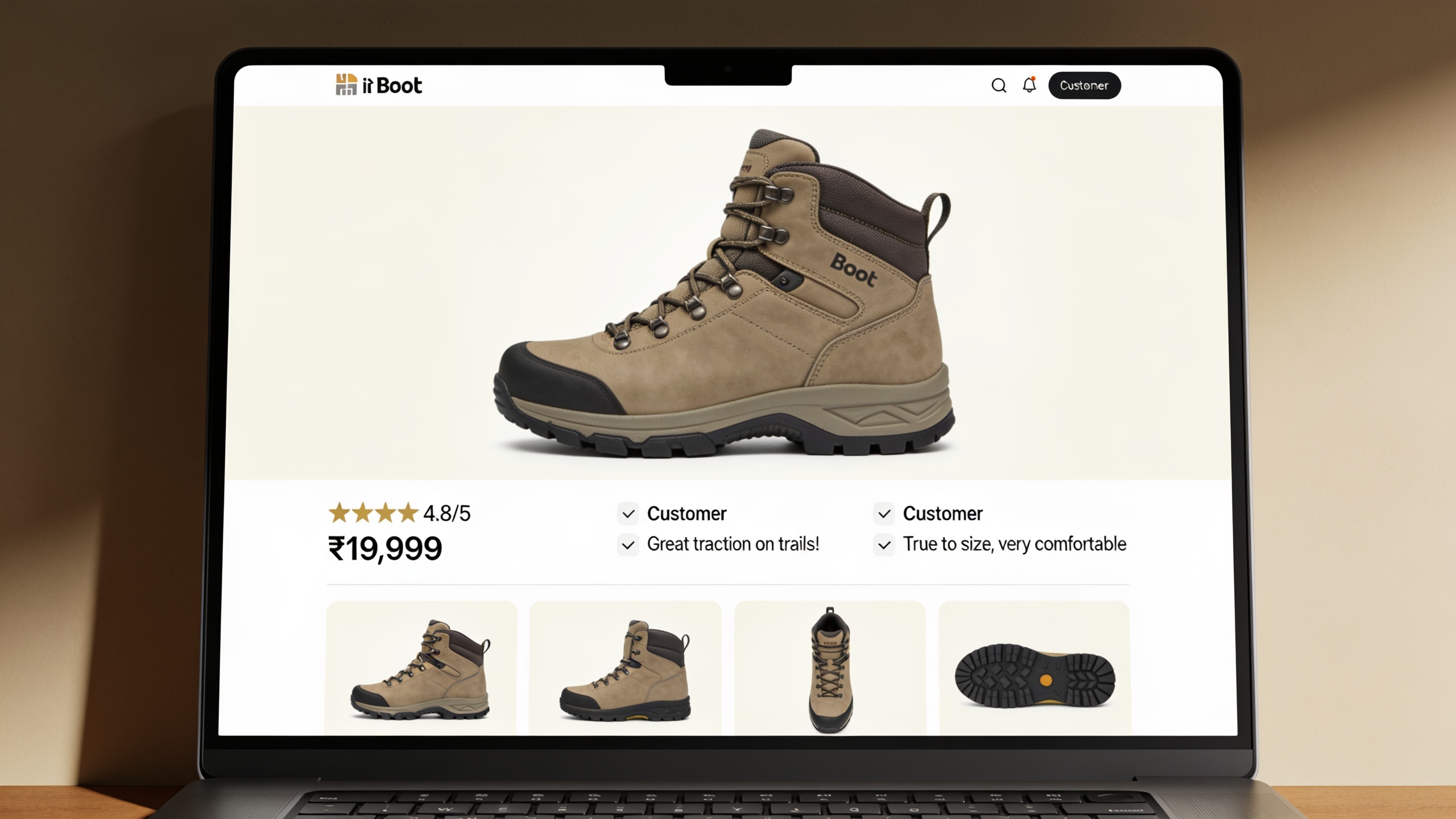
I've spent enough years watching product pages succeed and flop to have some strong opinions about what actually moves the needle. What follows is ten specific things you can do this week, whether you've got ten SKUs or ten thousand. No fluff about "leveraging synergies," just the stuff that works.
The tricky part with product pages, and this is what makes them different from blog posts, is that you're writing for two very different audiences. Google needs clear signals about what you're selling. Shoppers need enough info to actually feel confident clicking buy. Ignore either one and you lose. So everything below is built around keeping both happy at the same time.
Table of Contents
- Why Product Page Optimization Matters for E-commerce SEO
- Tips 1–3: Get the Foundational Elements Right
- Tips 4–6: Write Product Content That Ranks and Converts
- Tips 7–8: Strengthen Visual and Trust Signals
- Tips 9–10: Fix Internal Structure and Technical Health
- How Do You Measure Product Page SEO Success?
- Common Product Page SEO Mistakes to Avoid
- FAQ
Why Product Page Optimization Matters for E-commerce SEO
Product pages matter more than almost any other page type because they're the last stop before someone actually buys, which means they carry the heaviest conversion weight on your whole site. And Google treats them as their own distinct category, with ranking expectations that don't apply to articles or category pages. A product page that ranks great but doesn't answer a shopper's questions? Total waste of the traffic it earns. A gorgeous page nobody can find in search? Never gets a shot.
Google's own documentation for online stores pushes you toward structured markup, clear pricing, and availability signals for a reason. Product pages have to answer a very specific set of questions almost instantly: can I buy this, from whom, for how much, and is it even in stock? That's a different job than an article does.
Here's the part I find genuinely useful. Baymard Institute's ecommerce UX research has found over and over that thin or unclear product information is one of the top reasons shoppers bail before buying. Which basically tells you that the same weaknesses tanking your conversions (vague descriptions, missing specs, no reviews) are usually the same ones holding you back in search. So most of what follows helps both at once. You're rarely trading rankings for conversions. Usually you're fixing both with the same move.
Tips 1–3: Get the Foundational Elements Right
Title tags, meta descriptions, and URLs are the skeleton search engines and shoppers see before they even hit your page. Mess these up and everything else you do has less chance of ever being seen.
1. Write Unique, Keyword-Rich Title Tags for Every Product
Your title tag is the single most important on-page signal for what a page is about, full stop. It should include the product name, a defining attribute (brand, size, material, model, whatever matters), and where it reads naturally, the keyword a real customer would actually type into Google. Something like "Men's Waterproof Hiking Boots – Trailhead Pro | BrandName" tells Google and the shopper exactly what's going on. "Product 4521" tells them nothing.
The mistake I see constantly is templated titles that just repeat the category name across hundreds of SKUs. Don't do this. Duplicate or near-duplicate titles make it harder for search engines to tell your products apart, and it dilutes how each one ranks. If you're wrangling a big catalog, build yourself a formula (Product Name + Key Attribute + Brand) and apply it through your CMS or feed rules. Way better than hand-writing each one and giving up halfway.
2. Craft Meta Descriptions That Earn the Click
Your meta description doesn't directly move rankings, but it heavily influences click-through rate, and CTR is one of the strongest indirect signals of whether a page is relevant and worth showing. The best product meta descriptions drop in a price range or a standout feature, work in a subtle nudge to buy, and stay short enough that Google doesn't chop them off. If you want the actual formulas for this, this guide on meta description tips that actually get clicks breaks down patterns you can lift straight into product listings.
3. Use Clean, Descriptive URLs
A product URL should be short, readable, and include the product name or main keyword, with no junk parameters, session IDs, or category paths nested six levels deep. Aim for something like `/boots/trailhead-pro-hiking-boots`, not `/cat/12/sub/45/pid=98217?ref=nav`. Clean URLs crawl easier and, honestly, they just look trustworthy when someone shares or bookmarks the link.
One warning though. If you're restructuring URLs on an existing catalog (flattening category depth, renaming SKUs for consistency), treat it like a migration, not a quick tweak. Changing live product URLs without redirects can quietly wipe out rankings that took you months to build. That's exactly the nightmare this SEO migration checklist for moving sites without losing rankings is designed to prevent. Even a partial restructure deserves the same discipline: map old URLs to new, set 301 redirects, then watch your indexing like a hawk afterward.
Tips 4–6: Write Product Content That Ranks and Converts
Content is where most product pages win or lose the whole game. It's the part search engines can actually read and dig into. And thin, copy-pasted, or templated descriptions are one of the most common reasons a page never ranks at all.
4. Write Unique Product Descriptions, Never Copy Manufacturer Copy
Pasting in the same description the manufacturer handed to a hundred other retailers means your page is now competing against a wall of near-identical content, and search engines tend to reward the page that offers something different. So write in your own voice, and actually answer the questions a shopper has at the decision stage. How does it fit? How does it stack up against similar products? What's it made of? Who's it actually for?
Give it enough room to inform a real purchase. A couple of thin sentences can't possibly cover material, sizing, use cases, and care instructions all at once. Now, if you've got a huge catalog and hand-writing unique copy for every SKU just isn't happening, an AI content workflow (like the article generation RobinRank runs for blog content) can draft a solid first pass that a human then edits for voice and accuracy. That beats leaving descriptions blank or duplicated, which is the worst of both worlds.
5. Place Keywords Naturally in Headings, Body Copy, and Specs
Your primary keyword, meaning the way real people search for the thing, should show up in the H1, at least once in the opening paragraph, and again in a subheading or spec table. That's it. Don't force it into every sentence. Google's gotten genuinely good at understanding synonyms and related terms, so natural variation ("running shoes," "trainers," "athletic sneakers") tends to beat robotically repeating one exact phrase over and over.
Spec tables deserve a little extra love here. Shoppers scan them, and search engines index the structured text inside them. So spell things out with full, searchable terms ("100% merino wool," not just "wool") instead of the abbreviations only your warehouse team understands.
6. Add Product Structured Data (Schema Markup)
Product structured data is a standardized code format, based on schema.org, that flat-out tells search engines what's on the page: price, availability, brand, review ratings. Instead of making them guess from your text. Google's Search Central docs specifically recommend Product markup because it makes eligible pages show rich results, so star ratings, price, and stock status can appear right there in the listing.
The good news? Most major platforms (Shopify, WooCommerce, BigCommerce, Magento) support Product schema through built-in themes or plugins, so this is usually a configuration job, not a coding project. Once you've set it up, run it through Google's Rich Results Test to confirm it validates clean before you assume it's actually live. Skipping that check bites people more often than you'd think.
Tips 7–8: Strengthen Visual and Trust Signals
Images and reviews pull double duty. They build the buyer's confidence and they hand search engines extra, verifiable signals about what your page is and whether it's trustworthy.
7. Optimize Images with Descriptive File Names and Alt Text
Every product image needs a descriptive file name (`trailhead-pro-hiking-boots-side-view.jpg`, not `IMG_4521.jpg`) and alt text that describes what's actually in the shot. Alt text is how search engines "see" an image, and it's how screen readers describe it to visually impaired shoppers, so it's doing real work on both fronts. Compress your images too. Bloated, unoptimized files are one of the most common reasons product pages crawl along slowly, and page speed feeds into Google's page experience signals through Core Web Vitals metrics like Largest Contentful Paint (LCP).
Want content like this running on autopilot for your own site? Try RobinRank free — AI-written, SEO-optimized articles generated and published automatically, no credit card required.
And don't stop at one plain product-on-white shot. Multiple angles, a zoom function, some lifestyle photos. All of that cuts down the pre-purchase uncertainty that Baymard Institute's usability research keeps tying to cart abandonment. Which means good images tend to help your conversion rate about as much as they help your search visibility. Win-win.
8. Actively Collect and Display Customer Reviews
Reviews hand your product page a constant stream of fresh, unique, user-generated content, something a static manufacturer description simply can't give you, while also being the single strongest trust signal for a shopper on the fence. Consumer research on online reviews, including BrightLocal's Local Consumer Review Survey, has consistently found the large majority of shoppers read reviews before they buy. So an empty reviews section isn't neutral. It's a missed opportunity sitting right there.
Set up automated post-purchase review requests, show the average star rating near the product title (paired with the review schema from Tip 6), and please don't hide the critical reviews. A page with a handful of critical reviews mixed into mostly positive ones reads as far more credible than a page with a suspiciously perfect wall of five stars. Nobody believes the perfect wall anyway.
Tips 9–10: Fix Internal Structure and Technical Health
Even a flawlessly written product page will underperform if search engines can't find it or it loads too slowly to keep anyone around. These last two are the plumbing.
9. Build Internal Links from Category Pages, Blog Content, and Related Products
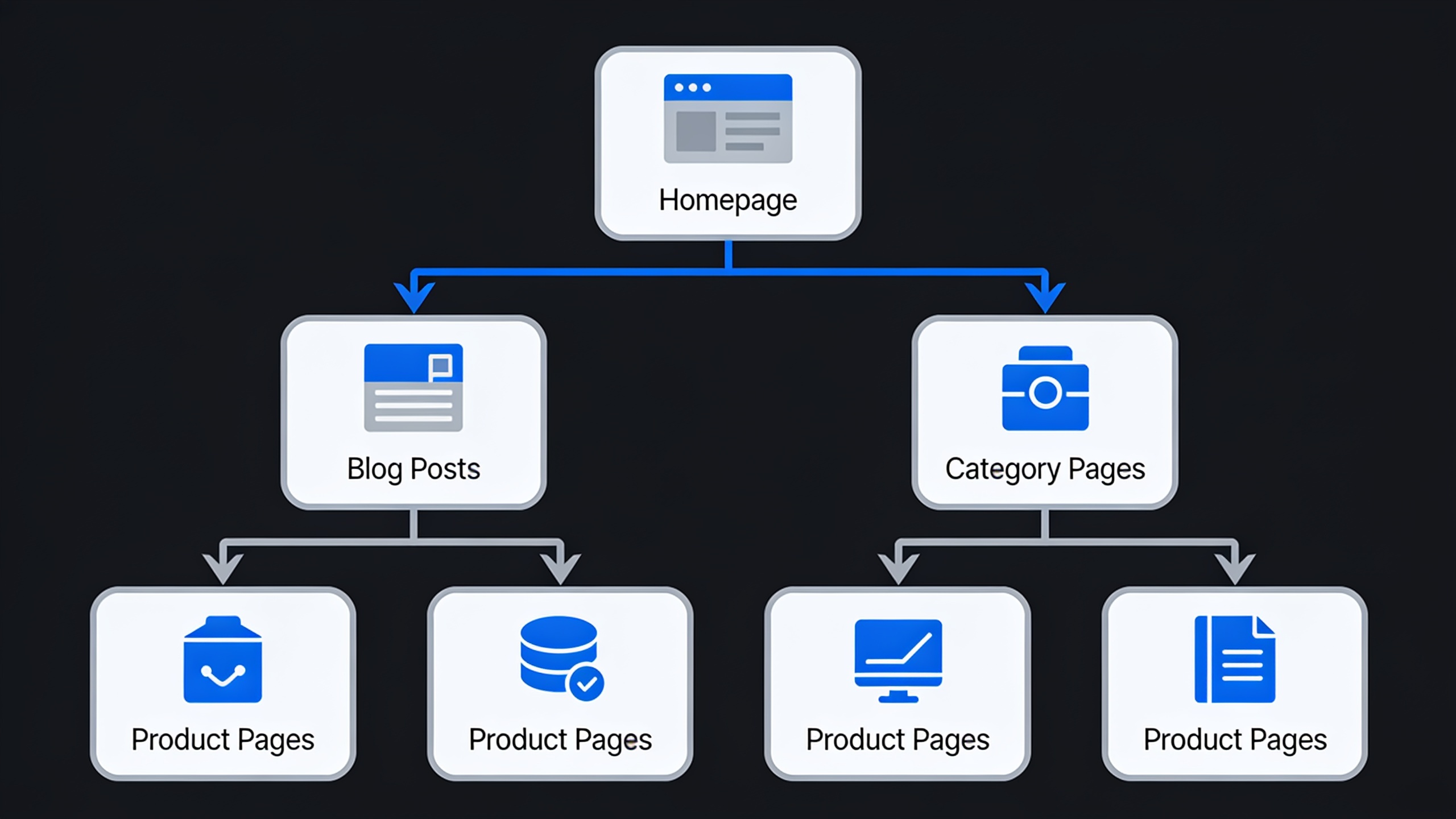
Internal links are the links connecting pages within your own site, and they're one of the most underused product page levers out there, mostly because they're 100% within your control. A product page you can only reach by clicking through three levels of a category menu is way harder for both Google and humans to find than one linked directly from a blog post, a "related products" block, or a bestsellers list on the homepage.
So do a few practical things: add a "customers also bought" or "related products" section to every product page, link to specific SKUs from your buying guides and how-to posts, and make sure every product sits within three clicks of the homepage. Stores that publish regular blog content have a real edge here, because every new article is another chance to link contextually into the catalog instead of leaning entirely on the nav menu.
10. Audit Page Speed, Mobile Usability, and Crawlability
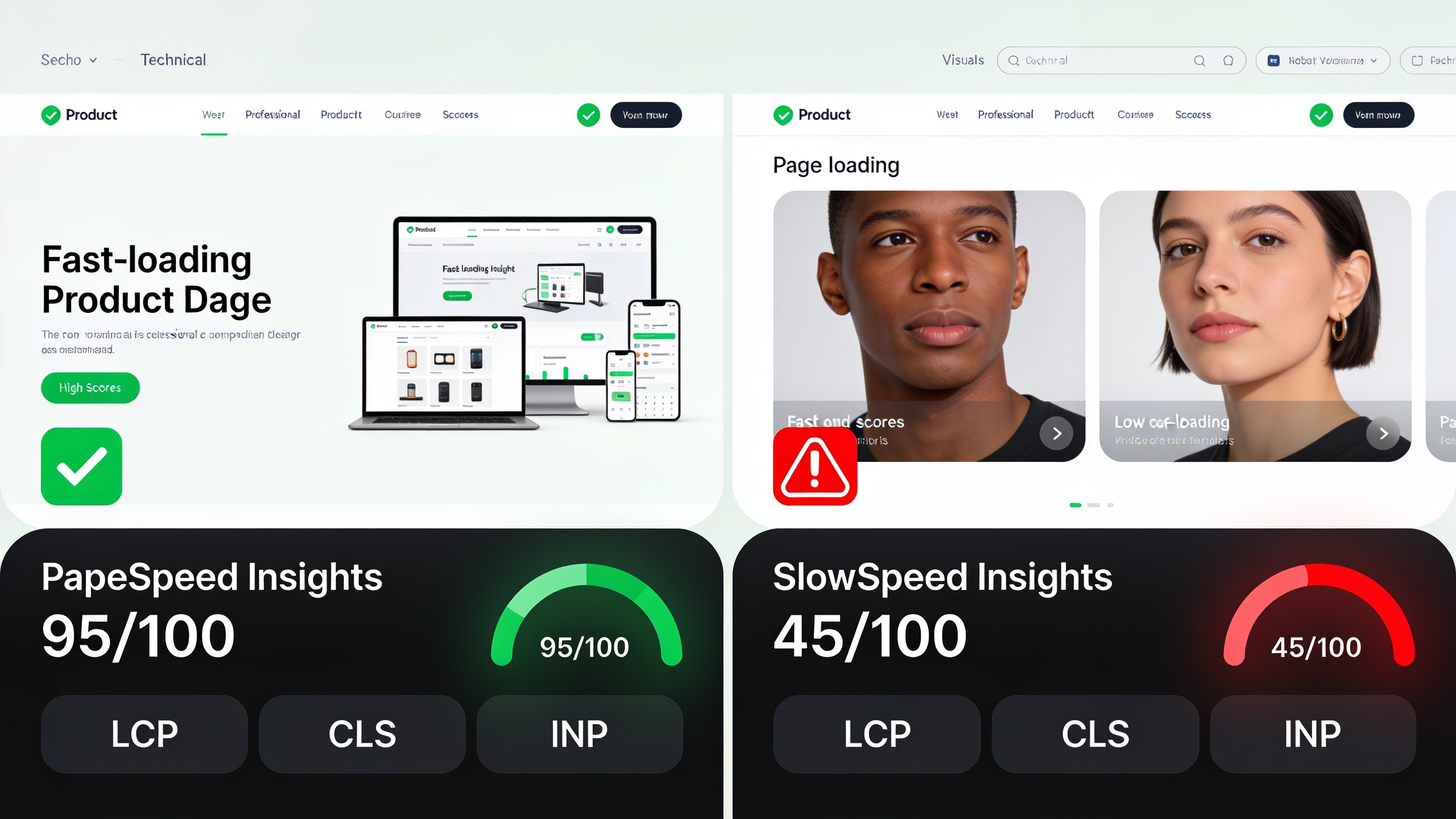
Your product pages need to load fast and render properly on mobile, because under mobile-first indexing Google ranks primarily based on the mobile version of the page. Slow loads, intrusive pop-ups, and layout shifts from late-loading images or ads all count against the page experience signals Google weighs.
Run your key product pages through PageSpeed Insights or a similar Core Web Vitals report every so often, and definitely after theme updates or new app installs, because third-party scripts (chat widgets, upsell apps, tracking pixels) are the usual suspects behind sudden slowdowns. Oh, and one more thing that trips people up: confirm your product pages aren't accidentally blocked in robots.txt or marked "noindex." It's a shockingly common mess after a redesign or platform move, which is yet another reason the redirect and indexing checks in the SEO migration checklist are worth a look any time your catalog structure changes.
How Do You Measure Product Page SEO Success?
You measure product page SEO success by tracking organic traffic, keyword rankings, and click-through rate at the individual page level, then tying those to add-to-cart rate and conversion rate to make sure the traffic is actually worth something. Ranking well for a term that never leads to a purchase isn't a win. It's a sign you're chasing the wrong keyword.
| Metric | What It Tells You | Where to Check It |
|---|---|---|
| Organic sessions per product page | Whether the page is attracting search traffic at all | Google Analytics / GA4 |
| Average keyword position | How close the page is to page-one visibility | Google Search Console |
| Click-through rate (CTR) | Whether the title tag and meta description are compelling | Google Search Console |
| Core Web Vitals (LCP, CLS, INP) | Whether page speed and stability are hurting rankings | PageSpeed Insights |
| Rich result eligibility | Whether structured data is valid and displaying | Rich Results Test |
| Add-to-cart / conversion rate from organic | Whether ranking traffic actually buys | Analytics + ecommerce tracking |
Look at this set quarterly instead of only panicking after a ranking drop. That way you catch the small stuff (a slipping CTR here, a sudden Core Web Vitals fail there) before it snowballs into a real traffic loss.
Common Product Page SEO Mistakes to Avoid
The most damaging mistakes are the ones that quietly repeat across your whole catalog rather than hitting a single page, because they scale the problem instead of containing it. Duplicate title tags pushed out through a template, manufacturer descriptions copied wholesale across every retailer selling the same item, and out-of-stock products left live with no redirect or restock note. Those three patterns suppress rankings sitewide, and I see them everywhere.
Another one that drives me a little crazy is treating product pages as "set and forget." You publish them at launch and never touch the titles, descriptions, or images again, even as competitors keep polishing theirs. Search results are relative. A page that hasn't changed in two years can lose ranking simply because everyone around it got better. Build a recurring audit into your workflow, even a light quarterly pass through those metrics above, and you'll catch this drift early.
And finally, plenty of stores skip structured data entirely just because it looks technical, which leaves rich results (star ratings, price, availability) on the table. Those can genuinely bump your click-through rate even without a ranking change. That's an easy win nobody should be leaving behind.
Frequently Asked Questions
How long should a product description be for SEO?
There's no magic word count that guarantees rankings, sorry. But your description needs enough room to cover material, sizing or dimensions, use cases, and whatever makes the product different. Thin one-liners get flagged over and over in ecommerce UX research as a source of both lost conversions and weak search visibility. So aim for enough unique content to actually inform the decision, not some arbitrary number you're trying to hit.
Do product reviews actually help SEO, or just conversions?
Both, genuinely. Reviews add unique, frequently updated content to a page that's otherwise static, and paired with review schema markup they can make a page eligible for star-rating rich results in search. On top of that, they're one of the strongest trust signals shoppers lean on before buying, according to consumer review research like BrightLocal's ongoing survey work.
Should every product have its own page, or can I use variants on one URL?
For sizes and colors, use one canonical URL with selectable variants. It consolidates your SEO value way better than spinning up near-duplicate pages, since you're not splitting reviews, backlinks, and ranking signals across a bunch of thin pages. Save separate URLs for products that are genuinely distinct, not just a different color of the same thing.
How often should I update product page SEO?
Revisit title tags, descriptions, and images at least every few months for your highest-traffic or highest-revenue products, and immediately after any platform migration, URL restructuring, or big catalog change. A quarterly audit using Search Console and Core Web Vitals data is usually enough to catch most regressions before they cost you real traffic.
What's the single highest-impact product page SEO tip on this list?
If you can only fix one thing first, fix duplicate or thin content. Unique descriptions, unique title tags, real product images. That issue tends to hit the largest share of a catalog all at once, and it's one of the most well-documented reasons pages fail to rank or convert. Start there.
Product page optimization isn't a project you finish and forget. It's an ongoing habit of small, compounding fixes across title tags, content, images, reviews, and internal links. Pick whichever of these ten tips hits your biggest gap right now, measure the change with the metrics above, and cycle back through the rest on a regular schedule instead of waiting for your rankings to tank before you do anything about it.
Ready to stop writing content by hand? Start your free RobinRank trial and get a full month of SEO-optimized articles published on autopilot.