SEO Migration Checklist: Moving Sites Without Losing Rankings
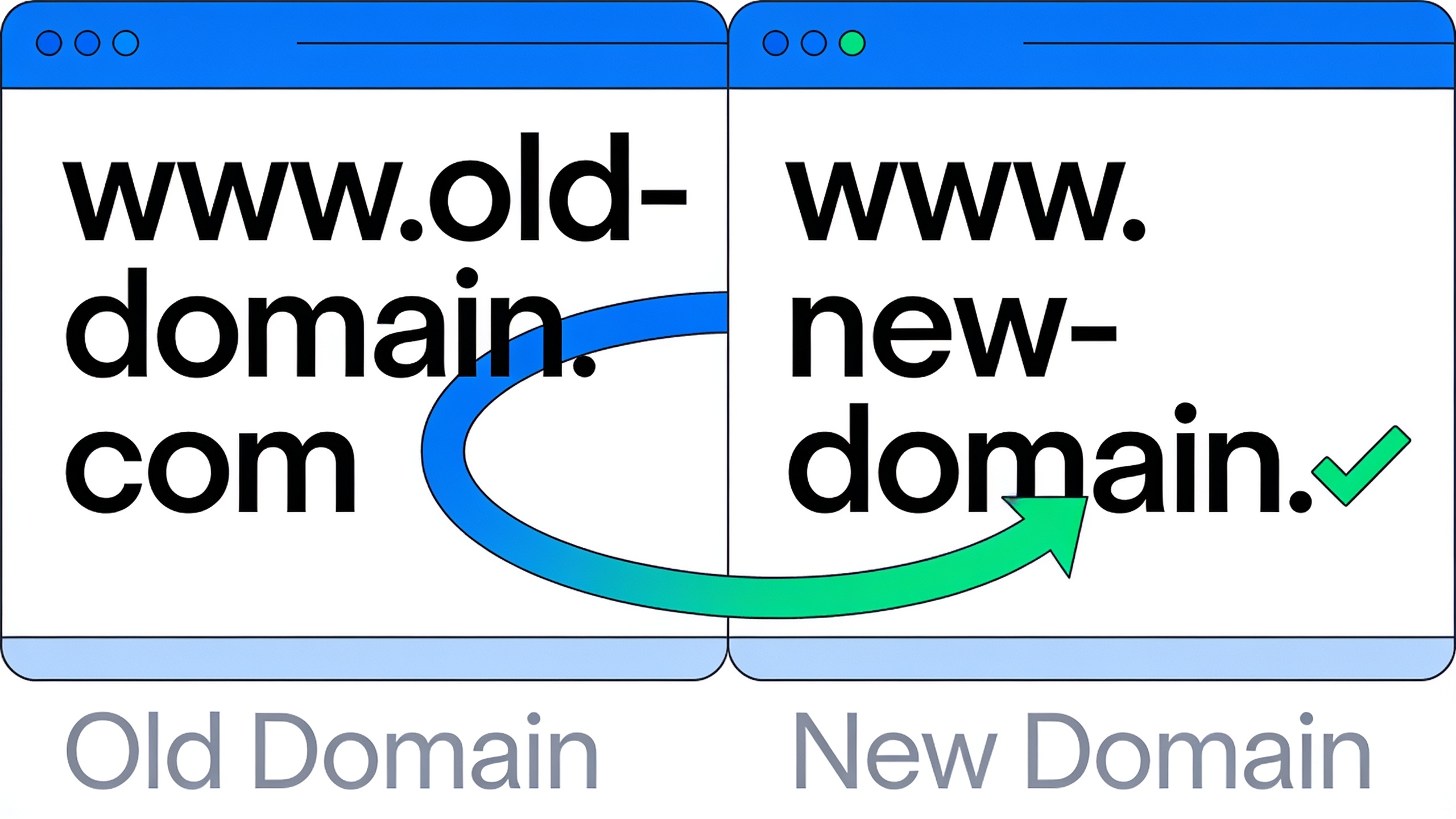
Here's what a lot of people don't get. Google has no idea that "old-site.com" and "new-site.com" are the same business. It doesn't automatically know your redesigned URLs deserve the same authority the old ones earned. Every single signal, the links, the content, the crawl paths, the structured data, has to be carried over on purpose. Miss a step and you could be looking at months of clawing your way back. Do it methodically and you can usually hang onto 90 to 100% of your organic visibility through the whole transition.
Table of Contents
- What Is an SEO Migration Checklist?
- Why Do Site Migrations Cause Ranking Drops?
- Pre-Migration Checklist: What to Do Before You Move
- Types of Site Migrations Compared
- The Redirect Mapping Checklist
- Website Redesign SEO: Protecting Rankings During a Redesign
- Post-Migration Checklist: How Long Until Rankings Recover?
- Common Migration Mistakes That Tank Rankings
- FAQ
What Is an SEO Migration Checklist?
An SEO migration checklist is a documented, step-by-step process for hanging onto your search rankings, indexed pages, and crawlability when your site changes its domain, platform, URL structure, or design. Broadly speaking it covers three phases: the pre-migration audit, the execution (redirects, DNS, sitemap updates, all the plumbing), and the post-migration monitoring.
And the goal here isn't just "don't break the site." It's making sure Google, Bing, and every other crawler can map every old URL to its new home, understand that authority should follow, and re-crawl the new site fast enough that you barely feel the gap. A solid checklist usually includes a full URL inventory, a redirect map, a backup of the old site (please, back it up), technical validation of your robots.txt, canonicals, and sitemaps, plus a monitoring plan that keeps running for weeks after you flip the switch. Skip any one of those and you can accidentally deindex your best pages. I've seen it happen. It's not fun.
Migrations tend to blur into each other, honestly. Domain changes, CMS switches, HTTP-to-HTTPS moves, site restructures, design overhauls. And most real projects mash two or three of these together at the same time, which is exactly why one missed checklist item can snowball into a genuine disaster.
Why Do Site Migrations Cause Ranking Drops?
Site migrations tank rankings when search engines lose the thread connecting your old ranking URLs to their new versions, usually thanks to missing redirects, changed content, broken internal links, or slow re-crawling. Google basically has to relearn chunks of your site, and that takes time even when you nail everything.
According to Google's own Search Central docs on site moves, some ranking wobble during a migration is normal and expected, even for the well-executed ones, because Google needs to recrawl and reprocess URLs before it can pass the right signals forward. The danger isn't the wobble itself. It's how big it gets and how long it drags on.
The usual suspects? Missing or wrong 301 redirects that leave old URLs coughing up 404s instead of pointing somewhere useful. Content that got rewritten during the move, so Google can't match the topical relevance between old and new. Blocked crawling, which almost always comes from a staging robots.txt file accidentally shipped to production, or a "noindex" tag someone forgot to yank after launch. Broken internal links still pointing at your old URL patterns. And lost backlink equity, where the sites linking to your old URLs never update and those links slam into dead pages instead of getting credited through a redirect.
The nasty part is that most of these failures stay invisible until your traffic drops. That's why I'll always tell you to work from a written checklist instead of trusting your memory and some ad hoc QA at 11pm on launch night.
Pre-Migration Checklist: What to Do Before You Move
The pre-migration phase is where roughly 80% of your migration risk gets eliminated. It's the point where you inventory, benchmark, and map everything out before a single URL moves. Rushing through this stage to "move faster" is, hands down, the number one reason migrations blow up.
Benchmark Where You Stand Right Now
Before anything moves, write down where you are so you've got something to measure against later. Do a full crawl of the existing site (Screaming Frog or Sitebulb both do the job) to capture every indexable URL, its status code, title tag, and canonical. Export your top organic landing pages and their rankings from Google Search Console and whatever rank tracker you use. Pull a backlink export and make a note of which URLs are earning the most external links, because those are the pages you cannot afford to fumble.
Oh, and check your Core Web Vitals and page speed now, because a redesign can quietly wreck performance if nobody's watching. If you want a proper walkthrough of what to actually measure, I'd point you to Core Web Vitals Explained: A Simple Checklist for Marketers.
Build the URL Inventory
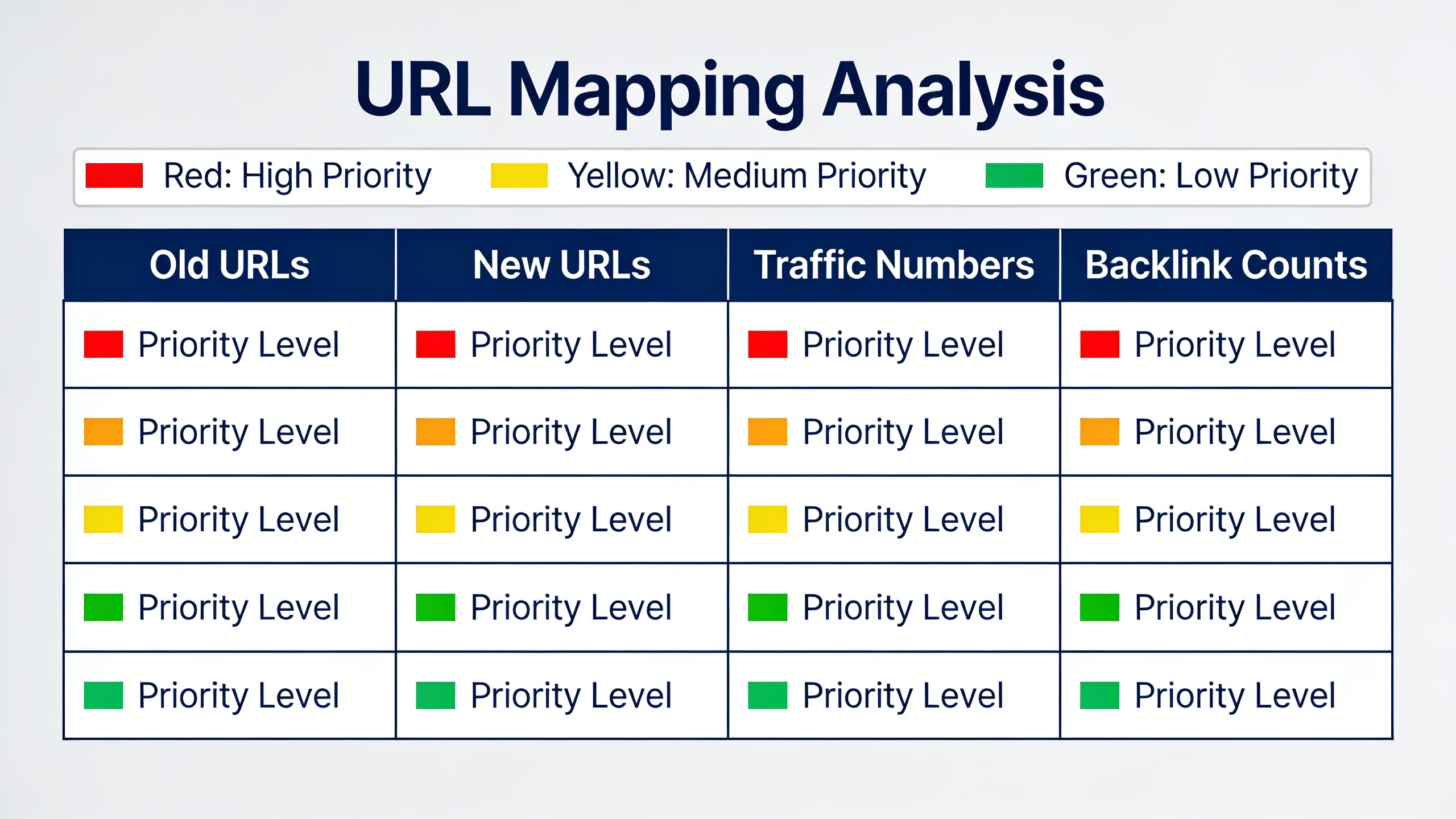
List every URL that's currently indexed, along with its traffic, backlinks, and conversion value. This becomes the backbone of your redirect map in the next phase. Sort it by organic traffic and backlink count, because those pages need a flawless 1:1 redirect. Not a lazy dump to the homepage. A real, page-to-page redirect.
Freeze the Content If You Can
If you're bundling a domain migration with a content rewrite, try to pull those two apart in time. Moving a URL and rewriting its content in the same launch makes it a nightmare to figure out which change caused a ranking shift when something goes sideways. And something usually does.
Set Up a Staging Environment
Test the entire new site on a staging URL that's blocked from indexing, and I mean password-protected, not just robots.txt. A misconfigured robots.txt is one of the most common launch-day catastrophes there is. QA every template type you've got: homepage, category, product or article page, the lot. Do it before go-live, not after.
Types of Site Migrations Compared
Not every migration is equally terrifying. A same-domain redesign is a walk in the park compared to a full domain change stacked on top of a CMS switch. Here's how the common types stack up by complexity and typical SEO risk.
| Migration Type | Description | Typical SEO Risk | Key Checklist Focus |
|---|---|---|---|
| Domain change | Moving from one domain to another (e.g., after a rebrand) | High | Site-wide 301 redirects, Search Console "change of address," backlink outreach |
| HTTP to HTTPS | Adding SSL/TLS encryption | Low to moderate | Redirect all HTTP URLs, update internal links and canonical tags |
| CMS platform switch | Moving from one CMS (e.g., WordPress) to another | Moderate to high | URL structure preservation, template/markup parity, structured data rebuild |
| Site redesign (same domain/URLs) | Visual and UX overhaul without changing URLs | Low to moderate | Core Web Vitals, content parity, internal linking |
| URL restructure | Changing folder structure or slugs without changing domain | High | Full redirect map, canonical updates, XML sitemap refresh |
| Subdomain to subfolder | Consolidating a blog or app from a subdomain into the main domain's folder structure | Moderate | Redirects, internal linking consistency, duplicate content checks |
The more changes you cram into one launch, the harder it gets to figure out what actually caused any ranking movement. Which is exactly why experienced SEOs (myself included) will beg you to stagger big migrations into phases whenever the business timeline gives you the room.
The Redirect Mapping Checklist
A redirect map is just a spreadsheet pairing every old URL with its exact new destination, and it's the single most important thing you'll produce in this whole process. Without a complete, accurate map, even a technically perfect new site will hemorrhage rankings, because both search engines and actual humans keep smacking into dead ends.
Building the Map
Start from the full URL inventory you gathered pre-migration and map each URL individually. Never, ever redirect everything to the homepage. A catch-all redirect basically screams at Google that none of your old pages have a real equivalent, so you forfeit every bit of page-specific authority those URLs built up. It's throwing away years of work to save an afternoon.
| Old URL | New URL | Redirect Type | Priority |
|---|---|---|---|
| /blog/old-post-slug | /guides/new-post-slug | 301 | High (top traffic) |
| /category/widgets | /shop/widgets | 301 | High (backlinks) |
| /about-us-old | /about | 301 | Medium |
| /temp-landing-2019 | /pricing | 301 | Low (obsolete) |
The Rules for Actually Implementing Redirects
Use 301 (permanent) redirects, not 302s, so search engines understand the move is permanent and pass the link equity along accordingly. Avoid redirect chains at all costs, that A → B → C nonsense. Every redirect should resolve in a single hop. Test every redirect in staging before launch, then re-test the entire list the moment DNS propagates. And keep those redirects live for at least 12 months, because some backlinks and bookmarks take forever to update and browsers love caching old paths.
Want content like this running on autopilot for your own site? Try RobinRank free — AI-written, SEO-optimized articles generated and published automatically, no credit card required.
Update Your Internal and External Signals
Once the redirects are live, update your XML sitemap so it only lists new URLs, submit that fresh sitemap in Search Console, and fire off the "Change of Address" tool if you moved domains. Then update your internal links to point straight at the new URLs instead of leaning on redirects to catch them. Redirects should be a safety net for external traffic, not your permanent internal navigation crutch.
Website Redesign SEO: Protecting Rankings During a Redesign
Website redesign SEO is the specific set of precautions you need when your site's visual design, layout, or front-end code changes, even if the domain and URLs stay exactly the same. Redesigns are sneaky-dangerous because teams love to assume "well, we didn't touch the URLs, so SEO's fine." Nope. Content, code, and page speed changes can quietly undo years of optimization while everyone's admiring the new hero image.
Preserve the Content, Not Just the URLs
If a redesign rips out body copy to make pages look "cleaner," or swaps text for images and video, the page can lose the topical depth that got it ranking in the first place. Before you launch, compare word count, heading structure, and keyword usage between the old and new templates for your top performers. Boring? Yes. Worth it? Absolutely.
Don't Lose Your Structured Data
A ton of redesigns get built by front-end teams who have no clue the old theme carried schema markup for reviews, articles, FAQs, or products. If that structured data doesn't get rebuilt into the new templates, you can lose your rich results (star ratings, FAQ dropdowns, all of it) even while your rankings look totally stable. It's genuinely worth skimming Schema Markup 101: How Structured Data Improves Rankings before launch just to confirm every schema type on the old site has a match on the new one.
Keep an Eye on Page Speed
Redesigns love to bolt on new scripts, giant hero images, and third-party widgets that drag the whole thing down. Page experience is a ranking factor, so a redesign that looks gorgeous but loads slower can hand back all your UX gains with a Core Web Vitals penalty. Test Largest Contentful Paint, Cumulative Layout Shift, and Interaction to Next Paint on the new templates before launch. Not after, when it's already live and you're panicking.
Don't Orphan Your Pages
Redesigns tend to simplify navigation menus, and in the process they can accidentally orphan pages that used to be a couple clicks away. Audit your new nav and footer against the old site's internal linking structure and make sure every important page still has a clear path from the homepage. Pages nobody can reach are pages Google forgets about.
Post-Migration Checklist: How Long Until Rankings Recover?
Rankings usually wobble for a few weeks after a clean migration, with most sites settling within one to three months, though big domain changes or CMS switches can drag on longer because Google needs more time to fully recrawl and reprocess everything. Google's own Search Central guidance is pretty upfront that site moves can cause temporary ranking changes even when you do everything right, so the whole point of this phase is catching problems early, not expecting zero movement. There will be movement. Relax.
Launch-Day Checks (Do These First)
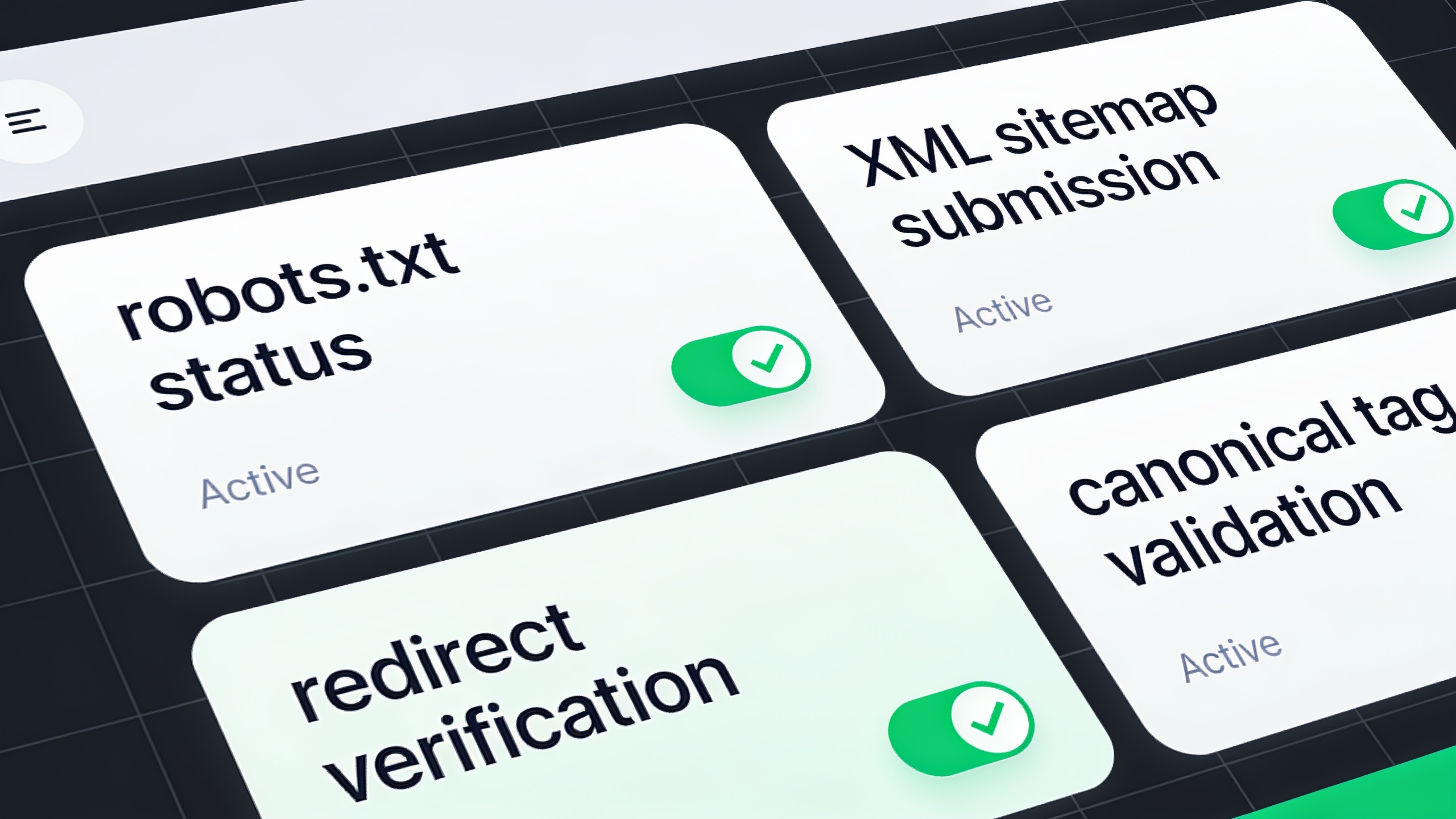
Confirm the live robots.txt isn't blocking crawlers, because pushing staging configs to production is a shockingly common way to make your whole site vanish. Verify the XML sitemap reflects your new URL structure and is submitted in both Google Search Console and Bing Webmaster Tools. Spot-check a sample of redirects across every category (blog, product, category, static pages), and confirm your canonical tags point to the correct new URLs and not to staging or the old domain.
Weeks 1 Through 4
This is your watch-like-a-hawk window. Track crawl stats in Search Console's "Crawl Stats" report to confirm Googlebot is actually recrawling the new site. Watch the Coverage/Pages report for spikes in 404s, "not found," or "duplicate without user-selected canonical" errors. Compare organic traffic and rankings for your top pages against the pre-migration benchmark you set earlier, and expect some short-term dips (they're normal). And spot-check that your backlinks are resolving correctly, hitting a live 200-status page after the redirect instead of a dead end.
Months 2 and 3
Now start reaching out to your high-value linking sites and politely ask them to update their link directly to the new URL rather than relying on your redirect forever. Re-run a full site crawl and compare it against the pre-migration one to catch any lingering broken links, redirect chains, or orphaned pages that slipped through. Then take stock: are rankings and traffic trending back toward baseline? If not, go back and comb through your redirect map and technical checklist for gaps. Something's almost always hiding in there.
Common Migration Mistakes That Tank Rankings
Most migration disasters trace back to a small handful of repeatable mistakes, not bad luck. Spot them in advance and you'll dodge becoming somebody's cautionary tale on Twitter.
The worst offender by a mile is redirecting everything to the homepage. I mentioned it already, but it bears repeating because it's that damaging. It tells search engines there's no real equivalent for the old page, so instead of transferring authority, you just... delete it.
Then there's launching with a blocked robots.txt. Staging environments almost always block crawlers, and if that same robots.txt file rides along to the live domain, your entire new site can go invisible to search engines for days or weeks before anyone even notices. Brutal.
Changing content and URLs at the same time is another classic. When both the URL and the content change in one launch, it's nearly impossible to tell whether a ranking drop came from the redirect, the new copy, or both, which turns troubleshooting into a guessing game.
Ignoring internal linking trips people up too. Redirects handle external links and old bookmarks fine, but your internal navigation should point straight at the new URLs. Leaning on redirect chains internally just adds latency and wastes crawl budget for no good reason.
And don't sleep on forgotten XML sitemaps and canonical tags. An outdated sitemap still listing old URLs, or canonicals pointing back at a decommissioned domain, actively confuses search engines about which version of a page should even rank.
Last one: skipping the post-launch monitoring window. Treating migration day as the finish line rather than the starting gun means problems that would've been caught in week one instead quietly compound for months. By the time you notice, the damage is done.
Frequently Asked Questions
How long before my rankings actually recover after a migration?
Most clean migrations stabilize within one to three months, per Google's own guidance on site moves. That said, bigger changes (a full domain switch plus a CMS migration, for example) can take longer, simply because search engines need more time to fully recrawl and reprocess the new site.
Do I have to keep 301 redirects forever?
Not forever, no, but keep them live for at least 12 months. That gives search engines and external sites enough time to update their records, and it accounts for backlinks, bookmarks, and cached links that lag way behind search engine indexes.
Can a redesign hurt my SEO even if the URLs don't change?
Yep, it can. The risk in a redesign comes from content changes, slower page speed, lost structured data, and simplified navigation that orphans pages, not just from URL changes. A redesign that keeps the exact same URLs can still hurt rankings if the new templates load slower or strip out ranking-relevant content.
What's the single biggest mistake people make during a migration?
Redirecting every old URL to the homepage instead of mapping each one to its specific new equivalent. It throws away the page-level authority individual URLs earned and it's one of the most common causes of those big, ugly post-migration traffic drops.
Should I migrate everything at once or do it in phases?
Phase it if you possibly can. Moving the blog before your main product pages, say, makes it far easier to isolate the cause of any ranking change. Cramming a domain change, a CMS switch, and a full content rewrite into one launch is high risk purely because there are so many variables to untangle when something breaks.
Look, migrating a website will always carry some risk. That's just the nature of it. But that risk is totally manageable when you treat it as a project with a written plan instead of one nerve-wracking "launch day." A thorough SEO migration checklist covering pre-launch benchmarking, a complete redirect map, careful handling of content and technical SEO during a redesign, and weeks of post-launch monitoring is exactly what separates the migrations that quietly protect years of ranking equity from the ones that end up as case studies in what not to do. Be the boring, methodical one. Your traffic will thank you.
Ready to stop writing content by hand? Start your free RobinRank trial and get a full month of SEO-optimized articles published on autopilot.