Core Web Vitals Explained: A Simple Checklist for Marketers
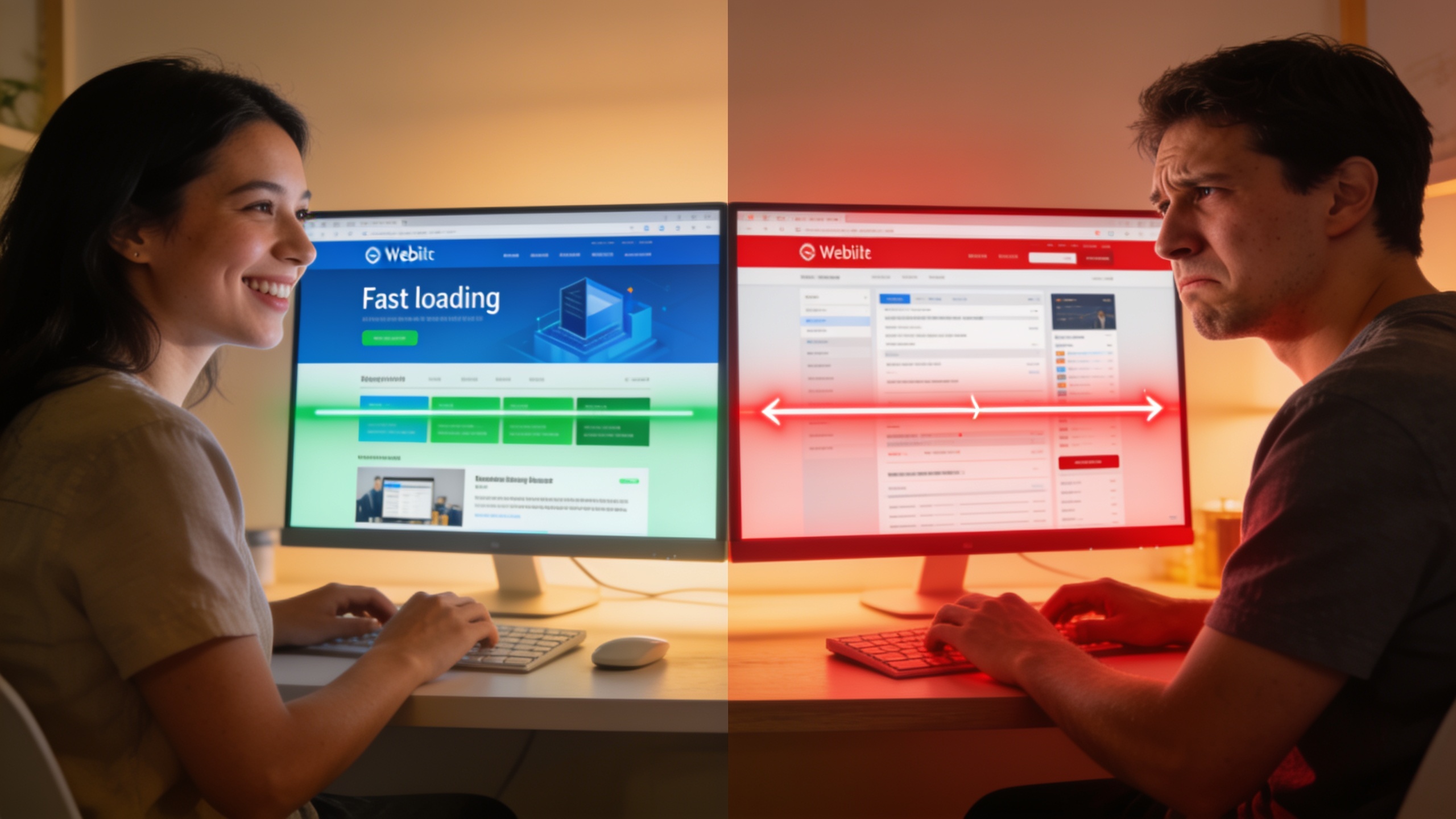
Good news, though. You don't need to be an engineer to get this stuff. You just need to know what each one measures, why it matters to actual humans visiting your site, and which fixes give you the most bang for the least effort. That's what I'm going to walk you through.
Table of Contents
- What Are Core Web Vitals?
- Largest Contentful Paint (LCP): Is Your Page Loading Fast Enough?
- Interaction to Next Paint (INP): Does Your Site Feel Responsive?
- Cumulative Layout Shift (CLS): Is Your Page Visually Stable?
- How Do Core Web Vitals Affect SEO Rankings?
- The Marketer's Core Web Vitals Checklist
- Tools to Measure and Monitor Core Web Vitals
- Frequently Asked Questions
What Are Core Web Vitals?
Core Web Vitals are three specific, measurable signals (LCP, INP, and CLS) that Google uses to put a number on real-world page experience across loading speed, interactivity, and visual stability. Google rolled them out in 2020 as part of a wider bundle of "page experience" signals, and each one has a published threshold that sorts your page into "good," "needs improvement," or "poor."
What I like about them, honestly, is that they're concrete. "Site speed" is a fuzzy phrase everybody nods along to and nobody agrees on. These aren't fuzzy. Each metric gets tracked using field data, meaning real visitor sessions, aggregated over a rolling 28-day window through the Chrome User Experience Report, not one lonely lab test. So the scores reflect how people on actual phones and actual dodgy connections experience your site. Not how it behaves on your gigabit office WiFi.
Here's the way I'd frame it for a marketer. Core Web Vitals are basically a stand-in for user experience quality, and user experience quality lines up with the stuff both search engines and visitors reward: lower bounce rates, longer sessions, more conversions. That overlap is exactly why every page speed SEO conversation eventually loops back to these three metrics.
Largest Contentful Paint (LCP): Is Your Page Loading Fast Enough?
Largest Contentful Paint measures how long it takes for the biggest visible element on the page (usually a hero image, a video thumbnail, or a chunk of text) to fully show up after someone requests the page. Per Google's own web.dev documentation, a "good" LCP is 2.5 seconds or less. Between 2.5 and 4 seconds is "needs improvement," and anything over 4 seconds gets stamped "poor."
Really, LCP is answering one question: how long does a visitor sit there staring at a blank or half-baked screen before they actually see the thing they came for? If your homepage hero takes six seconds to appear, that feels like a broken, sluggish site to a real person, even if everything else quietly loaded in the background.
So what makes LCP bad? Usually it's slow server response times, which more often than not trace back to cheap or oversold hosting. Sometimes it's giant unoptimized images that nobody bothered to compress or serve in a modern format like WebP or AVIF. Render-blocking CSS and JavaScript are common culprits too, since the browser has to download and chew through all that before it can paint anything on screen. And then there's missing or badly configured CDN caching, which means every single visitor has to go fetch assets from your origin server the slow way.
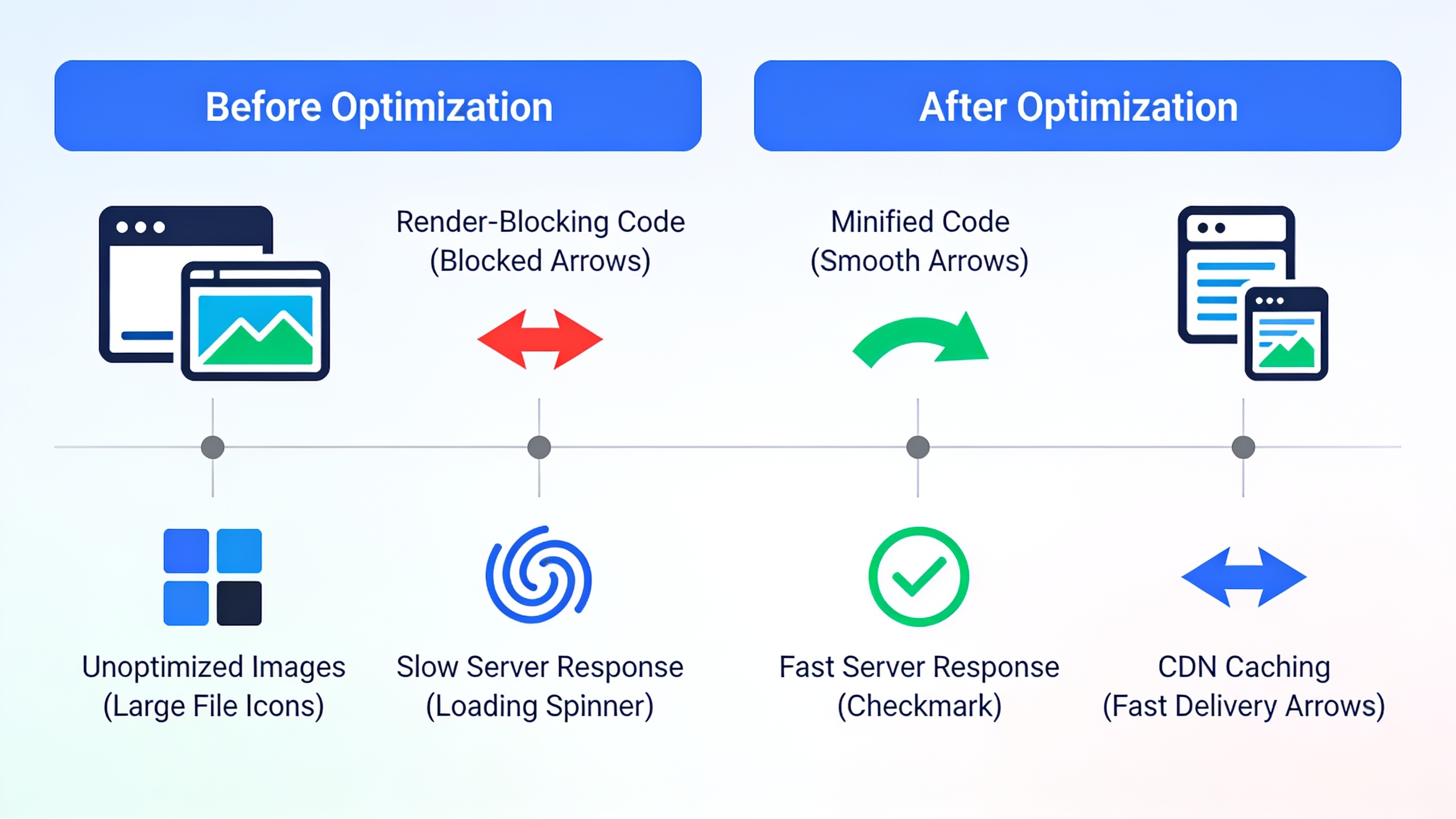
The fixes are less scary than they sound. Compress and resize your hero images, turn on browser caching and a CDN, and defer the JavaScript that isn't critical. Those three are almost always your fastest wins. On image-heavy landing pages, just switching to a modern image format and adding explicit width and height attributes can knock a full second (sometimes more) off your load time. I've seen it happen plenty of times.
Interaction to Next Paint (INP): Does Your Site Feel Responsive?
Interaction to Next Paint measures how quickly a page reacts, visually, after someone interacts with it. Clicking a button, tapping a menu, typing in a form. Google swapped out the old First Input Delay (FID) metric and made INP the third Core Web Vital back in March 2024, because INP looks at the whole range of interactions across a page's life instead of just the very first one.
The thresholds Google publishes: a "good" INP is 200 milliseconds or less, "needs improvement" lands between 200 and 500 milliseconds, and past 500 is "poor." In human terms? If a visitor taps "Add to Cart" and the page takes half a second or longer to visibly do something, that's long enough for most people to feel like something's off. Or broken.
Why INP beats the old FID metric
FID only ever measured the lag before the browser could start processing your first click or tap. That's it. It had nothing to say about what happened after that. INP, on the other hand, tracks every interaction throughout the visit and reports the worst (or close to worst) delay. That's a much more honest picture of how responsive your site actually feels, especially on JavaScript-heavy pages like checkout flows, filterable product grids, or those interactive calculators everybody loves to build.
As for what wrecks your INP, it's usually one of three things. Heavy, unoptimized JavaScript bundles that jam up the browser's main thread. Third-party scripts (chat widgets, ad tags, analytics tools) all elbowing each other for processing time. Or long-running tasks kicked off by a single click, like re-rendering the entire page when only one little element actually changed.
Cumulative Layout Shift (CLS): Is Your Page Visually Stable?
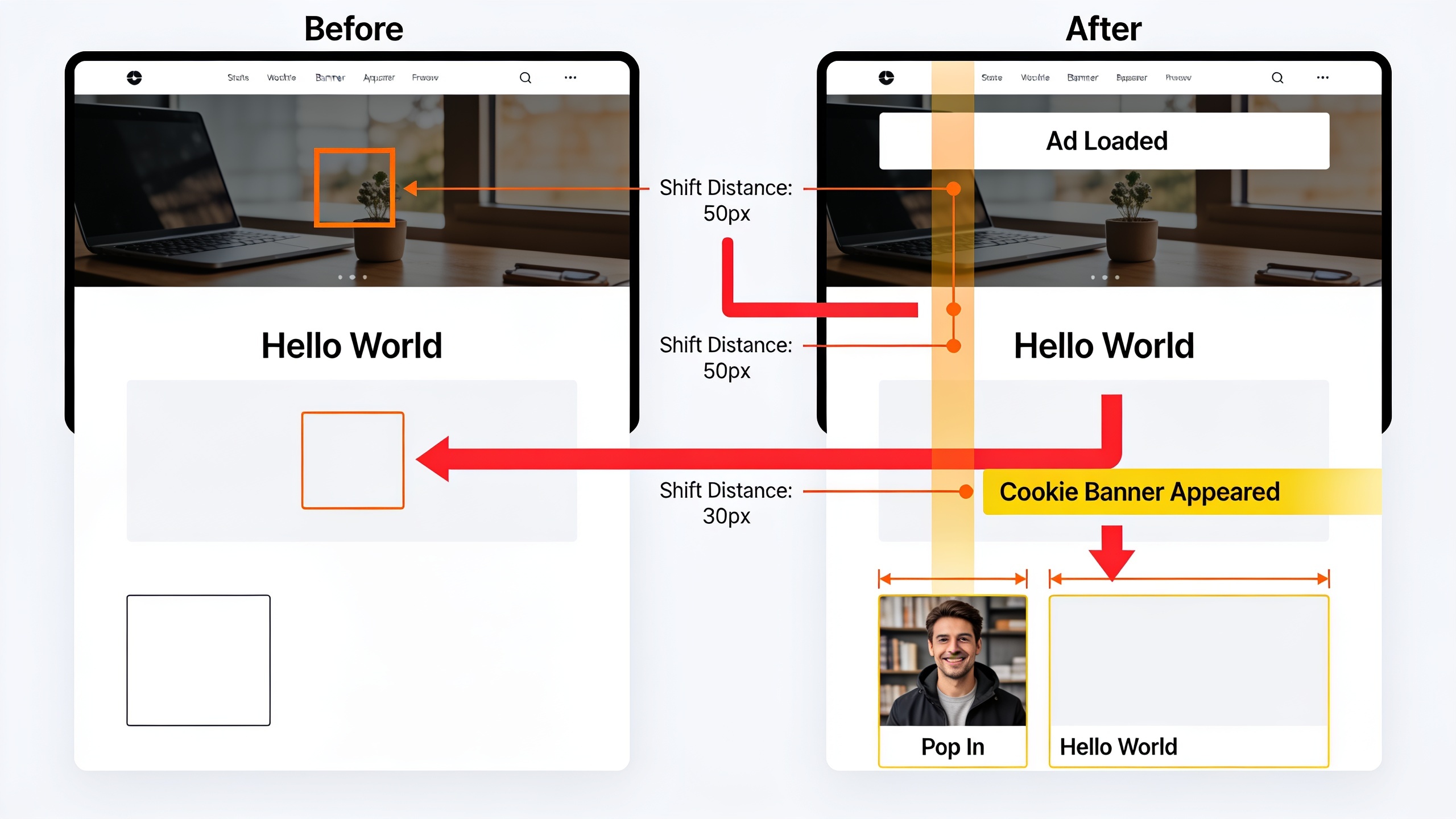
Cumulative Layout Shift measures how much visible content jumps around unexpectedly while a page loads, and it's expressed as a unitless score based on how big each shift was and how far things moved. Google says a "good" CLS is 0.1 or lower, "needs improvement" is 0.1 to 0.25, and anything above 0.25 is "poor."
You know this one already, even if you didn't know it had a name. You go to tap a link, and right as your thumb comes down, an ad banner loads, the whole page lurches, and you smack the wrong thing. Infuriating. That's a layout shift, and CLS is just putting a number on how annoying the experience was.
The usual suspects behind a bad CLS: images or embeds (YouTube videos, ads, whatever) that don't have their width and height reserved in the code, so the browser has no idea how much room to leave for them. Web fonts that load after the first text render, so your text reflows the second the "real" font swaps in. And dynamically injected content like cookie banners, promo bars, and ads that shove everything else down after the page already looked done.
Want content like this running on autopilot for your own site? Try RobinRank free — AI-written, SEO-optimized articles generated and published automatically, no credit card required.
The single highest-leverage fix here is dead simple: reserve space for your images, embeds, and ads with explicit dimensions before they load. That's most of the battle right there. Loading custom fonts with `font-display: optional` (or preloading the key ones), and only dropping dynamic banners above the fold after you've reserved their space, cleans up the rest.
How Do Core Web Vitals Affect SEO Rankings?
Core Web Vitals are one of many ranking signals, and Google's been pretty clear that page experience factors matter most when it's comparing pages that are otherwise similar in relevance and quality. So no, a flawless LCP won't save thin or irrelevant content. But it can absolutely be the deciding vote between two pages that are equally dialed-in for the same search.
That nuance trips up a lot of marketers. Obsessing over a perfect LCP score while ignoring content depth, search intent, and topical authority is just... pointing your energy at the wrong thing. The mental model I keep coming back to: content and relevance get you into the fight, and page experience signals like Core Web Vitals help you win the close ones. Especially on competitive commercial and transactional queries where a dozen pages are gunning for the same keyword at roughly the same quality.
There's a solid indirect case for caring about these too, and it comes down to how people behave. Pages that load slowly or shift around tend to get higher bounce rates and shorter sessions, and those engagement patterns quietly chip away at your ability to turn traffic into leads or sales, ranking effect or not. If you're looking at organic performance as a whole, Core Web Vitals belong right next to metrics like organic click-through rate, average position, and conversion rate. That's the kind of dashboard I walk through in 10 SEO KPIs Marketers Should Track Every Month, if you want the fuller picture of what a marketing team should be watching.
The Marketer's Core Web Vitals Checklist
Alright, here's the practical part. This is a non-technical checklist you can either run through yourself or just forward to a developer. Everything maps back to one of the three metrics above.
For Largest Contentful Paint (LCP):
- Compress and resize all your hero images, and convert them to WebP or AVIF where you can
- Set up a CDN so assets load from a server that's physically close to the visitor
- Preload the single most important above-the-fold image or font
- Kill or defer render-blocking CSS and JavaScript that the initial view doesn't need
- Upgrade your hosting if your server response time (Time to First Byte) is consistently sluggish
For Interaction to Next Paint (INP):
- Audit your third-party scripts (chat widgets, tag managers, ad networks) and axe the ones you're not actually using
- Break up long JavaScript tasks so the main thread doesn't get stuck for ages
- Lazy-load non-critical scripts so they fire after the page is interactive
- Test the interactive bits (search bars, filters, add-to-cart buttons) on a mid-range phone, not your fancy work laptop. This one matters more than people think.
For Cumulative Layout Shift (CLS):
- Add explicit width and height to every image, video, and embed
- Reserve space for ads, cookie banners, and promo bars before they load
- Preload your custom web fonts, or just use system fonts and skip the reflow drama entirely
- Don't inject new content above existing content after the page has already loaded
General page speed SEO hygiene:
- Run every key landing page through PageSpeed Insights before and after any redesign
- Re-test whenever you bolt a new plugin, script, or embed onto your CMS
- Fix your highest-traffic and highest-converting pages first. Not every URL on the site equally. You'll never finish if you try that.
Tools to Measure and Monitor Core Web Vitals
You can measure Core Web Vitals for free with Google's own tools, and each one has a slightly different job depending on whether you want field data or lab data. Quick reminder: field data reflects what real visitors experienced over time, while lab data simulates a single page load in controlled conditions. Lab data's great for hunting down a specific bug.
| Tool | Data Type | Best Used For |
|---|---|---|
| Google Search Console (Core Web Vitals report) | Field data | Site-wide monitoring, grouped by URL pattern |
| PageSpeed Insights | Both field and lab data | Quick per-page check with specific fix recommendations |
| Chrome UX Report (CrUX) | Field data | Aggregated real-user data, accessible via API or BigQuery |
| Lighthouse (built into Chrome DevTools) | Lab data | Deep technical debugging during development |
| Web Vitals JavaScript library | Field data (custom implementation) | Sending real-time Core Web Vitals data to your own analytics |
My go-to workflow, for what it's worth: check Google Search Console once a month for the site-wide view of which URL groups are getting flagged "poor" or "needs improvement," then jump into PageSpeed Insights or Lighthouse to figure out the actual cause on the individual pages before you hand anything off to a developer. Saves everyone a lot of guessing.
Frequently Asked Questions
Do Core Web Vitals directly decide where I rank on Google?
No. Google's called page experience signals, Core Web Vitals included, one input among many, and has said they tend to matter most as a tiebreaker between pages of similar relevance and quality. Strong content and a good match to search intent are still the foundation. Core Web Vitals help you at the margins.
How long before I actually see my scores improve?
Totally depends on what was broken. Simple stuff like image compression or reserving space for embeds can show measurable improvement within days of going live. But because Google's official Core Web Vitals reports run on 28-day rolling field data, it usually takes at least a few weeks after a fix ships before the reported score in something like Search Console fully catches up. So don't panic if the number doesn't move overnight.
Should I care more about mobile or desktop?
Google reports the two separately because real-world performance often looks pretty different between them, especially for LCP and INP on slower mobile networks and weaker processors. And since mobile is the majority of search traffic for most sites, your mobile scores generally deserve the closer look.
Can a fast site still rank badly, or a slow one still rank well?
Yep, both happen. A technically fast page with thin, irrelevant, or poorly matched content can get outranked by a slower page that just nails search intent better, because relevance and content quality are foundational and Core Web Vitals sit alongside them, not above them. Page speed SEO works best as a complement to great content, never a replacement for it.
Do backlinks matter more than Core Web Vitals?
They're not really comparable, honestly. They do different jobs. Backlinks mostly signal authority and trust, while Core Web Vitals signal page experience quality, and a page usually needs to be reasonably solid on both to compete for tough terms. If you're actively building authority through link acquisition, it's worth knowing the tradeoffs of the various tactics out there. Niche Edits SEO Explained: Pros, Cons, and Hidden Risks digs into one popular approach and exactly where it tends to blow up.
---
Core Web Vitals aren't some mysterious algorithmic black box. They're three concrete things: how fast the main content shows up, how quickly the page responds when someone pokes at it, and how still it holds while doing both. My advice? Treat them as a maintenance habit, not a one-and-done project. Check your Search Console report every month, fix the highest-impact issues on your busiest pages first, and re-test after any major change. Do that consistently and page speed SEO stops being a recurring fire drill. It just becomes another routine box you tick off.
Ready to stop writing content by hand? Start your free RobinRank trial and get a full month of SEO-optimized articles published on autopilot.