Content Decay: Why Your Best Articles Are Losing Traffic
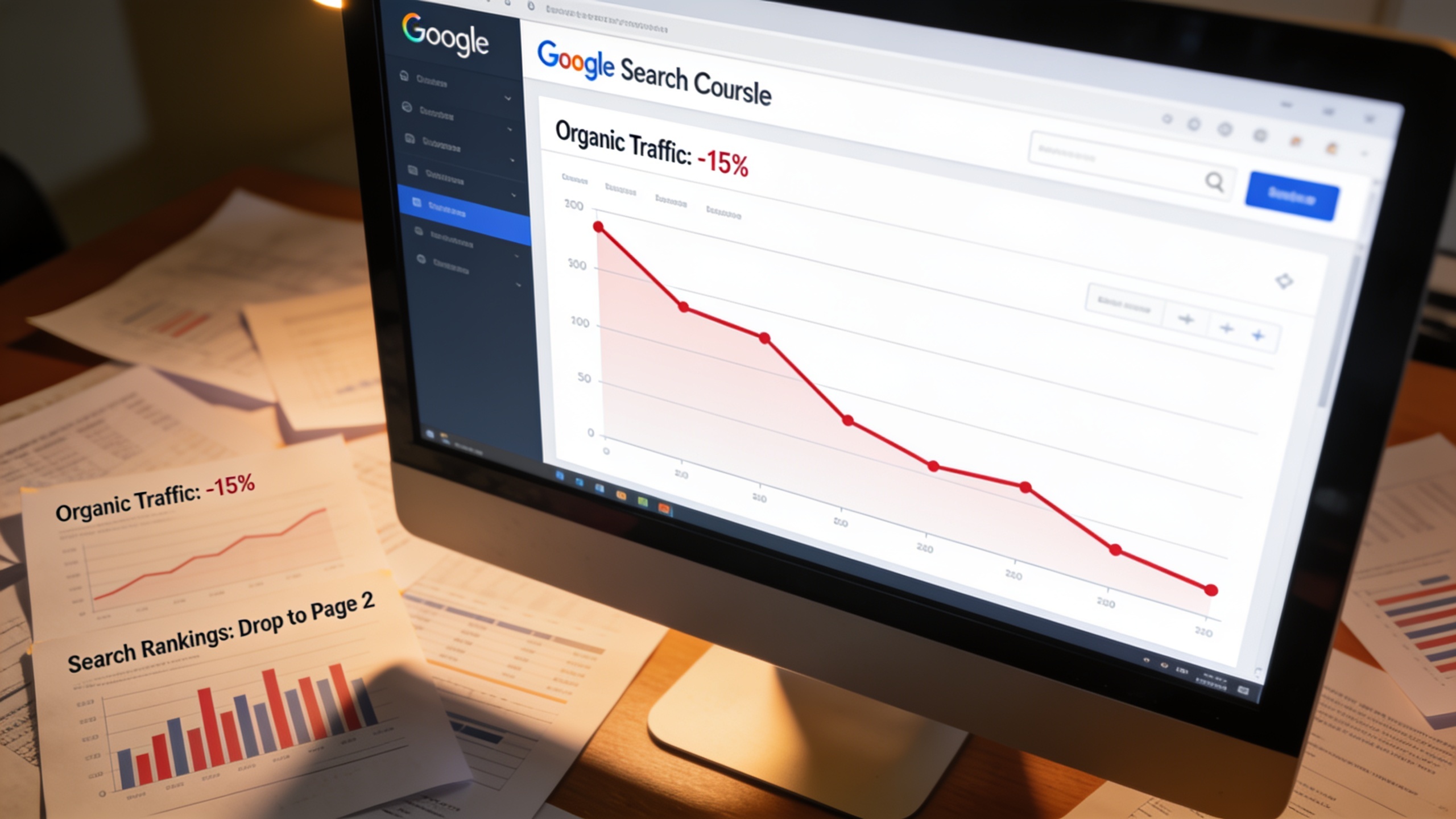
Here's what that actually means: content decay is the slow, measurable drop in organic traffic and search rankings that once-successful pages go through over time, even when you haven't touched a single word on the page. And it's sneaky. It's probably the most overlooked reason otherwise healthy websites start bleeding traffic, and it hits pretty much everyone, from someone running a solo blog to a big enterprise marketing team with a hundred people.
So let's get into what causes it, how to spot it using tools you already have, and what to actually do about the posts that are quietly dying on you. Because there's real money sitting in those decaying pages, and most people never go back for it.
Table of Contents
- What Is Content Decay?
- Why Does Content Decay Happen?
- How Do You Know If Your Content Is Decaying?
- The Business Cost of Ignoring Declining Organic Traffic
- How to Diagnose Content Decay Step by Step
- How to Fix Content Decay: Update, Consolidate, or Cut
- Preventing Future Content Decay
- Frequently Asked Questions
What Is Content Decay?
Content decay is the slow erosion of organic search performance for a page that once ranked well, and you'll usually spot it as a steady downward drift in impressions, clicks, average position, or conversions inside Google Search Console and Google Analytics. It's not the same as a page falling off a cliff overnight because of a penalty or a busted redirect. Decay is gradual. It creeps along over months, sometimes years, which is exactly why nobody catches it until the losses have piled up into something that hurts.
And I want to be clear about this: decay isn't a sign you screwed up. It's just what happens as search engines, competitors, and readers all keep moving. That pricing guide you wrote in 2022 might still be technically correct, but if it doesn't mention 2025 prices, the tools people actually use now, or what searchers are really after, Google's going to quietly hand your spot to something newer. Your article isn't bad. It's just aging in a market that refuses to sit still.
The really annoying part? It happens to your best stuff the most. Pages that hit the top 3 have the furthest to fall, and because they were winners once, everyone assumes they'll keep winning forever without any upkeep. They won't.
Why Does Content Decay Happen?
Content decay happens because search engines are constantly re-judging relevance, and the entire web around your page keeps shifting even when your page doesn't budge. Google has said publicly that it makes thousands of algorithm updates and tweaks every single year, most of them small adjustments to how it weighs relevance, freshness, and quality. Any one of those can nudge a static, neglected page down the results.
But let me get more specific, because "the algorithm changed" is a lazy answer. A few real forces are usually behind a URL losing traffic.
Search intent drift is a big one. What people want from a query changes. Search "best project management software" today and you'll probably see comparison tables, interactive tools, maybe an AI summary. Two years ago? Straight-up listicles ruled. If your content doesn't grow up alongside the intent, it becomes a mismatch for what searchers (and Google's ranking systems) now expect.
Then there's plain old competitive pressure. Your competitors are publishing all the time. Every week somebody drops a new article into the same topic cluster you're fighting in, often with fresher data, cleaner formatting, or a beefier backlink profile. If you haven't looked lately at how your page compares, you might be slipping simply because someone else got better while you stood still. This is the sort of thing you can catch early with a structured competitor content analysis, which shows you what the top-ranking pages are doing right now, not what they were doing back when you first hit publish.

Outdated info and broken trust signals matter more than people think. Screenshots of an interface that got redesigned two versions ago. Stats from a study nobody cites anymore. Dead outbound links. All of that tells readers and search engines the same thing: nobody's minding this page. Google's own quality guidance leans hard on freshness and accuracy as part of showing expertise and trustworthiness, which are core to how it evaluates quality overall.
And here's one that catches a lot of established sites off guard: cannibalization. Sometimes a page doesn't decay because it got worse. It decays because you published a newer article on a similar topic, and now the two are fighting each other for the same keywords. That splits your authority and leaves Google confused about which page to rank.
Last thing, and I'm a little less certain how much weight this carries these days, but backlink erosion is real. Pages that pulled in links when they were shiny and new can lose ground as competitors keep racking up fresh links. Backlinks are still one of the more durable ranking signals, so a page that stops earning them while everyone around it keeps earning them will usually drift down over time. It's relative. You're not losing links; you're just standing still while others sprint.
How Do You Know If Your Content Is Decaying?
You've got content decay when a page's organic traffic, impressions, or average ranking shows a consistent downward trend over several months, as opposed to one dramatic drop. The word doing all the heavy lifting there is consistent. A single bad week could be noise, seasonality, or your analytics hiccuping. But a steady slide across three, six, or twelve months? That's the real thing.
The earliest tells are pretty easy to spot once you know what to look for. Clicks in Search Console start dropping for a specific URL even though impressions stay flat or tick up a bit. Your average position quietly slides out of the top 5 and lands somewhere in the 8 to 15 range over a few months. Or your click-through rate falls even while your position holds, which usually means your title or snippet has gotten stale compared to newer results sitting next to you. And of course, the widening gap between a page's current traffic and whatever its peak was over the last year or two.
None of these are subtle if you go looking. The problem is nobody goes looking.
The Business Cost of Ignoring Declining Organic Traffic
Ignoring this stuff compounds, and it compounds badly, because the pages losing ground are usually the exact ones carrying your leads, your email signups, your sales. If organic search is your main way of getting customers, a few decaying pillar articles can quietly chew through a real chunk of your monthly traffic before it ever shows up as an alarming number in your dashboard.
Small businesses, startups, and agencies juggling a bunch of client sites feel this the worst, mostly because the content team is too slammed shipping new posts to ever circle back to old ones. Which is ironic, honestly, because updating a page that already ranked once is usually faster and cheaper than writing something brand new. The page already has authority, internal links, maybe some backlinks. It just needs a tune-up, not a rebuild.
Here's how the options actually stack up:
| Approach | Typical Effort | Speed to Recover Rankings | Best For |
|---|---|---|---|
| Publish a brand-new article on the same topic | High (full research, writing, promotion) | Slow — new pages must earn authority | Genuinely new subtopics or angles not yet covered |
| Refresh and update the decaying page | Low to moderate | Faster — existing authority and links carry over | Pages with accurate core value but outdated details |
| Consolidate multiple thin/overlapping pages into one | Moderate | Faster — combines split authority into one strong URL | Keyword cannibalization or fragmented topic coverage |
| Do nothing | None | Traffic continues declining | Not recommended for pages with historical value |
How to Diagnose Content Decay Step by Step
Diagnosing decay comes down to one thing: comparing a page's performance today against its own history, using Google Search Console and Google Analytics as your main sources. Here's the process I'd run monthly or quarterly. It's not complicated, it just takes discipline.
Step 1: Pull a 16-Month Performance Comparison
In Search Console, filter by page and compare a trailing 12-month window against the period before it. Why 16 months instead of 12? Because it captures more than one full annual cycle, so you can actually tell whether a dip is seasonal or something structural. That extra runway saves you from panicking over your normal January slump.
Want content like this running on autopilot for your own site? Try RobinRank free — AI-written, SEO-optimized articles generated and published automatically, no credit card required.
Step 2: Sort by Absolute Traffic Loss, Not Percentage Loss
This one trips people up constantly. A page that fell from 50 clicks to 10 is technically down 80%, which sounds catastrophic. But a page that dropped from 5,000 to 3,500 is only down 30%, and that's the one you should care about. Prioritize by total traffic lost, because that's what actually moves your business, not the scary-looking percentage.
Step 3: Check Ranking Position Trends per Keyword
For each decaying page, pin down the exact keywords driving the drop. If a page ranked #3 for its main keyword a year ago and it's sitting at #11 now, that's a clear relevance or authority problem for that specific query, not some sitewide meltdown. Get specific here.
Step 4: Rule Out Technical and Cannibalization Issues
Before you blame the writing, check whether something dumber is going on. Is a newer page on your own site now ranking for the same keyword (that's cannibalization)? Does the page have crawl errors, slow load times, or mobile usability flags in Search Console? Did somebody accidentally change a canonical tag or slap a noindex on it during a redesign? You'd be amazed how often it's one of these, not the content itself.
Step 5: Benchmark Against Current Top-Ranking Competitors
Once you're confident it's actually a content issue, go look at what's ranking in the top 3 to 5 spots for your keyword right now. Running a competitor content analysis at this point tells you the depth, format, and freshness level you need to hit, instead of you just guessing and hoping. Stop guessing. Go look.
How to Fix Content Decay: Update, Consolidate, or Cut
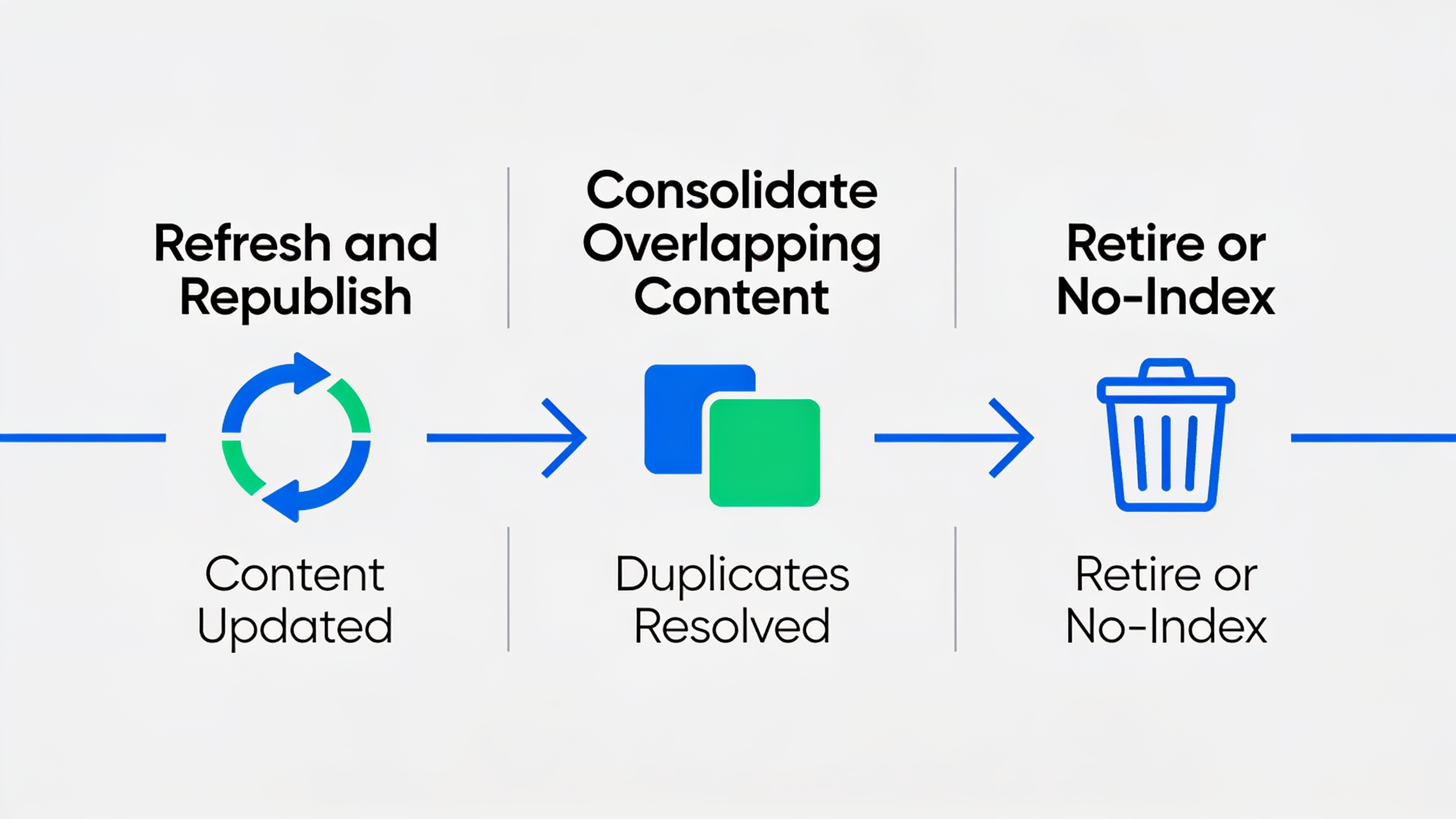
Fixing decay means picking one of three paths for each page: refresh it, merge it with overlapping content, or just kill it if it's no longer pulling its weight. Which one you pick depends on the page's traffic history, how much it matters to your business, and whether it genuinely overlaps with other stuff on your site.
Path 1: Refresh and Republish
This is the move when the core topic still matters and the decline is mostly about stale details, not a fundamentally wrong take.
- Update everything time-sensitive. Swap out old stats, screenshots, pricing, and examples for current ones. Say the year out loud where it helps ("as of 2025") so readers and search engines can actually verify you're current.
- Re-align with search intent. Search your target keyword and study what's ranking. If the winning format has shifted from long prose to, say, a comparison table or an FAQ-heavy layout, follow it.
- Shore up your internal linking. Link the refreshed page to and from newer relevant content, and make sure it isn't sitting there orphaned with nothing pointing at it.
- Update the publish date, and if your CMS lets you, flag that the piece was updated. Small thing, but it's a genuine trust signal.
- Resubmit the URL in Search Console using the URL Inspection tool's "Request Indexing" button so Google recrawls it sooner rather than later.
Path 2: Consolidate Overlapping Content
If you dig around and find two or three articles all scrapping over the same keyword, merging them usually beats refreshing each one on its own. Here's the play:
- Find the strongest URL in the bunch, the one with the most backlinks, the best traffic history, or the most authority.
- Pull the best content, data, and structure from the weaker pages into that winner.
- 301 redirect the weaker URLs to the consolidated page so their link equity and any leftover ranking signals flow over.
- Update your internal links across the site to point at the single surviving URL.
This kills cannibalization dead, which, again, is one of the most under-diagnosed reasons traffic drops on sites that have been publishing for a few years.
Path 3: Retire or No-Index Low-Value Pages
Not every dying page deserves CPR. If a page covers a topic your business doesn't care about anymore, never really drove traffic, or just duplicates a much stronger page with nothing unique to add, honestly? Cut it or noindex it. Hoarding piles of thin, outdated content can drag down your site's overall quality signals, so pruning is a legit part of keeping things healthy. Let it go.
Preventing Future Content Decay
The best way to fight decay is to assume from day one that everything you publish will need maintenance, instead of treating "publish" as the finish line. You can't fully avoid decay, search engines and markets will always move, but you can slow it way down.
Start by leaning toward evergreen topics when you can. An evergreen content strategy targets topics with durable demand and structures the article so that future updates mean tweaking a couple of sections, not rewriting the whole thing. The trick is isolating the time-sensitive stuff (pricing, stats, screenshots) into clearly labeled sections you can swap out in five minutes.
Beyond that, just build a recurring audit into how you work. A quarterly or twice-a-year review of your top 20 to 50 traffic pages, checking Search Console trends for each, catches most problems before they get ugly. Set a calendar reminder to revisit anything tied to fast-moving topics (software, pricing, regulations, statistics) every 6 to 12 months. Keep publish and "last updated" dates in a spreadsheet or a CMS field so nothing slips through silently. And treat link-building as ongoing rather than a one-and-done launch thing, because pages that keep earning links hold their rankings a lot longer than pages that go quiet after week one.
If you're doing all this by hand across dozens or hundreds of articles, well, that's exactly the grind that AI-assisted content platforms are built to take off your plate, since auditing and refreshing existing pages at scale usually eats more time than writing new ones from scratch.
Frequently Asked Questions
How long before content decay actually becomes noticeable?
Usually months, sometimes a couple of years. It's incremental, so you typically only see it when you compare performance across a 12- to 16-month window in Search Console. Look at week-to-week snapshots and you'll miss it entirely.
Is content decay the same thing as a Google penalty?
Nope. Decay is a gradual, relative slide as competitors improve and search intent shifts. A penalty is a sudden, sharp drop tied to a specific guideline violation or a big algorithm update. Quick rule of thumb: if your traffic vanished overnight, go hunt for penalties or technical errors first. If it faded over months, you're looking at decay.
Should I update an old post or just write a new one?
Most of the time, update the old one. If it already has ranking history, internal links, or backlinks, you're building on existing authority instead of starting from zero, which is both faster and more effective. Only write something new when the old page's angle, structure, or target keyword is fundamentally out of step with what searchers want now.
How do I tell if two of my articles are cannibalizing each other versus just decaying?
Open the Search Console performance report, filter by query, and watch which of your URLs ranks for the target keyword over time. If you see the ranking bounce back and forth between two of your own pages, or both of them ranking weakly for the same term, that's cannibalization, not plain decay. Consolidation is your fix.
How often should I audit for decay?
For most small-to-midsize sites, a quarterly check of your top performers plus a deeper full-library audit twice a year is a sane rhythm. Anything tied to fast-changing info (software features, pricing, stats, regulations) deserves more attention, often every six months or sooner.
---
At the end of it, content decay isn't a one-time problem you fix and forget. It's a habit you fold into your ongoing SEO work. The sites that keep growing organic traffic year after year usually aren't the ones cranking out the most new articles. They're the ones that keep going back to revisit, refresh, and consolidate what they've already got. Treat your content library like an asset that needs regular care, and you'll spend a whole lot less time squinting at your analytics wondering where your best pages went.
Ready to stop writing content by hand? Start your free RobinRank trial and get a full month of SEO-optimized articles published on autopilot.