How to Run a Competitor Content Analysis in Under an Hour

I'll walk you through the whole thing. How to run it fast, how to tell an actual gap from noise (there's a lot of noise), and how to prioritize so you're not just publishing stuff for the sake of it.
Table of Contents
- What Is a Competitor Content Analysis?
- What You Need Before You Start
- The Step-by-Step Process (Under 60 Minutes)
- How Do You Prioritize the Content Gaps You Find?
- Free vs. Paid Tools for Content Gap Analysis
- Common Mistakes That Slow This Process Down
- FAQ
- Final Thoughts
What Is a Competitor Content Analysis?
A competitor content analysis compares the topics, keywords, and pages your competitors rank for against your own site's content, so you can see where they're grabbing search traffic you aren't. It's basically a slice of the bigger thing people call a content gap analysis, which is the process of finding topics your audience searches for that no page on your site actually covers, whether or not a competitor ranks for them.
Honestly, the two terms bleed into each other so much in practice that I don't sweat the distinction. Most gap analyses start with competitor data anyway, because it's the fastest way to confirm a topic has real demand and that ranking for it isn't a fantasy. If three or four competitors your size have published on something and they're pulling traffic from it? That's a much stronger signal than you sitting around guessing at keywords in a vacuum.
And the point of all this isn't a bloated spreadsheet of ten thousand keywords. It's a short, ranked list of actual article ideas, each one tied to a competitor URL that's already proving people want it, a rough traffic number, and a quick gut-check on how hard it'll be to compete.
What You Need Before You Start
Before you open a single tool, get three things lined up: a list of 3 to 5 real competitors, access to at least one keyword or traffic research tool, and an inventory of your own published content. Skip this prep and I promise your one-hour project becomes a three-hour slog. It's the number one reason these things drag.
Pick the Right Competitors (Not the Obvious Ones)
Don't just default to the biggest name in your industry. A national brand with a ten-person content team is not a fair fight for your five-person startup, and comparing yourself to them will only depress you. Go for competitors who actually resemble you:
- They target a similar audience and geography
- They're roughly your size, or maybe a tier above (not some category leader with a 20-year head start)
- They already show up when you Google your core product or service terms
Three to five is the sweet spot. Any fewer and you'll miss patterns. Any more and you'll blow your whole hour cross-referencing lists instead of, you know, doing something with them.
Have Your Own Content List Handy
Pull a quick export of your existing blog posts and landing page URLs, ideally with each page's main topic noted next to it. If you've got Google Search Console, the Pages report under Performance hands you this in about two minutes. Without it, you literally can't tell whether a "gap" is a real gap or just something you already wrote in 2022 under a title you've forgotten about.
Pick Your Tools
You've basically got two roads. One is a free stack: Google Search Console, the `site:` search operator, and some manual SERP poking around. The other is a paid SEO platform with a built-in content gap or "keyword gap" feature (Ahrefs, Semrush, that crowd all do a version of this). Paid is faster because it automates the tedious cross-referencing. Free works perfectly fine if you don't mind doing that comparison by hand in a spreadsheet. Neither is wrong. It comes down to budget and how often you're doing this.
The Step-by-Step Process (Under 60 Minutes)
Alright, here's the actual sequence with a time budget for each bit. The whole thing's built to fit inside an hour, and I've padded it a little so you can survive a couple of interruptions.
Step 1: Pull Each Competitor's Top Content (10 minutes)
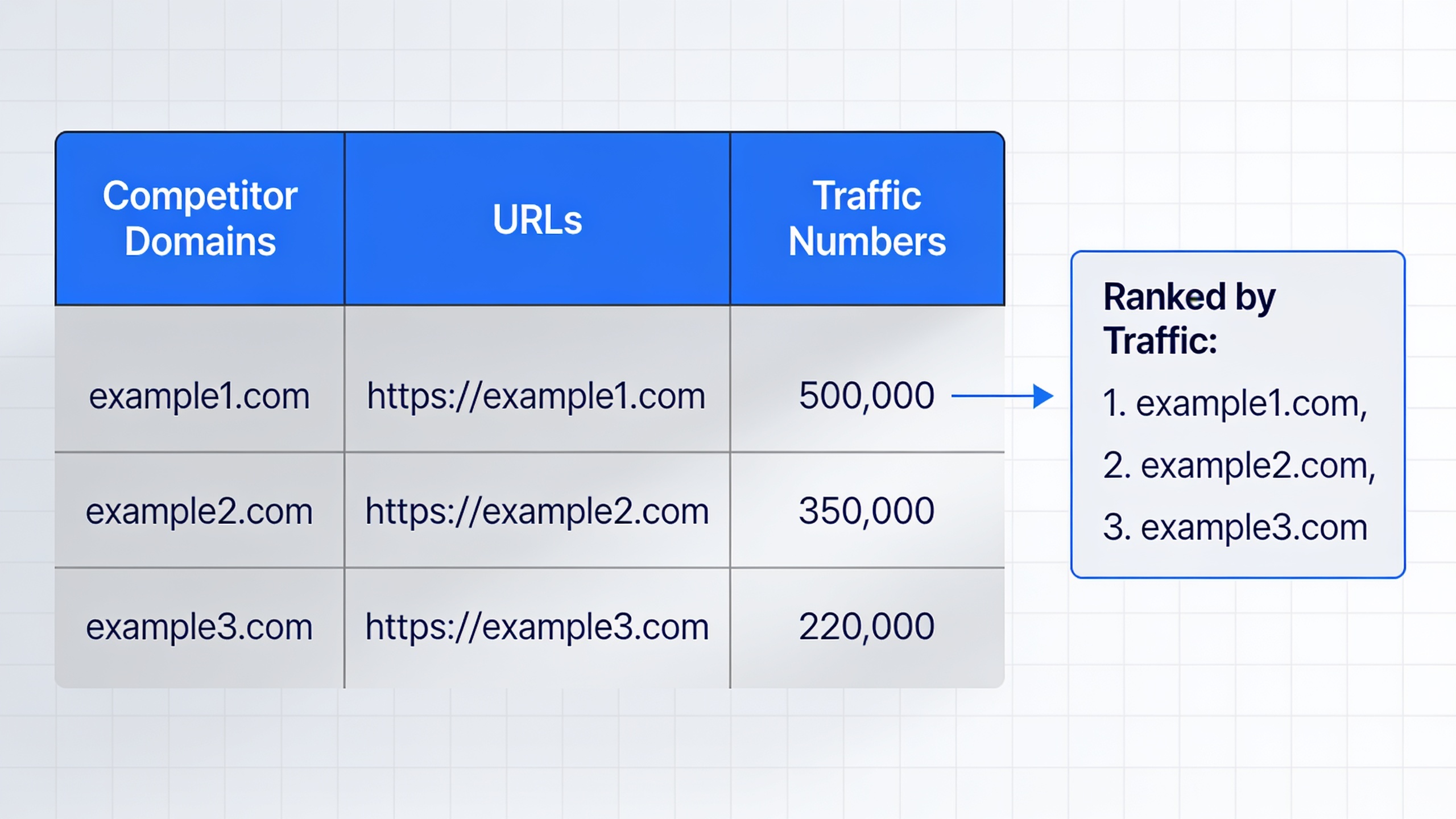
Grab each competitor's best-performing pages. If you're on a paid tool, drop each domain into its "top pages" or "organic research" report, sort by estimated organic traffic, and export the top 50 to 100 pages per competitor. On the free route, use `site:competitor.com` plus one of your core topic keywords to surface their most relevant stuff, and glance at their blog category pages or sitemap for a full list of titles.
You're not reading every page here. Don't fall down that rabbit hole. You just want titles, URLs, and (if you can get it) traffic or ranking keyword estimates dumped into one working list.
Step 2: Extract the Keyword Gap (10-15 minutes)
This is the step that actually defines the word "gap." A content gap tool lets you enter your domain alongside one or more competitor domains, and it spits back keywords they rank for that you don't rank for at all (or rank way lower for). Doing it manually? Cross-reference your Step 1 topic list against your own content inventory with a VLOOKUP or a simple filter, and flag anything that isn't already on your site.
Stay focused on keywords with clear commercial or informational intent that actually fit your business. Not every keyword a competitor ranks for belongs to you, even when the search volume looks juicy.
Step 3: Filter Out the Noise (10 minutes)
Not every gap deserves a page. This is where you get ruthless and cut:
- Branded keywords (the competitor's own product or company name)
- Random one-off topics that have nothing to do with your niche
- Stuff you've already covered under a different title (check your inventory, not your memory, your memory lies)
- Keywords with volume so tiny the traffic upside is basically a rounding error
This filtering pass is where most of your "under an hour" savings actually come from. A raw export can be hundreds of rows, and ten minutes of cutting hard usually leaves you with a workable 20 to 30 real opportunities. Everything else is just clutter.
Step 4: Group What's Left Into Clusters (10 minutes)
Instead of treating every single keyword as its own article, bundle related ones into topic clusters. So "email marketing for small business," "best email marketing tools for startups," and "email marketing checklist" probably all roll into one solid pillar article with sections, not three thin pages fighting each other for the same spot.
This is also a good moment to think about funnel stage, because "what is email marketing" and "email marketing software pricing" are serving completely different people. If you want a proper framework for lining topics up with the right stage of the buyer's journey (so you're building a coherent funnel instead of just plugging random holes), this guide on matching every article to the right stage of the buyer's journey lays it all out.
Step 5: Rank the Final List (5-10 minutes)
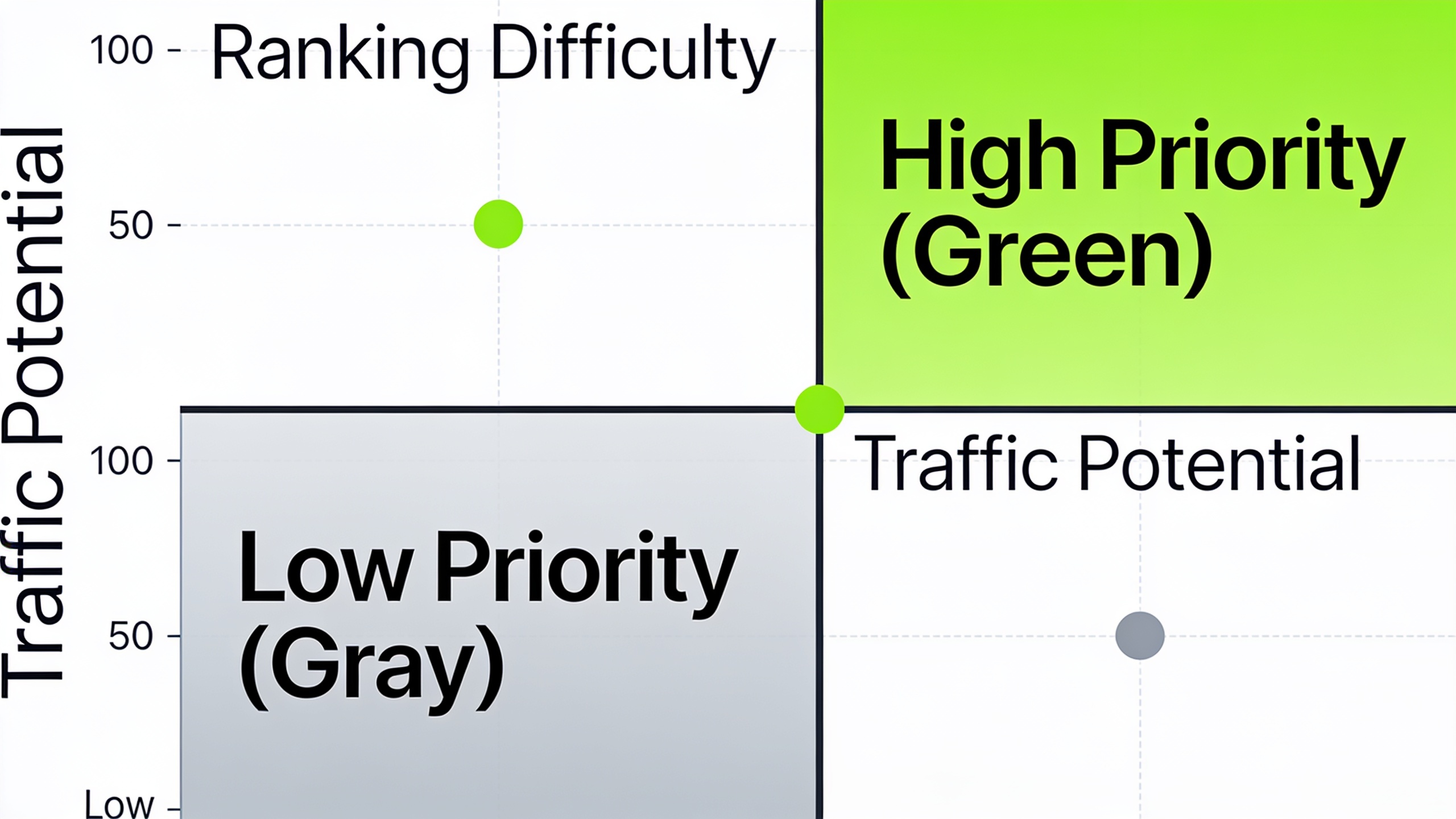
Score each cluster on three things: traffic potential, relevance to your core offer, and how hard it'll be to compete (how many rivals rank for it and how beefy their pages are). You don't need some elaborate formula. A plain high/medium/low on each factor is enough to shake out a clear top ten.
When you're done, you should have a shortlist of 8 to 15 ideas, each one backed by hard evidence that a competitor is already making money (or at least traffic) off it. That's the whole point.
Want content like this running on autopilot for your own site? Try RobinRank free — AI-written, SEO-optimized articles generated and published automatically, no credit card required.
How Do You Prioritize the Content Gaps You Find?
Rank your gaps on three factors, traffic potential, business relevance, and ranking difficulty, then start with the ones that score high on the first two and low on the third. Simple as that. A gap that some market leader with ten years of domain authority owns is a much rougher climb than the exact same topic ranking for a competitor closer to your own size.
Here's how I'd score it:
| Factor | What to Check | Weight in Decision |
|---|---|---|
| Traffic potential | Estimated organic traffic or search volume tied to the topic | High |
| Business relevance | Does the topic map to a product, service, or stage in your funnel? | High |
| Ranking difficulty | Number and authority of competitors already ranking; content depth required | Medium |
| Content format fit | Can this be a blog post, or does it need a tool, calculator, or landing page? | Medium |
| Freshness/decay risk | Is this an evergreen topic or one likely to need frequent updates? | Low-Medium |
Topics that score great on traffic and relevance but low on difficulty? Those are your quick wins. Publish those first, no debate. The high-difficulty stuff that your top competitor dominates but is genuinely relevant long-term, that's worth a serious, comprehensive piece, just go in knowing it's a bigger investment and not a Tuesday afternoon job.
One more thing worth checking: whether people even click through for that topic anymore, or whether they just get the answer right there in the results. Search has been drifting hard toward zero-click, where AI Overviews and featured snippets answer the query before anyone visits a site. If a gap topic is a simple factual question that's likely to get swallowed by an AI Overview, it might still be worth covering for topical authority and brand visibility, but you'd want to rethink the format and depth. There's a fuller breakdown in how to adapt your content strategy as zero-click searches rise if you want to go deeper on that.
Free vs. Paid Tools for Content Gap Analysis
Which tools you pick really comes down to how often you're running this and how much manual grunt work you can stomach. Free tools like Google Search Console plus manual SERP checks absolutely produce a legit content gap analysis, but paid platforms with a dedicated "keyword gap" report automate the comparison step, which is usually the slowest, most soul-draining part of the whole thing.
| Tool Type | Examples | Best For | Time Investment | Automation Level |
|---|---|---|---|---|
| Free, manual | Google Search Console, `site:` search operator, manual SERP review | Small sites, occasional checks, tight budgets | Higher — manual cross-referencing required | Low |
| Free, semi-automated | Google Keyword Planner combined with a spreadsheet | Validating search volume for gaps already identified | Medium | Low-Medium |
| Paid, all-in-one SEO suites | Dedicated "content gap" or "keyword gap" reports in tools such as Ahrefs or Semrush | Agencies and teams running this analysis regularly | Lower — built-in domain comparison | High |
| AI content platforms | Platforms that fold competitor/topic analysis into an automated content workflow | Teams that want gap-finding and content production in one pipeline | Lowest — analysis feeds directly into drafts | High |
If you're running this once a quarter for one site, the free stack is totally fine inside an hour. But if you're an agency doing this across a dozen client accounts, the time you save with a paid tool's automated comparison compounds fast, and it's usually money well spent.
This is also where the line between "content gap analysis" and actually producing the content starts to smudge for a lot of teams. RobinRank, for one, builds its whole workflow around that connection. Its "Business analysis" step digs into your niche, competitors, and Domain Rating to surface content topics and backlink opportunities, and then that analysis feeds straight into an AI writing and auto-publishing pipeline instead of dying in a spreadsheet nobody opens again. For teams that can't spare the bandwidth to run a manual gap analysis every month and then separately brief a writer, folding both steps into one workflow is the real draw. Though, like any tool, what you actually publish is only as good as the review you give the draft first. RobinRank's setup lets you do that, since the articles stay fully editable before they go live. Don't just hit publish and pray.
Common Mistakes That Slow This Process Down
The biggest one, by far, is trying to analyze too many competitors or too many keywords at once. That's how a one-hour job balloons into an all-day mess with no clearer result at the end. A few other traps I see people fall into:
Confusing search volume with opportunity. A keyword doing 10,000 searches a month but locked down by five competitors with decade-old authority is not a "quick win," no matter how pretty that number looks. Weigh the volume against whether you can realistically rank.
Ignoring your own content inventory. Without a clear list of what you've published, it's shockingly easy to "discover" a gap that's actually a post you wrote two years ago under a different headline. Congrats, you've now scheduled a duplicate.
Treating every keyword like its own article. This just breeds thin, overlapping pages that compete with each other in the results. Cluster them (Step 4) and you get fewer, stronger, more complete pages instead.
Skipping the relevance filter. Competitor exports are full of tangents. A rival might rank for something tied to a side feature or a market they've pushed into that you haven't touched. Leave that stuff in and you bloat your list with zero business value.
Doing it once and never again. This is a snapshot, not a stone tablet. Competitors publish constantly and rankings move. Run it quarterly (or monthly if your niche is a bloodbath) and your content calendar stays grounded in what's happening now, not a list that went stale months ago.
FAQ
How often should I actually do this?
For most small businesses and startups, once a quarter catches new gaps without eating your life. Agencies in competitive or fast-moving niches often run a lighter monthly version, just checking what competitors have newly published instead of redoing the whole analysis from scratch.
Do I really need a paid SEO tool for this?
Nope. You can run a perfectly valid gap analysis with Google Search Console, some manual SERP digging, and a spreadsheet. It just takes more elbow grease on the cross-referencing. Paid tools save you that time by automating the comparison, which matters more the more competitors you track and the more often you're doing it.
How many competitors should I include?
Three to five, realistically. Fewer and you'll miss genuine patterns in what's working across your niche. More than five and the filtering and prioritizing steps bog down without giving you proportionally more insight.
What's the actual difference between a content gap analysis and a keyword gap analysis?
A keyword gap analysis is narrow: it just compares which keywords competitors rank for versus which you rank for. A content gap analysis is wider. It includes those keyword gaps but also weighs content format, depth, funnel stage, and overall topic coverage, not just isolated keywords.
Should I chase topics competitors already dominate, or ones nobody covers well?
Both, honestly. Topics competitors own but with thin or dated content are a chance to outrank them with something genuinely better. Topics with real demand but no strong coverage from anyone tend to be faster wins because there's just less resistance to push through.
Bringing It All Together
A competitor content analysis doesn't have to be some multi-day research saga to actually help you. Give it a short list of the right competitors, one solid keyword or traffic tool, and a disciplined hour split between pulling data, cutting noise, and scoring what's left, and you'll walk away with a prioritized list of ideas that are already proven to pull search traffic in your niche. The spreadsheet itself was never the point. The point is turning that list into published pages before your competitors stretch their lead even further.
Ready to stop writing content by hand? Start your free RobinRank trial and get a full month of SEO-optimized articles published on autopilot.