Content Funnel Mapping: How to Match Every Article to the Right Stage of the Buyer's Journey
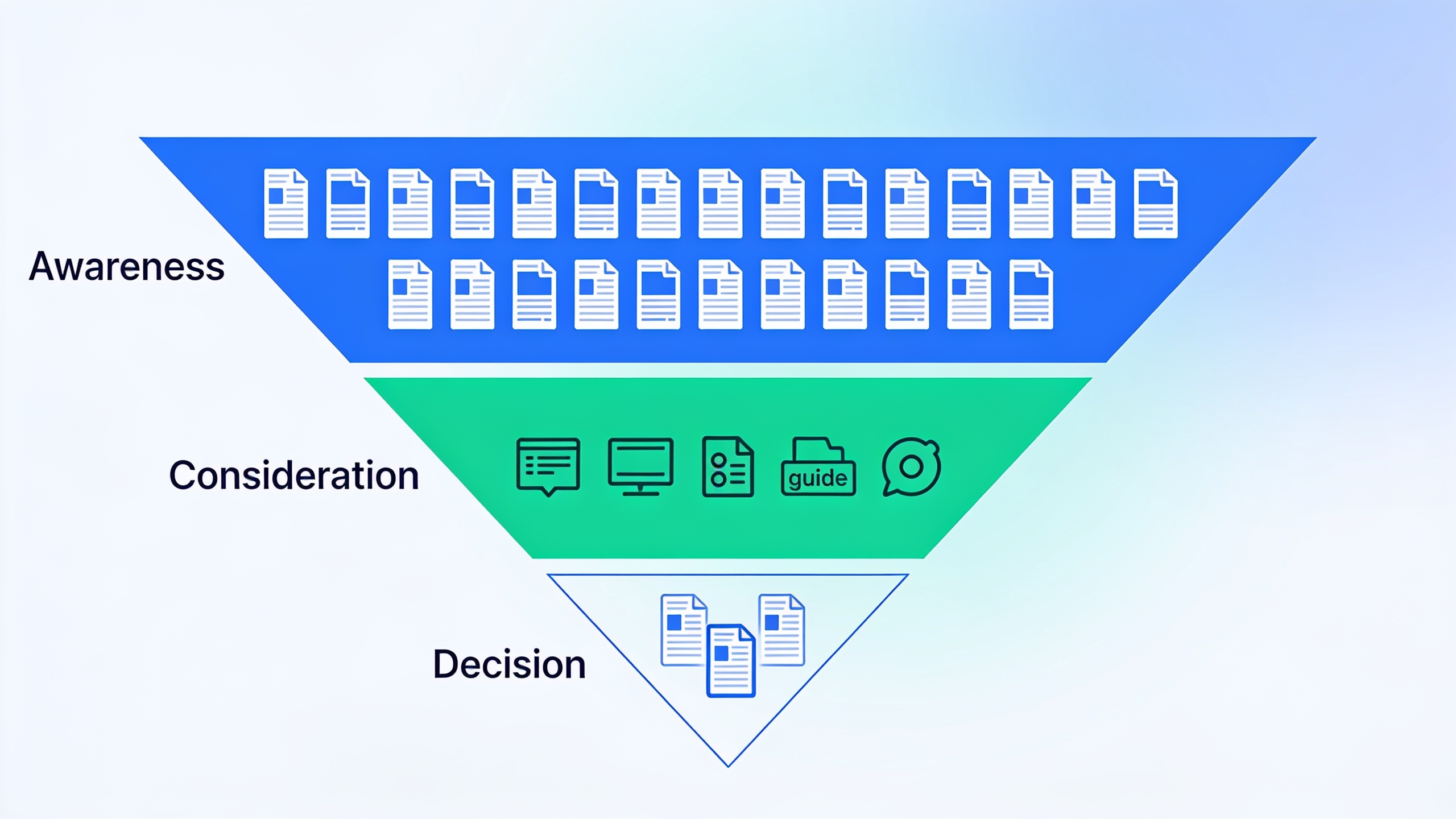
This guide walks you through a repeatable way to audit your content by stage, find the spots where your buyer journey content falls apart, and build a plan to patch the gaps without burning everything down and starting over.
Table of Contents
- What Is Content Funnel Mapping?
- Why Most Content Libraries Are So Top-Heavy
- The Three Stages of the Buyer's Journey (and What Belongs Where)
- How Do You Map Existing Content to the Funnel?
- Finding the Gaps Between Awareness, Consideration, and Decision Content
- So You Found a Gap. Now What?
- Keeping Your Map From Going Stale
- FAQ: Content Funnel Mapping
What Is Content Funnel Mapping?
Content funnel mapping means tagging every asset you own (blog posts, landing pages, videos, guides, case studies) with the buyer journey stage it's meant to move someone through, then laying it all out somewhere visual so the imbalances jump out at you. It's not really software. It's more of a habit. A spreadsheet, a tagging system in your CMS, whatever, as long as it answers one question for every single thing you've published: what job is this doing for someone who isn't ready to buy yet, versus someone who is?
The idea borrows from the old marketing funnel (awareness, consideration, decision), but it points that lens at your content inventory instead of your ad spend or campaigns. So you might have a mountain of blog content and almost nothing built for a person who's actively comparing vendors. That's a mapping problem, not a quality problem. And the fix isn't "write more stuff." It's "write the right stuff for the stage that's sitting empty."
Buyer journey content only works when it's in the right place. A comparison guide dressed up as a top-of-funnel blog post won't rank for the informational searches you were hoping to catch, and a broad "what is X" explainer won't do a thing for someone who's already sat through three demos. Mapping is how you catch that mismatch before it quietly costs you traffic or conversions.
Why Most Content Libraries Are So Top-Heavy
Most libraries lean hard toward awareness-stage stuff because top-of-funnel topics are easier to rank for and, frankly, easier to think up. Consideration and decision content takes real product knowledge, customer input, and usually some back-and-forth with sales. This isn't laziness. It's baked into how content teams get staffed and measured.
Think about it. Early-stage marketers and SEO folks get judged on traffic and rankings, and both of those move fastest with broad, informational blog posts. "How does X work," "what is Y," "10 ways to fix Z." You can crank those out at volume because they don't require you to dig through sales call transcripts or wrestle with customer objections. But comparisons, buying guides, ROI breakdowns? Case studies, pricing explainers, implementation FAQs? Those need you to sit down with the product and sales teams, and that slows everything to a crawl.
So the funnel ends up shaped like an upside-down pyramid. Wide slab of top-of-funnel content, a skinny middle, and pretty much nothing at the bottom. If you've ever run a content audit and thought "traffic looks great but why are demo requests flat?", this is usually your answer. Traffic without conversions almost always means your content is fantastic at pulling people in and lousy at walking them any further.
The Three Stages of the Buyer's Journey (and What Belongs Where)
The buyer's journey has three stages everyone agrees on (awareness, consideration, decision), and each one needs a genuinely different kind of content, because the reader's mindset, vocabulary, and level of trust are all different at each point.
Awareness Stage
At the awareness stage, your reader has noticed a problem but hasn't figured out that there's a whole category of solutions for it, let alone a shortlist of companies. They're searching with broad, problem-first language. Stuff like "why is my website traffic dropping," "how to reduce customer churn," "what causes slow page load times."
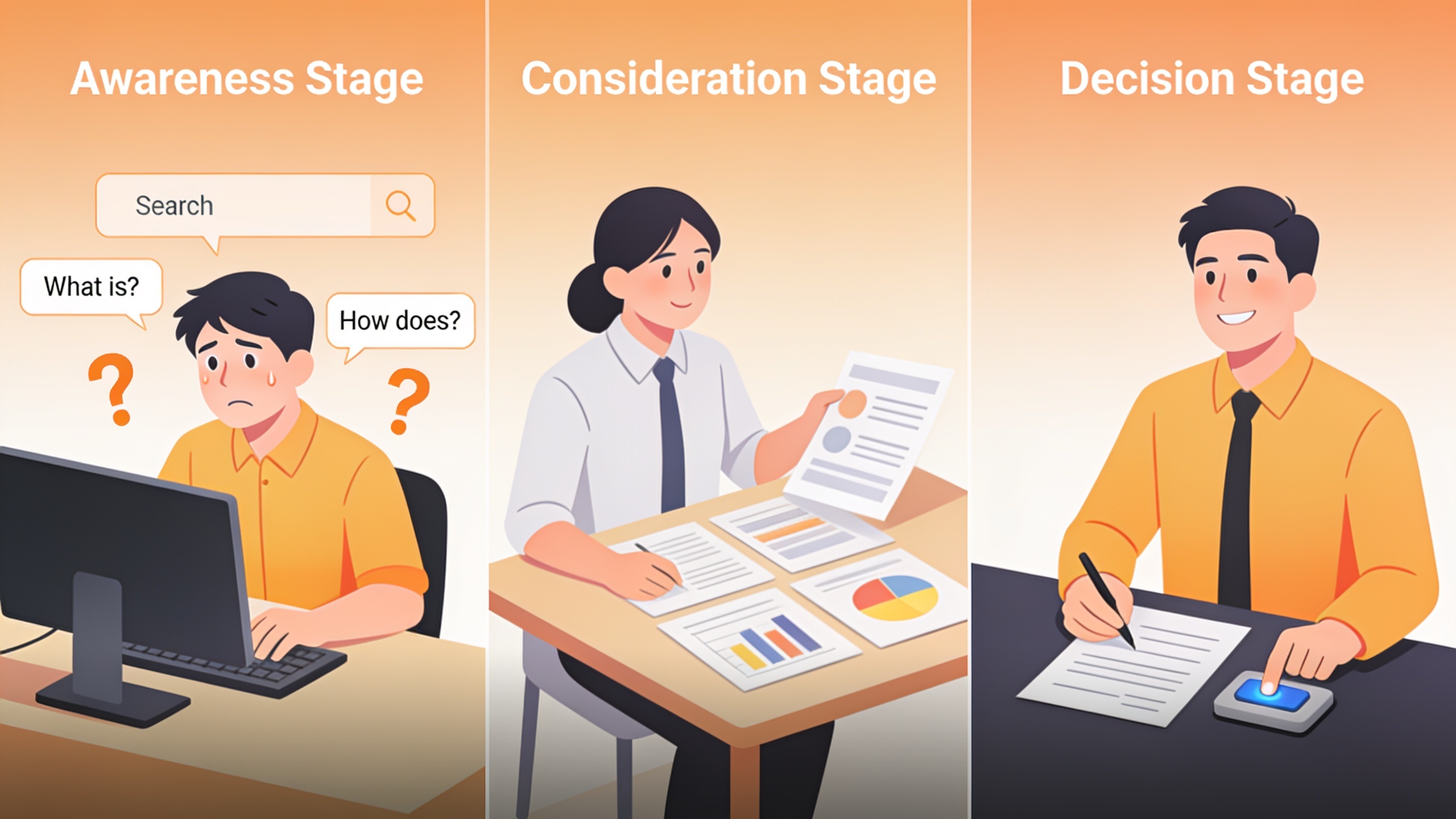
What fits here is educational stuff: explainer posts, "what is X" and "how does X work" guides, trend roundups, original research, glossary and definition pages. The goal isn't to sell anybody anything. It's to be the clearest, most genuinely useful answer to the exact thing they typed into Google. This is also where an evergreen content strategy earns its keep, because awareness topics tend to have long lifespans and can compound in traffic value for years, as long as you build them around durable questions and not this month's shiny trend.
Consideration Stage
At the consideration stage, the reader has named their problem and is actively researching how to solve it, but hasn't locked onto a specific vendor or product yet. Their searches flip from problem-first to solution-first: "best tools for X," "SEO software vs hiring an agency," "how to choose a Y platform."
Content that lives here includes comparison and "alternatives" pages, buying guides, checklists, framework posts (think "how to evaluate X"), plus webinars and the meatier explainer videos. And this, honestly, is where most libraries are the thinnest. Why? Because it forces marketers to actually have an opinion. You have to recommend criteria, rank approaches, sometimes even name competitors, instead of hiding behind a neutral explanation of a concept. That's uncomfortable, so people skip it.
Decision Stage
At the decision stage, the reader has narrowed things down and is hunting for the one specific detail that lets them say yes. Pricing, implementation requirements, guarantees, proof that this thing works for somebody like them. The search intent gets laser-specific here: "[Product] pricing," "[Product] vs [Competitor]," "[Product] reviews," "[Product] case study."
This is where case studies, customer stories, pricing pages, demo and free-trial pages, and objection-handling FAQs belong. Decision content is often the fastest to write and the highest-leverage, because the people reading it are already halfway to their credit card. One really good pricing FAQ can move more revenue than ten awareness posts. Not because it's better writing, but because of who's reading it.
How Do You Map Existing Content to the Funnel?
You map your existing content by exporting a full inventory of everything you've published, tagging each piece by stage based on search intent and format, then dumping it all into one view you can scan for balance. It's basically a specialized layer sitting on top of a normal content audit. Instead of only checking traffic and rankings, you're checking stage coverage too.
Step 1: Build the inventory. Pull every published URL from Google Search Console, your CMS, or your sitemap. Blog posts, landing pages, guides, downloadable resources, video if it lives on your site. If it's been a while since you did this, it's the exact same starting point as a content audit that actually improves traffic. The inventory step is identical; funnel tagging is just one more column you tack on.
Step 2: Tag each piece by stage. For every URL, ask yourself three things: what did the reader probably type to land here, how much do they already know about the solution category, and what's the logical next step you want them to take after reading? If they're asking "what is" or "why does," it's awareness. If it's "best," "vs," or "how to choose," it's consideration. If it's a specific product, price, or proof point, it's decision. Not complicated, but you have to be honest with yourself.
Step 3: Layer in performance data. For each tagged piece, jot down organic traffic, average position, and conversion rate (form fills, trial signups, demo requests) if you're tracking that stuff. Now you know not just what stage a piece serves, but whether it's actually pulling its weight.
Step 4: Build the map. A plain table beats a fancy tool every time here. Something like this:
| Funnel Stage | Search Intent Signal | Example Content Formats | What "Done" Looks Like |
|---|---|---|---|
| Awareness | "What is," "why does," "how does X work" | Explainers, definitions, trend posts | Ranks for broad terms, drives new traffic |
| Consideration | "Best," "vs," "how to choose," "types of" | Comparisons, buying guides, frameworks | Educates on evaluation criteria, builds trust |
| Decision | "[Brand] pricing," "[Brand] reviews," "alternatives to" | Case studies, pricing pages, demo pages | Directly supports a purchase decision |
Want content like this running on autopilot for your own site? Try RobinRank free — AI-written, SEO-optimized articles generated and published automatically, no credit card required.
Once every asset has a stage tag, pivot the whole thing into a simple count of how many pieces land in each bucket. That single number is usually the moment somebody on the team goes "oh." Because that's when you actually see how top-heavy the whole operation has become.
Finding the Gaps Between Awareness, Consideration, and Decision Content
You find the gaps by comparing the volume and performance of content at each stage against your real sales funnel. If 80% of your content is awareness-stage but most of your deals stall at the comparison phase, congratulations, you've found the gap. In my experience these gaps show up in three pretty recognizable patterns.
The consideration gap is the classic. Strong top-of-funnel traffic, a decent stash of decision-stage collateral like pricing pages and case studies, but almost nothing in between to help someone weigh their options. So a reader lands on a blog post, gets their question answered, and leaves. There's no comparison guide, no "how to evaluate vendors" post, no obvious next click. They came, they read, they bounced.
The decision gap is the opposite trap. Some teams pour effort into comparison and buying-guide content but skimp on the specific proof that closes a deal: detailed case studies, objection-handling FAQs, clear pricing. Readers get right up to the edge of deciding and then have to go somewhere else (a review site, a competitor's page, a sales call) to get that last shred of confidence. Which, ouch.
The awareness gap is rarer but it happens. A company with great sales enablement and case studies but a thin, neglected blog, meaning there's no top-of-funnel engine feeding new people into the system at all. Traffic just flatlines because nothing new is pulling in searchers who've never heard of the brand.
So how do you figure out which one you've got? Cross-reference your map against two things. First, your search analytics, to see which stage drives the most net-new organic traffic. Second, your sales team, who can tell you where deals stall and which questions come up over and over on calls. If a rep says "prospects always ask about X before they'll sign," and you don't have a single page answering X, well. There's your gap, gift-wrapped.
So You Found a Gap. Now What?
Once you've spotted a gap, the move is to prioritize new content or updates for the stage with the lowest coverage relative to how much it actually matters in your sales funnel. Not necessarily the stage with the least content overall. A thin decision stage that's bleeding closed deals is way more urgent than a thin awareness stage, even if the awareness gap looks bigger when you eyeball the spreadsheet.
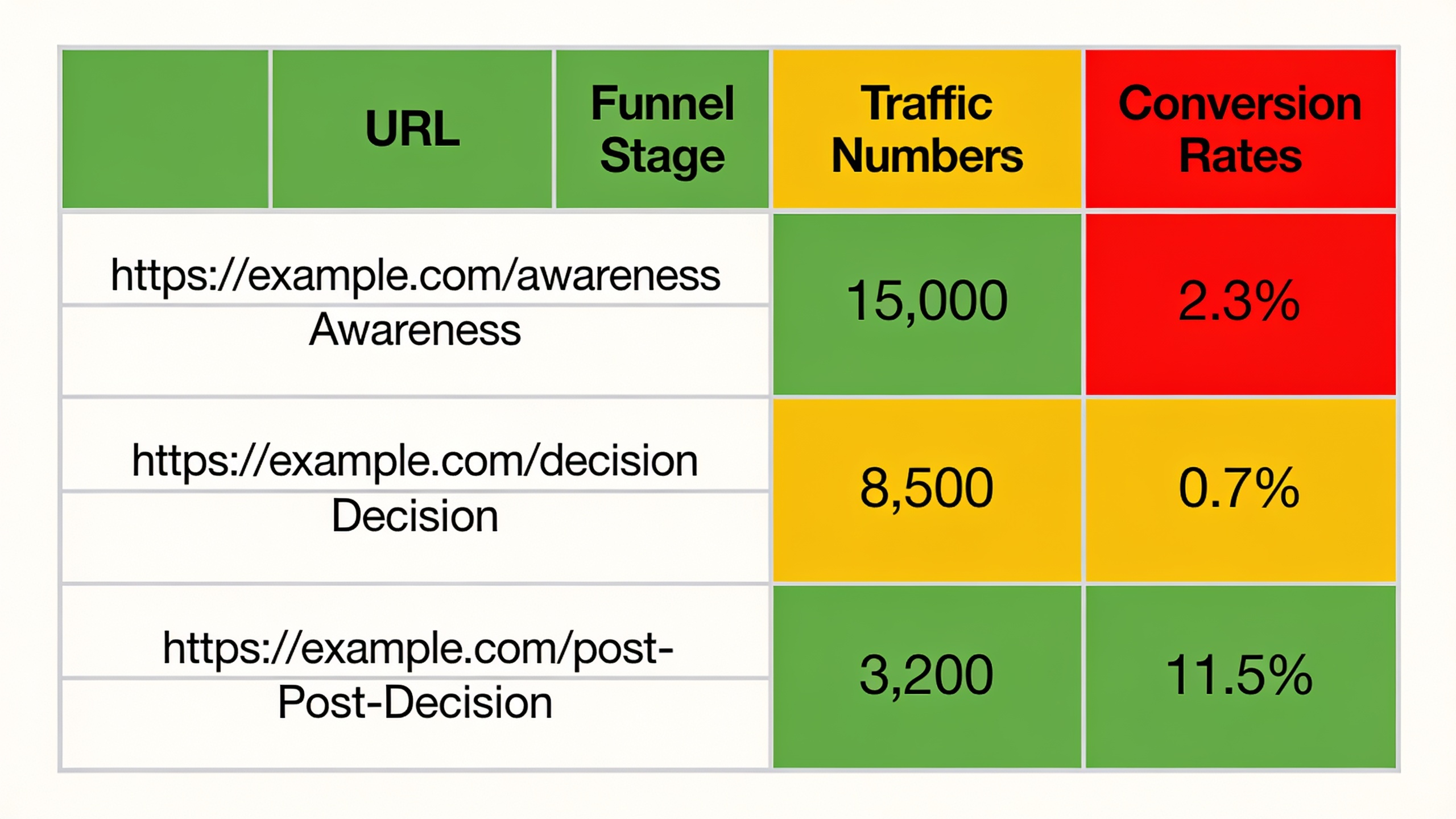
So prioritize by business impact, not raw volume. Rank each gap by how directly it touches revenue. A missing comparison page for your most-searched competitor alternative almost always beats writing your tenth awareness post about some broad industry trend.
And before you build anything from scratch, look at what you already have. Some of your awareness content probably ranks well and pulls real traffic. Those are your best candidates to link into new consideration or decision pages, basically funneling readers deeper without having to build a whole new acquisition engine. A well-performing explainer can point straight at a new buying guide; that guide can point at a comparison or pricing page. Free momentum, more or less.
One thing I'd push back on, though: don't try to make one article do everything. The same subject can support multiple stages if you build separate assets for each. "How AI content tools work" is awareness. "AI content tools vs hiring a writer" is consideration. "[Brand] pricing and plans" is decision. Cram all three into one post and you get something too shallow for beginners and too vague for buyers. Nobody wins.
Last thing. Filling a consideration or decision gap usually needs input a general writer can't just conjure up. Customer quotes, product screenshots, actual sales insight. If your team's too slammed to produce that every month, that's usually where AI-assisted planning and drafting tools pay off. A platform that can map out a calendar and draft first versions of comparison pages or FAQ content buys back the hours your people should be spending on the stuff that genuinely needs a human. Customer interviews, product nuance, the final editorial gut-check.
Keeping Your Map From Going Stale
A funnel map is not a one-and-done project. You've got to revisit it on a schedule (most teams go quarterly) because new content keeps getting published, old stuff gets retired, and buyer questions shift as your product and market change. Treat it like a living document, not a report you generate once and bury in a shared drive.
Here's a cadence that works:
| Review Frequency | What to Check | Who Should Be Involved |
|---|---|---|
| Monthly | New content added — tag and slot into the map immediately | Content/SEO team |
| Quarterly | Stage balance and traffic/conversion performance by stage | Marketing lead, SEO team |
| Semi-annually | Sales feedback on where deals stall vs content coverage | Marketing + sales leadership |
| Annually | Full re-audit of underperforming or outdated pieces | Whole content team |
The quarterly check is the one that really earns its spot. It's shockingly common for a team to fix a consideration gap, feel great about it, and then let six months of fresh awareness posts quietly tip the whole thing back to top-heavy again. Checking on a set schedule (instead of only panicking when conversions dip) keeps the funnel intentionally balanced instead of reactively duct-taped.
Oh, and while you're in there, pair this with a look at content decay. You know, pieces that ranked beautifully a year ago and have since slid because the info's outdated or someone published something better. That decay check is a natural extension of the whole audit process, and it's covered in more depth in a guide to running a content audit that actually improves traffic, which walks through how to decide whether to update, consolidate, or just kill an underperforming page.
FAQ: Content Funnel Mapping
What's the actual difference between funnel mapping and a content audit?
A content audit usually judges every piece on performance (traffic, rankings, backlinks, engagement) and quality stuff like outdated info. Funnel mapping adds one specific layer on top: tagging each piece by buyer journey stage so you can see the distribution of your whole library, not just how individual pages are doing. Most teams run them together, since the inventory step is the same for both anyway.
How many pieces do I actually need at each stage?
There's no magic ratio, and anyone who tells you there is probably selling something. It depends on your sales cycle length and how much research your typical buyer does before talking to a human. What matters way more than a fixed number is proportional balance relative to where your prospects actually get stuck. If sales keeps losing deals at the comparison stage, that's your signal to add consideration content, no matter how much awareness stuff you've already got piled up.
Can one piece of content serve multiple stages?
Technically yes, but honestly, it's usually a bad idea. One article trying to teach a total beginner and simultaneously hand a near-ready buyer the exact proof they need tends to do both jobs badly. You're almost always better off building separate, focused pieces for each stage and stitching them together with internal links, so readers can move from one to the next at their own pace.
How do I tell if a blog post is awareness, consideration, or decision?
Look at the search intent behind the query it's chasing. Broad, problem-first questions ("what is," "why does") are awareness. Comparative or evaluative ones ("best," "vs," "how to choose") are consideration. Super-specific, product- or brand-related ones ("[Brand] pricing," "[Brand] alternatives," "[Brand] reviews") are decision. When you're stuck, just picture the exact query someone would type to click that piece. The query almost always gives the stage away.
Do I need special software to build one of these maps?
Nope. A spreadsheet with columns for URL, target keyword, funnel stage, traffic, and conversion data is plenty. The value comes from the discipline of tagging and reviewing consistently, not from some tool. AI content platforms that plan and publish on a schedule can make it faster to fill the gaps you find, sure, but the mapping itself is fundamentally an analysis exercise, not a software feature.
---
Content funnel mapping turns a scattered pile of blog posts and landing pages into a system that actually mirrors how your buyers make decisions. The work isn't glamorous. It's mostly a spreadsheet, an honest look at search intent, and a willingness to admit your library is lopsided. But it's one of the highest-leverage things a content or SEO team can do. Once the gaps are staring back at you, filling them stops being a guessing game and becomes a straightforward matter of what to tackle first.
Ready to stop writing content by hand? Start your free RobinRank trial and get a full month of SEO-optimized articles published on autopilot.