Content Freshness: When and How to Refresh Old Blog Posts
If you've been publishing for a year or more, I'd bet money you've got a graveyard of posts that used to pull traffic and just... don't anymore. This is a guide to finding those posts, deciding which ones are actually worth your time, updating them without screwing it up, and understanding what refreshing does (and doesn't do) to your rankings.
Table of Contents
- What Is Content Freshness and Why Does It Matter for SEO?
- How Do You Know When to Refresh Old Blog Posts?
- Content Freshness Audit: A Step-by-Step Process
- What Elements Should You Update When You Refresh a Post?
- How Does Refreshing Content Impact Rankings Over Time?
- Refresh vs. Rewrite vs. Retire: Choosing the Right Approach
- Building a Sustainable Content Freshness Workflow
- FAQ
What Is Content Freshness and Why Does It Matter for SEO?
Content freshness is how current, accurate, and relevant a piece of content is compared to whatever's happening in its topic area right now. Search engines care because what people actually want out of a search shifts over time. Think about a "best CRM software" article from 2021. The market it describes is basically unrecognizable by 2025, and if Google keeps shoving that page in front of people, Google looks bad. So it doesn't.
Google's been open about this for ages. Way back in 2011 they rolled out something they literally called the "Freshness Update," and the gist was: for certain kinds of queries (recent events, stuff that happens on a schedule, topics that change constantly) newer content should get more weight. That signal never disappeared. It just got folded into the giant stew of things Google weighs, sitting next to relevance, expertise, whether people actually stick around on the page, and so on.
For anyone doing content, two takeaways. One, publishing a post and then never touching it again is a plan with a built-in expiration date, whether you like it or not. Two, and this is the part people forget, freshness isn't purely an SEO game. It's trust. Somebody lands on your article, sees a stat from 2019 and a link to a tool that shut down two years ago, and something in their gut goes "eh." They might not even notice they're doing it. But they trust you a little less. Refreshing old posts protects your credibility just as much as your rankings.
How Do You Know When to Refresh Old Blog Posts?
Refresh a post when it's bleeding organic traffic or rankings despite still being relevant, when its facts and examples have gone stale, or when what people actually mean by that search term has drifted since you hit publish. Not every old post deserves the effort, though. Some you leave alone. Some you should just delete.
The clearest tell is a traffic decline you can't explain. If a post's organic sessions have dropped 20% or more compared to, say, the same stretch last year, and you didn't change the URL or redesign the site or lose a pile of backlinks, then outdated content is usually the culprit. Right behind that is ranking drift: a post that used to sit comfortably in the top five for its main keyword and has since slid down to somewhere between 8 and 20. That's rarely about your writing getting worse. It's usually that a competitor showed up with fresher information.
Then there's the obvious stuff. Old statistics. Pricing that's no longer accurate. Screenshots of software that's been redesigned twice since. Anything citing "current" trends or data that's more than 18 to 24 months old is fair game, and it's especially urgent in fast-moving worlds like SaaS, martech, or anything AI-adjacent (where 18 months might as well be a decade). Broken outbound links belong on this list too. When your sources have moved, gone behind paywalls, or vanished entirely, it signals neglect to both readers and crawlers.
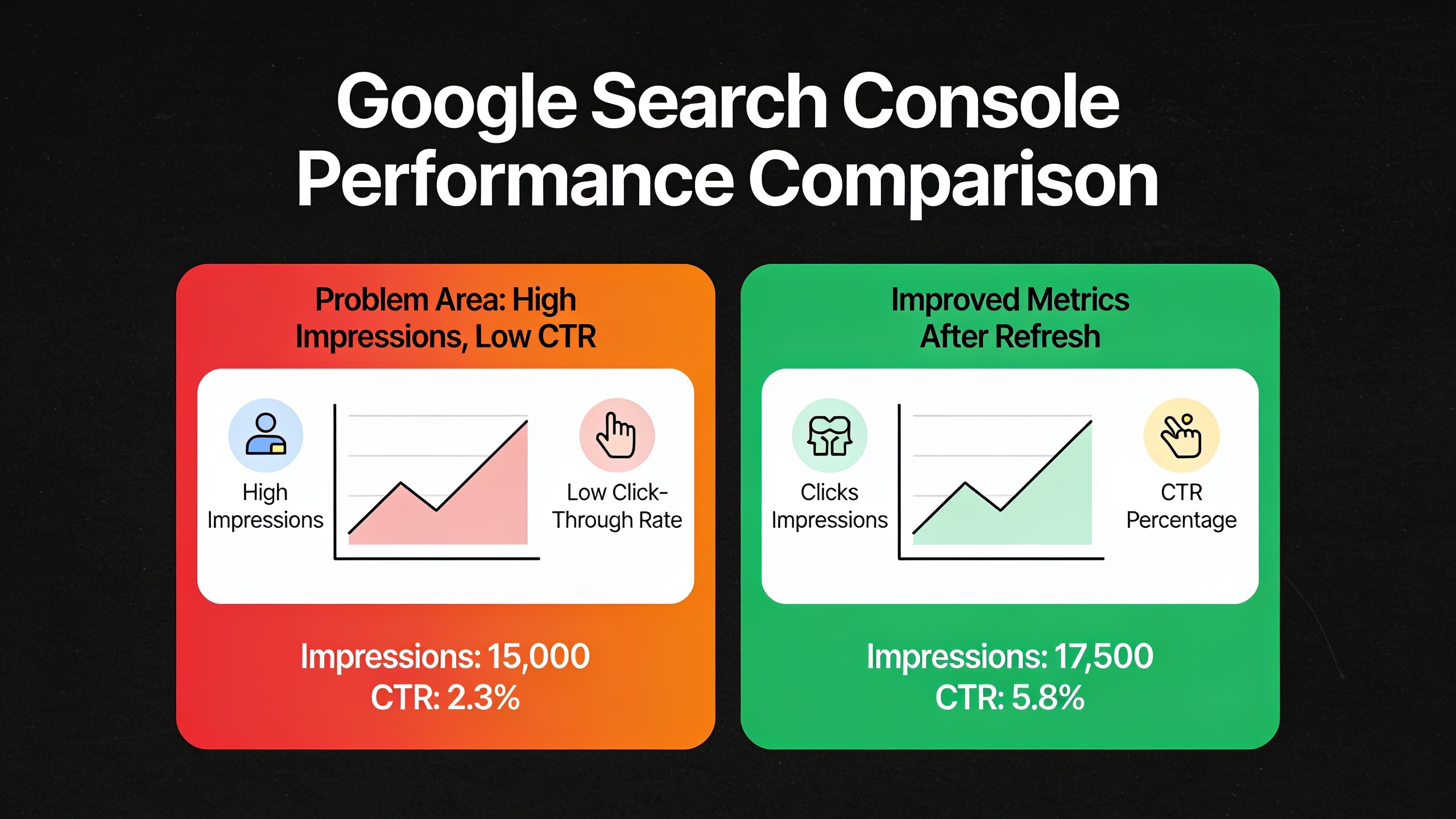
A sneakier signal shows up in Google Search Console: high impressions, low click-through rate. If a post gets tons of impressions but a CTR way below what its ranking position should earn, the title and meta description probably don't match what searchers are hoping to find anymore. And sometimes the issue isn't freshness at all. Sometimes a post is competing with a newer, better article of yours for the same keyword, and the fix is to merge them rather than refresh either one.
Oh, and watch out for the "evergreen" posts that quietly stopped being evergreen. A regulation changed, a platform got redesigned, an algorithm shifted, and now your timeless explainer is describing a world that's moved on. Those need a look even if the traffic hasn't visibly dropped yet.
If you're seeing these red flags across a bunch of posts at once instead of one or two here and there, that's a different problem. It might not be individual articles at all. The piece 7 Signs Your Content Strategy Needs a Multichannel Refresh digs into how to tell when the real issue is your entire strategy falling out of step with how people actually consume content across channels now.
Content Freshness Audit: A Step-by-Step Process
A content freshness audit is just a systematic pass through your whole blog library to figure out what to refresh, what to merge, and what to kill, ranked by how much impact each one's likely to have. It'll cost you a few hours of analysis up front. It'll save you way more than that versus rewriting posts in random order and hoping for the best.
Step 1: Export your full content inventory
Pull a list of every published blog URL along with its publish date, last-updated date, word count, and target keyword if you track that. A spreadsheet or a CMS export does the trick. Nothing fancy.
Step 2: Layer in performance data
Now add the numbers: organic traffic, ranking position, and click-through rate for each URL, usually pulled from Google Search Console plus whatever analytics platform you use. Sort by the traffic trend over the last 12 months so your decliners float straight to the top.
Step 3: Score each post
Give every post a rough priority score based on three things: how much traffic it's worth right now, how relevant the topic still is to your business, and how much work it'd take to fix. A post that used to drive real traffic, still lines up with a service you actively sell, and just needs fresh stats? That's a high-priority, low-effort win. Go do that one. A post about a product line you discontinued? Low priority, no matter how good its old numbers looked.
Step 4: Group similar posts
Hunt for posts fighting over the same keyword or covering overlapping ground. These are your consolidation candidates. Honestly, merging two mediocre posts into one genuinely good one usually beats refreshing both separately, and it's less work in the long run.
Step 5: Set a refresh cadence
Decide how often each type of content needs a checkup. News-adjacent stuff or tool comparisons might need a look every six months. Foundational "what is X" explainers can probably coast on an annual review.
What Elements Should You Update When You Refresh a Post?
Refreshing a post means updating the specific things that actually move the needle, not making cosmetic tweaks. The goal is a post that's factually current, structurally solid, and matched to what people are searching for today. Just bumping the publish date without changing anything real? That almost never affects rankings, and it can come off as manipulative to both search engines and readers who notice.
Stats and data. Swap out any statistic older than two years for current figures from credible, named sources, and link to the original source, not somebody's secondhand blog citation of it. If a stat can't be verified anymore or the source got taken down, just delete it. Don't leave an orphaned claim hanging there. Adding one or two genuinely new data points that didn't even exist when you first published is often the single highest-leverage move you can make, because it screams recency to readers and search engines alike.
Examples, screenshots, and case studies. Replace outdated screenshots (software interfaces especially, since they change constantly), and swap old examples for ones that reflect where the market actually is now. If you referenced a company or tool that's since been acquired, rebranded, or shut down, fix or cut the reference.
Internal and external links. Check every outbound link for a 404 or some ugly redirect chain and fix or remove it. Then look inward: are your internal links pointing to your best current resources, or to other stale posts that also need work? This is a great moment to add contextual links to newer, stronger content, and to rethink your calls-to-action while you're in there. If a post pulls decent traffic but gives readers no obvious next step, that's a miss. The guide How to Turn Blog Readers into Email Subscribers: A Tactical Placement Guide covers where and how to drop subscription prompts so a refreshed post doesn't just rank better, it converts better too.
Want content like this running on autopilot for your own site? Try RobinRank free — AI-written, SEO-optimized articles generated and published automatically, no credit card required.
Structure and formatting. Both readers and search engines like content they can scan: clean H2/H3 hierarchy, short paragraphs, tables or bullets where they genuinely make a comparison clearer (and only there). If a post predates your current formatting standards, drag it up to par. Add a table of contents for the long ones, break up those wall-of-text sections, and make sure your headings actually answer the questions people are typing into Google.
Metadata and on-page SEO. Go back to the title tag and meta description. If the old title no longer matches current intent (it promises "2022 pricing," it name-drops a year that's now embarrassingly old), rewrite it. Small, honest tweaks to titles and descriptions can genuinely lift click-through rate even when your ranking position doesn't budge.
One more thing worth considering: if the post was only ever a static wall of text, ask whether it should now include an embedded video, a downloadable checklist, or a couple of pull quotes built for social. How people consume content has shifted, and a plain-text-only article is increasingly bringing a knife to a gunfight.
How Does Refreshing Content Impact Rankings Over Time?
A refresh usually shows up as ranking and traffic gains somewhere between 2 and 8 weeks after you republish, though the timeline and the size of the bump depend on how substantial your update was, how cutthroat the keyword is, and how fast Google gets around to recrawling the page. A cosmetic date change with no real improvement? Expect basically nothing.
The mechanics are simple enough. When you make real changes (new stats, expanded sections, fixed links, updated examples) and update the "last modified" signal, either through your CMS timestamp or a schema update, you give search engines a reason to come back and re-evaluate the page sooner than they otherwise would. If the new version matches current intent better, it can claw back lost rankings or leapfrog competitors who let their own content go stale.
Now, set your expectations honestly. Refreshing isn't a guaranteed ranking boost. It's more like removing a disadvantage. If your post lost rankings because a competitor built a wall of stronger backlinks, a refresh alone won't fix that, because refreshing fixes relevance and quality problems, not authority or link-equity problems. Those are different beasts. But for the extremely common situation where a post is just losing ground because it's old relative to newer competing content, a thorough refresh is often the most cost-effective SEO move you've got. You're building on existing rankings, backlinks, and domain trust instead of starting a brand-new URL from absolute zero.
Here's a nuance people get wrong: refreshing too often, or making trivial changes just to trip a "freshness" signal, can bite you. If the substance hasn't actually changed but you keep bumping the visible date, you create a gap between what the page claims (freshly updated!) and what it delivers (the same thing it said last year). Readers notice. And algorithms are getting better and better at noticing too.
Refresh vs. Rewrite vs. Retire: Choosing the Right Approach
Not every underperforming post deserves a refresh. Some need a total rewrite. Some should be retired, redirected or removed, full stop. Which one you pick comes down to how much of the original is still usable and whether the topic even fits your business anymore.
| Approach | Best for | Typical effort | What changes |
|---|---|---|---|
| Refresh | Posts with a solid structure and still-relevant topic, but outdated stats, examples, or links | Low to medium | Stats, examples, links, some formatting and metadata; core structure stays intact |
| Rewrite | Posts with the right topic and keyword but weak original execution, thin content, or outdated intent match | High | Structure, angle, depth, and most of the copy; URL and title often stay the same to preserve rankings |
| Retire (redirect or remove) | Posts covering discontinued products, irrelevant topics, or heavily overlapping with a stronger existing post | Low | Page is 301-redirected to a relevant live page, or removed with a proper status code if no good redirect target exists |
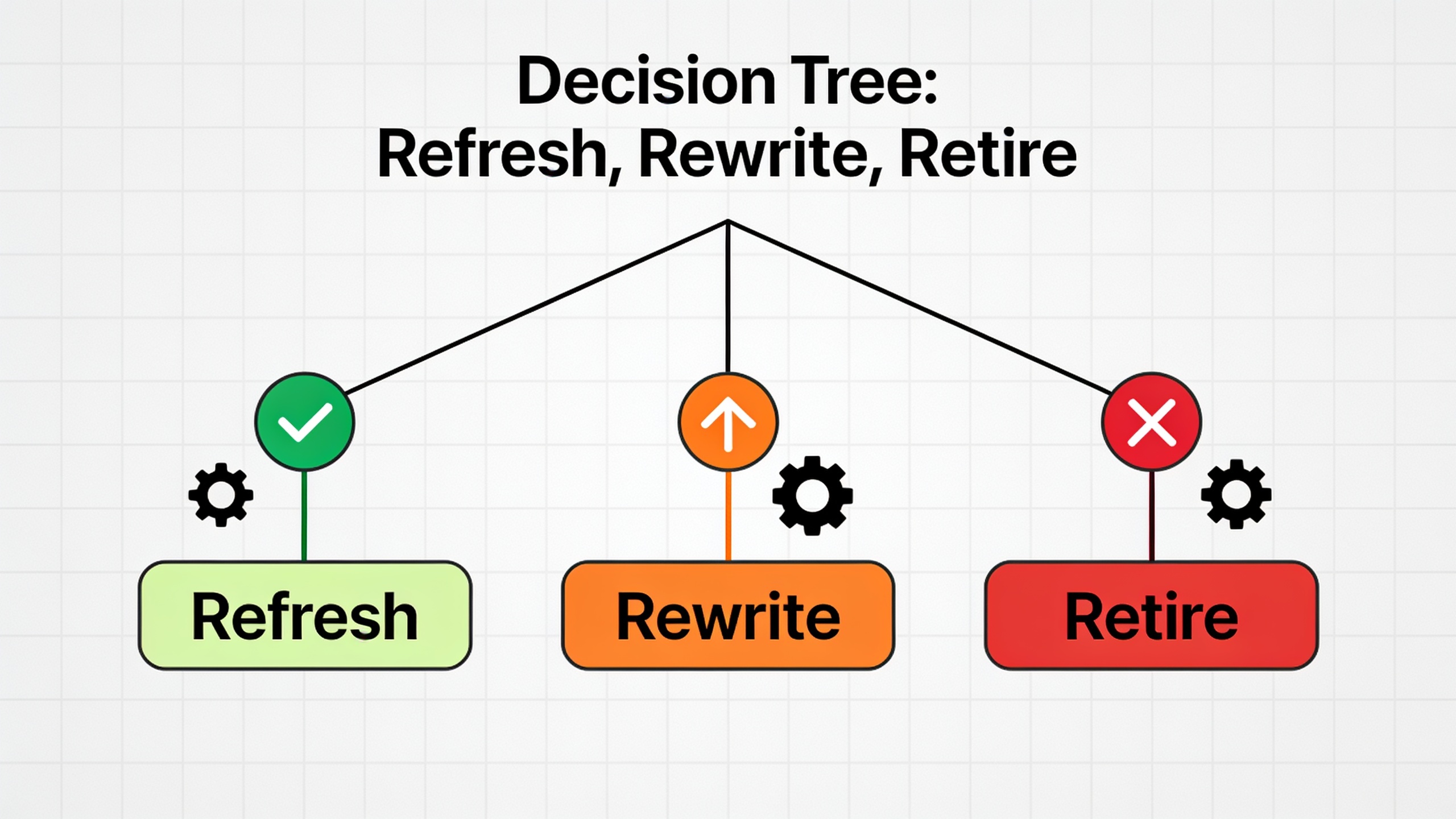
Here's my quick gut-check. If you can rattle off three or four specific fixes and picture the finished post in your head inside a minute, it's a refresh. If you catch yourself wanting to blow it up and start from a fresh outline, it's a rewrite. And if you genuinely can't explain why the post should still live on your site at all, it's a retirement candidate. Don't be sentimental about it.
Building a Sustainable Content Freshness Workflow
A sustainable freshness workflow treats refreshing as a recurring editorial job with its own slot on the calendar, not a one-off spring cleaning. Without a set cadence, this work always, always gets bumped in favor of shiny new posts, even when refreshing the old ones would've paid off more.
Here's a rhythm that works well for a lot of teams. Run quarterly audits on your high-traffic, fast-changing categories, the tool comparisons, pricing guides, and stats roundups that go stale fastest. Do annual audits on everything else, ideally timed around a slower season if your business has one. On top of that, run trigger-based reviews whenever something material shifts in your industry: a competitor launches a big product, a regulation changes, or a platform your content leans on gets redesigned. And underneath all of it, keep a living spreadsheet or dashboard tracking last-updated date, current ranking, and next scheduled review for every post above some minimum traffic threshold.
For teams that just don't have the hours to hand-audit dozens or hundreds of posts, honestly, this is exactly the kind of repetitive, data-heavy grind that AI-assisted content platforms exist to eat. Spotting which posts have aged out of relevance, drafting updated sections with current info, flagging broken links before a human even opens the doc. RobinRank's whole approach is built around automating the tedious parts of content production so marketers can spend their brainpower on strategy instead of manual upkeep.
Whatever setup you land on, the point is the same. Treat your content library as a maintained asset, not a dusty archive. A blog with 50 well-kept posts will usually run circles around one with 300 neglected ones, because readers and search engines both reward content that clearly reflects where a topic actually stands today.
FAQ
How often should I actually refresh old posts?
There's no magic number, but a sensible default is to review your high-traffic or fast-changing topics every 6 to 12 months, and lower-priority evergreen stuff every 12 to 24. It really comes down to how fast your industry moves and how much traffic a given post is bringing in.
Does bumping the publish date help SEO if I don't touch the content?
Nope, not really. Changing only the visible date without making real edits gives you little to no ranking benefit, and it creates a mismatch between what the date implies and what the content delivers. Search engines and readers both respond to actual changes, new information, fixed links, updated examples, not a cosmetic date swap.
Should I make a new URL when I refresh, or keep the old one?
Keep the old one, almost always. That URL is sitting on accumulated backlinks, ranking history, and domain trust that a brand-new URL would have to earn back from scratch. Save new URLs for genuinely new topics, not updated versions of things you already published.
How do I know if it's a light refresh or a full rewrite?
If the structure, angle, and depth of the original still hold up and only specific facts or examples are stale, a refresh is plenty. If the post is thin, badly organized, or built on an outdated understanding of the topic, a full rewrite (same URL and title where you can) is the smarter investment.
Can refreshing content ever hurt rankings?
It's uncommon, but yeah, it can. It happens when a refresh strips out content that was quietly ranking for secondary keywords, or shifts the core topic or intent too much, or introduces fresh broken links and technical errors during publishing. So check your analytics before and after, and be ready to roll back if performance tanks. That's just good practice on your high-traffic pages.
Content freshness isn't a project you finish and cross off a list. It's an ongoing editorial habit, and it's what decides whether your older posts keep earning their spot in search results or slowly slide into irrelevance. Start with the posts that already have traffic and rankings worth protecting. Fix what's genuinely broken or dated. And bake the review process into your regular content calendar so it never becomes a panicked cleanup later.
Ready to stop writing content by hand? Start your free RobinRank trial and get a full month of SEO-optimized articles published on autopilot.