How to Turn Blog Readers into Email Subscribers: A Tactical Placement Guide
This guide is basically everything I've figured out about where opt-in forms belong, which lead magnets people actually hand over their email for, and how to grow a list from blog traffic without turning your site into a pop-up minefield. Doesn't matter if you're an SEO running a dozen client blogs, a founder writing your own stuff at midnight, or an agency building lead-gen funnels. The logic's the same: match the offer to the moment, and make subscribing feel like the obvious next step instead of a speed bump.
Table of Contents
- Why Blog-to-Email Conversion Matters More Than Traffic Volume
- How Do You Turn Blog Readers into Email Subscribers?
- Where Should You Place Opt-In Forms on a Blog Post?
- What Lead Magnets Actually Get Blog Readers to Subscribe?
- Content Upgrades: The Highest-Converting Tactic for Blog Traffic
- Comparing Opt-In Formats and Lead Magnet Types
- Promoting Your List Beyond the Blog Post Itself
- Common Mistakes That Quietly Kill Conversion Rates
- FAQ
- Final Thoughts
Why Blog-to-Email Conversion Matters More Than Traffic Volume
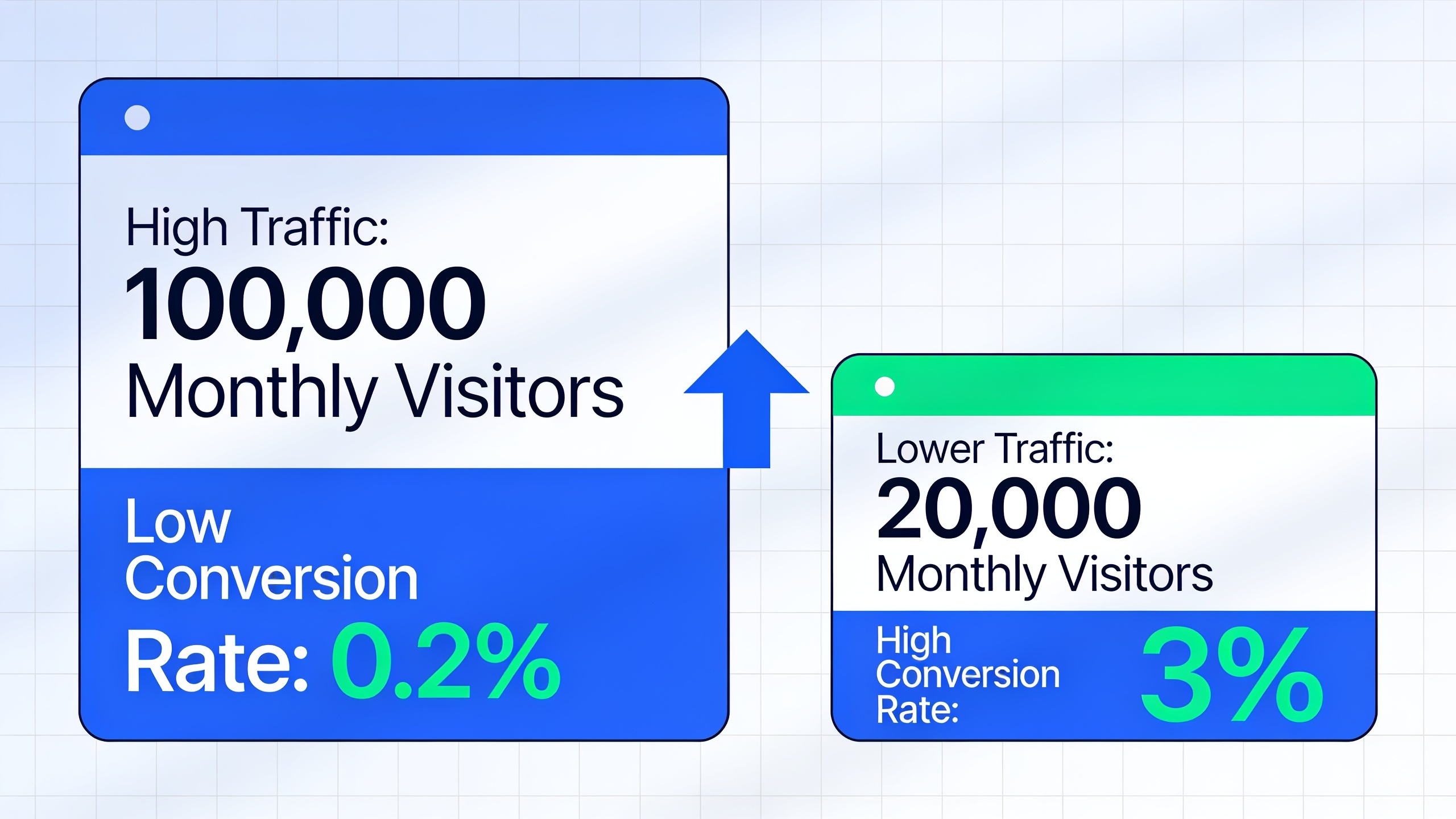
A blog pulling 50,000 visitors a month but converting 0.2% of them is, in list-building terms, weaker than a scrappy little blog with 5,000 visitors converting at 3%. Do the math and it stings. Traffic is rented attention. Your email list is the only thing you actually own, and it survives algorithm updates, ranking swings, and whatever policy change a platform decides to spring on you next Tuesday.
This hits hardest if organic search is your main way of getting people in the door. Rankings move. That post sitting pretty in position 2 today can slide to page two after a core update, and all that traffic? Gone, and most of it never had the chance to become anything. But every visitor who joined your list before that happened is a relationship you keep, no matter what Google decides to do with your rankings. That's the whole point of optimizing a blog to grow a list, rather than bolting a signup box onto the footer and calling it a day.
And there's a compounding thing here that's easy to miss. Someone who subscribed from a post about "email deliverability for SaaS" has already told you something concrete about who they are, before you've sent a single campaign. That's segmentation data you got for free, captured at the exact moment their interest was highest. Try replicating that with a bought list or a generic homepage pop-up. You can't.
How Do You Turn Blog Readers into Email Subscribers?
You turn blog readers into subscribers by matching a specific, low-friction offer to the reader's exact spot in the article, instead of leaning on one generic newsletter box to do all the heavy lifting. The engine that makes it work is an opt-in tied to a lead magnet, some free resource, checklist, template, whatever, that feels more valuable to the reader in that moment than closing the tab and moving on.
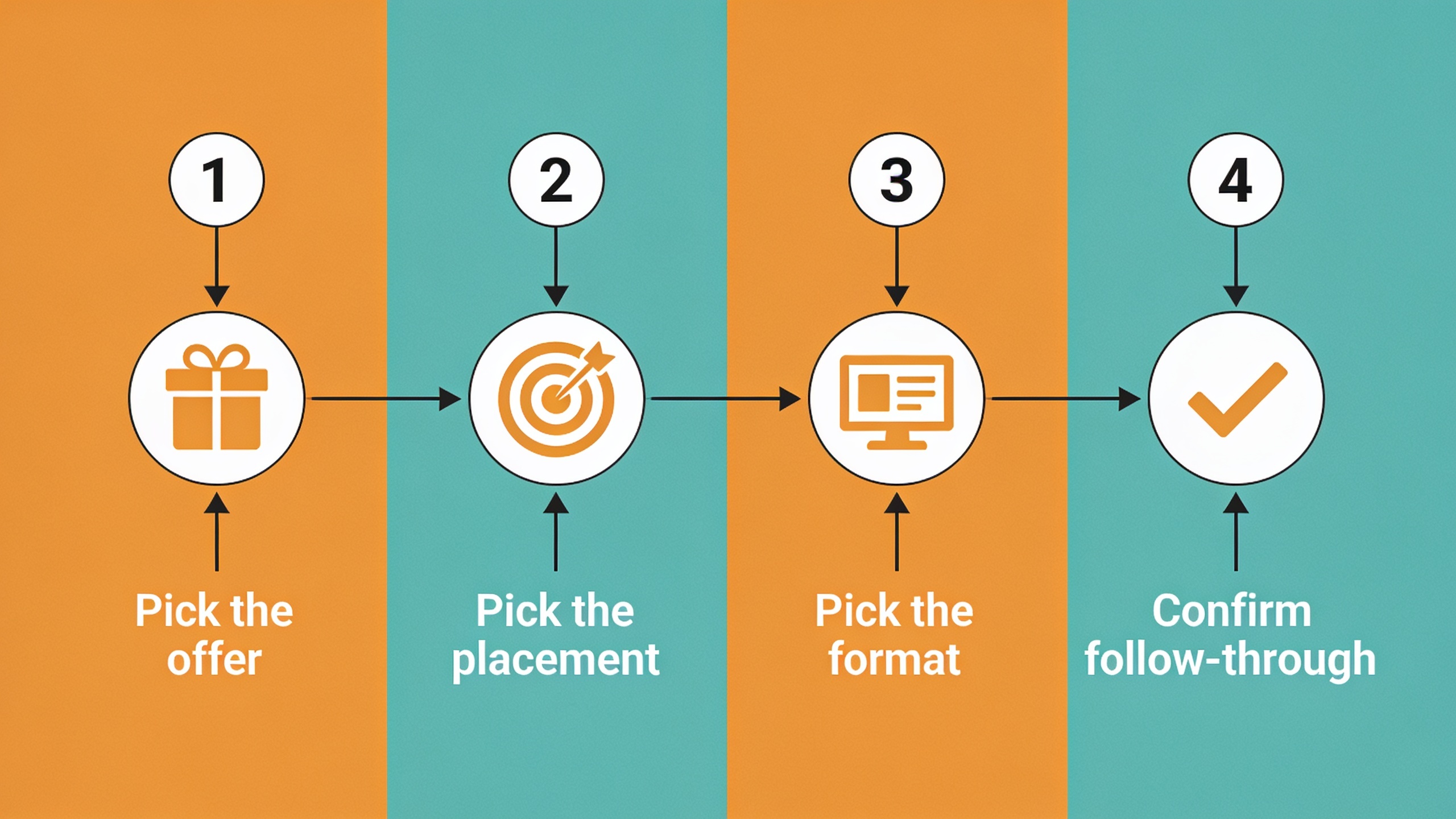
I tend to think of it as four decisions.
First, pick the offer. Every opt-in that actually works answers one question in the reader's head: "why would I give up my email right now?" A "subscribe to our newsletter" box rarely answers that, because who knows what you're getting or when. But "get the 12-point technical SEO checklist mentioned above"? That answers it instantly.
Second, pick the placement. Where the form shows up matters as much as what it says. A form buried at the bottom of a 2,000-word post only gets seen by the tiny fraction of people who scroll that far, and Nielsen Norman Group's long-running eye-tracking research on how people read online keeps finding the same thing: attention drops off a cliff once users scroll past the first screen.
Third, pick the format. Inline forms, slide-ins, exit-intent pop-ups, content-locked upgrades. They all behave differently and readers tolerate them differently. Some shine on high-intent, bottom-of-funnel posts. Others do better up top, on awareness-stage stuff.
And fourth, confirm the follow-through. The email a new subscriber gets right after opting in needs to deliver exactly what you promised, immediately. A slow or generic welcome email is one of the fastest ways to get someone to unsubscribe before the relationship's even started. I've done it myself, as a reader. Signed up for a thing, waited, got a bland "welcome to our community" email with no download. Gone in ten seconds.
Where Should You Place Opt-In Forms on a Blog Post?
The best-converting posts run three to four placements at once, each doing a different job, rather than betting everything on one form to catch everyone. Placement should follow how people actually read and scan, not what looks tidiest to you.
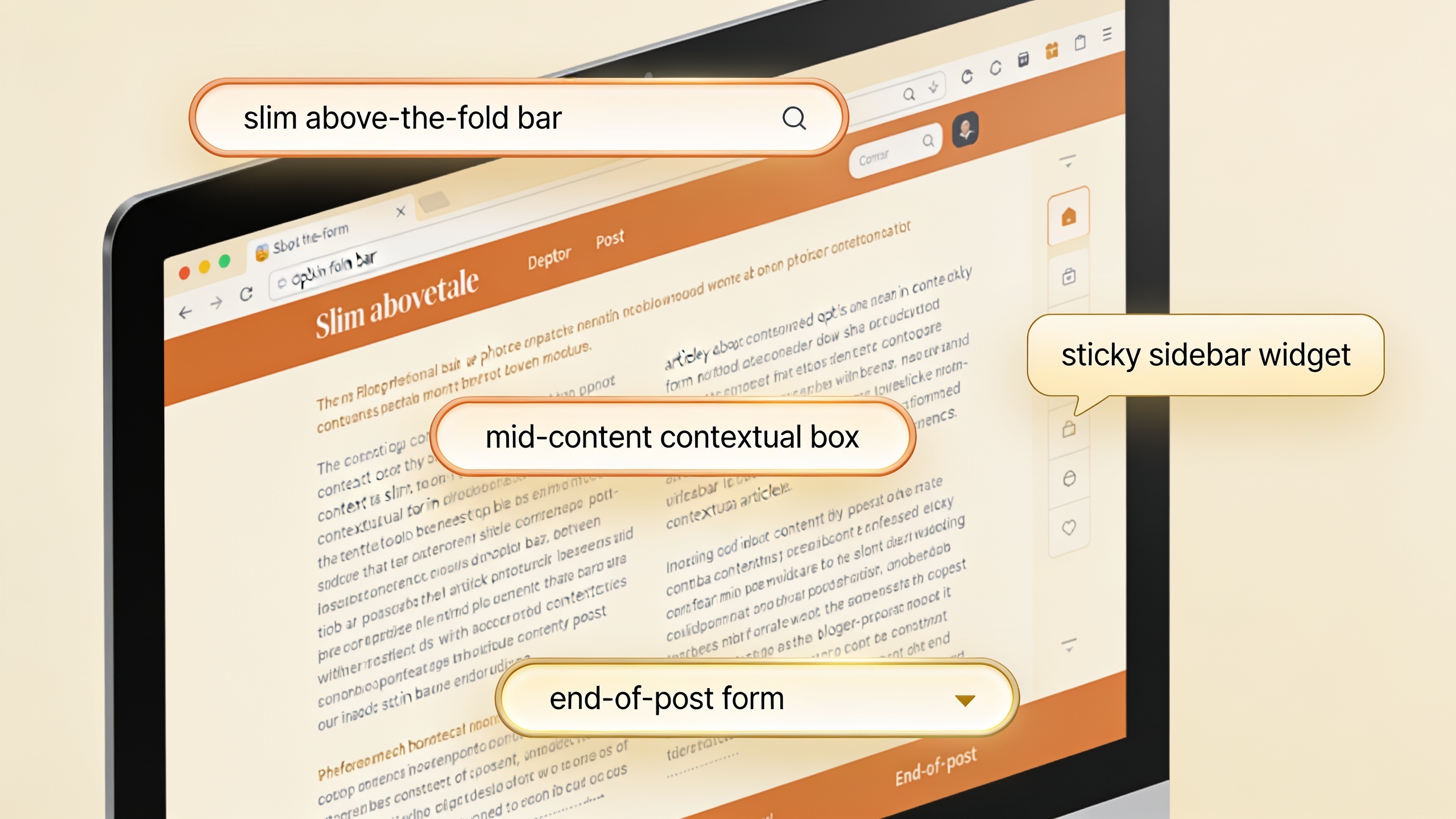
The above-the-fold slim bar goes near the top, often right after the intro. A slim, non-intrusive bar or inline box that catches readers who already know they want more from you before they've even committed to the whole piece. Think returning visitors, or someone who landed from a search query dripping with buying intent. Keep the copy short and specific. This is not the place for a persuasion essay.
The mid-content contextual box is my favorite, honestly. You drop it right after a section that delivered real value, a framework, a killer data point, a step-by-step process, and you catch the reader while they're still feeling that little hit of "oh, this is useful." Somebody who just read your step-by-step keyword clustering process is primed and ready to want the spreadsheet version of it. That's the moment. Don't waste it.
The end-of-post form is for your most engaged people, because by definition anyone who read the whole thing is your best segment. This shouldn't feel like a wall slamming down. Pair it with a quick recap of what the lead magnet actually contains instead of a bare "Subscribe" button, and the perceived value jumps noticeably.
Then there's the exit-intent or scroll-based pop-up, which fires when the analytics reckon someone's about to bail (cursor drifting toward the close button, or a fast upward scroll on mobile). These convert well precisely because they hit right before someone vanishes for good. But use them sparingly. Showing one on every page view, including to people who already subscribed, wrecks trust and can nudge your bounce rate the wrong way.
And finally, on desktop layouts with a visible sidebar, a sticky opt-in widget stays in view as the reader scrolls. It's a constant but passive invitation. Converts at a lower rate than your contextual inline boxes, sure, but it picks up incremental subscribers without asking anything extra of the content itself. Free-ish wins.
What Lead Magnets Actually Get Blog Readers to Subscribe?
A lead magnet is just a free resource you offer in exchange for an email, and the ones that convert best off blog traffic are narrow, instantly usable, and glued to the topic of the post someone's already reading. A broad, generic magnet like "our best marketing tips" is basically competing with your own blog post for attention. A narrow one like "the exact outreach email template used in this post" doesn't compete with anything. It just extends what they're already into.
The formats that tend to actually work fall into a handful of buckets:
- Checklists and cheat sheets that squash a long post into something actionable and printable. Perfect for how-to and process content.
- Templates and swipe files that save people the pain of rebuilding something the article described, like an email sequence, a content calendar, or an outreach script.
- Calculators and interactive tools that let readers plug their own numbers into a formula from the post.
- Email mini-courses, where opting in unlocks a short multi-day sequence instead of a one-off download. Great for building a real relationship over someone's first week on your list.
- Gated data or original research, like a benchmark report or survey results the post references. This one works especially well when the article teases a stat but holds back the full dataset.
The thread running through all of them is specificity. A lead magnet that could plausibly live on any blog in your industry will always lose to one that only makes sense as a companion to the exact post someone's reading right now.
Content Upgrades: The Highest-Converting Tactic for Blog Traffic
A content upgrade is a lead magnet built for one specific blog post rather than a general resource you offer everywhere, and it reliably beats generic newsletter signups because it kills any doubt about relevance. A sidebar newsletter box asks readers to trust that your future emails will be worth it. A content upgrade just proves its worth on the spot by extending the exact article they've already decided to spend time on.
Why content upgrades outperform generic opt-ins
Think about what you're actually asking. A "join our newsletter" form asks people to bet on some unknown future benefit. A content upgrade asks them to judge a benefit they can evaluate right now, tied to a post they've already decided is worth reading. That shift, from speculative future value to immediate contextual value, is the whole reason content upgrades convert at meaningfully higher rates than blanket newsletter forms slapped across every page of a site. It's not magic. It's just less friction and less faith required.
Want content like this running on autopilot for your own site? Try RobinRank free — AI-written, SEO-optimized articles generated and published automatically, no credit card required.
Building content upgrades without a full content team
Now, making a unique upgrade for every single post sounds exhausting, I get it. But it doesn't need a dedicated designer or a shiny new tool per article. A few ways I've seen work without much fuss:
- Repurpose a section of the post itself into a downloadable PDF or printable checklist.
- Turn a listicle into a swipeable reference card.
- Pull a table, framework, or decision tree out of the article into a standalone one-pager.
- Record a two-minute screen-share walking through a process you described in text, then gate it behind the opt-in.
For teams cranking out a lot of blog content (which is more and more common now that everyone leans on AI-assisted publishing to keep the cadence up), building a lightweight, reusable content-upgrade template beats designing something bespoke every time. This is where a steady content operation actually pays off. If you're publishing several optimized articles a week through a platform like RobinRank, batching the content-upgrade creation right alongside the article draft, instead of as some afterthought two weeks later, keeps your opt-in strategy from constantly falling behind your publishing schedule. Which it will, if you let it.
Comparing Opt-In Formats and Lead Magnet Types
Different formats suit different stages of the reader's journey. Here's how the common options stack up on effort, how much they disrupt the reading experience, and what kind of content they pair best with.
| Format / Magnet Type | Effort to Build | Reader Disruption | Best Paired With |
|---|---|---|---|
| Slim above-the-fold bar | Low | Minimal | High-intent, bottom-of-funnel posts |
| Mid-content contextual box | Low–Medium | Low | Step-by-step guides, frameworks |
| End-of-post form | Low | Minimal | Long-form, comprehensive articles |
| Exit-intent pop-up | Medium | Medium–High | High-traffic evergreen posts |
| Sticky sidebar widget | Low | Low | Desktop-heavy audiences |
| Checklist / cheat sheet | Low | N/A (magnet, not placement) | How-to and process content |
| Template / swipe file | Medium | N/A | Tactical, execution-focused posts |
| Gated data or report | High | N/A | Data-driven or research-style posts |
| Email mini-course | Medium–High | N/A | Educational, top-of-funnel topics |
Promoting Your List Beyond the Blog Post Itself
Blog posts are the entry point, but growing a list from blog traffic works best when the offer gets reinforced across every channel that touches that content, not just the page it lives on. Someone who bumps into the same lead magnet on social, in a related post, and through internal links is way more likely to eventually convert than someone who only ran into it once and forgot.
Internal linking matters more here than most teams give it credit for. When a post about email capture links to a related resource, say a piece on 10 content distribution channels beyond your company blog, it's not just helping SEO through topical relevance. It gives the reader who isn't ready to opt in yet another path to stick around on your site and stumble into another opt-in opportunity later in the same session. Treat every piece of content as one node in a network of possible conversion points, not an isolated page white-knuckling it for a single opt-in.
Oh, and one more thing worth flagging: the offer that converts a B2B audience won't necessarily do a thing for a B2C one. A gated benchmark report or a template built around procurement workflows lands with a B2B reader weighing a purchase over several weeks. A B2C audience usually responds better to instant, low-commitment stuff, discount codes, quick quizzes, that kind of thing. There's more on that split in B2B content marketing vs. B2C content marketing: what actually works for each, and it directly shapes which magnet format will actually move the needle on any given blog.
Past internal linking, a few distribution habits reinforce the whole thing. Repurpose your lead magnet's headline into social posts, because a checklist that only exists inside the blog post misses everyone who finds the topic through social search first. Reference your best-performing magnets in your email footer too, since existing subscribers forward emails and share links, and giving them an easy secondary opt-in point helps referral traffic convert. And go update your older posts with new offers. Evergreen content that keeps pulling organic traffic long after you published it is very often sitting there with an outdated or missing form. A quick audit of your highest-traffic posts almost always turns up easy wins.
Common Mistakes That Quietly Kill Conversion Rates
Even a well-built opt-in strategy underperforms when a few avoidable mistakes get baked in. And they're rarely dramatic. They're small friction points that quietly compound across thousands of page views until you're wondering why your numbers are flat.
The big one: asking for too much upfront. A form demanding first name, last name, company, job title, and phone number in exchange for a checklist will convert far worse than one asking for an email. That's it. Every extra field is one more reason to bail.
Mismatched pop-up timing is another. A pop-up that fires two seconds after the page loads, before the reader's even decided if your content is relevant, reads as pushy, not helpful. Wait until a reasonable scroll depth or time-on-page threshold. Let people figure out they like you first.
Then there's the one generic offer for every post trap. Same box, same copy, plastered across the entire blog, ignoring the fact that a reader on a beginner's guide and a reader on an advanced technical deep-dive want completely different things. Segmenting magnets by topic or funnel stage beats one-size-fits-all every single time.
No follow-through kills trust instantly. If the promised checklist doesn't show up immediately, or arrives buried in some generic drip sequence that has nothing to do with what you offered, you've lost them. The first email after an opt-in should deliver exactly what was promised, with nothing else fighting for attention.
And please, stop ignoring mobile. A huge chunk of blog traffic arrives on phones now, and forms built for desktop often render like garbage, swallow the whole viewport, or trigger accidental taps. Test every format on mobile. It's not optional.
Last one, and it's more of a mindset problem than a technical one: treating the blog as a silo. Your opt-in strategy shouldn't stop at the blog's edge. If your broader distribution (social, syndication, partner sites) isn't funneling traffic toward pages with strong opt-in placement, you're leaving conversions on the table no matter how sharp the blog itself is.
FAQ
How many opt-in forms should one blog post have?
Most well-optimized posts run three to four: an above-the-fold bar, a mid-content contextual box, an end-of-post form, and maybe an exit-intent pop-up. Each one targets a different reader behavior instead of repeating the same generic ask four times over.
Do content upgrades really beat a general newsletter signup?
Yeah, and usually by a lot. Content upgrades are built for one specific post, which hands readers an immediate, contextual reason to opt in. Because the value's tied to the article they're already reading, they tend to outperform a blanket "subscribe to our newsletter" box that dangles a vaguer, future-dated benefit.
Should exit-intent pop-ups show up for every visitor?
No. Firing one at people who already subscribed, or on every page view regardless of context, just annoys people without adding subscribers. Limit them to high-traffic evergreen posts, and suppress them for returning subscribers using a cookie or logged-in state.
What's the fastest way to grow a list from existing traffic without writing new posts?
Audit your highest-traffic existing posts for missing or outdated opt-in forms. That's almost always the quickest win, because the traffic's already showing up on its own. Add a relevant content upgrade to a post that already ranks well and gets steady search traffic, and you can lift subscriber counts without producing a single new article.
Does the lead magnet need to live behind a landing page, or can it sit inside the post?
Either works, but embedding the form directly inside the blog post usually reduces friction and keeps the reader in the flow of what they're already engaged with. A separate landing page makes more sense when you're promoting the same magnet from a bunch of channels beyond the blog.
Final Thoughts
Turning blog readers into subscribers has less to do with clever copywriting than most people assume. It's really about respecting where a reader actually is, matching a specific, useful offer to a specific moment, instead of hoping a generic newsletter box does the work for you. Almost everything that moves the needle is structural: placement, how specific your lead magnet is, and staying consistent across the wider content and distribution effort that brought readers to the blog in the first place. So get the traffic flowing steadily through solid SEO and content production, and then let every post pull double duty, answering a search query and quietly, at just the right moment, inviting people to stick around.
Ready to stop writing content by hand? Start your free RobinRank trial and get a full month of SEO-optimized articles published on autopilot.