Ecommerce SEO Checklist: 20 Steps to Rank Product Pages Higher
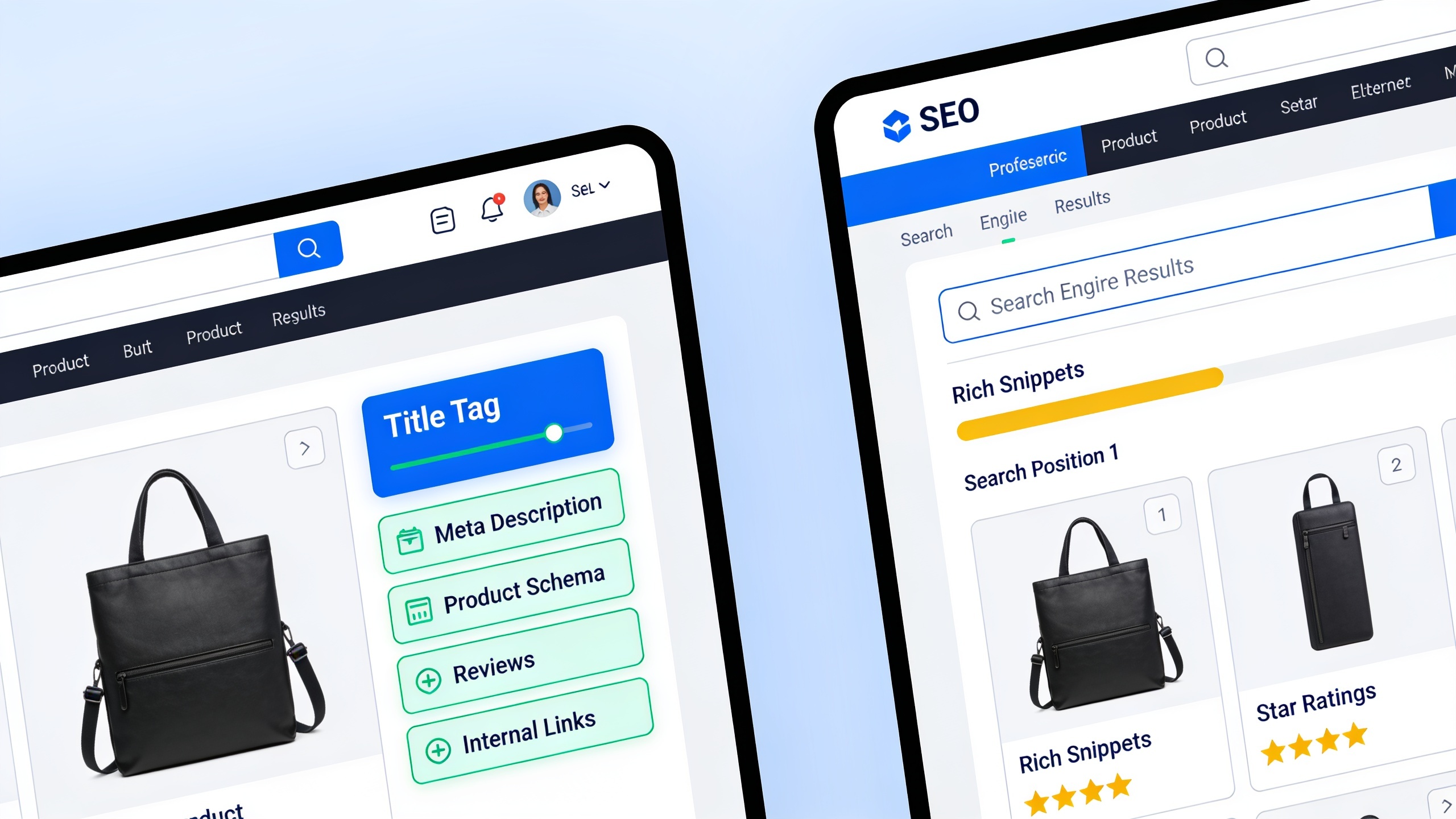
Doesn't matter if you're running a five-product Shopify store or a catalog with 50,000 SKUs. The fundamentals don't change: Google has to be able to crawl your site, your content can't be a carbon copy of everyone else's, your structured data needs to be in place, your internal links have to make sense, and shoppers need a reason to trust you.
Treat this like a working document, not an article you read once and forget. Print it. Paste it into your project tracker. Whatever gets you through it during your next audit.
Table of Contents
- What Is Ecommerce SEO and Why Does It Matter for Product Pages?
- Foundational Technical Fixes (Steps 1–5)
- Product Page SEO Checklist: On-Page Elements (Steps 6–11)
- Category Page Optimization (Steps 12–15)
- How Do Reviews Impact Ecommerce Rankings? (Steps 16–18)
- Off-Page Authority and Content Scaling (Steps 19–20)
- The 20-Step Checklist at a Glance
- FAQ
What Is Ecommerce SEO and Why Does It Matter for Product Pages?
Ecommerce SEO is the work of optimizing your store's product pages, category pages, and technical guts so search engines can crawl, index, and rank them for people who are actually looking to buy something. And it matters because your product pages aren't competing in a vacuum. They're going up against Amazon, the manufacturer's own site, and a couple dozen near-identical competitor stores, all clawing for the same "buy [product]" and "[product] review" searches.
Here's what makes this different from writing a blog post. A product page has to please two very different audiences at the same time. There's the search engine trying to figure out what the page is about, and there's a shopper deciding whether to hand over their credit card. That double duty is exactly why generic SEO advice ("just write more content!") falls flat for stores. Slap a 2,000-word essay above your Add to Cart button and sure, maybe your keyword density improves, but your conversions will tank. Everything below is built around that tension. Enough unique, well-structured content to rank, without burying the thing people came to buy.
Foundational Technical Fixes (Steps 1–5)
Technical SEO problems are the number one reason big catalogs underperform, and it's because one templating mistake gets copy-pasted across thousands of URLs before anyone catches it. So fix this stuff first. No amount of beautiful copy will save a page Google can't crawl or index properly.
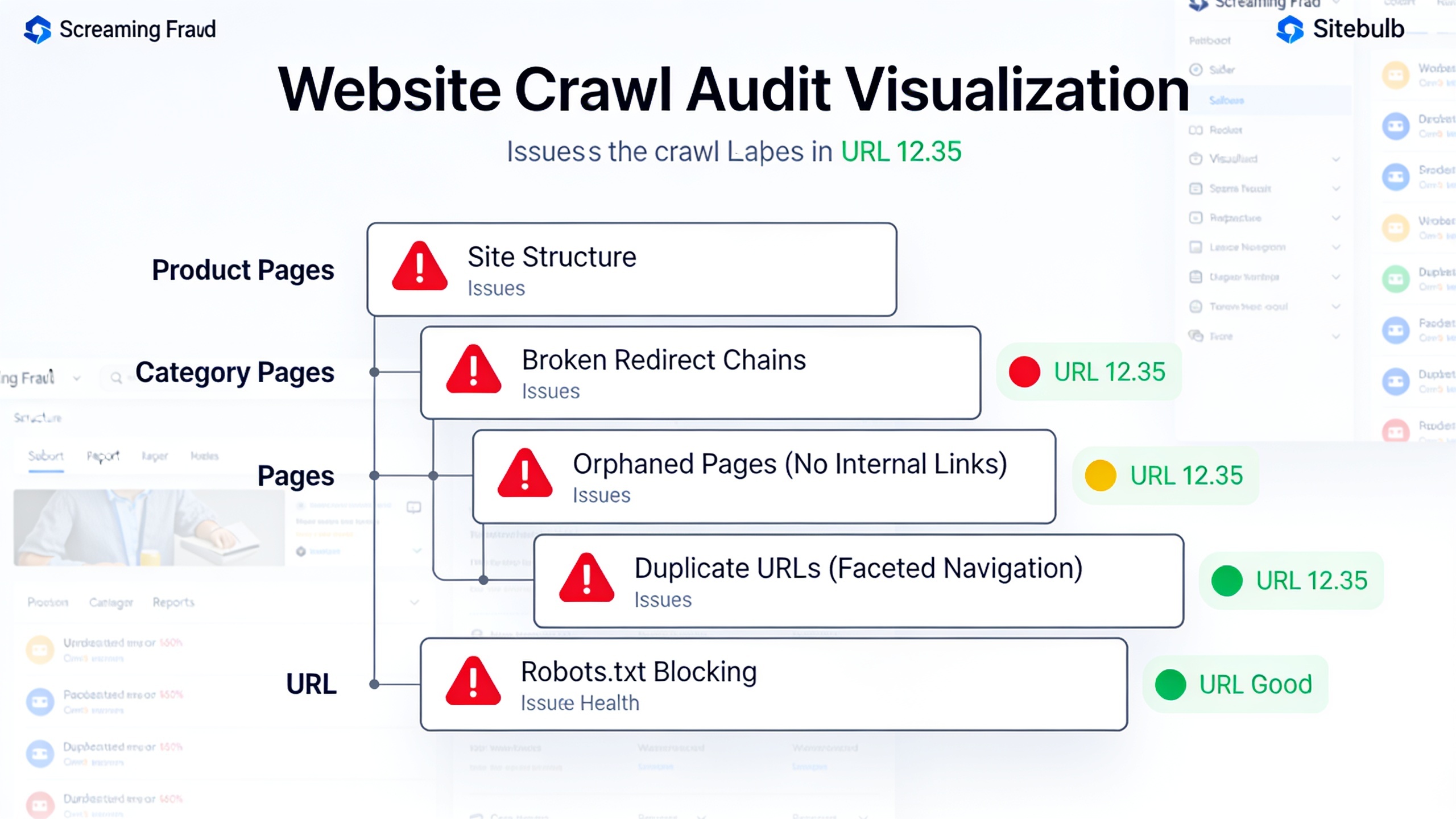
Step 1: Audit and Fix Crawlability Issues
Run a crawl with Screaming Frog or Sitebulb and go hunting for the usual suspects: orphaned product pages (the ones nothing links to), broken redirect chains, and anything getting blocked by `robots.txt`. Faceted navigation is the big troublemaker here. Every filter for size, color, and price can spin up thousands of near-duplicate URLs that burn through your crawl budget for absolutely nothing.
Step 2: Resolve Duplicate Content from Manufacturer Feeds
Google's own guidance on duplicate content is pretty blunt about this: when you copy the manufacturer's description word for word, and so does every other retailer, you make it harder for any single page to rank because the search engine has to pick one version to show. And it probably won't pick yours. If your catalog pulls in feed data automatically, at the very least rewrite your top 20–30% of pages by traffic potential before you touch anything else.
Step 3: Fix Canonicalization on Variant and Filtered URLs
Every color and size variant, plus every filtered category view, needs a clear canonical tag pointing back to the primary URL. The exception is when a variant genuinely earns its own indexed page, say, a size with meaningfully different demand and real search volume behind it. Sloppy canonicalization is one of the quickest ways to split your link equity across a pile of duplicate URLs, which helps nobody.
Step 4: Improve Core Web Vitals on Product and Category Templates
Google has confirmed Core Web Vitals (the metrics tracking loading speed, interactivity, and visual stability) are part of its page experience signals. And product pages are repeat offenders here, thanks to giant hero images, third-party review widgets, and chat scripts all fighting for load time. Compress your images, lazy-load anything below the fold, and please audit those third-party scripts before you add yet another one.
Step 5: Implement a Logical, Shallow URL Structure
Try to keep product pages no more than three clicks from the homepage (Home → Category → Subcategory → Product). Flat, predictable URLs like `/category/product-name` are easier for Google to crawl and, honestly, easier for a human to look at and understand than some deeply nested, parameter-stuffed nightmare.
Product Page SEO Checklist: On-Page Elements (Steps 6–11)
Product page SEO is about optimizing the individual pieces of a single listing (title, description, images, metadata) so the page ranks for its keyword while still turning browsers into buyers. This is the part most store owners think about first, and fair enough, because it's usually where the fastest, highest-leverage wins are hiding.
Step 6: Write Unique Product Descriptions Targeting Real Search Intent
Every product page needs a description that exists nowhere else on the internet. That doesn't mean stuffing it with filler to hit some word count. It means describing the product from your store's angle: how people actually use it, what it's made of, sizing quirks, and the questions your support team fields on repeat. A tight 150–300 word description you actually wrote will usually beat a 50-word stub yanked straight from a supplier feed. Every time.
Step 7: Optimize Title Tags and Meta Descriptions for Purchase Intent
Your title tag should lead with the main product keyword plus something that sets you apart, whether that's a brand, a size, or a hook like "Free Shipping," and keep it under roughly 60 characters so it doesn't get chopped off in the results. Meta descriptions don't move rankings directly, but they absolutely move click-through rate. So write them like ad copy, not an afterthought.
Step 8: Add Product Schema Markup
Structured data using schema.org's `Product` markup is what lets Google show rich results (star ratings, price, availability) right there in the search listing. Google's Search Central documentation flags price, availability, and review data as recommended properties for product structured data. And here's the kicker: without it, your page can't even qualify for those fancy listings, no matter how good the content is.
Step 9: Optimize Image Alt Text and File Names
Descriptive alt text (think "red-leather-crossbody-bag-front-view.jpg" instead of "IMG_2931.jpg") helps your images show up in Google Images and hands the search engine extra context about what the page is even about. This is a big deal for visual categories like apparel, furniture, and home goods, where a real chunk of your discovery traffic can walk in through image search alone.
Step 10: Build Internal Links from Blog Content and Related Products
Product pages almost never rank on their own strength. They need internal link equity flowing in from category pages, related-product modules, and any relevant blog content you've published. So if you write buying guides or comparison posts, link directly to the specific products you mention, not just the broad category. This whole idea of pointing supporting content at your money pages is exactly what how to build a topic cluster strategy that boosts rankings digs into, where you deliberately structure content to funnel authority toward pages like your product listings.
Step 11: Target Long-Tail and Semantic Keyword Variations Naturally
Stop hammering one exact-match keyword. Weave in the phrases customers actually type, like "waterproof hiking boots for wide feet" right alongside plain old "hiking boots." Search engines these days care more about understanding entities and how concepts relate to each other than matching your keyword letter for letter, a shift explained a lot more thoroughly in what semantic SEO is and why it matters for modern rankings. Write copy that naturally covers material, use case, and audience, and you'll usually hit this without ever stooping to keyword stuffing.
Category Page Optimization (Steps 12–15)
Category pages are often the actual front door for high-volume, top-of-funnel searches like "running shoes" or "office chairs," which means they deserve just as much SEO love as your individual products. A category page that's nothing but a grid of thumbnails with zero text context? That's a wasted shot at ranking for the broad, high-volume query that brings people to your site in the first place.
Want content like this running on autopilot for your own site? Try RobinRank free — AI-written, SEO-optimized articles generated and published automatically, no credit card required.
Step 12: Add Unique Category Descriptions Above or Below the Product Grid
A short 100–200 word intro explaining what the category covers, who it's for, and how to choose between the options gives Google topical context and reassures anyone who landed there from a broad search that yes, they're in the right place. Tuck it below the product grid so you protect the above-the-fold shopping experience but still feed the crawlers what they need.
Step 13: Use Clean, Logical Faceted Navigation
Filters for size, price, and brand are non-negotiable for usability, but they'll spawn thousands of thin, duplicate URLs if you let every single combination get indexed. Use `noindex` or canonical tags on filter combos that don't have real search demand behind them, and only open indexing to filtered views targeting genuine, distinct queries. "Men's running shoes" as its own indexable subcategory? Sure. "Blue size-9 running shoes under $80"? No thanks.
Step 14: Optimize Category-Level Title Tags and H1s
The H1 and title tag on a category page should match the head term shoppers actually search, so "Men's Running Shoes," not some internal codename like "Footwear Collection A." I've seen this one so many times. Stores name categories for their own internal convenience, and it quietly costs them rankings. Easiest fix on this whole list, frankly.
Step 15: Build a Breadcrumb Trail with Schema Markup
Breadcrumbs (Home > Category > Subcategory) make your site easier to navigate, and when you mark them up with `BreadcrumbList` schema, they can show up right in the search results, reinforcing your site structure to both people and search engines. Bonus: they double down on the shallow URL hierarchy from Step 5.
How Do Reviews Impact Ecommerce Rankings? (Steps 16–18)
Reviews affect ecommerce rankings indirectly, mostly by pumping fresh, unique content onto your product pages and by unlocking review-star snippets in search, both of which nudge your click-through rate and time-on-page in the right direction. Google's never come out and named reviews as a direct ranking factor. But the ripple effects (fresh content, structured data eligibility, plain old trust) make them one of the best-bang-for-buck additions to any product page you'll find.
Step 16: Enable and Actively Solicit Product Reviews
An automated post-purchase email, even a dead-simple one sent 7–10 days after delivery, pulls in way more reviews than a passive "leave a review" link buried three menus deep in account settings. And every review that lands adds unique text to your page without your team writing a single word. Free content, basically.
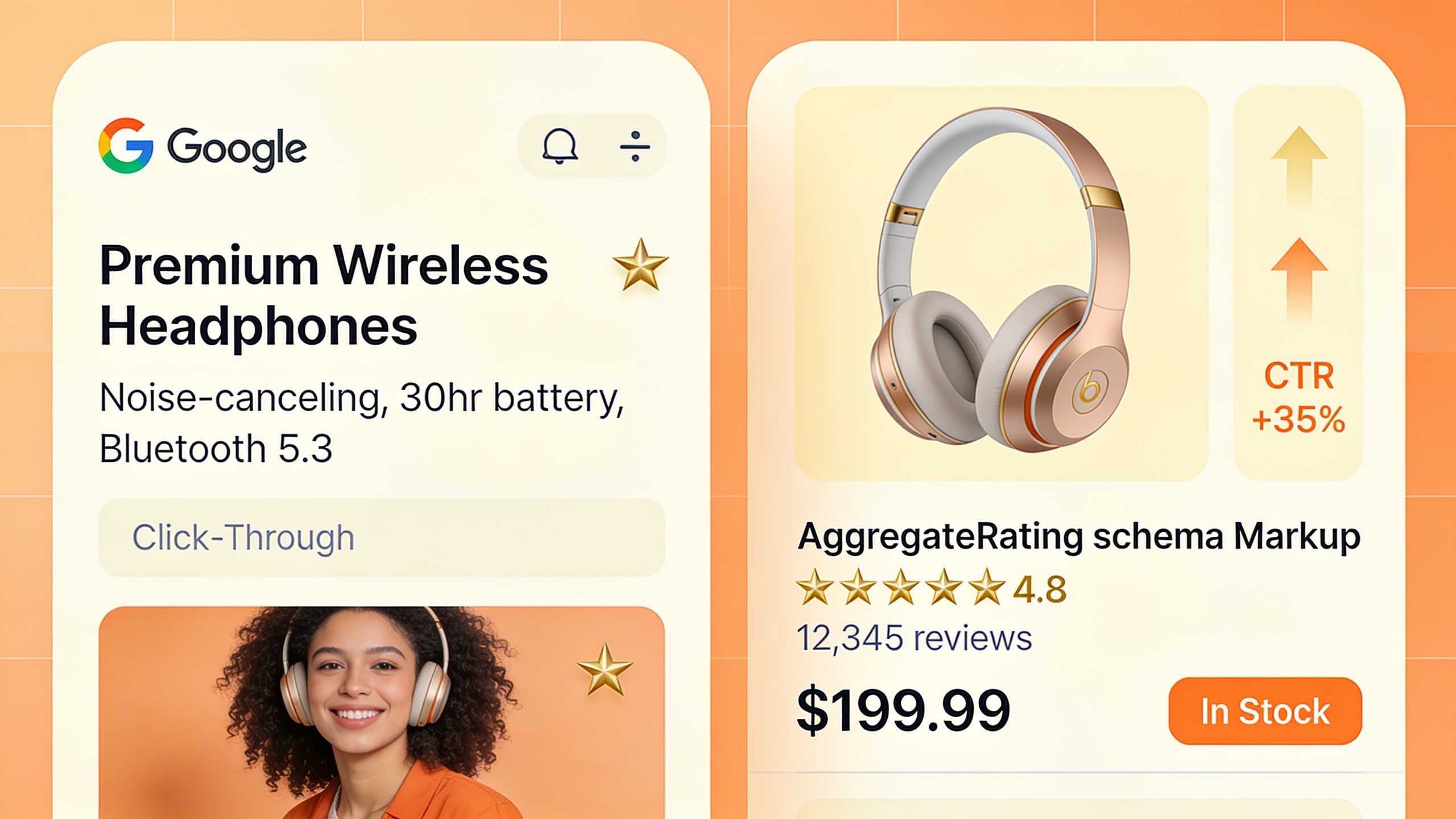
Step 17: Mark Up Reviews with AggregateRating Schema
Adding `AggregateRating` and `Review` structured data is what puts those star ratings next to your listing in search, which helps your product jump out against competitors whose listings show nothing at all. One warning, though: apply it consistently and accurately. Google has been crystal clear that your structured data has to reflect what's actually visible on the page. Fake it and you'll get penalized.
Step 18: Surface Q&A and User-Generated Photos
A Q&A section tackling the usual pre-purchase questions ("Does this run small?" "Is this dishwasher safe?") scoops up long-tail, conversational searches almost for free, because people phrase questions the same way whether they're typing to you or typing into Google. And customer photos pile on another layer of authenticity, plus, with decent alt text, a few more shots at image search traffic.
Off-Page Authority and Content Scaling (Steps 19–20)
Off-page SEO for ecommerce boils down to earning links and mentions from other credible, relevant sites, which tells search engines your store is a real authority in its niche. And that signal matters more, not less, as the fight over product keywords gets uglier every year.
Step 19: Earn Backlinks Through Buying Guides, Data, and Outreach
Product pages basically never earn links on their own. Nobody's linking to your checkout page. But supporting content will: original research, comparison guides, seasonal buying guides, that kind of thing. Trouble is, publishing that stuff consistently is exactly where most small teams grind to a halt, purely because nobody has the bandwidth. That's part of why platforms like RobinRank exist. It's built to plan, write, and publish SEO-optimized articles on a schedule, and its community-based backlink exchange pairs your published articles with relevant sites willing to link back. For a smaller team, that's a way to build content volume and referring domains without hiring a whole content department.
Step 20: Keep a Recurring Content and Audit Cadence
Ecommerce SEO is never "done." New products launch, old ones sell out, and Google keeps tweaking its ranking systems whether you like it or not. Set yourself a recurring cadence, monthly or quarterly, to re-audit your technical health, refresh the descriptions on your top performers, and confirm your structured data still validates after whatever theme or platform update snuck through last month. (There's always one.)
The 20-Step Checklist at a Glance
| # | Step | Category | Priority |
|---|---|---|---|
| 1 | Fix crawlability and faceted navigation waste | Technical | High |
| 2 | Rewrite duplicate manufacturer descriptions | Technical/Content | High |
| 3 | Correct canonical tags on variants | Technical | High |
| 4 | Improve Core Web Vitals | Technical | High |
| 5 | Flatten URL structure | Technical | Medium |
| 6 | Write unique product descriptions | Product Page | High |
| 7 | Optimize title tags and meta descriptions | Product Page | High |
| 8 | Add Product schema markup | Product Page | High |
| 9 | Optimize image alt text | Product Page | Medium |
| 10 | Build internal links to products | Product Page | Medium |
| 11 | Target semantic keyword variations | Product Page | Medium |
| 12 | Add unique category descriptions | Category | High |
| 13 | Clean up faceted navigation indexing | Category | High |
| 14 | Align category titles/H1s with search terms | Category | Medium |
| 15 | Add breadcrumb schema | Category | Low |
| 16 | Solicit customer reviews | Reviews | High |
| 17 | Add AggregateRating schema | Reviews | Medium |
| 18 | Add Q&A and user photos | Reviews | Medium |
| 19 | Earn backlinks via supporting content | Off-Page | High |
| 20 | Maintain a recurring audit cadence | Ongoing | Medium |
FAQ
How long before I actually see results from a checklist like this?
The technical fixes (Steps 1–5) can show measurable crawl and indexing improvements within a few weeks, mostly because they're clearing obstacles rather than building anything new. The content and off-page work (unique descriptions, reviews, backlinks) takes longer, often several months, before it shows up in your rankings. Google needs time to recrawl everything, re-evaluate it, and slowly build trust around your updated pages. Patience, unfortunately, is part of the job.
Should I fix product pages or category pages first?
Start with whatever pages already pull meaningful traffic or have the strongest existing backlinks, because improvements there compound faster. As a rough pattern, category pages tend to grab the broader, higher-volume searches while product pages catch lower-volume but higher-intent, closer-to-buying searches. Both matter. But if you're strapped for time, go straight for your highest-revenue category pages.
Do I really need unique content on every single product page, even with thousands of SKUs?
Honestly? Full uniqueness across a massive catalog usually isn't realistic, so put your energy where it counts. Rewrite descriptions for your best-sellers and highest-margin products first, then work your way down by traffic potential. Pages running unchanged manufacturer feed content can still rank. They'll just tend to rank worse than a competitor who bothered to write something original for the same product.
Does review schema guarantee star ratings will show up in Google?
Nope. Adding `AggregateRating` schema makes your page eligible for the rich result, but Google's own documentation is clear that eligibility and display are two different things. Google weighs your markup quality, your page's trustworthiness, and a handful of other factors before it decides to render those stars. Clean, policy-compliant markup improves your odds. It's not a promise.
Is product page SEO really different from blog or content SEO?
Yes, and in a way that matters day to day. Blog SEO is generally built to inform and rank for research-stage queries, whereas product page SEO has to nail search intent and push someone toward buying right now. That second job limits how much text you can pile on before you start hurting conversions. Which is exactly why product optimization leans so much harder on structured data, images, and reviews than on long-form writing.
Wrapping Up
Getting product pages to rank almost never comes down to one magic fix. It's the cumulative payoff of clean technical infrastructure, genuinely unique product and category content, a steady drip of reviews, and enough supporting content to earn links back to your store. Work through this checklist in order of priority instead of trying to do all 20 things at once (you'll burn out, trust me), and swing back around every quarter as your catalog, your platform, and your competitors all keep shifting under your feet.
Ready to stop writing content by hand? Start your free RobinRank trial and get a full month of SEO-optimized articles published on autopilot.