How to Automate Your Content Pipeline From Idea to Publish

So what does it actually mean to automate a content pipeline? It means wiring together AI tools and rules-based triggers so that topic research, drafting, optimization, and publishing mostly run themselves, while a human still steps in at the important moments to check strategy and quality. You're not handing the keys over completely. You're just getting out of the way for the boring parts.
And there's a real reason to bother. Semrush's 2023 State of Content Marketing report found that teams publishing consistently and frequently see significantly higher organic traffic growth than the ones who post whenever they get around to it. Automation is basically the only way to hit that kind of cadence without hiring three more people.
This guide walks through the whole thing, stage by stage, so you can go from a blank calendar to a steady drip of published, optimized articles.
Table of Contents
- What Does It Mean to Automate a Content Pipeline?
- Stage 1: Automating Topic Research and Keyword Discovery
- Stage 2: Automating Briefs and Outlines
- Stage 3: Automating Drafting With AI Writers
- Stage 4: Automating On-Page SEO Optimization
- Stage 5: Automating Review, Approval, and Publishing
- How Much Does Editorial Automation Cost?
- Common Mistakes When You Automate Content Pipeline Workflows
- FAQ
What Does It Mean to Automate a Content Pipeline?
A content pipeline is just the path a piece of content travels down, from a random idea to research, drafting, editing, optimization, and finally going live. Automating that pipeline means letting software (usually AI-driven) handle the repetitive, rules-based chunks of each step, so the humans can spend their brain cells on strategy and the final gut check.
I want to be clear about something, because people get nervous here. This isn't about firing everyone. It's editorial automation, which is a fancy way of saying you use workflow software and AI models to standardize and speed up the grind. Done right, a two-person marketing team can pump out what used to need a department of five.
A fully built-out pipeline usually has a keyword and topic research engine constantly feeding the calendar, a brief step that turns those keywords into real outlines, an AI drafting layer that writes the articles, an SEO scoring pass before anything goes near the internet, and a publishing connector that shoves finished content straight into your CMS.
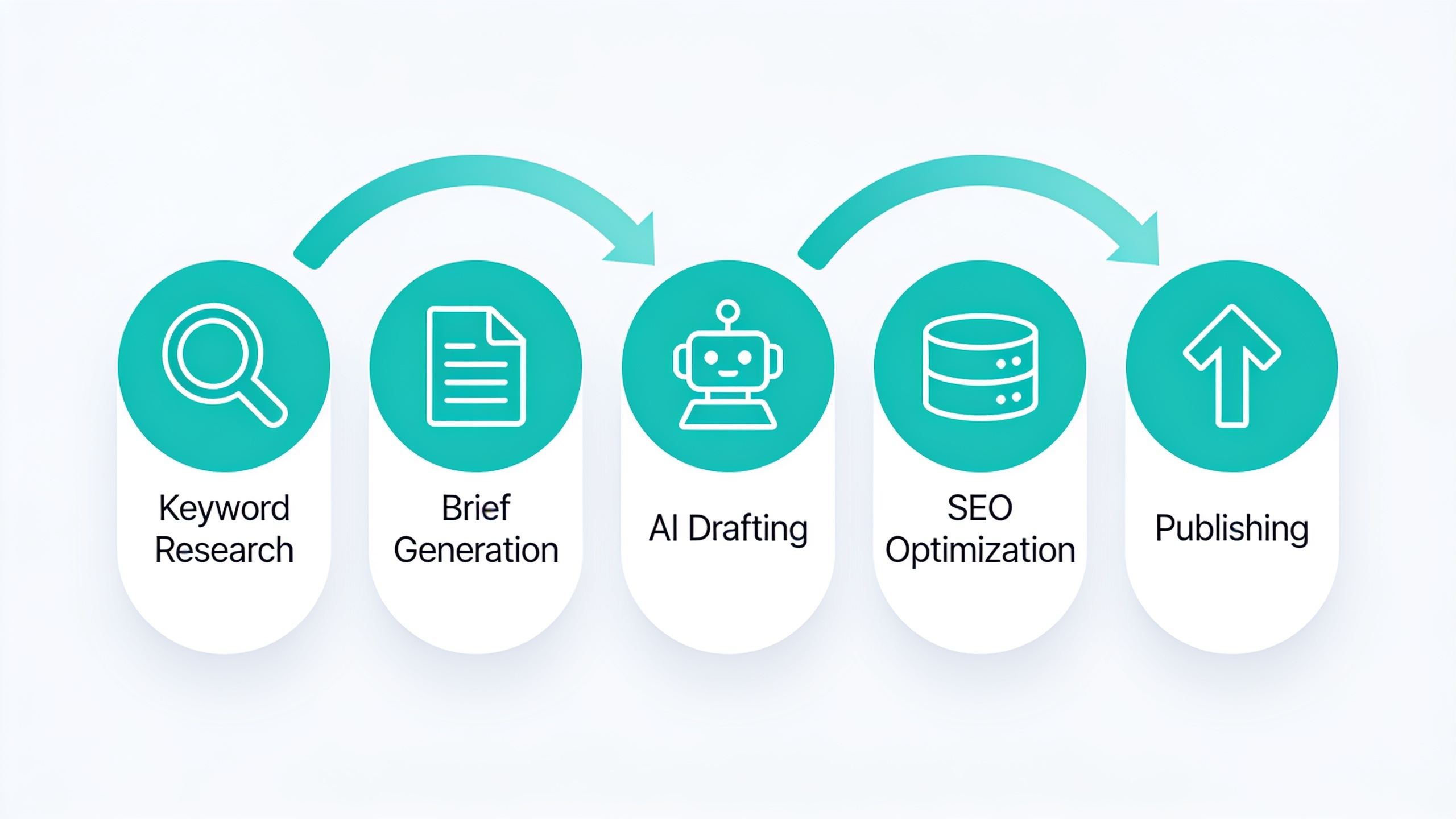
Here's where most people trip up. They rush straight to "get me an AI writer" without building anything around it. Then they've got faster drafts and the exact same slow, manual bottlenecks everywhere else. The magic only kicks in when each stage hands off to the next automatically, without some poor soul copy-pasting between five browser tabs all afternoon.
Stage 1: Automating Topic Research and Keyword Discovery
Automating topic research means hooking a keyword data source directly into your content calendar so new opportunities show up on their own, already ranked by traffic potential and difficulty, instead of waiting for someone to remember to open a keyword tool once a week. This is the foundation. If it's not automated, everything downstream still hangs on a human remembering to go look for ideas. And people forget. That's just how it goes.
Setting Up Continuous Keyword Monitoring
Most SEO platforms (Ahrefs, Semrush, or an all-in-one system like RobinRank) have APIs or built-in automation that can do the tedious stuff for you. On a recurring schedule, they'll pull competitor keyword gaps, flag rising search queries in your niche using trend data, and score keywords by search volume, difficulty, and how relevant they actually are to your business. Then they dump the winners straight into a backlog spreadsheet or project board.
What you're after is a self-refreshing backlog. Instead of your content manager burning three hours a month poking around in a keyword tool, the system quietly surfaces 20 to 50 vetted ideas, and a human just approves or reshuffles them. Way less painful.
Using AI for Topic Clustering
Once you've got a messy pile of keywords, AI clustering tools group them into topic clusters, which are just sets of related keywords a single article (or a small hub-and-spoke setup) can handle together. This matters more than it sounds. Without it you get keyword cannibalization, where two of your own articles end up fighting each other for the same search intent. Which is a dumb way to lose. Tools like Clearscope, Surfer, or RobinRank's research module can cluster hundreds of keywords into clean themes in a couple minutes, a job that'd otherwise eat a strategist's entire day.
Not sure whether you've outgrown manual keyword spreadsheets? It's worth reading 10 Signs Your Business Needs an AI SEO Platform, which spells out the volume and velocity points where automation actually starts paying for itself.
Stage 2: Automating Briefs and Outlines
Automated brief generation uses AI to turn a target keyword into a structured outline, including suggested headings, a target word count, questions to answer, and competitor benchmarks, without a strategist manually researching and typing every brief by hand. This stage is honestly the difference between a fast-but-generic pipeline and one that actually ranks. Skip it and you'll feel the drop-off in quality immediately.
A decent automated brief pulls from three places at once. It runs SERP analysis, scanning the top 10 to 20 ranking pages for common subtopics and heading patterns. It grabs the People Also Ask box and related searches, which are basically the exact questions real humans are typing into Google. And it classifies search intent, figuring out whether the query is informational, commercial, or transactional, because that changes everything about tone and structure.
Platforms like Frase, MarketMuse, and RobinRank automate this by scraping SERP data and feeding it into an LLM (large language model) that spits out a heading structure and talking points in under a minute. Some teams stop right here and hand the brief to a human writer, which is the hybrid model and it's perfectly fine. The fully automated crowd passes the brief straight into an AI drafting tool, which brings us to the fun part.
Stage 3: Automating Drafting With AI Writers
Automated drafting is feeding a structured brief into an AI writing model (usually GPT-4-class or something comparable) to generate a full first draft nobody had to write from scratch. And I can't stress this enough: the output is only as good as what you put in. A vague prompt gives you vague sludge. A data-rich brief with SERP context, target entities, and tone notes gives you something you might actually keep.
What a Good AI Drafting Setup Includes
A real drafting setup is not "paste a prompt into ChatGPT and pray." It's a bit more involved. You want brand voice training so the output sounds like you and not like every other AI blog on earth. You want some kind of fact and citation handling to cut down on hallucinated stats and outdated claims. You want internal linking logic that automatically suggests links to your existing pages. And you want structured formatting (headings, tables, bullets) applied the same way every single time.
This is also exactly where teams get stuck comparing tools forever. If you've been weighing dedicated AI writing platforms against broader SEO automation suites, RobinRank vs Content at Scale: Full Feature Breakdown breaks down how each one handles drafting, optimization, and publishing inside a single connected workflow versus a standalone writing tool that still leaves you doing manual handoffs.
Human Review Checkpoints
Even in a heavily automated pipeline, most editorial teams keep at least one human checkpoint after drafting, usually for factual accuracy, brand fit, and any legal or compliance landmines. A 2024 survey from the Content Marketing Institute found that a majority of B2B marketers using AI in content production still report human editing as part of their standard workflow. So "zero-touch" publishing is still the exception, not the rule, even among the automation-obsessed. Which tells you something.
Stage 4: Automating On-Page SEO Optimization
Automated on-page optimization means running a finished draft through software that scores it against ranking factors (keyword density, readability, heading structure, meta tags, internal links, schema markup) and then either fixes things automatically or flags them for a quick human okay. This stage catches the technical gaps even good writers blow past, like missing alt text or a limp meta description.
Want content like this running on autopilot for your own site? Try RobinRank free — AI-written, SEO-optimized articles generated and published automatically, no credit card required.
Here's what a typical pass looks at:
| Optimization Element | What Gets Checked | Typically Auto-Fixed? |
|---|---|---|
| Title tag | Length, keyword placement, click-through appeal | Often auto-suggested |
| Meta description | Length (under ~160 characters), keyword inclusion | Often auto-generated |
| Heading structure | Logical H2/H3 hierarchy, keyword variation | Auto-flagged |
| Internal links | Relevance, anchor text, link count | Auto-suggested |
| Image alt text | Descriptive, keyword-relevant | Auto-generated |
| Schema markup | Article, FAQ, or product schema present | Auto-applied |
| Readability | Sentence length, passive voice, jargon | Auto-flagged |
| Keyword coverage | Semantic relevance to target topic | Scored numerically |
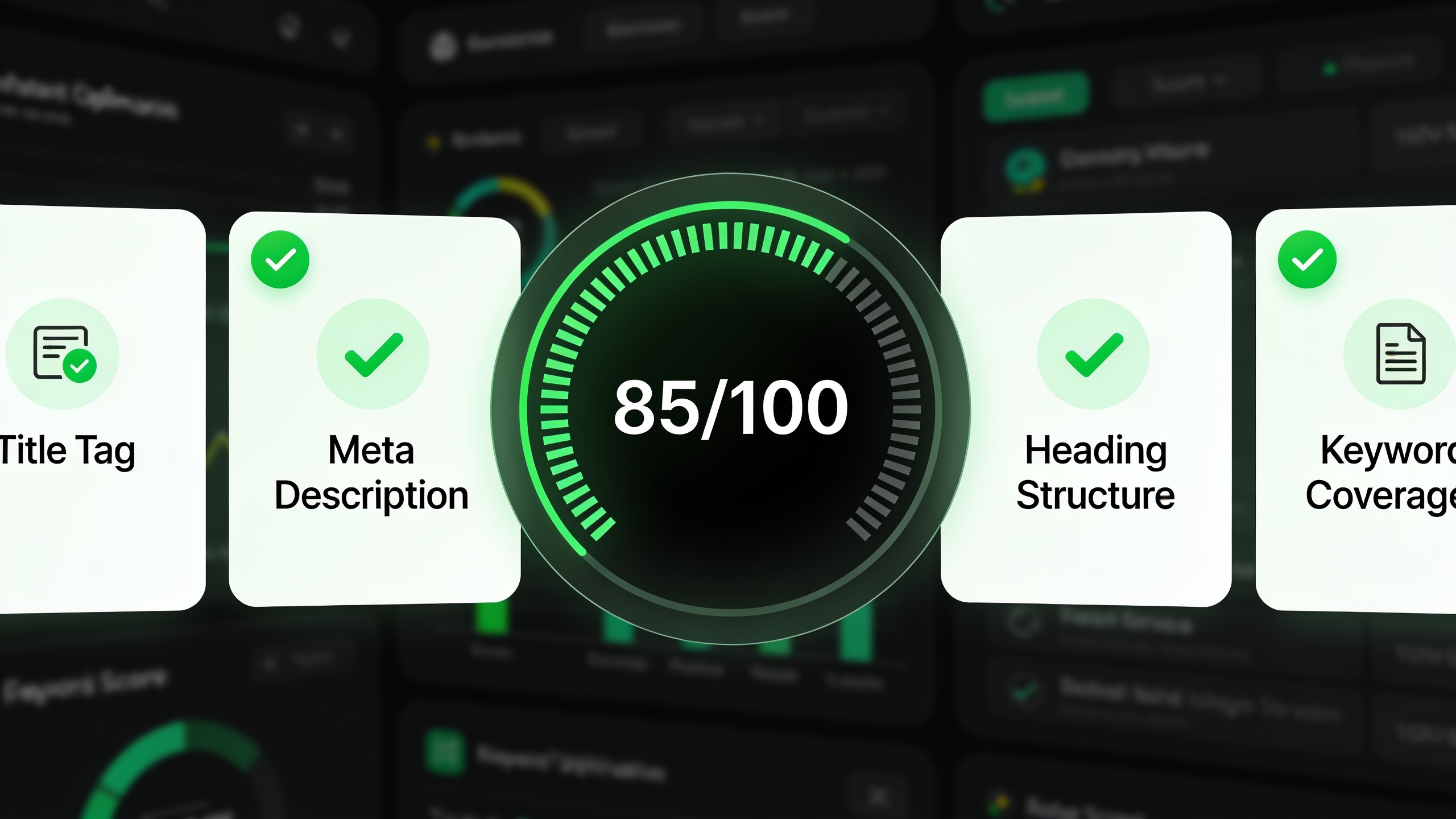
Tools like Surfer SEO and Clearscope hand you a numeric content score based on competitor benchmarking. All-in-one platforms like RobinRank go a step further and apply a lot of these fixes automatically inside the same workflow that generated the draft, so you never have to export your content into some separate optimization tool. And honestly, the fewer tools in the chain, the fewer places for a human to forget a step or fat-finger something.
Stage 5: Automating Review, Approval, and Publishing
Automated publishing means connecting your content tool directly to your CMS (WordPress, Webflow, Shopify, whatever) via API or plugin, so approved articles push live with formatting, images, and metadata intact, without anyone manually pasting text into a CMS editor. This is the stage everybody skips. And it's usually the biggest time sink of the whole operation. Wild, but true.
Building an Approval Workflow That Doesn't Bottleneck
Full automation doesn't mean nobody's watching. It means the watching happens efficiently. A good approval workflow usually has a staging environment where a reviewer can see drafts before they go live, a dead-simple approve/reject/edit action that automatically triggers whatever comes next, automatic Slack or email pings when something's ready for eyes, and a scheduled publishing queue so approved posts go out at smart times instead of dumping five at once on a Tuesday morning.
Tools like Zapier or Make (formerly Integromat) are what most people use to glue this together. Say a draft gets marked "ready for review" in your project tool: that fires a Slack notification, and once somebody hits approve, it publishes to WordPress on its own. Platforms built specifically for content, like RobinRank, just handle all this natively, since the drafting, optimization, and publishing already live in one place and don't need a separate integration layer holding them together with duct tape.
Why the Publishing Step Is Often the Real Bottleneck
Plenty of teams automate research and drafting but still have some human formatting HTML by hand, uploading featured images, and picking categories in WordPress. That's 20 to 30 minutes per article, after the writing's already done. Closing that gap is usually the single highest-leverage thing you can automate, because it's pure time back with basically zero strategic value lost. Nobody's doing their best creative thinking while resizing a thumbnail.
How Much Does Editorial Automation Cost?
Editorial automation runs from about $50 to $500+ a month for a small team stringing together a handful of tools (keyword research, an AI writer, optimization, and a glue tool like Zapier). All-in-one platforms that bundle everything can land anywhere from a few hundred to a few thousand a month depending on how much you're publishing. The real number comes down to your volume and how much of the stack you're building yourself versus buying pre-connected.
Here's the rough lay of the land:
| Approach | Monthly Cost Range | Time Saved vs. Fully Manual | Best For |
|---|---|---|---|
| DIY stack (Ahrefs + ChatGPT + Zapier + WordPress) | $150-$400 | Moderate (still requires manual stitching) | Solo marketers, freelancers |
| Mid-tier SEO content tools (Surfer, Frase, Clearscope) | $200-$600 | Moderate-High | Small content teams |
| All-in-one AI SEO platform (e.g., RobinRank) | $300-$2,000+ | High (single connected workflow) | Agencies, startups, SMBs scaling output |
| Fully custom in-house pipeline (dev-built) | $2,000-$10,000+ setup, ongoing dev cost | Highest, but expensive to build/maintain | Enterprise teams with dedicated dev resources |
The DIY route looks cheapest on paper. But it quietly costs more in hidden labor, because somebody's still hauling content between tools at every stage. That hidden cost is usually the thing that finally pushes teams to consolidate into one platform instead of babysitting a patchwork of point solutions.
Common Mistakes When You Automate Content Pipeline Workflows
The single most common mistake is automating drafting while leaving research, optimization, and publishing manual. It creates a jam at exactly the stages that used to be quick, because now the AI cranks out drafts faster than your team can process them. A pipeline moves only as fast as its slowest connected step. Simple as that.
A few other ways people shoot themselves in the foot:
- Skipping brief quality control. Feed a vague or outdated brief into an AI writer and you'll get generic drafts that need heavy rewrites, which wipes out most of the time you supposedly saved.
- No fact-checking layer. AI models will happily generate confident, plausible, completely wrong statistics. Publishing without a human or automated check is a real reputational and SEO risk (Google's helpful content guidelines flat-out penalize inaccurate, low-value stuff).
- Ignoring internal linking. Automated drafts tend to ship with no links to your existing content, which weakens the topical authority signals search engines lean on to understand your site.
- Over-automating tone. Push out dozens of AI drafts with zero brand voice calibration and your content starts sounding interchangeable with every other AI article in your niche. Congrats, you're now invisible.
- No performance feedback loop. The best pipelines route published-content performance data (rankings, traffic, engagement) back into topic research, so future picks keep getting smarter. Without that loop, you're just repeating the same guesswork, only faster.
Dodging all this really comes down to choosing your checkpoints on purpose instead of automating everything on reflex. The goal is speed without torching the quality signals that readers and search engines actually reward.
FAQ
Can I fully automate content creation with zero human involvement?
Technically, sure. But most SEO folks will tell you to keep at least one human checkpoint, usually right before publishing, to catch factual errors, brand misalignment, or compliance issues. Fully zero-touch pipelines do exist, especially for high-volume programmatic SEO content, but they carry a much bigger risk of quality wobbling all over the place.
What's the difference between an AI writing tool and a full editorial automation platform?
An AI writing tool (basically a GPT wrapper) only handles the drafting part. You still need separate tools for keyword research, optimization, and publishing. A full editorial automation platform links all of those stages into one workflow, so a topic can go from keyword to published article without you playing courier between apps.
How long does it take to set up an automated content pipeline?
A basic DIY setup using tools you already have (keyword tool, ChatGPT, Zapier, a CMS plugin) can be working within a few days. A more robust, fully integrated pipeline on an all-in-one platform can often be live inside a day, since the connections between research, drafting, optimization, and publishing are already built for you.
Will automated content hurt my SEO rankings?
Not by default, no. Google has said it doesn't penalize content just for being AI-generated. It penalizes low-quality, unhelpful content no matter how it was made. The danger isn't the automation itself. It's skipping the quality steps like fact-checking, editing, and optimization along the way.
How do I measure whether my automated pipeline is actually working?
Track publishing velocity (articles per month), average time from topic to publish, organic traffic growth per article over 90 days, and your average content score from the optimization tool. If velocity climbs but traffic and rankings stay flat, your bottleneck is almost always topic selection or content quality, not the automation.
Building an automated content pipeline was never about replacing every human decision with software. It's about spotting which parts of the editorial grind are repetitive and rules-based, handing those to AI and workflow tools, and letting people focus on strategy, judgment, and the final quality check. Start with whatever stage is currently your worst bottleneck, connect it to the stages on either side, and grow from there. The teams that win with automation aren't the ones running the most tools. They're the ones running the fewest tools that connect the most stages together.
Ready to stop writing content by hand? Start your free RobinRank trial and get a full month of SEO-optimized articles published on autopilot.