Schema Markup Explained: How Structured Data Helps You Rank
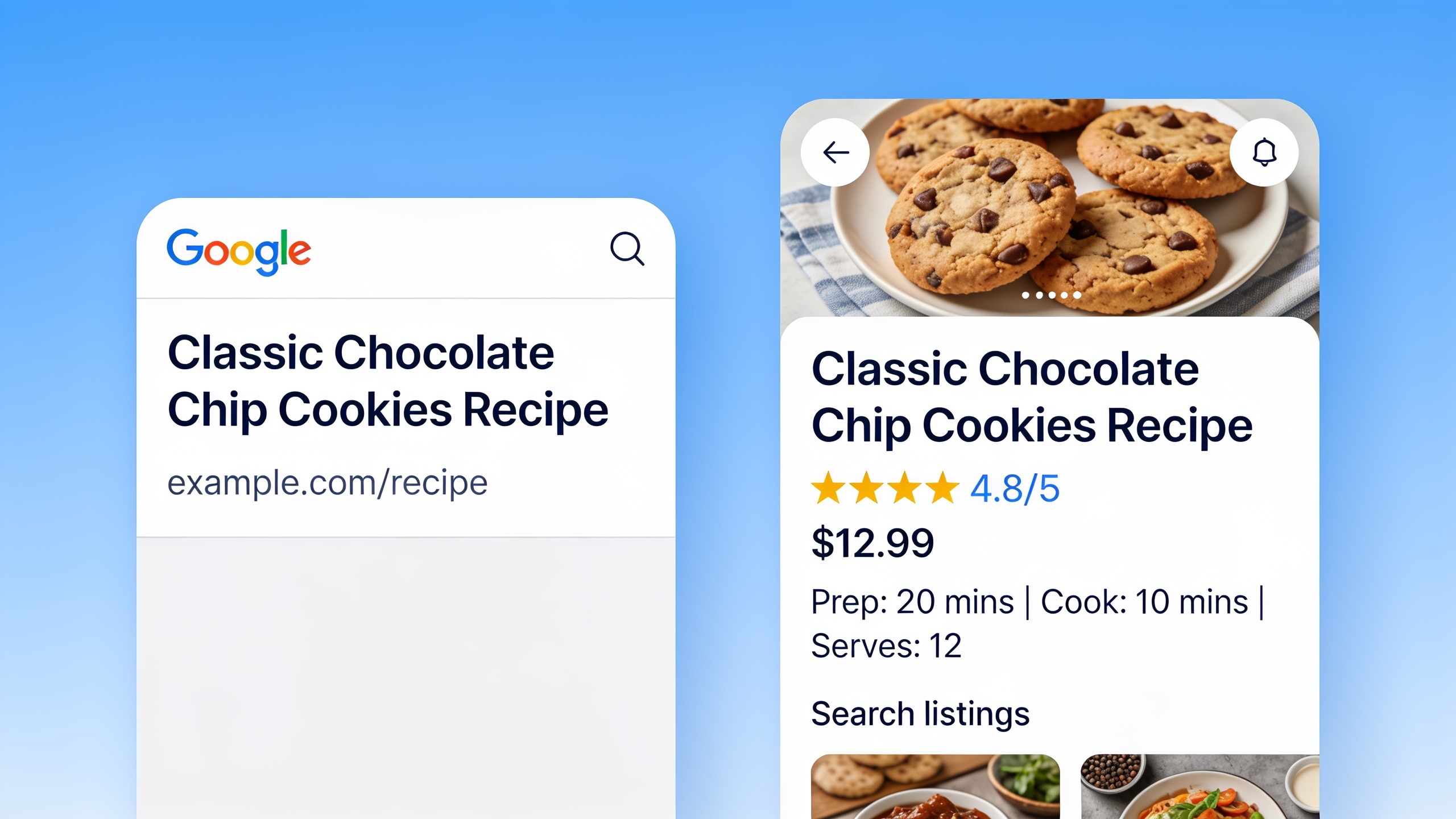
So that's what this guide is about. What schema markup is, which types genuinely matter, how to set it up without breaking anything, and where it fits into the bigger SEO and AI-visibility picture.
Table of Contents
- What Is Schema Markup?
- How Does Schema Markup Affect Search Rankings?
- The Main Types of Schema Markup You Should Know
- Schema Markup vs. Rich Results: What's the Difference?
- How to Implement Structured Data on Your Site
- Common Schema Markup Mistakes to Avoid
- Schema Markup and AI Search: Why It Matters Now More Than Ever
- Frequently Asked Questions
What Is Schema Markup?
Schema markup is a shared vocabulary of tags, maintained by a project called schema.org, that you add to your HTML so search engines can understand your page more precisely. Here's a fun bit of trivia: schema.org launched back in 2011, and it was actually Google, Bing, Yahoo, and Yandex teaming up on it. Four fierce competitors agreeing on one standard instead of building four rival ones. That basically never happens, which tells you how much they all wanted this problem solved.
What schema does, practically, is label the pieces of your page in a way machines can read cleanly. Instead of a search engine squinting at a number and going "is that a price? a phone extension? a date?", it can read a `price` property tagged inside `Offer` schema and just know. That's the whole game. You're taking messy, free-form content and turning it into tidy data points that a machine doesn't have to guess about.
You can write schema in a few different formats, but JSON-LD (JavaScript Object Notation for Linked Data, if you want to sound smart at a meetup) is the one Google recommends. It's easy to generate with code and it doesn't muck around with your visible HTML, which is a big deal. The alternatives, Microdata and RDFa, embed attributes right inside your HTML tags instead of sitting in a separate script block. They work, but they're fiddlier. Honestly, unless you have a specific reason, just use JSON-LD.
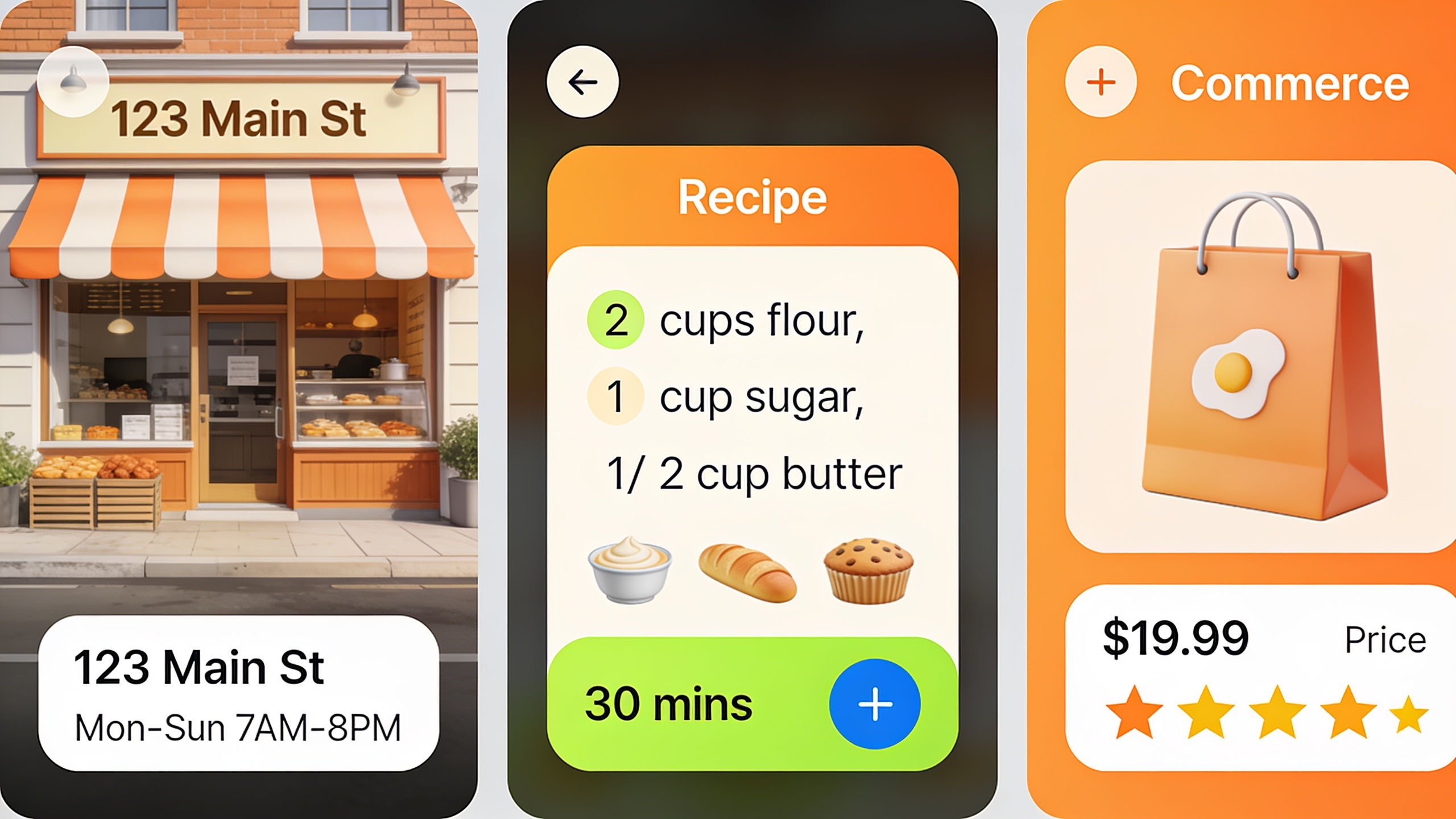
Quick examples so this doesn't stay abstract. A local bakery might slap `LocalBusiness` schema on its homepage with the name, address, phone, hours, and price range. A recipe blogger uses `Recipe` schema for ingredients, prep time, and nutrition. An online store uses `Product` schema for price, stock, and review ratings. Different pages, same goal every time: take the guesswork away from the search engine.
How Does Schema Markup Affect Search Rankings?
Schema markup doesn't directly push you up the organic rankings, but it can seriously change how your listing looks once you're already ranking, and that drives more clicks. And clicks and engagement do matter for visibility over time. Google's own Search Central docs say it flat out: structured data is not a direct ranking factor. What it does do is make your page eligible for rich results, those souped-up listings with stars, images, prices, and FAQ dropdowns that eat up more screen space and pull more eyeballs than a plain blue link ever will.
The mechanism is worth actually understanding, because it explains everything else. Search engines normally have to do a ton of guesswork to figure out what a page is, who wrote it, what it's selling, how it's laid out. Schema wipes out that guessing step. Once Google is confident that a page is a recipe or a job posting or a step-by-step guide, it's far more willing to drop that page into special formats like carousels, knowledge panels, and rich snippets. And those formats grab way more attention than a standard result.
This indirect-but-genuinely-powerful thing is exactly why structured data has become a standard line on technical SEO audits. It's not a magic ranking button. It's a visibility button. Picture two product pages at the same rank on the same results page. One has review-star schema, one doesn't. The one with stars wins the click almost every time. Same position, better real estate.
Oh, and it goes beyond click-through rate too. Schema feeds what search engines and AI systems understand about your entity, your business, your authors, your organization, which rolls up into broader trust and relevance signals across the whole web instead of just one lonely query.
The Main Types of Schema Markup You Should Know
There's no single universal schema type. Schema.org maintains hundreds of types and properties, and Google supports a specific chunk of them for rich results. Which one you reach for depends entirely on what's actually on the page.
Article and Blog Schema
`Article`, `NewsArticle`, and `BlogPosting` schema tell search engines "hey, this is editorial content," and they can carry the headline, author, publish date, and featured image. This is one of the most broadly useful types for content folks, since basically every blog post or news piece qualifies. It's also foundational for author and publisher credibility, which matters more and more when you're trying to make sure your work gets properly attributed and cited. There's a lot more on that in how to write SEO content that ranks in AI search engines.
Product and Offer Schema
`Product` schema, usually paired up with `Offer` and `AggregateRating`, lets ecommerce pages show price, availability, and star ratings right in the results. For sales, this is probably the most valuable type there is, because it visually sets your listing apart before a shopper even thinks about clicking.
LocalBusiness Schema
`LocalBusiness` (and its many, many subtypes like `Restaurant` or `Dentist`) marks up your address, hours, phone number, and coordinates. If you care about local SEO at all, this one's non-negotiable. It feeds map packs, local knowledge panels, and all those voice-assistant answers to "who's open near me right now."
FAQ and HowTo Schema
`FAQPage` schema structures your Q&A so it can show up as an expandable dropdown in the results, while `HowTo` schema breaks a process into ordered steps. Both reward content that's already organized well, which is exactly the kind of structure recommended in 15 SEO content briefs every writer needs before hitting publish. A well-briefed article tends to map onto FAQ and step-based schema almost by accident.
Review and AggregateRating Schema
`Review` and `AggregateRating` schema are what power those star ratings you see next to products, recipes, and local businesses. Fair warning: Google has really tightened the screws here over the last few years, clamping down on self-serving review markup on service and organization pages because people were, predictably, gaming it.
Organization and Person Schema
`Organization` and `Person` schema define your entities, your company and your team and your authors, with properties like logo, social profiles (the `sameAs` field), and job title. This is the heart of entity-based SEO. It's how you help search engines connect the dots between all your brand mentions and profiles scattered across the web.
BreadcrumbList Schema
`BreadcrumbList` schema swaps out a long ugly URL in the search results for a clean navigational path (Home > Blog > Category). Better for the person reading it, and it shows how the page fits into your site's structure.
Here's a quick rundown of the common types and what each one unlocks:
| Schema Type | Best For | Rich Result Enabled | Who Should Use It |
|---|---|---|---|
| Article / BlogPosting | Blog posts, news content | Top Stories carousel, headline snippet | Content marketers, publishers |
| Product / Offer | Ecommerce listings | Price, availability, star rating | Online retailers |
| LocalBusiness | Physical storefronts, service providers | Map pack details, knowledge panel | Small business owners |
| FAQPage | Question-based content | Expandable FAQ dropdown | Bloggers, SaaS support pages |
| HowTo | Step-by-step tutorials | Numbered step display | DIY, education, software guides |
| Review / AggregateRating | Products, services, recipes | Star ratings in snippet | Ecommerce, review sites |
| Organization / Person | Company and author pages | Knowledge panel, author byline | Agencies, thought leaders |
| BreadcrumbList | Any multi-level site | Breadcrumb trail in URL display | Nearly every website |
Want content like this running on autopilot for your own site? Try RobinRank free — AI-written, SEO-optimized articles generated and published automatically, no credit card required.
Schema Markup vs. Rich Results: What's the Difference?
Simple version: schema markup is the code, rich results are the pretty thing that shows up. Adding structured data makes your page eligible for a rich result. It doesn't force one to appear. Google still gets the final say on whether and when to actually show it.
This trips people up constantly. Someone adds `FAQPage` schema and expects a dropdown to magically pop into the results by dinner. Nope. Google weighs page quality, relevance, and whether you're playing by the rules before it hands you the enhanced display. You can confirm your markup is technically correct with Google's Rich Results Test, but a "valid" verdict there only means your code is readable. It's not a promise the rich result actually shows up in live search.
Worth knowing too: Google regularly changes its mind about which schema types even qualify for rich results. It's pulled back on which sites get certain review-star displays and quietly retired whole rich result types over the years as it tweaks its quality bar. So this isn't a set-it-and-forget-it thing. You've got to keep an eye on what's currently supported and adjust, ideally as part of a recurring technical SEO check rather than a one-and-done job you did in 2022 and never looked at again.
How to Implement Structured Data on Your Site
Getting schema live comes down to three moves: pick the right schema type for the page, write (or generate) valid JSON-LD, and validate it before you hit publish. Let's walk through it.
Step 1: Identify the Right Schema Type for Each Page
Match the page's main job to a schema.org type. A recipe page uses `Recipe`, not `Article`. A plumbing company's service page uses `LocalBusiness` or a fitting subtype, not some vague `Organization` markup. Reaching for the wrong or too-broad type is a super common reason markup either fails validation or just sits there doing nothing.
Step 2: Write or Generate the JSON-LD
JSON-LD lives inside a `