Turning Blog Traffic Into Leads: A Content Lead Generation Playbook
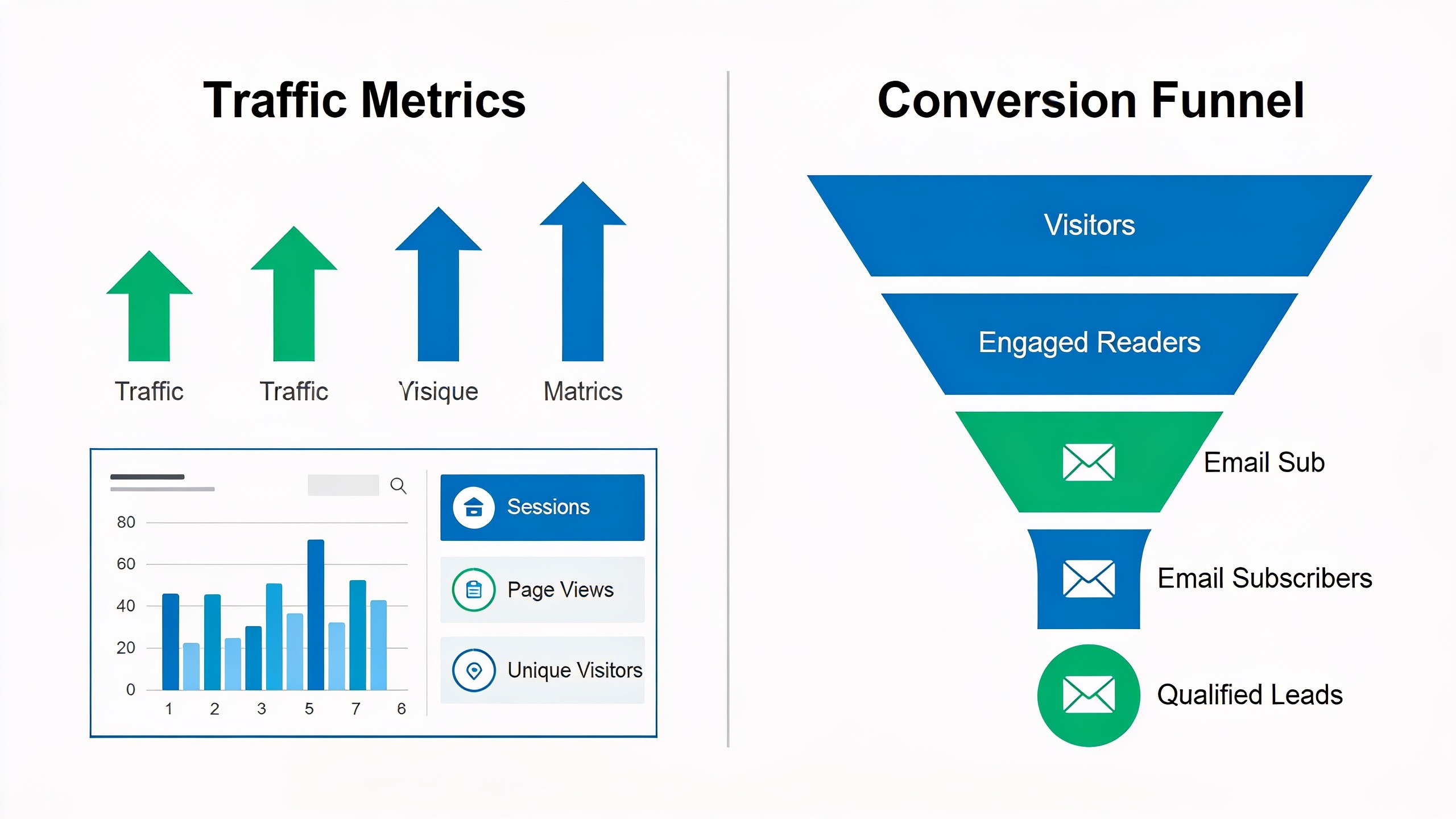
This playbook is about the practical stuff. How to retrofit that system onto content you've already published, section by section.
If you're an SEO, a content marketer, or a founder who's spent months grinding out organic traffic and keeps staring at the pipeline wondering where the leads are, this is the gap you're staring at. Let's fix it.
Table of Contents
- Why Blog Traffic Doesn't Automatically Become Leads
- What Is Content Lead Generation, and How Does It Differ from Traffic Generation?
- Building a Blog Conversion Strategy: The Content-to-Conversion Framework
- How Do You Choose the Right Lead Magnet for Each Article?
- Where and How to Place CTAs Without Hurting Readability
- Mapping Content to the Buyer Journey: Conversion Paths That Work
- How Much Uplift Can You Expect From Optimizing Existing Content?
- Measuring and Iterating Your Content Lead Generation Program
Why Blog Traffic Doesn't Automatically Become Leads
Blog traffic and lead generation are two different systems that just happen to live on the same page. And treating them like one thing is exactly why so many "successful" blogs feel like a dead end for the actual business. Traffic tells you whether people showed up. Conversion tells you whether they did anything useful once they got there. A blog can absolutely crush the first metric and completely whiff on the second.
This happens for a handful of predictable reasons, and honestly none of them are mysterious once you look.
Most articles get written to satisfy search intent, not to sell anyone anything. Which is correct SEO practice! But it also means the CTA tends to be an afterthought, bolted onto the bottom of the page where roughly nobody scrolls. Then there's the offer problem: a lot of blogs give readers exactly one way to convert (usually a bland "Contact Us" or a newsletter signup) no matter what the person just read. So the ask never matches where the reader actually is. And finally, content that ranks great today quietly rots over time. If your only conversion mechanism lives on pages that are slowly losing visibility, your lead flow shrinks and you might not even notice why. That slow-motion decay is something I dug into over in Content Decay: Why Your Best Articles Stop Ranking.
The fix isn't more content. It's redesigning what you've already got so every page does two jobs at once. Rank, and convert.
What Is Content Lead Generation, and How Does It Differ from Traffic Generation?
Content lead generation is the practice of using blog content specifically to capture identifiable prospects, through forms, gated resources, or direct action requests, instead of just attracting anonymous drive-by visitors from search. Traffic generation is the upstream part (SEO, distribution, backlinks) that gets bodies onto the page. Content lead generation is the downstream system that turns some percentage of those bodies into contacts your sales or marketing team can actually call.
The distinction matters because the two require totally different skills. Traffic generation is about topical relevance, keyword targeting, technical SEO, authority signals, that whole world. Content lead generation is psychology and page architecture: what you offer, when you offer it, how much friction sits between the reader and that offer, and whether the offer even relates to what they came looking for.
Here's the part that trips people up. A blog can have gorgeous technical SEO and generate almost zero leads, because nobody ever built the conversion layer. Meanwhile a blog with modest traffic and a tight, well-matched offer on every single page can out-produce a much bigger blog in actual pipeline. Size isn't the thing. Fit is the thing.
The mental model I keep coming back to: traffic is the top of a funnel whose shape you don't control (Google decides who shows up). Content lead generation is the part of the funnel that's entirely yours. The offer, the design, the follow-up. That's your turf.
Building a Blog Conversion Strategy: The Content-to-Conversion Framework
A blog conversion strategy is a repeatable system for matching each article's content and search intent to a specific offer, CTA placement, and next step, instead of slapping the same generic form onto every post. Without some structure here, teams tend to swing to one of two extremes. Either they over-gate (demanding an email before they've delivered any value at all) or they under-ask (one limp CTA nobody sees).
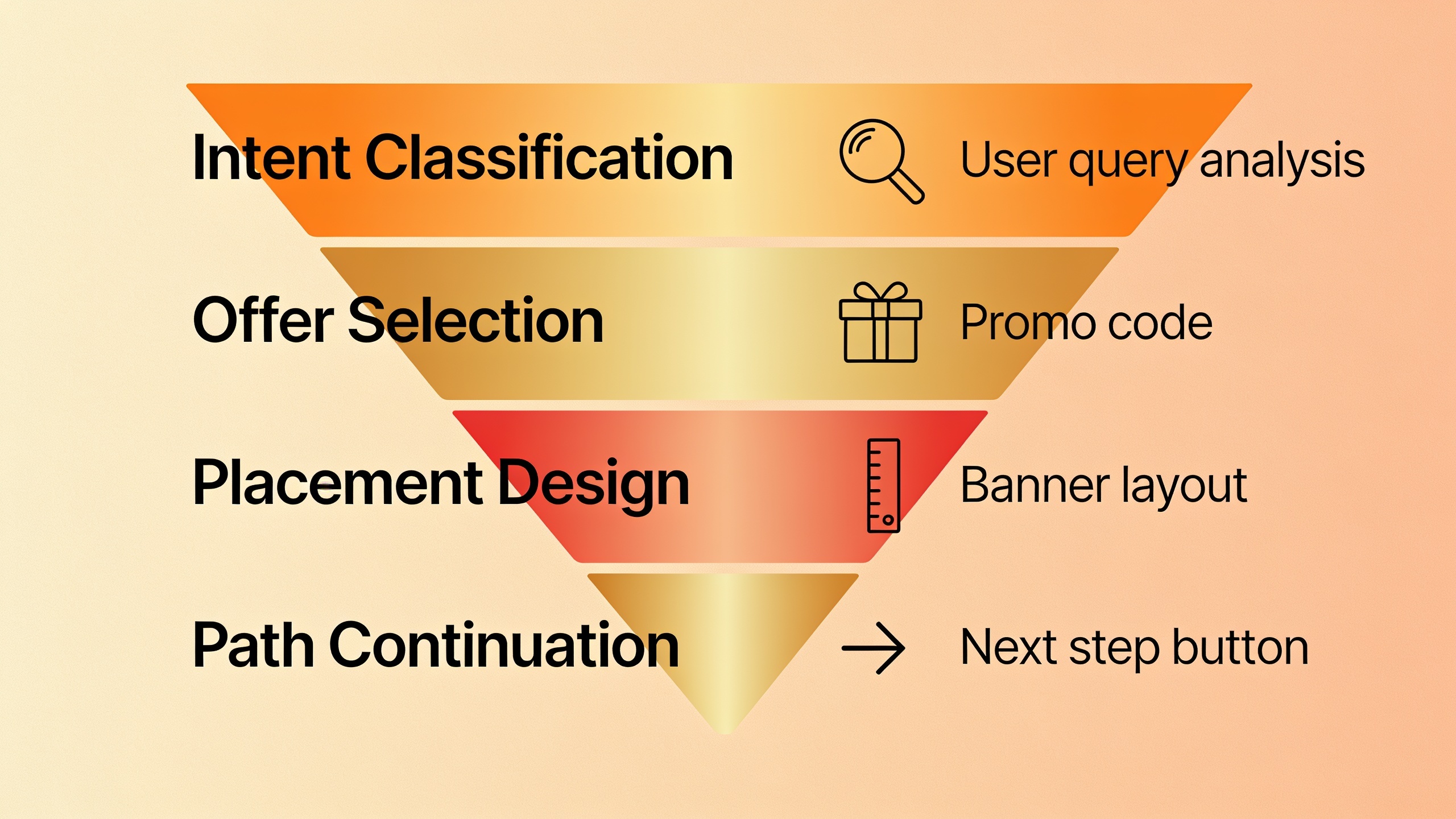
The framework has four layers. Plan them in this order, not backwards after the article's already live.
1. Intent classification. Before you add anything, figure out what the reader actually wants from this specific article. Are they researching a problem (top of funnel), comparing solutions (middle), or hunting for implementation help (bottom)? A "what is X" post and an "X vs Y pricing" post deserve wildly different offers. Don't treat them the same.
2. Offer selection. Pick one primary lead magnet or CTA per article that fits that intent. One. Not three competing options that split the reader's attention into confetti.
3. Placement design. Decide where the offer shows up (inline, mid-article, exit-intent, sidebar) based on how people actually read that type of content.
4. Path continuation. Define what happens after the click. A landing page, a nurture sequence, a booking calendar, something. So the lead doesn't go stone cold the instant they convert.
Most blogs skip layers 1 and 4 entirely, which is precisely why their CTAs feel like they were teleported in from a different website. A real blog conversion strategy treats the article and the offer as one designed unit. Not two separate projects handed off between two people who never talk.
How Do You Choose the Right Lead Magnet for Each Article?
The right lead magnet solves the very next problem the reader will have the moment they finish reading, not some generic download that could theoretically apply to anybody on earth. A lead magnet, just so we're on the same page, is any resource you offer in exchange for contact info: a checklist, a template, a calculator, a webinar, an extended guide, a free trial.
Matching the magnet to the article's intent level is where most teams fall on their face. Somebody reading a beginner "what is X" post is not ready for a demo request. They're just not. But somebody reading a detailed comparison or a troubleshooting deep-dive? They might be. Here's roughly how the main magnet types tend to land against different intent stages, based on how well each format matches what the reader expects.
| Lead Magnet Type | Best Matched To | Friction Level | Typical Use Case |
|---|---|---|---|
| Checklist / cheat sheet | Top-of-funnel, beginner posts | Low | Quick reference to accompany a "how to" article |
| Template or swipe file | Middle-of-funnel, practical how-to posts | Low–Medium | Reader is ready to act, wants a shortcut |
| Calculator or interactive tool | Middle-of-funnel, comparison or ROI posts | Medium | Reader is quantifying a decision |
| Extended guide / ebook | Top-to-middle funnel, broad topic posts | Medium | Reader wants depth beyond the article |
| Webinar / live demo | Bottom-of-funnel, solution-aware posts | High | Reader is close to evaluating vendors |
| Free trial / product access | Bottom-of-funnel, comparison or "best tools" posts | High | Reader is actively shopping |
Rough rule of thumb: the more specific and immediately usable your magnet, the lower the friction you can get away with, because it reads as low-risk. This is why broad generic ebooks tend to flop next to a tightly scoped template or checklist. Same ask (your email), way less obvious payoff. Nobody gets excited about a 40-page PDF they'll never open.
Where and How to Place CTAs Without Hurting Readability
Good CTA placement means your call-to-action shows up at the exact moments the reader is most persuaded, not just parked at the top and bottom of the page by default. Quick definition for anyone new: a CTA is any prompt asking the reader to do a specific thing next. Subscribe, download, book a call, start a trial.
Three placement zones reliably beat a lonely bottom-of-page CTA.
There's the inline, mid-content spot, dropped right after a section that resolves a real pain point. A single contextual line ("Want the checklist version of this whole process? Grab it here.") converts better than a big banner, because it feels like more value rather than an ad crashing the party.
Then there's what I think of as the post-value slot, right after the "aha" moment. If your article has a framework or an example or a data point that genuinely lands, the sentence immediately after that is the single highest-attention spot on the page. That's where a slightly bigger ask (a tool, a template, a demo) tends to convert better than the same ask parked at the very end, when everyone's attention has already leaked away.
Want content like this running on autopilot for your own site? Try RobinRank free — AI-written, SEO-optimized articles generated and published automatically, no credit card required.
And exit-intent or scroll-depth triggers. For readers who make it to 70–80% of the page without doing anything, a lighter secondary offer (a newsletter, usually) can catch attention that a static CTA would've missed completely.
What to avoid, and I've seen all of these way too many times: stacking a bunch of competing CTAs above the fold, using dead button text like "Submit" instead of something outcome-based like "Get the Template," and repeating the identical CTA three times in one article, which reads as noise instead of reinforcement. One well-placed, well-matched CTA per intent zone beats a wall of identical buttons every single time.
Mapping Content to the Buyer Journey: Conversion Paths That Work
A conversion path is the sequence of steps a reader takes from landing on your article to becoming a qualified lead, and mapping it out on purpose is what stops leads from stalling right after the first click. Without a defined path, a "download" click usually dumps the person onto a dead-end thank-you page with zero follow-up. They converted, technically. The business got nothing it can use. Congrats, I guess.
A working path has three connected stages.
First, capture. The CTA or lead magnet grabs an email or contact detail, ideally with one short qualifying field (company size, role, use case) that helps you route the lead later without piling on friction. Keep it short. Every extra field costs you people.
Second, confirm and deliver. Hand over the lead magnet immediately, and use that confirmation moment to set up what comes next instead of leaving it hanging. This is also a great spot to float a secondary, slightly higher-intent offer for the readers who want to keep going right now while they're warm.
Third, nurture and route. The lead drops into an email sequence or CRM workflow that matches the intent level of the article they came from. Somebody captured off a bottom-of-funnel comparison post should be routed differently (often faster, often straight to sales) than somebody who wandered in off a broad educational piece.
Posts written purely for search visibility usually have none of this built in, which is exactly why running a content audit before you sink more money into conversion work is such a smart move. Figuring out what's actually driving traffic, and whether that traffic has any prayer of converting, is something I walked through step by step in How to Perform a Content Audit That Actually Improves Traffic. Do that audit first. It'll save you from bolting CTAs onto pages that are already sliding down the rankings or pulling in the wrong crowd entirely.
How Much Uplift Can You Expect From Optimizing Existing Content?
Honest answer? It depends heavily on the article's existing traffic quality and how well its search intent matches your offer, and you should treat it as a testable variable rather than a magic number. There's no universal conversion rate that holds across industries, article types, and offer designs. Anyone who quotes you one is guessing.
What is consistent, directionally, is this: an article with a matched, well-placed offer converts measurably better than the same article with no CTA or a generic one. Not because of some voodoo, but because a relevant ask showing up at the right moment removes the reader's guesswork about what to do next.
So instead of chasing a benchmark, go comparative. Take your highest-traffic articles that currently have weak or nonexistent conversion elements, add a matched lead magnet and a properly placed CTA, and measure the before-and-after conversion rate on that exact page over a comparable time window. That flips the question from "what's the industry average" (unknowable, kind of useless) to "did this change move this page" (which is the only number that actually tells you what to do next).
And be smart about the order you tackle these in. Pages that still rank well and pull steady organic traffic but have zero conversion mechanism? Those are your highest-leverage targets by a mile. You're not fighting for visibility anymore. You already won that. You're just finally cashing in on it. Pages that are bleeding rankings from content decay are lower priority for conversion work until you fix the underlying visibility problem first, because a shrinking audience means a shrinking lead pool no matter how brilliant your CTA is.
Measuring and Iterating Your Content Lead Generation Program
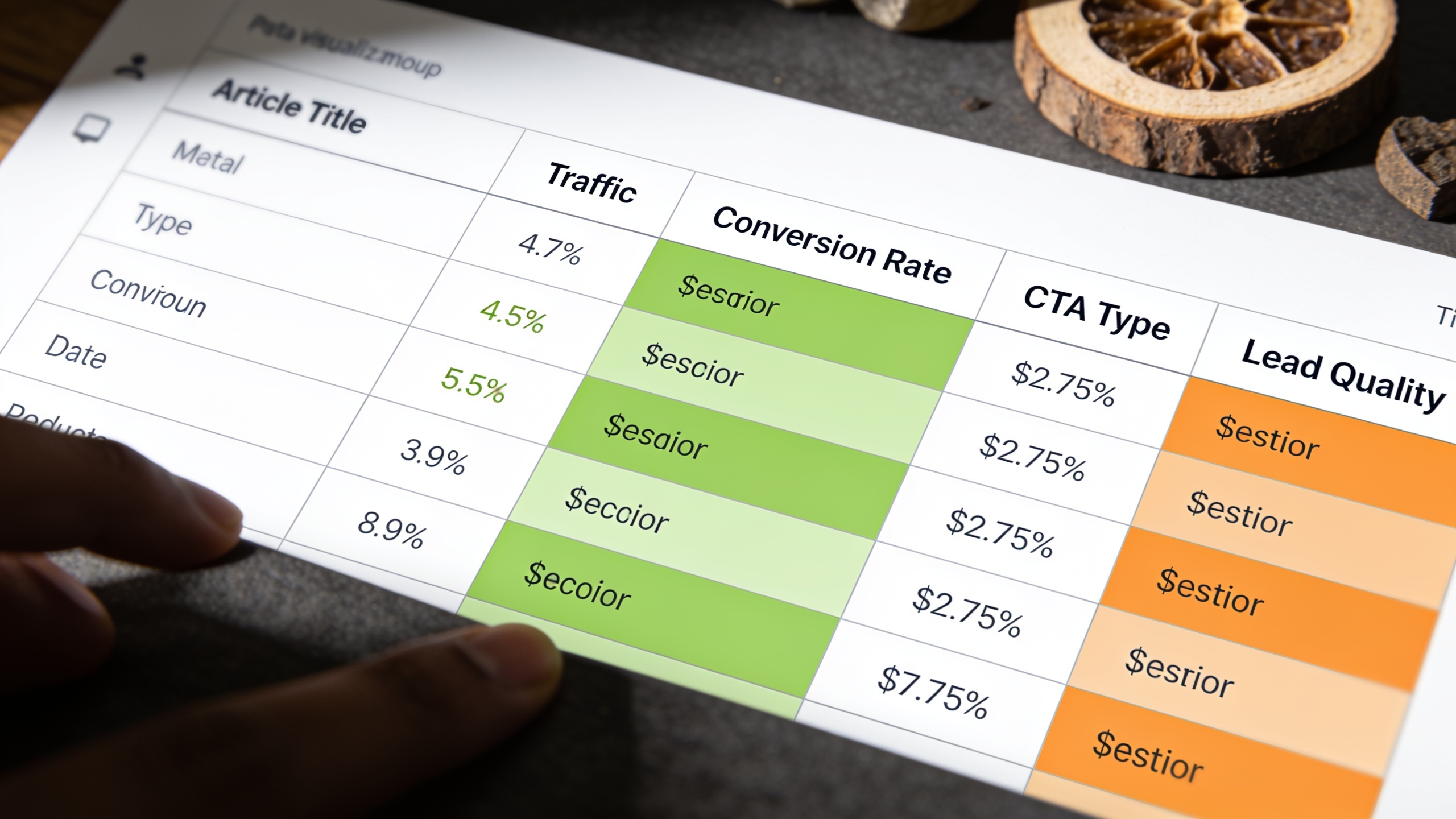
Measuring content lead generation means tracking conversion rate per article, not just aggregate blog traffic or total lead count, because averaged numbers bury which specific pages and offers are actually pulling their weight. At bare minimum you want four things tracked per article: unique visitors, CTA click-through rate, form completion rate, and (where you can swing it) downstream lead quality. As in, did this lead ever turn into a real sales conversation or a customer, or did it just pad the count?
A dead-simple monthly review beats an elaborate dashboard nobody opens. Every month I'd:
- Pull the top 10 articles by traffic and check whether each one has a matched offer and a working conversion path.
- Pull the top 10 by conversion rate (not traffic) and hunt for patterns you can copy elsewhere. Intent type, offer format, placement.
- Flag any high-traffic article sitting at basically zero conversion as an immediate fix.
- Kill or consolidate CTAs that keep underperforming instead of leaving dead offers hanging around forever.
This is also where content operations bumps right up against production capacity. Teams without a dedicated content crew tend to struggle to keep this review cycle alive, simply because writing, publishing, and updating articles already eats most of the week. There's just no time left for the conversion layer.
That's the specific gap RobinRank is built to close on the production side. It plans, writes, and publishes SEO-optimized articles straight to a connected CMS on a set schedule, which frees up the hours that would otherwise vanish into content creation. So your team can actually focus on the conversion layer (the CTAs, lead magnets, and paths in this playbook) instead of forever cranking out fresh drafts from scratch.
Frequently Asked Questions
Wait, what's the actual difference between a lead magnet and a CTA?
A CTA (call-to-action) is the prompt itself. The line of text or the button asking the reader to do something. A lead magnet is the actual resource you're offering in exchange for their contact info: a template, checklist, guide, whatever. A CTA can live without a lead magnet (like "Book a demo"), but a lead magnet always needs a CTA to announce it. One's the invitation, one's the thing you're inviting them to.
Does every blog post really need a lead capture form?
Nope. Top-of-funnel educational posts usually do better with a lower-friction ask, like a newsletter signup or a related-article link. Bottom-of-funnel comparison or "best tools" posts can handle a heavier ask like a demo or trial. Force the same gated form onto every post regardless of intent and you'll quietly suppress both engagement and conversion. Match the ask to the moment.
How many CTAs should one post have?
Generally one primary offer per intent zone. In practice that often means one inline CTA and one end-of-article or exit-intent CTA, not five competing asks. Repeating the same CTA can reinforce it, but mixing a bunch of different offers on one page just gives people decision fatigue, which is the opposite of what you want.
Does adding CTAs hurt SEO or page experience?
Not inherently, no. Search engines look at content quality and user experience broadly, and a well-placed, relevant CTA that doesn't block your main content or fire off intrusive interstitials isn't a ranking problem. The real risk to page experience is aggressive pop-ups that slam the door in the reader's face before they've read a word. Don't be that site.
How do I even know if my existing content is worth optimizing for conversions?
Start by checking whether the article still ranks and still gets meaningful organic traffic. If it's already losing visibility to content decay, fix the content itself before you touch conversion elements. A structured content audit is the fastest way to sort the pages worth optimizing from the ones that need a refresh first. Don't skip that step.
Turning existing blog traffic into leads rarely needs a bigger content budget. It needs you to treat the articles you already have as unfinished products. Each one wants an intent classification, a matched offer, a placement plan, and a defined path for what happens after the click. Do that consistently across your highest-traffic pages, measure conversion rate per article instead of some blurry aggregate, and the same blog that's been quietly racking up clicks all this time can finally start building you a pipeline.
Ready to stop writing content by hand? Start your free RobinRank trial and get a full month of SEO-optimized articles published on autopilot.