Voice Search Optimization: Writing Content People Can Actually Ask For
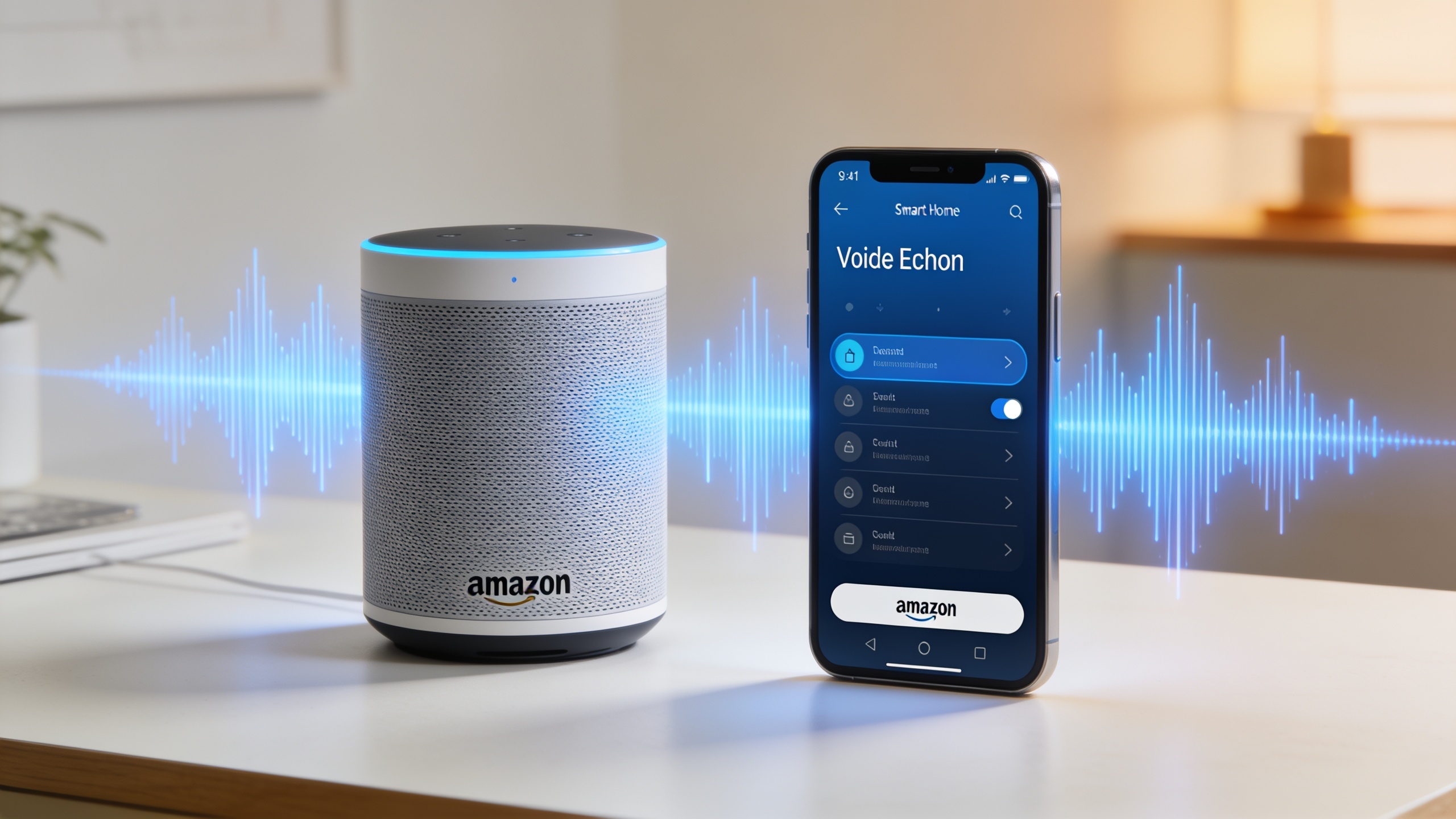
So in this piece I want to walk through how voice search really works, why spoken queries behave so differently from typed ones, and what you can actually do about it, whether you're running a blog, a marketing team, or a plumbing business that lives or dies by "near me" searches.
Table of Contents
- What Is Voice Search Optimization?
- How Voice Queries Differ From Typed Search Queries
- Why Voice Search Optimization Matters for Businesses Today
- How Do You Optimize Content for Voice Search?
- Structuring Content So It Can Be Read Aloud
- Local SEO and Voice Search: A Natural Pairing
- Common Voice Search Optimization Mistakes
- Frequently Asked Questions
What Is Voice Search Optimization?
Voice search optimization is the process of tweaking your content, the language, the structure, the technical markup, so it can get pulled up and read aloud by a voice assistant or smart speaker. Now, traditional SEO is mostly about clawing your way into one of the ten blue links on a results page. Voice is different. It's usually a fight for a single answer, because most assistants read back exactly one result and then shut up.
That's what makes it brutal, honestly. If your page ranks third in a normal Google search, fine, plenty of people still scroll and click. But being the "third best" answer to a spoken question? Nobody hears you. The assistant picks one response, says it, done. So voice search SEO ends up rewarding content that answers a specific question directly, in plain human language, right near the top of the page.
There's a lot of overlap here with just... writing the way people actually think and talk instead of how they hammer keywords into a box. And it ties into the boring-but-important stuff too: structured data, page speed, your local business listings. All of that feeds into whether an assistant decides your page is trustworthy enough to speak for you.
How Voice Queries Differ From Typed Search Queries
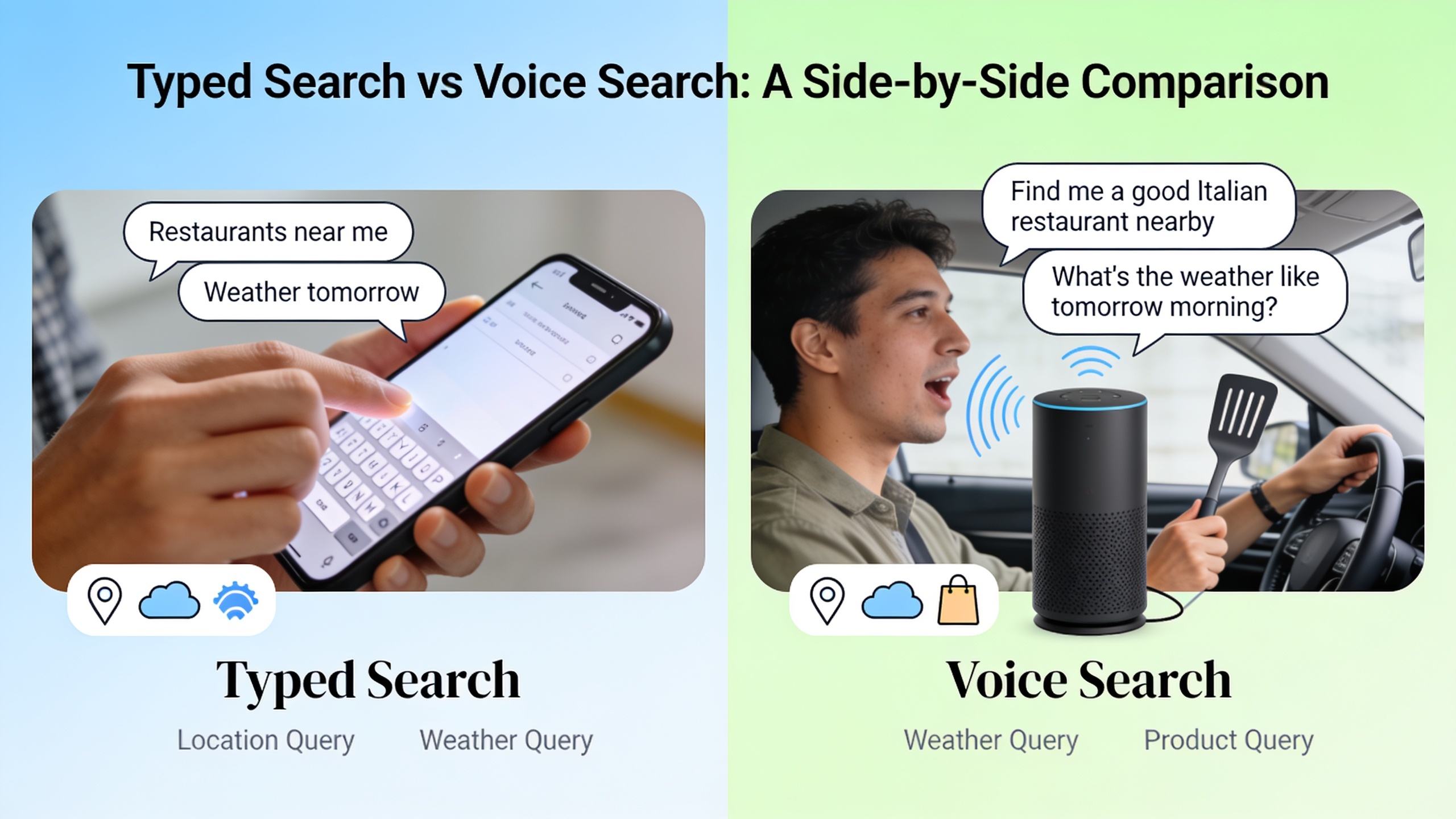
Spoken queries are longer, chattier, and much more likely to be phrased as complete questions than typed ones, which tend to be clipped little keyword fragments. Somebody typing into Google might punch in "best pizza NYC." That same person talking to their phone? They'll say something like, "What's the best pizza place near me that's open right now?"
And that gap matters, because search engines match content to how the query is actually phrased. If you built your whole page around short, stubby keyword phrases, you can whiff completely when the real query shows up as a full sentence stuffed with connective words like "who," "what," "where," "how," and "near me."
Query Length and Structure
Typed queries run a few words. Spoken ones sprawl, because people talk the way they think, in complete sentences with natural pauses. A typed search might be "voice search optimization tips." Say it out loud and it becomes something more like, "What are some good ways to optimize my content for voice search?" Same intent, totally different shape.
Question Words Dominate
Spoken queries lean hard on question words. Who, what, when, where, why, how. Makes sense, right? People are literally asking a question out loud, not barking a command at a text box. So content that explicitly answers those question formats, ideally using the exact same words in a heading or an opening line, has a real structural edge.
Local and Immediate Intent
A huge chunk of voice searches carry local or time-sensitive intent, especially on phones, because people are usually doing something else with their hands. Driving. Cooking. Wrestling a toddler. Phrases like "near me," "open now," and "closest" show up way more often in spoken queries than in typed ones.
| Search Pattern | Typed Search Example | Voice Search Example |
|---|---|---|
| Query length | Short, fragmented | Long, conversational |
| Phrasing style | Keyword-based | Full question or sentence |
| Common triggers | "best," "top," "cheap" | "who," "what," "how," "near me" |
| Device context | Desktop or mobile, hands available | Mobile, smart speaker, car, hands often busy |
| Result expectation | List of ranked links | One spoken answer, often no visual list |
| Intent signal | Broad or research-based | Immediate, local, or task-based |
Why Voice Search Optimization Matters for Businesses Today
Voice search optimization matters because it decides whether your content, product, or local listing even gets mentioned when someone asks a question out loud instead of typing it. Smart speakers, phone assistants, in-car systems, they've all become such a normal part of daily life that a meaningful slice of searching now never touches a traditional results page at all.
For small business owners and local service folks, this is a big deal. Think about someone standing in a flooding kitchen asking their phone, "Who does emergency plumbing near me?" That person is not scrolling. They're calling whoever the assistant names first. If your website, your Google Business Profile, and your structured data aren't set up to answer that exact question, guess whose phone rings instead? Your competitor's.
And here's where it gets interesting for content marketers and SEO people. Voice search bleeds right into the whole world of AI answer engines, ChatGPT, Gemini, Perplexity, which also tend to spit out one synthesized answer rather than a ranked list. The habits that make your content easy for a voice assistant to read (clear direct answers, tidy headings, explicit definitions) are pretty much the same habits that make it easy for an AI to cite. Which is exactly why a lot of teams now treat voice optimization and AI-answer optimization as the same project wearing two hats. If you want to go deeper on writing that plays well across these AI surfaces, this is a good read: How to Write SEO Content That Ranks in AI Search Engines.
How Do You Optimize Content for Voice Search?
Optimizing for voice search means writing direct answers to the questions people actually ask out loud, in natural conversational language, and then backing it up with technical stuff like structured data and fast load times. There's no magic switch. It's a mix of writing decisions and technical setup that, together, make your page easier for an assistant to read.
Start with question-based keywords. Voice SEO really begins by figuring out the questions your audience says out loud, not just the keyword phrases they'd type. "People Also Ask" boxes, autocomplete suggestions, forum threads, all gold mines for this. Once you've got those questions, they work beautifully as H2 or H3 headings with a short, direct answer right underneath.
Then write like a person. Content aimed at spoken queries should sound like something an actual human would say, not a stiff string of keywords. Short, clear sentences that echo everyday speech tend to match how an assistant parses and reads an answer. This doesn't mean dumbing things down or ditching professionalism. It just means picking plain language over jargon whenever you can.
And front-load the answer. Since most assistants read only one response, the important bit needs to live in the first sentence or two, not buried under three paragraphs of throat-clearing. State the answer, then elaborate. This "answer-first" move is honestly one of the most reliable ways to get picked as the spoken result.
Optimize for Featured Snippets
A lot of assistants, Google Assistant especially, pull their spoken answers straight from featured snippets, those little highlighted answer boxes that pop up above the regular results. So structuring content in short paragraphs, numbered steps, or clean definition-style sentences bumps up your odds of landing that snippet, and therefore the spoken answer. Before you even start writing for snippets, though, it really pays to know what question the page is answering and how it's built. The breakdown in 15 SEO Content Briefs Every Writer Needs Before Hitting Publish walks through building that kind of brief before you type a single word.
Improve Page Speed and Mobile Usability
Voice searches happen overwhelmingly on mobile and on smart speakers pulling from mobile-indexed content, so a slow, clunky mobile page is way less likely to get treated as a trustworthy source. Compress your images, cut the unnecessary scripts, make sure the thing loads cleanly on a phone. This part isn't optional.
Want content like this running on autopilot for your own site? Try RobinRank free — AI-written, SEO-optimized articles generated and published automatically, no credit card required.
Use Structured Data Markup
Structured data, usually Schema.org markup, is code you add to a page that flat-out tells search engines what the content means. You can mark a block as a "FAQ," a business as a "LocalBusiness," a set of steps as a "HowTo." It lets assistants grab precise answers instead of guessing from a wall of unstructured text. It's one of the more dependable technical levers you've got, so use it.
Structuring Content So It Can Be Read Aloud
Content that wins at voice search is built so a single sentence or paragraph can stand completely on its own if read out loud with zero surrounding context. That's a genuinely different craft from writing a normal blog post, where ideas build on each other and you expect the reader to have followed along from the top.
Question-and-answer formatting is your friend here. Structuring sections as an explicit question followed by a direct answer, basically FAQ-style, mirrors exactly how assistants hunt for and grab content. A heading like "What is voice search optimization?" with a one-or-two-sentence answer right below gives the assistant an obvious, no-effort match.
Keep those answers tight, too. Assistants usually read back something short, one or two sentences, before they stop or offer to keep going. Writing your core answer in roughly 25 to 50 words, right at the start of a section, gives it the best shot at being usable without getting chopped off mid-thought.
Define Terms Explicitly
Because an assistant might read one sentence completely out of context, your definitions need to be self-contained. Don't write "This helps because it targets user intent." On its own, that means nothing. Write something like "Voice search optimization helps because it targets the specific, direct intent behind a spoken question, rather than a broader typed keyword." That version still makes sense even if nothing before or after it ever gets read.
Avoid Idioms and Ambiguous Phrasing
Here's a small one that trips people up: natural language systems handle literal, specific phrasing much better than idioms, sarcasm, or vague hand-waving. "This strategy hits it out of the park" is a nightmare for a machine to parse cleanly. "This strategy significantly improved organic traffic" is not. Save the cute metaphors for content humans read with their eyes.
Local SEO and Voice Search: A Natural Pairing
Local SEO and voice search optimization are joined at the hip, because so many spoken queries carry local intent: finding a nearby business, checking hours, grabbing directions. When an assistant answers "Where's the nearest coffee shop that's open now?", it's pulling from local business data, not your general web content. Which means the accuracy of your listings matters just as much as your on-page writing. Maybe more.
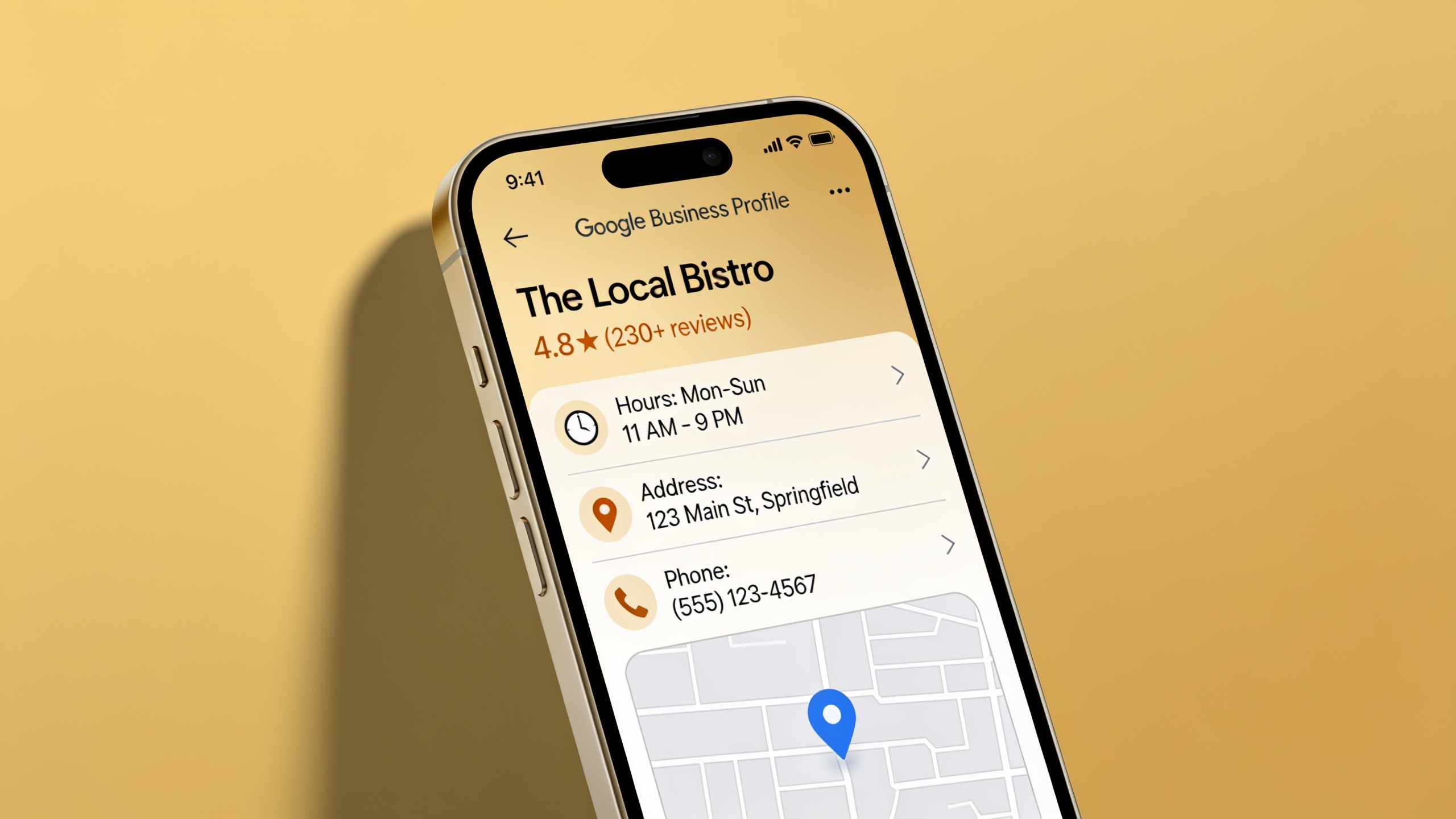
First thing: claim and complete your business listings. A full, accurate Google Business Profile (hours, address, phone, categories, services) hands assistants the structured info they need to answer local questions with confidence. Outdated or inconsistent listing info is one of the most common reasons a business gets skipped for a competitor with cleaner data. Boring? Yes. Worth an afternoon? Absolutely.
Then build location-specific content. Pages that actually mention a city, neighborhood, or service area in natural language, not just tucked away in the footer or metadata, match "near me" queries far better. "Our downtown Austin location offers same-day appointments" beats a mushy "We serve the greater metro area" every single time.
Encourage and Respond to Reviews
Review volume, how recent they are, and overall sentiment all get cited as factors search engines weigh when deciding which local businesses to surface, voice-driven queries included. So ask for reviews. Reply to them, even the annoying ones. It signals you're an active, real, trustworthy business, and that counts for more than people think.
Common Voice Search Optimization Mistakes
The most common voice search mistakes come down to writing for keywords instead of questions, ignoring page speed and mobile experience, and skipping structured data. Fixing these usually moves the needle more than chasing any fancy advanced tactic.
Ignoring question intent is the big one. If your content is built entirely around short keyword phrases and never actually answers the natural-language questions hiding behind them, an assistant has a hard time matching you to a spoken query. Good news is the fix is easy: add question-based headings with direct answers. No full rewrite required.
People also love a pretty page that takes forever to load on mobile or has zero structured data. That undermines even genuinely great writing. Voice optimization isn't purely an editing job, it rides on the technical health of the site underneath your words.
Then there's the answer that meanders for five paragraphs and never lands anywhere, or the one that's so vague it says nothing. Assistants won't touch those. They want content that commits to a clear, specific answer early, even if you add nuance afterward. Say the thing.
And finally, neglecting local listing accuracy. For any business with a physical spot or service area, having your name, address, and phone number scattered inconsistently across the web (people call it NAP inconsistency) can quietly wreck your local voice performance even when your on-page content is solid. It's such a preventable own-goal.
| Mistake | Why It Hurts Voice Search SEO | Fix |
|---|---|---|
| Keyword-only writing | Doesn't match natural spoken phrasing | Add question-based headings with direct answers |
| Slow mobile pages | Assistants favor fast, reliable sources | Compress images, reduce scripts, test mobile speed |
| No structured data | Assistants can't confirm content meaning | Add Schema.org markup for FAQs, HowTos, and business info |
| Long, buried answers | Assistants can't extract a clean sentence | Front-load a concise answer, then elaborate |
| Inconsistent business listings | Confuses local matching | Audit and standardize name, address, phone across the web |
Frequently Asked Questions
Do I need totally different content for voice search than for regular SEO?
Not totally different, no. But it does ask for extra emphasis on conversational phrasing, clean question-and-answer structure, and the technical bits like structured data and page speed. If you've already nailed strong traditional SEO fundamentals (clear headings, direct answers, decent mobile performance) you're honestly most of the way there already.
Which voice assistants should I actually be optimizing for?
The big three, Siri, Alexa, and Google Assistant, each pull answers from different underlying data sources, with Google Assistant usually leaning on Google's search index and featured snippets. The exact sourcing logic isn't fully public and it keeps changing, so trying to reverse-engineer one specific assistant is mostly a waste of energy. Just optimize for clear, well-structured, technically sound content and you'll cover your bases.
How do I figure out what people are actually asking by voice?
Dig into "People Also Ask" boxes, autocomplete suggestions, community Q&A sites, and the customer questions your business already gets. Those tend to be phrased the same way spoken queries are. Honestly, your existing customer emails, chat logs, and phone inquiries are the best source of all, because those are already worded the way real people talk. Go read them.
Is voice search optimization only a thing for local businesses?
Nope. Local intent is a massive driver, sure, but tons of spoken queries are purely informational, people asking how something works, what a term means, how to do something. That matters just as much for content marketers, SaaS companies, and publishers as it does for the plumber down the street.
How does voice search relate to AI engines like ChatGPT or Perplexity?
Both voice assistants and AI answer engines tend to synthesize or read back a single response instead of handing you a list of links. So the same habits, clear direct answers, explicit definitions, well-structured headings, boost your visibility in both places. That overlap is a big reason teams now plan content with both spoken queries and AI answers in mind from the very start.
Voice search isn't some passing fad bolted onto traditional SEO. It's just a reflection of how people naturally ask questions when nobody's making them type. Content that answers those questions directly, in plain language, on a technically solid site, tends to do well whether it's coming out of a smart speaker, sitting in a featured snippet, or getting quoted by an AI. Baking that habit into everything you publish, instead of treating it as a one-and-done cleanup pass, is what keeps you visible as spoken and AI-driven search keep growing. And they're going to keep growing.
Ready to stop writing content by hand? Start your free RobinRank trial and get a full month of SEO-optimized articles published on autopilot.